HLDS portable DVD Android external Recorder
3. TrueDVD (Android TV)
Review Pages
2. Retail Package
3. TrueDVD (Android TV)
4. Disc Link Platinum (Android TV)
5. Using the device with Mobile Phone/Tablet
6. TrueDVD (Amazon FireHD)
7. Disc Link Platinum (Amazon FireHD)
8. Drive Information/features
9. CD Reading Tests
10. DVD Reading Tests
11. CD-R Writing Tests
12. DVD Media Writing Strategy (DVD-R,DVD-RW,DVD+R,DVD+RW,DVD-RAM)
13. Memorex 16X DVD-R Media
14. Moser Baer India 16X DVD-R
15. Philips 16X DVD-R Media
16. RiDisc 16X DVD-R Media
17. Taiyo Yuden 16X DVD-R
18. Verbatim 16X DVD-R
19. DVD-R DL Quality
20. DataWrite DVD+R 16X Media
21. Verbatim (Mitsubishi Kagaru Media) DVD+R 16X Media
22. TDK DVD+R 16X Media
23. DVD+R DL Quality
24. Conclusion
The HLDS GP96Y main advertise feature is the compatibility with the Android operating system.The retail package states that the device is compatible with Android 8.0 or higher. That means you can connect the external USB powered CD/DVD drive to an android device (via USB) either with USB-TypeA or USB-TypeC port and use it to view DVD-Video, listen to Audio CD and backup the contents of the Android device and many more as we will see later on.
In order to start you need to use one of the two bunlded cables, either TypeA or TypeC USB cable. Below you can see how to connect the device to an Android TV or an android TV Box. Its advised to connect directly the drive to USB and not via USB Hub that could cause low power supply and malfunction of the drive :

After connecting the PortableDVD drive to the host, you need to get over the Google Play Store and download the corresponding Apps to get started. Users should have a 'Google play Store' account for the initial access in order to download the HLDS apps.

TrueDVD app

"True DVD for Android TV“ is the app to use to play DVD-Video on [Android TV, Android TV BOX(STB), Android Projector] (hereafter referred to as “Android TV”). Blu-ray discs can not be played, since are not compatible with the PortableDVD drive after all. Connect the DVD drive that supports "True DVD for Android TV" app to your Android TV in order to play DVD. Download the free " True DVD for Android TV” app from ‘Google Play Store’.
- Move to the home screen of your Android TV.
- Launch ‘Google Play Store’ app.
- Search the ‘True DVD for Android TV’ on ‘Google Play Store’ and install the app.
In our tests we used the Nvidia Shield device with the latest available version (Android 9).


The app may ask for permissions press OK.

Since we didn't had set the region of the PortableDVD, the app prompt us to select a region.

- The maximum number of region code changes is limited to 5 times.
- You can not change the region code again after the 5th change.
- If the DVD region code is not matched, the DVD can not be played.
- If the region code has been changed up to 5 times, it is fixed with the region code that was changed for the last 5th time. And it is unable to restore.


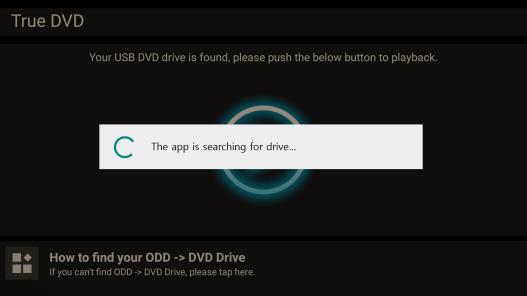
After we launched the app, we get into the main screen, where we have to press the center button to start the playback


The DVD-Video starts playing

For our test we used the Casablanca movie, as we can see all menus are accessible

After starting we can set the Subtitles

and any audio tracks that are present

Greek subtitles appear just fine

As the English ones

Pressing the back button we can exit the playback

and with a second back we exit the app

In case we re-open the app, it remembers we had already played the movie and will prompt us to continue from that point.

Review Pages
2. Retail Package
3. TrueDVD (Android TV)
4. Disc Link Platinum (Android TV)
5. Using the device with Mobile Phone/Tablet
6. TrueDVD (Amazon FireHD)
7. Disc Link Platinum (Amazon FireHD)
8. Drive Information/features
9. CD Reading Tests
10. DVD Reading Tests
11. CD-R Writing Tests
12. DVD Media Writing Strategy (DVD-R,DVD-RW,DVD+R,DVD+RW,DVD-RAM)
13. Memorex 16X DVD-R Media
14. Moser Baer India 16X DVD-R
15. Philips 16X DVD-R Media
16. RiDisc 16X DVD-R Media
17. Taiyo Yuden 16X DVD-R
18. Verbatim 16X DVD-R
19. DVD-R DL Quality
20. DataWrite DVD+R 16X Media
21. Verbatim (Mitsubishi Kagaru Media) DVD+R 16X Media
22. TDK DVD+R 16X Media
23. DVD+R DL Quality
24. Conclusion