Breaking News

SAMA Introduces the S32 WOOD, a Compact M-ATX Case Bundled with an 80 PLUS Gold PSU Thypoch Completes Simera-C Cine Prime Lineup with New 100mm T1.9 Lens CORSAIR Launches the RM1200e Power Supply with Built-in PinProtect GPU Overcurrent Protection and Platinum-certified Efficiency CORSAIR Changes the Game with PureVector, a Science-Based Personalized Aiming Technology, Launching Exclusively in the SABRE v3 PRO PureVector Mouse Series AMD FSR Upscaling 4.1 Boosts Frames and Image Quality on More Devices

logo

  • Share Us
    • Facebook
    • Twitter
  • Home
  • Home
  • News
  • Reviews
  • Essays
  • About
    • Submit News

    • Contact Us
    • Privacy

    • Promotion
    • Advertise

    • RSS Feed

Search form

Epomaker HE 68

Mar 21,2025 0

3. Software


Review Pages

1. Introduction
2. Retail Package
3. Software
4. Conclusion


Users to work with the EPOMAKER keyboard, need to download the EPOMAKER Driver software from the official website and simply install it (Win/MAC). The software offers many different options for users to play with, from changing all keys to their liking to setting up Macros, Lighting, and of course, checking the firmware revision of their keyboard. You can also download the product online manual for further information.

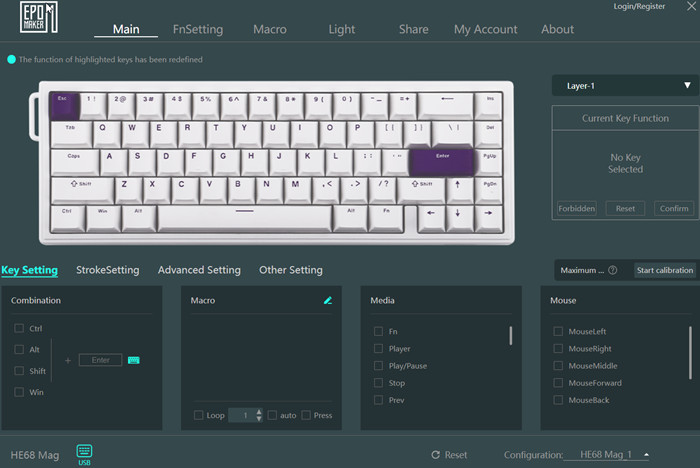
On the main screen, users can see the default layout of the HE 68 MAG keyboard and change various settings and key functions. There are several different layers users can change according to their likings.
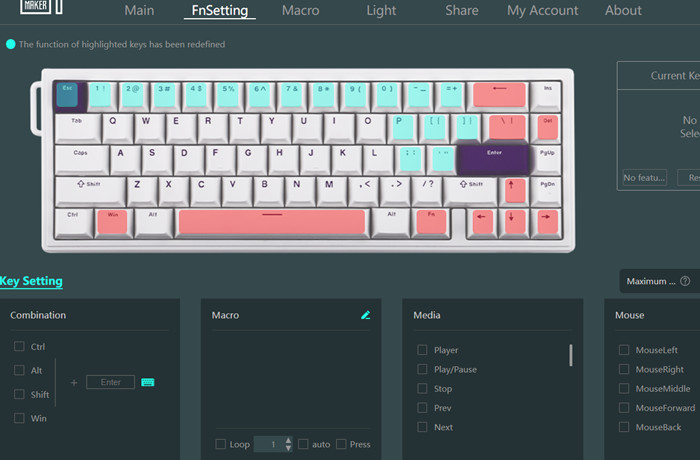
FN setting can be changed as well.
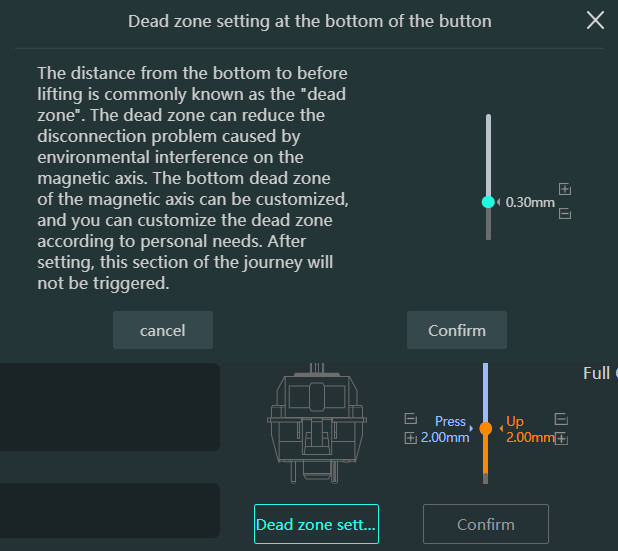
Moving to the bottom area, users can set how the key functions and the dead zones as well.
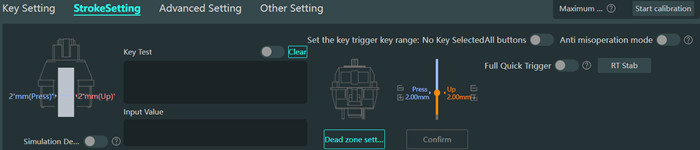
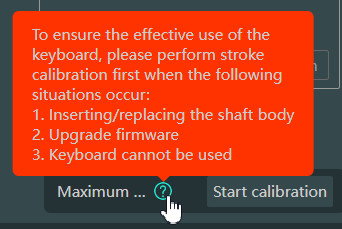
Users can set the Rapid Trigger by adjusting the "Press" and "Up" points and then Click the confirm button.
Moving to the Advanced Settings tab, users can set more powerful features.
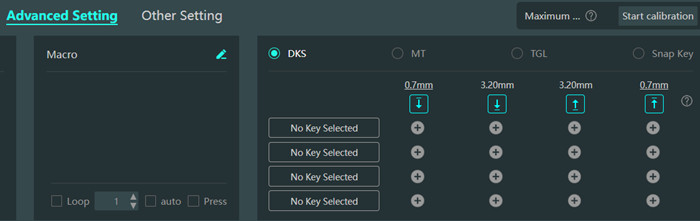
  • Dynamic Keystroke (DKS)-> Set up 4 different functions on 4 different positions on your keystroke
  • Mod Tap (MT) -> Set up two different functions and two actions on a key: holding to be one function and tapping to be another function
  • Togle Key (TGL) -> Keep the key triggered by either holding it or double-tapping it. Press the key again to stop triggering
  • Snap Tap (SOCD) -> When both keys are pressed it registers the last input (Note that in some FPS this may cause ban, use with caution!)

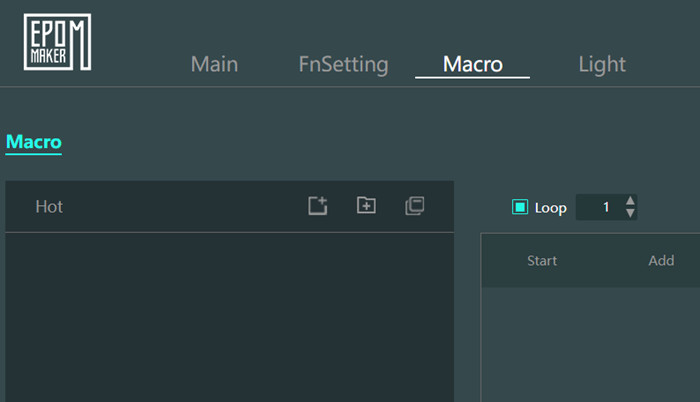
Macros are present and can be either a single press or a combination of keys.
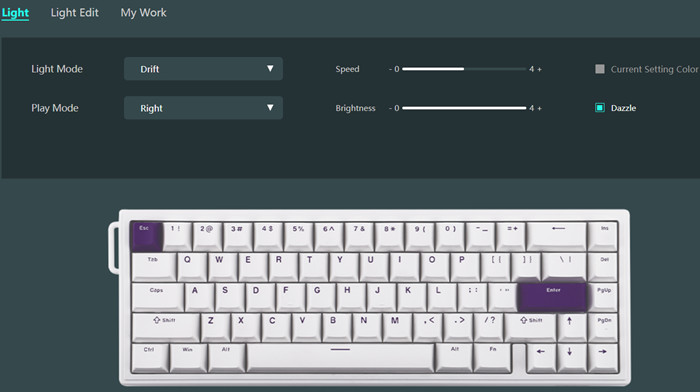
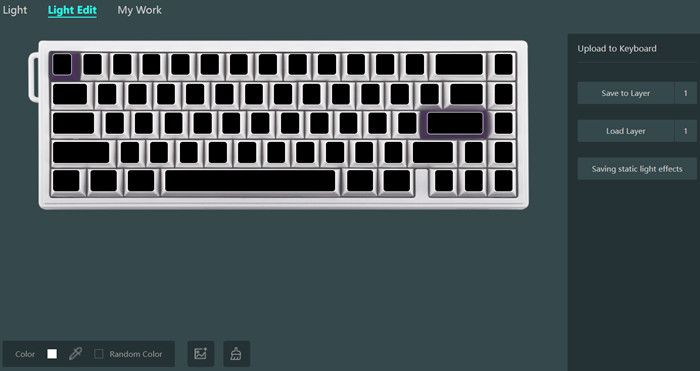
At the light tab, users can set the various ARGB light modes, speed, brightness, and play mode.
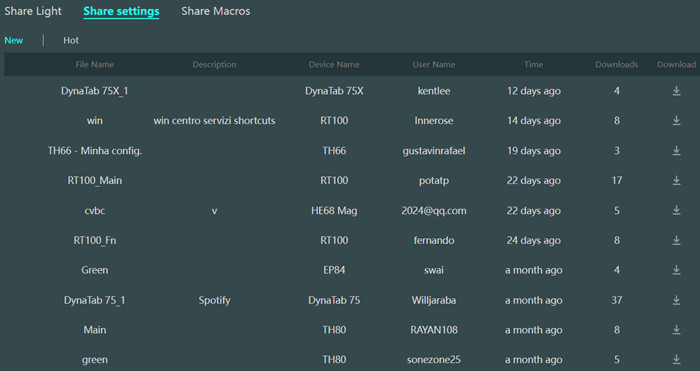
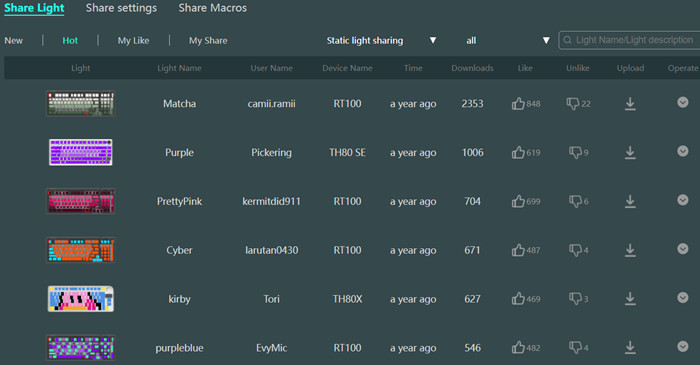
Users can set their lights/settings and macros with other users as well.
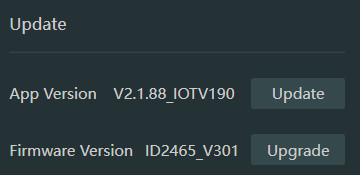
With the EPOMAKER driver software, users can update both the software and the firmware revision of the keyboard.
 

Review Pages

1. Introduction
2. Retail Package
3. Software
4. Conclusion


Pages

  • « first
  • ‹ previous
  • 1
  • 2
  • 3
  • 4
  • next ›
  • last »

EPOMAKER

Tags: EPOMAKER
Previous Post
Terramaster F8-SSD
Next Post
Epomaker Click

Related Posts

  • Epomaker Magcore 87

  • Epomaker Carbon 60

  • Epomaker Click

  • Epomaker Alice 66

  • Epomaker Split 65

  • EPOMAKER RT100

  • Epomaker HE 75 Mag

  • Epomaker P75

Latest Reviews

be quiet! Light Wings Pro IO fan
Cooling Systems

be quiet! Light Wings Pro IO fan

Why Intelligent Firmware Matters More Than Peak Throughput in NAS Systems
Enterprise & IT

Why Intelligent Firmware Matters More Than Peak Throughput in NAS Systems

Fanxiang MP83 M.2 NVMe SSD Enclosure
Enterprise & IT

Fanxiang MP83 M.2 NVMe SSD Enclosure

Ugreen CM642 USB4.0 Enclosure
PC components

Ugreen CM642 USB4.0 Enclosure

be quiet! Dark Power 14 IO
PC components

be quiet! Dark Power 14 IO

Popular News

MSI’s Latest AMD X870E MAX & EVO Series Motherboards

MSI’s Latest AMD X870E MAX & EVO Series Motherboards

COLORFUL Launches iGame B850M ULTRA Series Micro-ATX Motherboards

COLORFUL Launches iGame B850M ULTRA Series Micro-ATX Motherboards

COLORFUL Presents Limited Edition Chitu MAG-60 Magnetic Keyboard Inspired by the Year of the Horse

COLORFUL Presents Limited Edition Chitu MAG-60 Magnetic Keyboard Inspired by the Year of the Horse

COLORFUL Launches iGame B850I MINI OC V14 Motherboard

COLORFUL Launches iGame B850I MINI OC V14 Motherboard

COLORFUL Launches the iGame X870E VULCAN W OC Motherboard

COLORFUL Launches the iGame X870E VULCAN W OC Motherboard

COLORFUL Presents iGame Z890 ULTRA-S W and iGame Z890M ULTRA Z Motherboards

COLORFUL Presents iGame Z890 ULTRA-S W and iGame Z890M ULTRA Z Motherboards

COLORFUL Expands B850 Motherboard Lineup with New CVN, Battle-Ax, and MEOW Models

COLORFUL Expands B850 Motherboard Lineup with New CVN, Battle-Ax, and MEOW Models

ASRock Adds Support for One Sub-Channel DRAM Module on Intel DDR5 Motherboards

ASRock Adds Support for One Sub-Channel DRAM Module on Intel DDR5 Motherboards

Main menu

  • Home
  • News
  • Reviews
  • Essays
  • About
    • Submit News

    • Contact Us
    • Privacy

    • Promotion
    • Advertise

    • RSS Feed
  • About
  • Privacy
  • Contact Us
  • Promotional Opportunities @ CdrInfo.com
  • Advertise on out site
  • Submit your News to our site
  • RSS Feed