
Media Quality Tests
3. Submission of Tests
Review Pages
2. View Page Description
3. Submission of Tests
4. Submit Tests detailled description
5. List of Tests conducted by a particular reader
6. Empty
7. An example of viewing a test
8. An example of submitting a test
9. Security constraints
10. Csv file format
11. Some suggestions for the proper submission
12. Measuring the quality of recorded media
13. Frequently Asked Questions
14. Glossary of Terms
15. Programming decisions
16. APPENDIX 1. UmDoctor Pro II
17. APPENDIX 2. KProbe
18. APPENDIX 3. CdSpeed
19. APPENDIX 4. PlexTools Professional
2. Helping you understand how submission of Tests works
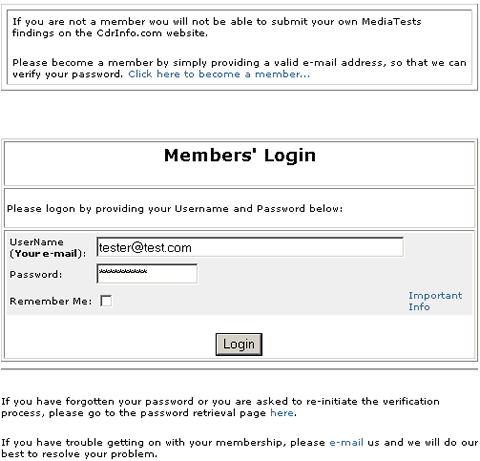
Each user can also submit his own tests. He will have to become a CdrInfo.com member first, however. This is easy. All required is a valid e-mail address and following the steps he is instructed to follow when going here, as explained in the previous section.
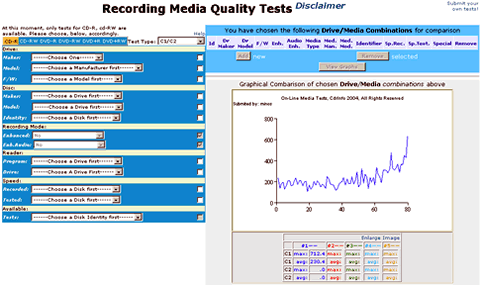
Below is the picture of the main page you see when having logged on as "Tester" in the section of "Media Quality Tests" of our site.
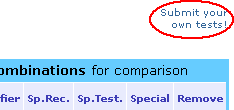 You must click the mouse on the link “submit” on the left
top of the page and you are immediately redirected to
the page where you can submit your first test result, as shown below.
You must click the mouse on the link “submit” on the left
top of the page and you are immediately redirected to
the page where you can submit your first test result, as shown below.

The structure of this page (Submit Page) is similar in concept to the initial page for viewing the tests themselves (View Page). You must have a fairly good understanding of how this section works before being able to successfully submit any tests. So, we suggest you spend some time acquainting yourself with how you can choose and view the already available tests, before going on into submitting your own test results. We further urge you to read carefully this whole article and have a good understanding of the various what's and why's, well in advance.
 At the left toolbar on the left of this page there are is also the option of seeing all tests submitted by you. You can also edit them!. Here is the relevant picture concerning this "Edit Page".
For details and explanation of the steps you will have to follow for submitting a test, and the rationale behind this, click here. <link to: “Submit Test Page description” headline>
For details on the screen containing the full list of tests contacted by you please go here.<link to “Page of List tests conducted by a particular reader” headline>
Review Pages
2. View Page Description
3. Submission of Tests
4. Submit Tests detailled description
5. List of Tests conducted by a particular reader
6. Empty
7. An example of viewing a test
8. An example of submitting a test
9. Security constraints
10. Csv file format
11. Some suggestions for the proper submission
12. Measuring the quality of recorded media
13. Frequently Asked Questions
14. Glossary of Terms
15. Programming decisions
16. APPENDIX 1. UmDoctor Pro II
17. APPENDIX 2. KProbe
18. APPENDIX 3. CdSpeed
19. APPENDIX 4. PlexTools Professional










