Breaking News

ASUS Hardware Showcase: AI Accelerators, Collector GPUs, and Esport Monitors Apple Unveils Major Hardware and Creative Suite Ecosystem Updates XPG Launches Third-Generation CORE REACTOR III for Next-Gen Power Safety TCL’s New Monitor Range Fits Every Kind of Gaming Setup Viltrox Launches AF 35mm F1.4 Pro FE/Z

logo

  • Share Us
    • Facebook
    • Twitter
  • Home
  • Home
  • News
  • Reviews
  • Essays
  • About
    • Submit News

    • Contact Us
    • Privacy

    • Promotion
    • Advertise

    • RSS Feed

Search form

be quiet! Dark Base 701

Nov 16,2023 0

3. Installing stuff


Review Pages

1. Introduction
2. The package
3. Installing stuff
4. Conclusion


What about radiators? According to the official specs, users can install at the top and front 120 / 140 / 240 / 280 / 360 AIO radiators, while at the rear 120mm. At the top, you can install up to 37mm thick radiators, while at the front up to 32mm so keep that in mind. Big power supplies aren't a real issue as well, since you can use up to 260mm at the bottom area. Big VGA cards are a must with today's high-end models, and be quiet! have you covered as well. You can install up to 415mm length graphics cards. be quiet! also sells a vertical GPU stand/cable riser for PCIe 4.0 at ~60 Euros.
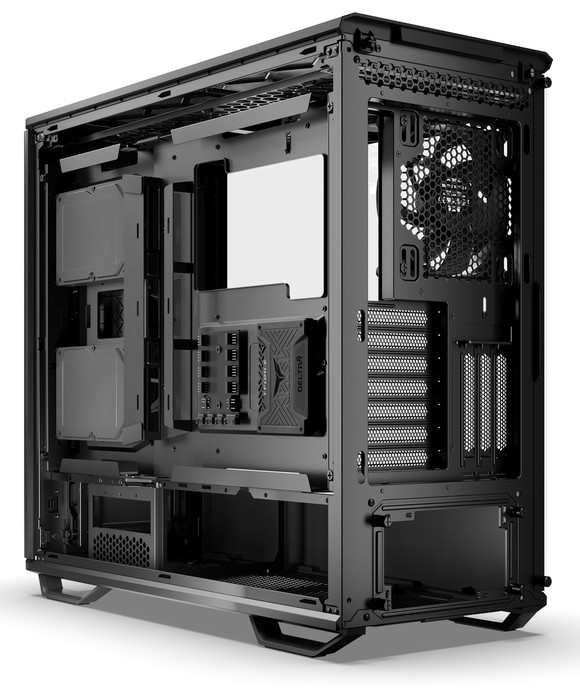
The front plastic cover with be quiet! logo can be removed and have plenty of access to the PSU / HDD area.
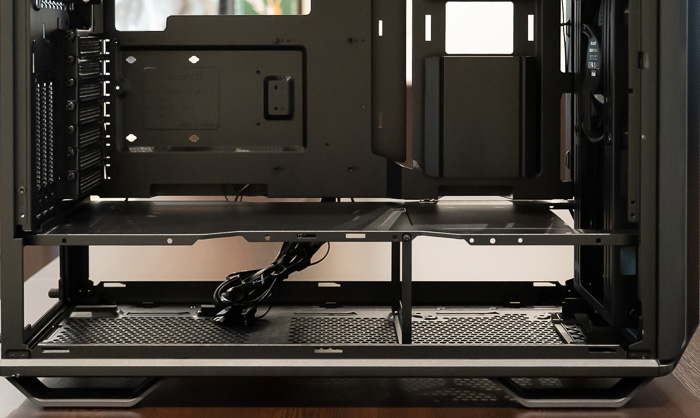
While NVME drives are very cheap nowadays, users still need storage slots and the Dark Base 701 can pack up to three 3.5" and two 2.5" HDDs, while with an additional HDD cage, you can install two more 3.5"HDDs and one more 2.5" HDD as well. At the front panel you can install, two 2.5" drives, at the back panel two 3.5" HDDs, and another 2.5" drive can be put at the back of the motherboard tray next to the fan controller.HDD and SSD installation is completely tool-less. Not bad if you ask me! Finally, as with most other sold be quiet! PC cases, the CPU cooler compatibility is high, due to its internal 185mm clearance for getting the latest be quiet! Dark Pro Elite CPU cooler installed.

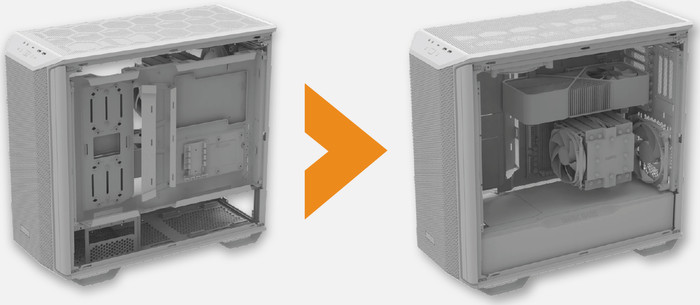
The whole motherboard tray can also be inverted with a few simple steps
Below you can see the places you can install the various internal components.
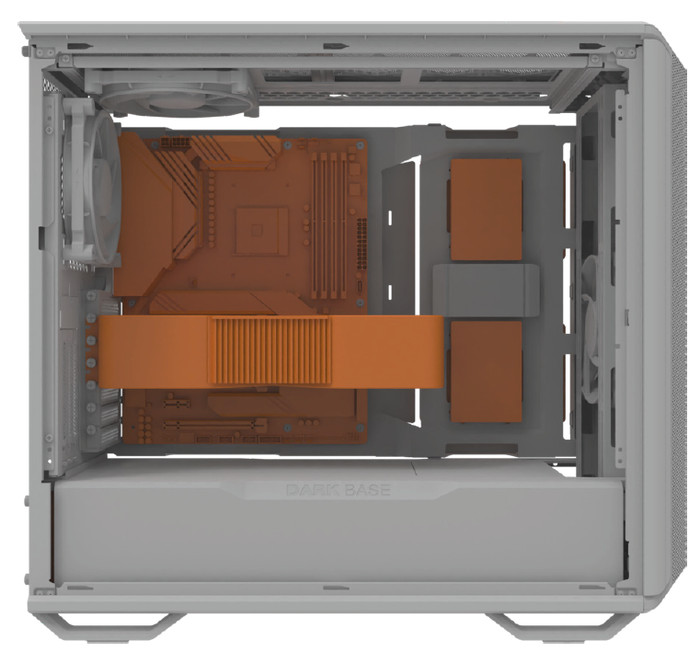
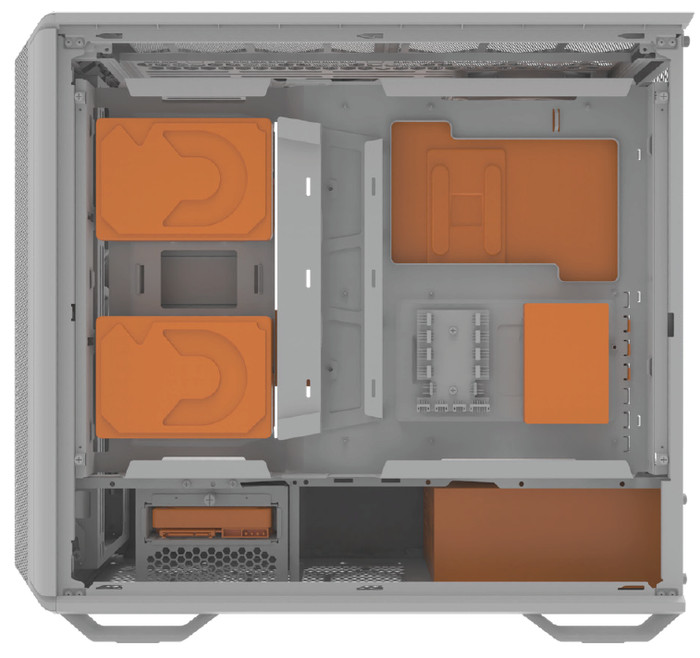
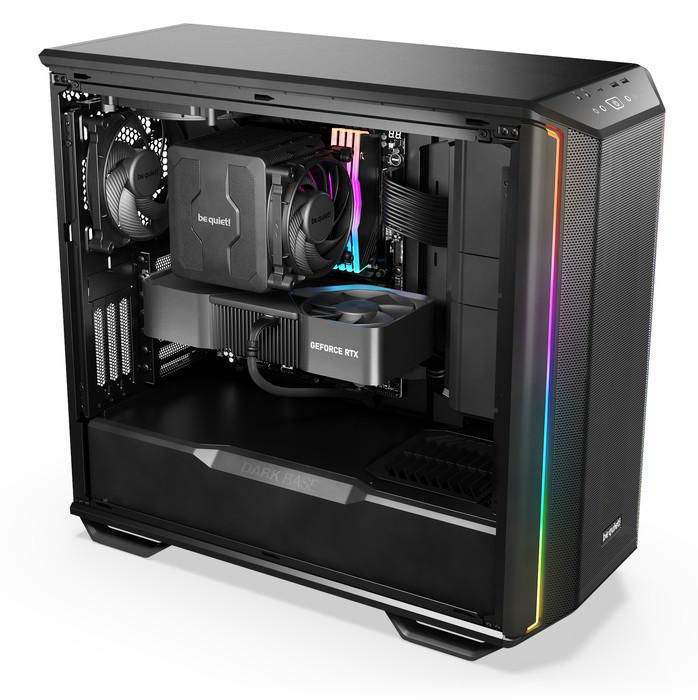
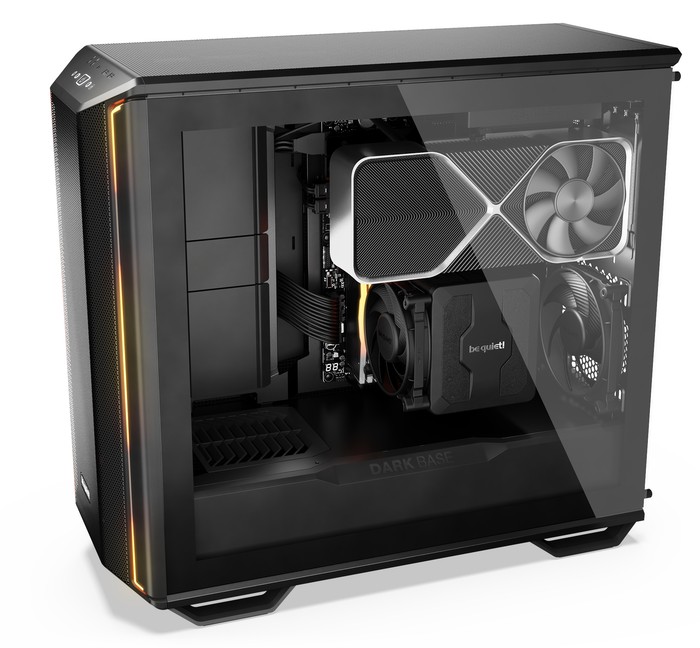
Getting every installed is very easy, side panels can be removed easily, as well the top panel. There is a lot of space to install the motherboard, the PSU, and of course any graphics card. Routing cables is easy at the back since there are many pre-installed metal plates that can hold cables and be quiet! has included more straps as well to get everything tidy. Here are several pictures with a ready fully installed system.
 

Review Pages

1. Introduction
2. The package
3. Installing stuff
4. Conclusion


Pages

  • « first
  • ‹ previous
  • 1
  • 2
  • 3
  • 4
  • next ›
  • last »

be quiet!

Tags: be quiet!
Previous Post
Withings Scan Watch 2
Next Post
be quiet! Pure Wings 3

Related Posts

  • be quiet! Light Wings Pro IO fan

  • be quiet! launches Light Wings Pro IO all in one frame fan series with advanced lighting and cooling options

  • be quiet! Dark Power 14 IO

  • be quiet! Light Mount TKL

  • be quiet! raises the bar with the new Dark Power Pro 14 IO power supply series

  • be quiet! expands its peripheral lineup with Light Mount TKL and Mousepad XL

  • be quiet! Light Loop IO LCD

  • be quiet! introduces Light Loop IO LCD

Latest Reviews

be quiet! Light Wings Pro IO fan
Cooling Systems

be quiet! Light Wings Pro IO fan

Why Intelligent Firmware Matters More Than Peak Throughput in NAS Systems
Enterprise & IT

Why Intelligent Firmware Matters More Than Peak Throughput in NAS Systems

Fanxiang MP83 M.2 NVMe SSD Enclosure
Enterprise & IT

Fanxiang MP83 M.2 NVMe SSD Enclosure

Ugreen CM642 USB4.0 Enclosure
PC components

Ugreen CM642 USB4.0 Enclosure

be quiet! Dark Power 14 IO
PC components

be quiet! Dark Power 14 IO

Popular News

MSI’s Latest AMD X870E MAX & EVO Series Motherboards

MSI’s Latest AMD X870E MAX & EVO Series Motherboards

COLORFUL Launches iGame B850M ULTRA Series Micro-ATX Motherboards

COLORFUL Launches iGame B850M ULTRA Series Micro-ATX Motherboards

COLORFUL Launches iGame B850I MINI OC V14 Motherboard

COLORFUL Launches iGame B850I MINI OC V14 Motherboard

COLORFUL Presents Limited Edition Chitu MAG-60 Magnetic Keyboard Inspired by the Year of the Horse

COLORFUL Presents Limited Edition Chitu MAG-60 Magnetic Keyboard Inspired by the Year of the Horse

COLORFUL Launches the iGame X870E VULCAN W OC Motherboard

COLORFUL Launches the iGame X870E VULCAN W OC Motherboard

COLORFUL Presents iGame Z890 ULTRA-S W and iGame Z890M ULTRA Z Motherboards

COLORFUL Presents iGame Z890 ULTRA-S W and iGame Z890M ULTRA Z Motherboards

COLORFUL Expands B850 Motherboard Lineup with New CVN, Battle-Ax, and MEOW Models

COLORFUL Expands B850 Motherboard Lineup with New CVN, Battle-Ax, and MEOW Models

ASRock Adds Support for One Sub-Channel DRAM Module on Intel DDR5 Motherboards

ASRock Adds Support for One Sub-Channel DRAM Module on Intel DDR5 Motherboards

Main menu

  • Home
  • News
  • Reviews
  • Essays
  • About
    • Submit News

    • Contact Us
    • Privacy

    • Promotion
    • Advertise

    • RSS Feed
  • About
  • Privacy
  • Contact Us
  • Promotional Opportunities @ CdrInfo.com
  • Advertise on out site
  • Submit your News to our site
  • RSS Feed