Breaking News

ASUS Hardware Showcase: AI Accelerators, Collector GPUs, and Esport Monitors Apple Unveils Major Hardware and Creative Suite Ecosystem Updates XPG Launches Third-Generation CORE REACTOR III for Next-Gen Power Safety TCL’s New Monitor Range Fits Every Kind of Gaming Setup Viltrox Launches AF 35mm F1.4 Pro FE/Z

logo

  • Share Us
    • Facebook
    • Twitter
  • Home
  • Home
  • News
  • Reviews
  • Essays
  • About
    • Submit News

    • Contact Us
    • Privacy

    • Promotion
    • Advertise

    • RSS Feed

Search form

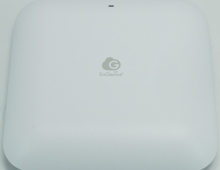
EnGenius EWS356-FIT

Sep 1,2023 0

5. Advanced installation


Review Pages

1. Introduction
2. Retail Package
3. FitXpress App
4. Operation - Features
5. Advanced installation
6. Conclusion


Lastly, we wanted to mention the second (hard way) to activate your device. In that mode instead of using the FitExpress app, at the initial step:

  • Use your client device (e.g., a laptop, mobile device, or tablet) to find the SSID: “EnMGMTxxxx” and connect to it. EnMGMTxxxx - xxxx is the last four digits of MAC - MAC can be found on the device label on the back of the access point.
  • Under your web browser, enter the URL: http://EnGenius.local or http://192.168.1.1 to access the device’s user interface.
  • Use the default login credential (ID/PWD: admin/admin) to log in to the device’s local web page.

In that mode, we can see much more options and controls over the device, compared with the FitExpress app. Our device also includes 3GB of RAM, which wasn't visible in the App. Note that you cannot use both this method and the FitXpress app.


Review Pages

1. Introduction
2. Retail Package
3. FitXpress App
4. Operation - Features
5. Advanced installation
6. Conclusion


Pages

  • « first
  • ‹ previous
  • 1
  • 2
  • 3
  • 4
  • 5
  • 6
  • next ›
  • last »

EnGenius

Tags: EnGenius
Previous Post
be quiet! Shadow Base 800
Next Post
Toshiba Canvio Basics 4TB

Related Posts

  • EnGenius announces ECW560 Wi-Fi 7 Outdoor Router

  • EnGenius ECW515 Brings Wi-Fi 7 Performance to In-Room and In-Unit Deployments

  • EnGenius Unveils Cloud-Managed ECW536S Wi-Fi 7 with 24/7 AirGuard Security

  • EnGenius ECW520 AP

  • EnGenius Brings Wi-Fi 7 to Small Businesses with Affordable ECW510 Access Point

  • EnGenius Multi-Gigabit Switch Delivers 2.5G Performance with 90W PoE

  • EnGenius Announces Affordable ECW520 Access Point

  • EnGenius Launches Cloud-Lite Switch Series

Latest Reviews

be quiet! Light Wings Pro IO fan
Cooling Systems

be quiet! Light Wings Pro IO fan

Why Intelligent Firmware Matters More Than Peak Throughput in NAS Systems
Enterprise & IT

Why Intelligent Firmware Matters More Than Peak Throughput in NAS Systems

Fanxiang MP83 M.2 NVMe SSD Enclosure
Enterprise & IT

Fanxiang MP83 M.2 NVMe SSD Enclosure

Ugreen CM642 USB4.0 Enclosure
PC components

Ugreen CM642 USB4.0 Enclosure

be quiet! Dark Power 14 IO
PC components

be quiet! Dark Power 14 IO

Popular News

MSI’s Latest AMD X870E MAX & EVO Series Motherboards

MSI’s Latest AMD X870E MAX & EVO Series Motherboards

COLORFUL Launches iGame B850M ULTRA Series Micro-ATX Motherboards

COLORFUL Launches iGame B850M ULTRA Series Micro-ATX Motherboards

COLORFUL Launches iGame B850I MINI OC V14 Motherboard

COLORFUL Launches iGame B850I MINI OC V14 Motherboard

COLORFUL Presents Limited Edition Chitu MAG-60 Magnetic Keyboard Inspired by the Year of the Horse

COLORFUL Presents Limited Edition Chitu MAG-60 Magnetic Keyboard Inspired by the Year of the Horse

COLORFUL Launches the iGame X870E VULCAN W OC Motherboard

COLORFUL Launches the iGame X870E VULCAN W OC Motherboard

COLORFUL Presents iGame Z890 ULTRA-S W and iGame Z890M ULTRA Z Motherboards

COLORFUL Presents iGame Z890 ULTRA-S W and iGame Z890M ULTRA Z Motherboards

COLORFUL Expands B850 Motherboard Lineup with New CVN, Battle-Ax, and MEOW Models

COLORFUL Expands B850 Motherboard Lineup with New CVN, Battle-Ax, and MEOW Models

ASRock Adds Support for One Sub-Channel DRAM Module on Intel DDR5 Motherboards

ASRock Adds Support for One Sub-Channel DRAM Module on Intel DDR5 Motherboards

Main menu

  • Home
  • News
  • Reviews
  • Essays
  • About
    • Submit News

    • Contact Us
    • Privacy

    • Promotion
    • Advertise

    • RSS Feed
  • About
  • Privacy
  • Contact Us
  • Promotional Opportunities @ CdrInfo.com
  • Advertise on out site
  • Submit your News to our site
  • RSS Feed