Breaking News

Geometric Future Unveils 2026/2027 Lineup at Computex: MODEL 9 Flagship, MODEL 7 Prototypes, New PSUs and AIO​ Amiiba Launches at COMPUTEX 2026 with Ferrofluid-Inspired Hardware LIAN LI Reveals Expansive 2026 Portfolio Focused on Airflow, Modularity, and Showcase Design ASUS Now Bundles ROG Equalizer Cable with Thor III, Strix Platinum PSUs GIGABYTE Introduces D5 Single Boost Technology, Redefining What One DIMM Can Do

logo

  • Share Us
    • Facebook
    • Twitter
  • Home
  • Home
  • News
  • Reviews
  • Essays
  • Forum
  • Legacy
  • About
    • Submit News

    • Contact Us
    • Privacy

    • Promotion
    • Advertise

    • RSS Feed
    • Site Map

Search form

MOUNTAIN Everest Max - Makalu 67

Jan 8,2023 0

3. Base Camp Software


Review Pages

1. Everest Max Keyboard
2. Makalu 67 Mouse
3. Base Camp Software
4. Nunatak Mousepad
5. Conclusion


Users before using both EVEREST MAX keyboard and Makalu 67 mouse should install the latest build (1.3.3) of the MOUNTAIN Base Camp software. The software for now is only available for Windows 10 & 11 operating systems. Hopefully, MOUNTAIN will also port the software to MAC OS and Linux to further expand their user base.

The software we tested was initially the 1.3.0 build, which later updated to the 1.3.3.

The installation process is rather simple and easy to accomplish. After connected the keyboard and the mouse to our test system, we immediately got a message about newer firmware revisions for both the EVEREST and MAKALU 67 mouse.

Users can set different profiles (for example, games, creative, Photoshop, etc) with which profile contain different shortcuts and actions.

After we set our profile, users can select from several pre-build various lighting effects. Each effect can also be adjusted. Note that all keys are LED illuminated, however you cannot for example light up only WASD keys or have different zones of colors for some keys. All lighting effects can also be selected from the media hub that is already attached to the EVEREST MAX keyboard.

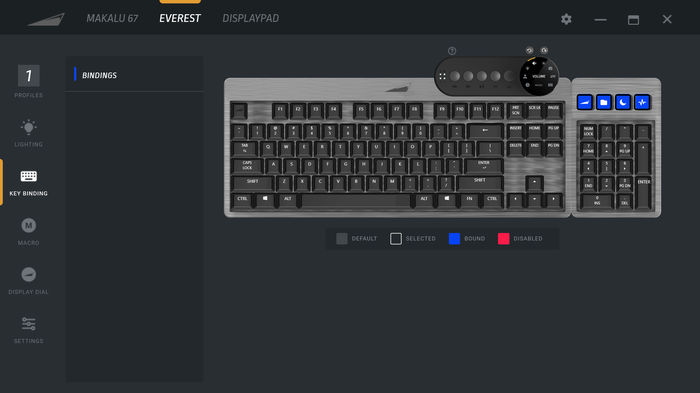
Next users can select key binding, either for the four LED screens of the numeric keypad.
Macros are also available for those complex keystroke moves.

The media hub operation can also be adjusted via the BASE CAMP software.
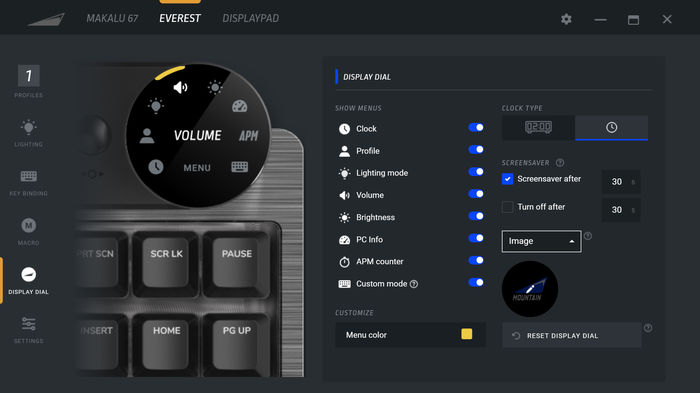
We can remove several menus that are selectable from the display dial or set the clock type (12H/24H) and set the screensaver timer.
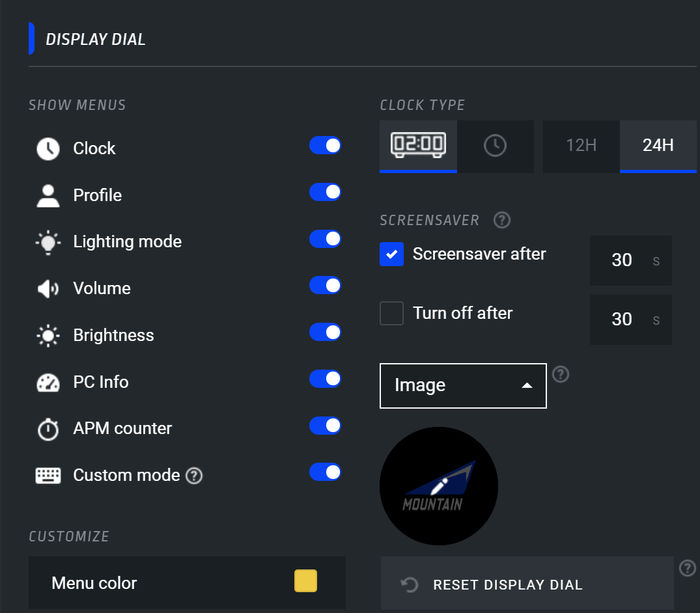
Users can also set the screensaver function from the following menu

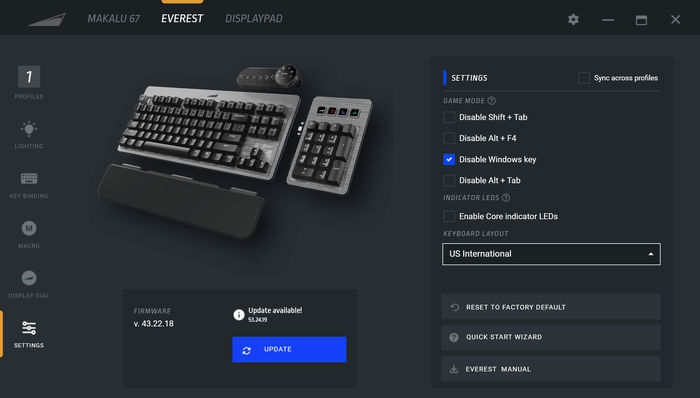
At the Settings area, you can check for firmware updates and set several other functions,

as well as the keyboard layout from 7 different languages (Francais, Deutch, Italiano, Nordic, Espanol, UK and US International), default is US international.

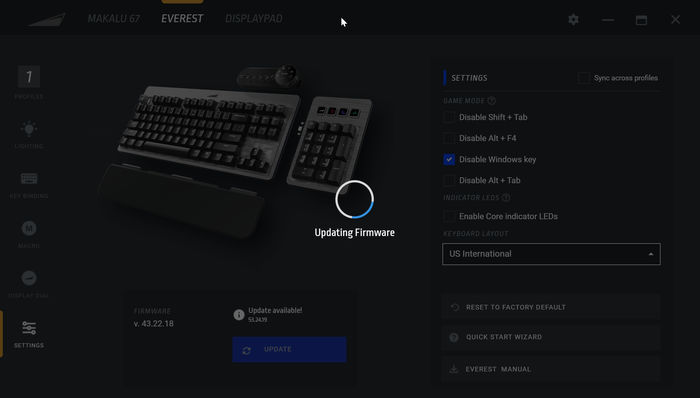
Our product came with 43.22.18 firmware and already a newer 53.24.19 update was available that didn't took too long to get installed.
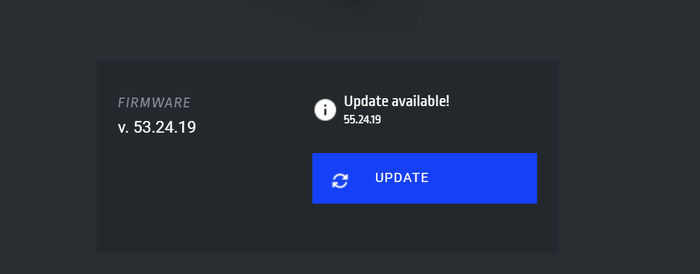
After one week testing the product, another firmware revision was released, this time up to 55.24.19
Next product we can set from the BASE CAMP was the MAKALU 67 mouse. The first menu is the profile (you can have one profile for all MOUNTAIN products), next is the lighting effects, there are 5 different profiles (and of course the option to turn lighting off).

Next we can set the key bindings for all available keys.

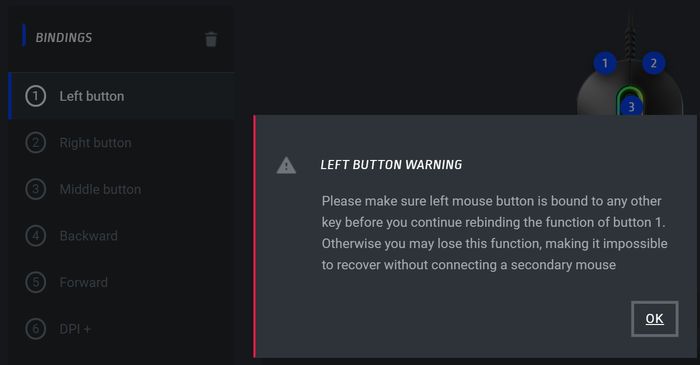
When you try to set the left button a warning will appear..
For each button users can set various major functions, and then the corresponding action for that function. Depending on what you have chosen different actions will be displayed/required..

Below are all the mouse available functions

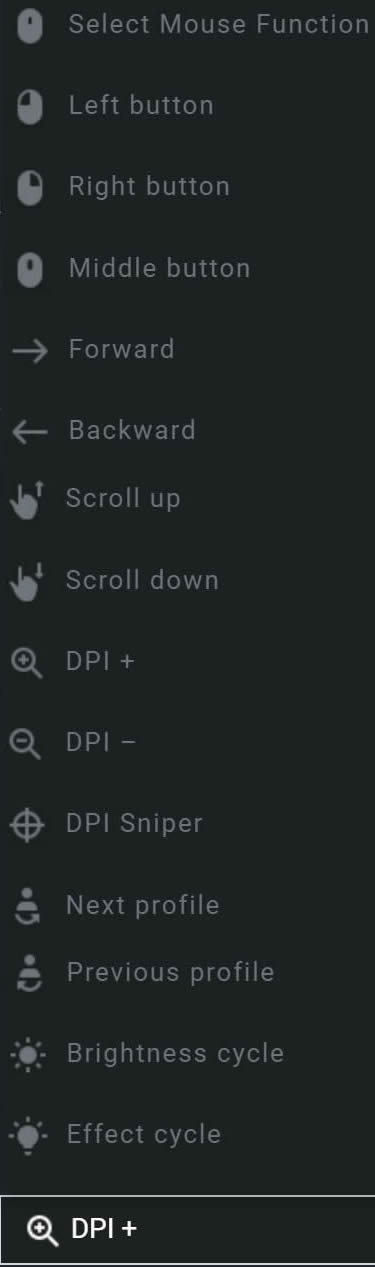
Macros also present for the MAKARU 67 mouse..

At the settings users can adjust/set the MAKALU 67 mouse according with their likes/needs.

First of all we updated the installed firmware from 1.09 to v1.13
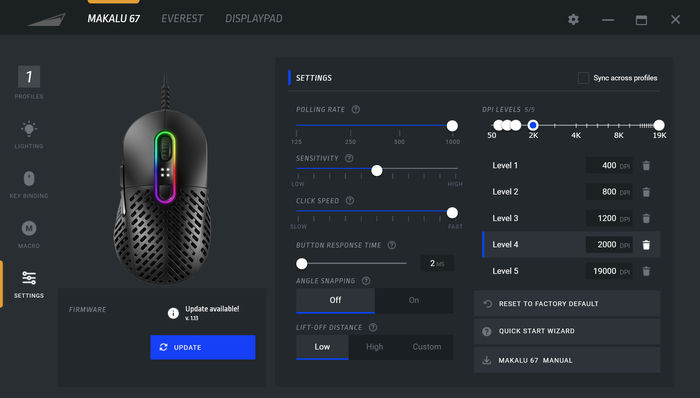
Users can set the polling rate, mouse sensitivity, click speed, button response time, angle snapping, lift-off distance, and of course DPI levels, there are five (5) pre-configured, while users can also set their own DPI levels either from the top bar or by typing dpi values inside each level box.


Review Pages

1. Everest Max Keyboard
2. Makalu 67 Mouse
3. Base Camp Software
4. Nunatak Mousepad
5. Conclusion


Pages

  • « first
  • ‹ previous
  • 1
  • 2
  • 3
  • 4
  • 5
  • next ›
  • last »

MOUNTAIN

Tags: MOUNTAIN
Previous Post
Samsung 990Pro 1TB NVME SSD
Next Post
How UltraSMR Makes the Industry’s Highest Capacity Drives

Related Posts

  • MOUNTAIN launches pudding-style Snow Keycaps

  • Mountain Makalu Max

  • MOUNTAIN launches ultra-soft Plateau palm rest

  • MOUNTAIN launches highly customizable Makalu Max mouse

  • Listan Group acquires MOUNTAIN

  • Mountain DisplayPad and MacroPad Keypads

  • A November to Remember - Get Black Friday deals!

  • MOUNTAIN launches DisplayPad and MacroPad Streaming and Content Creation Controllers

Latest Reviews

Swit NP-FZ100 Battery
Cameras

Swit NP-FZ100 Battery

The Technology Stack Behind Modern Digital Gaming Platforms
Consumer Electronics

The Technology Stack Behind Modern Digital Gaming Platforms

be quiet! Dark Rock Pro 6
Cooling Systems

be quiet! Dark Rock Pro 6

How Online Casinos Use Encryption, Verification, and Risk Controls to Build User Trust
Enterprise & IT

How Online Casinos Use Encryption, Verification, and Risk Controls to Build User Trust

Why Low-Latency Infrastructure Matters More Than Raw Specs
Enterprise & IT

Why Low-Latency Infrastructure Matters More Than Raw Specs

Popular News

TEAMGROUP Launches EXPERT P34F Find My External SSD

TEAMGROUP Launches EXPERT P34F Find My External SSD

CORSAIR announces Vanguard Pro 96 and Vanguard 96 Gaming Keyboards

CORSAIR announces Vanguard Pro 96 and Vanguard 96 Gaming Keyboards

MSI Launches FORGE GK600 TKL WIRELESS Special Edition Compact Mechanical Keyboard

MSI Launches FORGE GK600 TKL WIRELESS Special Edition Compact Mechanical Keyboard

Samsung announces Galaxy Tab S11 and Galaxy S25 FE series

Samsung announces Galaxy Tab S11 and Galaxy S25 FE series

Viltrox Showcases Upcoming Lens Lineup and New TTL Flash at IBC 2025

Viltrox Showcases Upcoming Lens Lineup and New TTL Flash at IBC 2025

Panasonic Introduces the First Ultra-Telephoto Zoom Lens in the LUMIX S Series

Panasonic Introduces the First Ultra-Telephoto Zoom Lens in the LUMIX S Series

MSI Launches DATAMAG 40Gbps Magnetic Portable SSD

MSI Launches DATAMAG 40Gbps Magnetic Portable SSD

Viltrox Joins the L-Mount Alliance, Expanding Creative Possibilities

Viltrox Joins the L-Mount Alliance, Expanding Creative Possibilities

Main menu

  • Home
  • News
  • Reviews
  • Essays
  • Forum
  • Legacy
  • About
    • Submit News

    • Contact Us
    • Privacy

    • Promotion
    • Advertise

    • RSS Feed
    • Site Map
  • About
  • Privacy
  • Contact Us
  • Promotional Opportunities @ CdrInfo.com
  • Advertise on out site
  • Submit your News to our site
  • RSS Feed