
Primera Inscripta Thermal CD Printer
7. Printing Performance - Conclusion
Review Pages
Primera Inscripta Thermal Printer - Page 7
Printing Performance - Conclusion
We made several printing tests using the Maxell silver lacquer media (for thermal transfer) provided by Primera. Inscripta Optical Disc Printer seems to be able to give some quiet good results while printing various text and small cliparts or logos. We tested the printer with the Monochrome and the 2-colour (black-blue) ribbons.
 The
monochrome ribbon results are quite good although sometimes the unchecked
"Force Saturation" option did not give the exact color dithering
result. This means that there were a few fade spots on the printing text area.
This option worked really well in no-shade solid printings where the dithering
disabling option is more suitable. Furthermore, the printer managed to print
the various text and logo layout inputs giving the desired result.
The
monochrome ribbon results are quite good although sometimes the unchecked
"Force Saturation" option did not give the exact color dithering
result. This means that there were a few fade spots on the printing text area.
This option worked really well in no-shade solid printings where the dithering
disabling option is more suitable. Furthermore, the printer managed to print
the various text and logo layout inputs giving the desired result.
 The
given output was good when we used the 305 x 305 dpi resolution and even better
in the 610 x 305 dpi choice (the 610 x 305 dpi gave better results in logos
& cliparts). Also, as we increased the Intensity value, the text printed
quality was better and the color seamed more "alive". This does
not mean that pushing the Intensity value to the limits (99) will give the
best results. Something like that would increase the ink temperature and might
destroy the ribbon. Our tests showed that a safe printing Intensity area is
below 60, especially when print at 610 x 305 dpi. The printing time depends
on the complication of the printing label but it will not be more than 20
seconds.
The
given output was good when we used the 305 x 305 dpi resolution and even better
in the 610 x 305 dpi choice (the 610 x 305 dpi gave better results in logos
& cliparts). Also, as we increased the Intensity value, the text printed
quality was better and the color seamed more "alive". This does
not mean that pushing the Intensity value to the limits (99) will give the
best results. Something like that would increase the ink temperature and might
destroy the ribbon. Our tests showed that a safe printing Intensity area is
below 60, especially when print at 610 x 305 dpi. The printing time depends
on the complication of the printing label but it will not be more than 20
seconds.

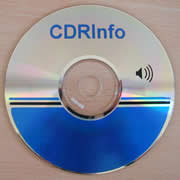
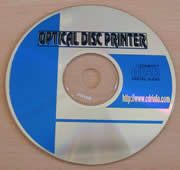
The 2-color ribbon tests gave us the chance to print some colored
logos and texts and also some blue CD backgrounds. As with the monochrome
ribbon, all the blue and black text areas were properly printed. The different
fonts, shape variations and color combinations of the text were printed in
good density.

Thermal printing is always a bit more "picky" than ink-jet since the printer has actual contact with the surface of the disc. Any dust specs or other particles on the surface will show up as the pinholes or streaks. Users should keep their discs in a tightly sealed package before printing so that dust does become a problem. There is very little that a manufacturer can do to prevent dust from showing up on the output, especially in solid areas. Ink-jet does not have this physical limitation in the printing process since it literally "sprays" ink onto the surface, dust particles and all.
Conclusion
Inscripta is a good choice for everyday corporate and small business use. A user who need low cost printing on CDs and doesn't need the colourful printing capabilities of inkjet printers has now a good choice. The printing speed is good and the general performance satisfactory. The price might be a drawback for single users but keep in mind that the printer is aimed for massive volume production of small CD-R factories...
Review Pages





