Optorite DD0203 DVD±RW
11. HD BURN
Optorite DD0203 dual DVD±RW recorder - Page 11
HD BURN FUNCTION
 As
we have mentioned in the first page of this article, the HD-BURN feature allows
writing twice the amount of data than can normally fit on a CD-R disc. This
means that up to 1.4GB of data can be recorded on 700MB CD-R media. Although
the feature is currently supported by a DVD recorder, it is only applied
to CD-R writing.
As
we have mentioned in the first page of this article, the HD-BURN feature allows
writing twice the amount of data than can normally fit on a CD-R disc. This
means that up to 1.4GB of data can be recorded on 700MB CD-R media. Although
the feature is currently supported by a DVD recorder, it is only applied
to CD-R writing.
Burning on CD-RW media is not yet supported, as well as writing audio CDs under the HD-Burn. Sanyo is currently working towards this direction.
 The HD-BURN is supported by Nero Burning Rom by Ahead and the B's Gold 5
by BHA, bundled in the Optorite DD0203 retail package. Under the HD-BURN mode
user is able to create a "CD-ROM" (ISO, UDF, ISO/UDF, Bootable), HD-BURN -Video
or just copy an HD-BURN disc.
The HD-BURN is supported by Nero Burning Rom by Ahead and the B's Gold 5
by BHA, bundled in the Optorite DD0203 retail package. Under the HD-BURN mode
user is able to create a "CD-ROM" (ISO, UDF, ISO/UDF, Bootable), HD-BURN -Video
or just copy an HD-BURN disc.
Burning an HD-BURN video is an alternative solution for writing your favorite video files on CD-R media, which are much cheaper than DVD recordable media. A 30min video can be written even when using the DVD video format. Moreover, HD-BURN makes possible to write the image data of about two hours under the VideoCD format.
HD-BURN Writing
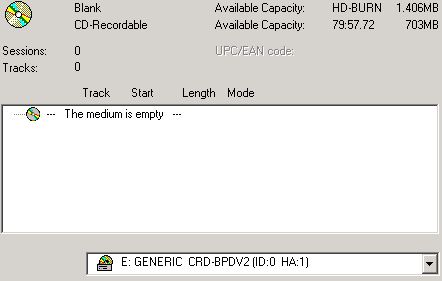
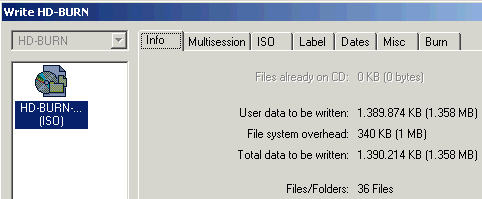
We used Nero HD-Burn writing method to compile a new CD-ROM ISO. We inserted a 700MB CD-R disc and created a new project with a 1358MB capacity. Below you can media information according to Nero Burning Rom:
The compilation information is available in the following screen shot:
 Burning
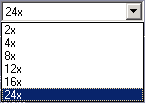
under the HD-BURN is allowed at the maximum speed of 24X.
Burning
under the HD-BURN is allowed at the maximum speed of 24X.
Writing is only allowed under the Disc at Once mode so the "Finalize" selection is always enabled. In addition, writing simulation is not supported, and the Burn Proof is applied under the HD-BURN writing mode:

The duration of the writing process at 24x was 10:57min:

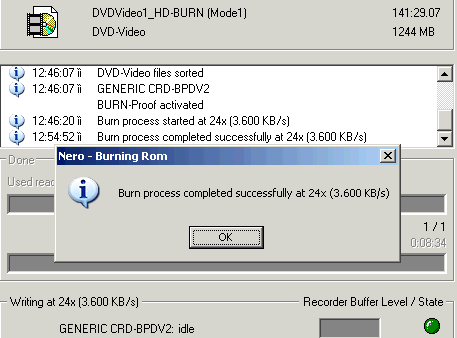
We also created a 1.244MB DVD Video file and burn it with Nero Burning Rom at 24x. Recording was successfully finished in 8:34min:
Optorite DD0203 cannot write at 90min or 99min CD-R media under the HD-BURN function.
Reading the HD-BURN discs
The produced HD-BURN ISO and HD-BURN Video discs were completely readable in the Optorite DD0203 drive. However, the discs could not be recognized or read by any other drive we tested. This is also confirmed by Sanyo, declaring that the discs are not readable by the drives or players currently available in the market. However, DVD-ROM drives and DVD recorders can be compliant to HD-BURN discs by changing the firmware.
In the following screenshots you can see the Nero CDSpeed transfer graphs with the recorded discs:


Nero CDSpeed recognized the discs as DVD-R media, due to their increased amount of data it held. The drive read both discs in a similar way, starting at 6.5x and finishing at 8.6x, approximately. The reported seek times were also very low.
The interesting part of the CDSpeed graphs is that although the transfer rate line refers to CAV reading, the rotation speed of the disc is not constant throughout the whole reading process. The drive seems to accelerate towards the outer tracks of the discs, to maintain synchronization and reading accuracy.