Breaking News

DZOFILM Expands Arles Cine Lens System With 25–75mm and 65–180mm T2.6 Zooms G.SKILL Launches Trident Z5 Royal NeoX Series DDR5 Memory with AMD EXPO Technology XERON Launches NEX A61 ARGB CPU Air Cooler Viltrox to Unveil New Lenses And Production Solutions at IBC2026 ASUS Announces WiFi 8 Router

logo

  • Share Us
    • Facebook
    • Twitter
  • Home
  • Home
  • News
  • Reviews
  • Essays
  • About
    • Submit News

    • Contact Us
    • Privacy

    • Promotion
    • Advertise

    • RSS Feed

Search form

Zaward Vapor 120

Feb 15,2010 0

2. A closer look


Review Pages

1. Features, specifications
2. A closer look
3. How we test
4. Results
5. Final words


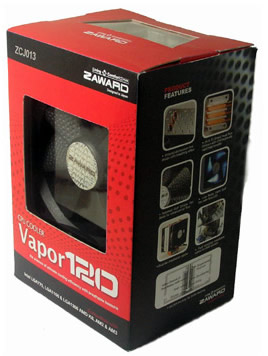
The Zaward Vapor 120 cpu cooler comes in cool retail package as you can see in the picture below. In order to get it , you will have to spend ~ $48, making it quite competitive for the category.

The cooler can be installed in Intel LGA1366, LGA1156, LGA775 & AMD AM2, AM2+ and AM3 sockets.
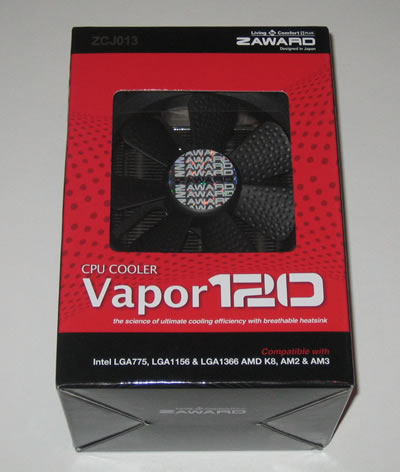
A hard plastic shell protects the package's contents keeping them in place. The package includes many different mounting screws/plates/nuts and standoffs. There is also a printed manual and some metallic brackets used for the installation of the 120mm fan. Make sure to read the instructions before attempting to install this cpu cooler:

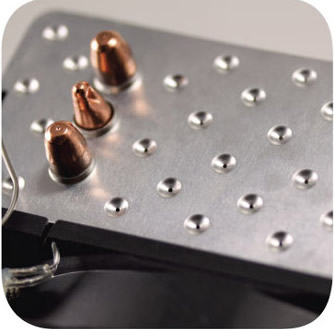
The cooler has a typical design with three U-shaped full copper heatpipes (8mm diameter) connecting the base with the aluminium fins. The dimpled aluminium fin design are causing what Zaward calls the "breathing effect." According to the company, this design offers an improved heating exchange efficiency by 30%, among the fins and the heat pipes.
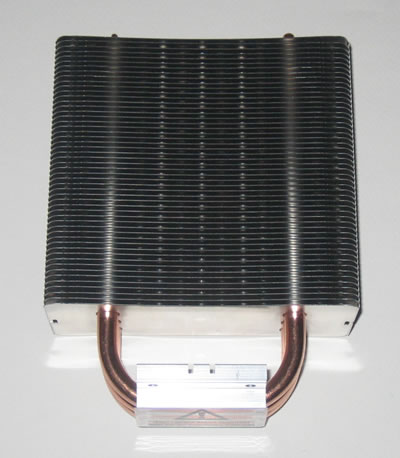
The direct contact of the pipes with the CPU (H.D.T.) provides rapid heat transfer:
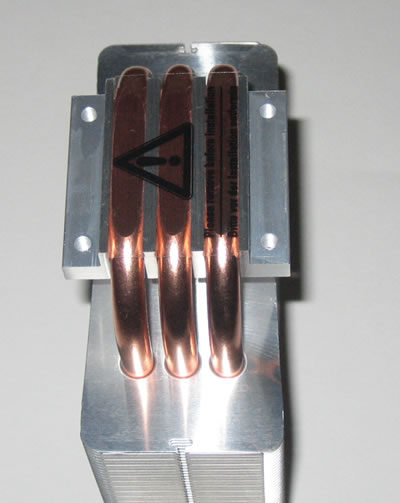
The installed 120mm fan supports the PWM function (300±200 rpm~2000±10%), allowing you to set the rotation speed of the fan through the PC BIOS. The fan has also blue LED lighting.

Installing this cpu cooler would take you some time due to the fact that there are so many parts in the package you need to recognize first and use them accordingly.

First you need to place the backplate using the four M3 mounting screws and then secure them with the bundled standoffs:
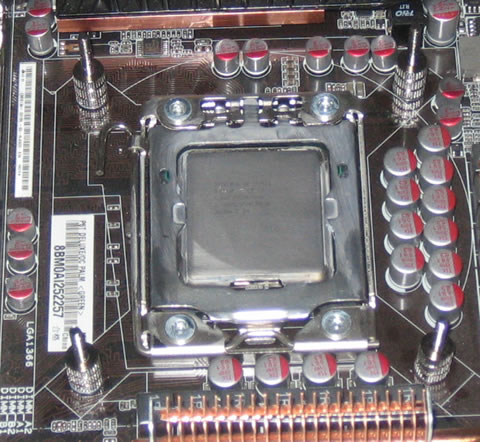
The next thing to do is to fasten the Intel mounting clips on the base using the four hex socket screws:

The final step is to use the collar nuts and diagonally fasten the cpu cooler on the motherboard:
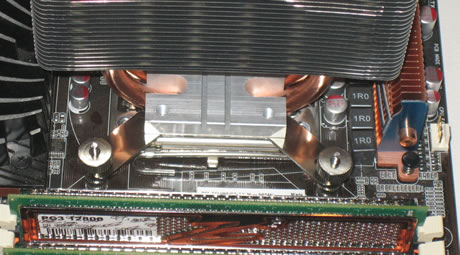
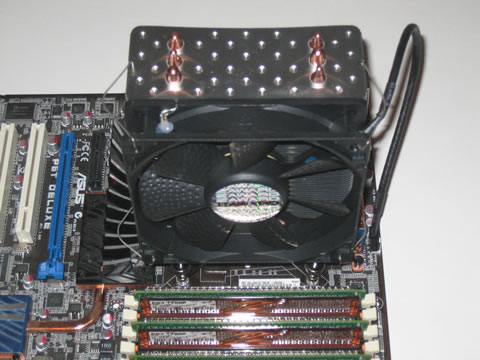
Installing the 120mm fan is easy using the bendable metallic brackets including in the package for this purpose. You can follow the same procedure in order to install a second fan:
 

Review Pages

1. Features, specifications
2. A closer look
3. How we test
4. Results
5. Final words


Pages

  • « first
  • ‹ previous
  • 1
  • 2
  • 3
  • 4
  • 5
  • next ›
  • last »

Zaward

Tags: Zaward
Previous Post
OCZ DDR3 PC3-12800 Platinum Triple Channel
Next Post
LiteOn iHAS524

Related Posts

Latest Reviews

Ugreen CM642 USB4.0 Enclosure
PC components

Ugreen CM642 USB4.0 Enclosure

be quiet! Dark Power 14 IO
PC components

be quiet! Dark Power 14 IO

SanDisk High Endurance 512GB microSDXC
Cameras

SanDisk High Endurance 512GB microSDXC

Samsung PRO Ultimate 512GB microSDXC
Cameras

Samsung PRO Ultimate 512GB microSDXC

be quiet! Light Mount TKL
Consumer Electronics

be quiet! Light Mount TKL

Popular News

CORSAIR announces Vanguard Pro 96 and Vanguard 96 Gaming Keyboards

CORSAIR announces Vanguard Pro 96 and Vanguard 96 Gaming Keyboards

MSI Launches FORGE GK600 TKL WIRELESS Special Edition Compact Mechanical Keyboard

MSI Launches FORGE GK600 TKL WIRELESS Special Edition Compact Mechanical Keyboard

Panasonic Introduces the First Ultra-Telephoto Zoom Lens in the LUMIX S Series

Panasonic Introduces the First Ultra-Telephoto Zoom Lens in the LUMIX S Series

MSI’s Latest AMD X870E MAX & EVO Series Motherboards

MSI’s Latest AMD X870E MAX & EVO Series Motherboards

COLORFUL Launches iGame B850M ULTRA Series Micro-ATX Motherboards

COLORFUL Launches iGame B850M ULTRA Series Micro-ATX Motherboards

COLORFUL Presents Limited Edition Chitu MAG-60 Magnetic Keyboard Inspired by the Year of the Horse

COLORFUL Presents Limited Edition Chitu MAG-60 Magnetic Keyboard Inspired by the Year of the Horse

COLORFUL Presents iGame Z890 ULTRA-S W and iGame Z890M ULTRA Z Motherboards

COLORFUL Presents iGame Z890 ULTRA-S W and iGame Z890M ULTRA Z Motherboards

LIAN LI Launches 8.8” Universal Screen with Flexible Mounting Solution

LIAN LI Launches 8.8” Universal Screen with Flexible Mounting Solution

Main menu

  • Home
  • News
  • Reviews
  • Essays
  • About
    • Submit News

    • Contact Us
    • Privacy

    • Promotion
    • Advertise

    • RSS Feed
  • About
  • Privacy
  • Contact Us
  • Promotional Opportunities @ CdrInfo.com
  • Advertise on out site
  • Submit your News to our site
  • RSS Feed