
DatOptic SpeedBurn24 CD-RW
1. Introduction
DatOptic SpeedBurn24 - Page 1
- Introduction
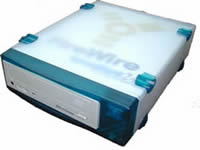 External
drives give the chance to add an extra device to your PC when your IDE channels
are reserved or even to move the drive between PC Desktop / Notebook without
Reset / Power Down your computer. The drive we have in our hands is an external
LiteOn LTR-24102B and is provided by "DatOptic".The
drive comes with a Firewire / IEEE-1394 interface which offers plug and play
compatibility.
External
drives give the chance to add an extra device to your PC when your IDE channels
are reserved or even to move the drive between PC Desktop / Notebook without
Reset / Power Down your computer. The drive we have in our hands is an external
LiteOn LTR-24102B and is provided by "DatOptic".The
drive comes with a Firewire / IEEE-1394 interface which offers plug and play
compatibility.
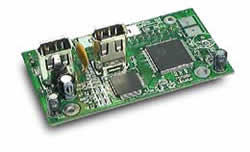 In
addition, "DatOptic" provided us with a 1394-IDE Bridge Board Firewire
to ATA/ATAPI card, ideal to convert your existing IDE devices such as CD-ROM,
CD-R HD, to plug-and-play FireWire, versions.
In
addition, "DatOptic" provided us with a 1394-IDE Bridge Board Firewire
to ATA/ATAPI card, ideal to convert your existing IDE devices such as CD-ROM,
CD-R HD, to plug-and-play FireWire, versions.
- The package
The supplied retail package contained DatOptic's SpeedBurn24, which is based upon the famous 'LiteOn LTR-24102B' external drive, a Firewire connection cable, a PCI Firewire card (for using with the External FireWire drive) and a driver floppy disk.

The drive is packed into the essential blue plastic case. In the picture you can see the front side, which reveals the familiar Lite-ON 24202B, with the extra power button on the right-top side of the case.

On the rear side of the external case, there are two FireWire connectors, allowing the serial connection of the drive to other FireWire devices, an audio output used for speaker connections, a cooling fan and the AC input connector.
In the picture below you can see the internal of the case without the drive.
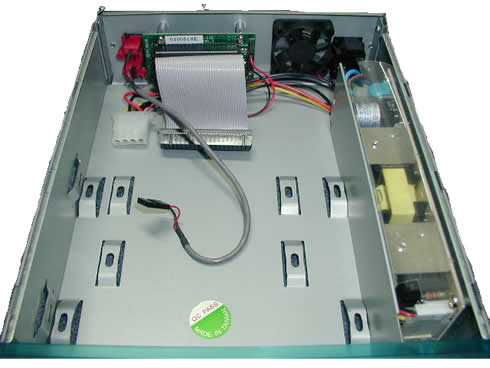
Beginning from the left bottom side, you can see on the audio cable, the IDE to FireWire bridge card with the IDE cable in the side of the drive. On the right side of the case there are the power conversion circuits, which supply the drive with the appropriate operation voltage. The same circuits also power the cooling fan.
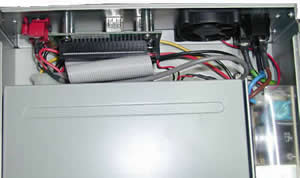
This is a top uncovered view when the drive is connected into the external case.
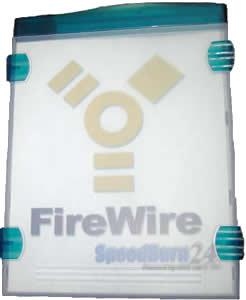
The topside of the case has the yellow "FireWire" label, the "SpeedBurn24" logo by Dat Optic Inc.


