
Breaking News

SAMA Introduces the S32 WOOD, a Compact M-ATX Case Bundled with an 80 PLUS Gold PSU Thypoch Completes Simera-C Cine Prime Lineup with New 100mm T1.9 Lens CORSAIR Launches the RM1200e Power Supply with Built-in PinProtect GPU Overcurrent Protection and Platinum-certified Efficiency CORSAIR Changes the Game with PureVector, a Science-Based Personalized Aiming Technology, Launching Exclusively in the SABRE v3 PRO PureVector Mouse Series AMD FSR Upscaling 4.1 Boosts Frames and Image Quality on More Devices

logo

  • Share Us
    • Facebook
    • Twitter
  • Home
  • Home
  • News
  • Reviews
  • Essays
  • About
    • Submit News

    • Contact Us
    • Privacy

    • Promotion
    • Advertise

    • RSS Feed

Search form

Sunbeamtech Core-Contact Freezer LGA1366

Oct 15,2009 0

2. Retail package, installation


Review Pages

1. Features
2. Retail package, installation
3. How we test
4. Results
5. Final words


Here is the retail box of the Sunbeamtech Core-Contact Freezer:

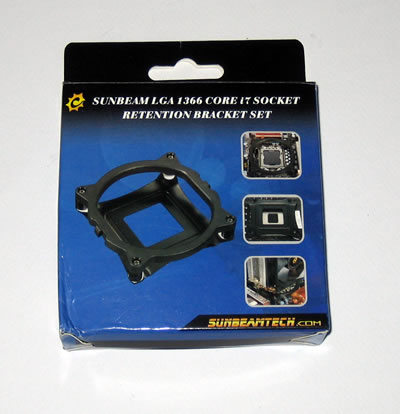
The product retails for about $32, as found at several online stores. The LGA1366 retention bracket would probably cost you more bucks, but nevertheless it's needed if you decide to use it with a Core i7 processor. Out of the box, the cooler can be installed in 775 & AMD2 sockets.

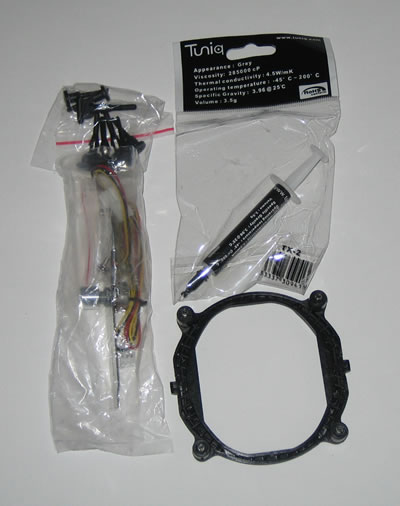
The retail package includes the CPU cooler, mounting clips for socket LGA 775/AM2, a fan controller, a Tuniq TX2 thermal paste and several mounting clips for the base. We can say that the retail package is complete..
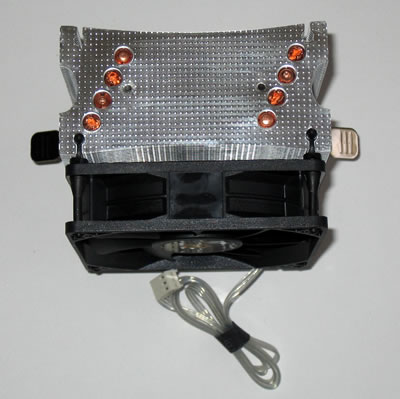
We have to do with a medium-sized cpu cooler with U-shape design and featuring the core-contact technology as found in most Xigmatek products. The 92mm fan is already pre-installed and of course, you can add an extra one using the available holes on the the aluminum fins.

Four 6mm full copper heatpipes connect the base with the fins.
The LGA1366 retention bracket is useful for Core i7 users
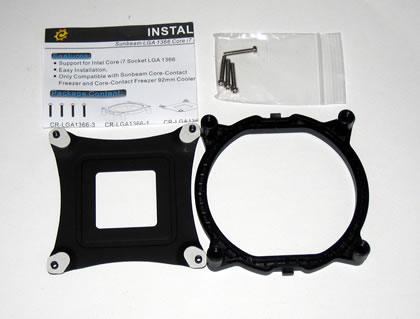
In order to install the cooler to the motherboard you should remove the motherboard from the PC case first, especially if you are using the LGA1366 kit. The procedure is simple: You place the backplate on the motherboard and then you mount the plastic base at the backplate using the long screws found in the package. This is how your motherboard should look like after the installation of the base:
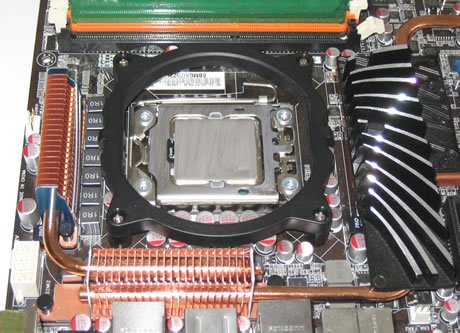
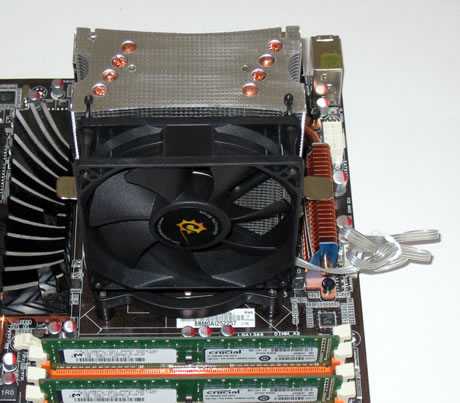
The next step is to place the cooler on the plastic base. Gently push the one side of the cooler to the retention bracket and then apply some extra force to get the cooler secured. Nothing hard to accomplish but just be careful:
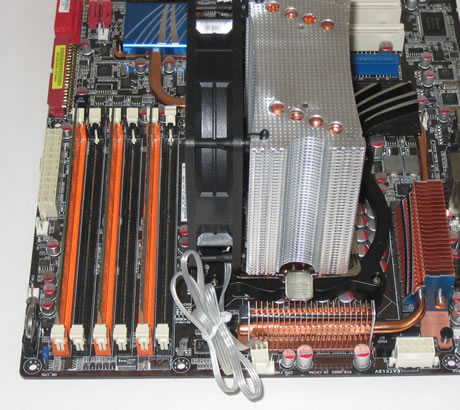
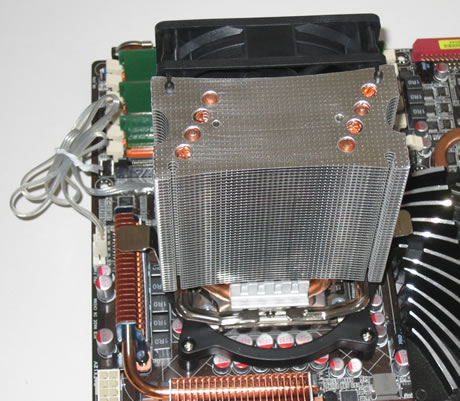
As you can see in the picture below, there is enough free space left at the rear side of the cooler, allowing you to possibly add another 92mm rotating fan there:-)
 

Review Pages

1. Features
2. Retail package, installation
3. How we test
4. Results
5. Final words


Pages

  • « first
  • ‹ previous
  • 1
  • 2
  • 3
  • 4
  • 5
  • next ›
  • last »

Sunbeamtech

Tags: Sunbeamtech
Previous Post
Glacialtech Igloo 5610 Plus Silent
Next Post
Crucial 128GB SSD

Related Posts

  • Sunbeamtech - Tuniq Release Latest CPU Cooler

Latest Reviews

Why Intelligent Firmware Matters More Than Peak Throughput in NAS Systems
Enterprise & IT

Why Intelligent Firmware Matters More Than Peak Throughput in NAS Systems

Fanxiang MP83 M.2 NVMe SSD Enclosure
Enterprise & IT

Fanxiang MP83 M.2 NVMe SSD Enclosure

Ugreen CM642 USB4.0 Enclosure
PC components

Ugreen CM642 USB4.0 Enclosure

be quiet! Dark Power 14 IO
PC components

be quiet! Dark Power 14 IO

SanDisk High Endurance 512GB microSDXC
Cameras

SanDisk High Endurance 512GB microSDXC

Popular News

MSI’s Latest AMD X870E MAX & EVO Series Motherboards

MSI’s Latest AMD X870E MAX & EVO Series Motherboards

COLORFUL Launches iGame B850M ULTRA Series Micro-ATX Motherboards

COLORFUL Launches iGame B850M ULTRA Series Micro-ATX Motherboards

COLORFUL Presents Limited Edition Chitu MAG-60 Magnetic Keyboard Inspired by the Year of the Horse

COLORFUL Presents Limited Edition Chitu MAG-60 Magnetic Keyboard Inspired by the Year of the Horse

COLORFUL Launches iGame B850I MINI OC V14 Motherboard

COLORFUL Launches iGame B850I MINI OC V14 Motherboard

COLORFUL Launches the iGame X870E VULCAN W OC Motherboard

COLORFUL Launches the iGame X870E VULCAN W OC Motherboard

COLORFUL Presents iGame Z890 ULTRA-S W and iGame Z890M ULTRA Z Motherboards

COLORFUL Presents iGame Z890 ULTRA-S W and iGame Z890M ULTRA Z Motherboards

COLORFUL Expands B850 Motherboard Lineup with New CVN, Battle-Ax, and MEOW Models

COLORFUL Expands B850 Motherboard Lineup with New CVN, Battle-Ax, and MEOW Models

ASRock Adds Support for One Sub-Channel DRAM Module on Intel DDR5 Motherboards

ASRock Adds Support for One Sub-Channel DRAM Module on Intel DDR5 Motherboards

Main menu

  • Home
  • News
  • Reviews
  • Essays
  • About
    • Submit News

    • Contact Us
    • Privacy

    • Promotion
    • Advertise

    • RSS Feed
  • About
  • Privacy
  • Contact Us
  • Promotional Opportunities @ CdrInfo.com
  • Advertise on out site
  • Submit your News to our site
  • RSS Feed