Breaking News

Greenliant heads to electronica 2026 with its full industrial SSD lineup CORSAIR Brings Comfort in Full Bloom with Dark Cherry Blossom TC500 and TC100 RELAXED Gaming Chairs ASUS Republic of Gamers Announces Availability of ROG Swift OLED PG259QWS Ace and Strix OLED XG259QWPG Ace ASUS Announces TUF Gaming Radeon RX 9070 XT Onimusha Special Edition ASUS Republic of Gamers Announces ROG XG Station 3

logo

  • Share Us
    • Facebook
    • Twitter
  • Home
  • Home
  • News
  • Reviews
  • Essays
  • About
    • Submit News

    • Contact Us
    • Privacy

    • Promotion
    • Advertise

    • RSS Feed

Search form

Thermaltake Big Typhoon

Mar 22,2005 0

4. Conclusion


Review Pages

1. Introduction
2. Installation
3. Performance/Overclocking
4. Conclusion


Thermaltake Big Typhoon - 04 - Conclusion

With the great cooling capabilities of the Big Typhoon, we got a temperature drop of 7 and 18 degrees under idle and 100% CPU load resptectively. This drop gave us the opportunity to increase the clock speed by 825MHz while keeping the temperature below what it was when using the original Intel cooler that came bundled with our proccessor.

The 16dBA noise eminating from the Big Typhoon make it an excellent air cooling solution. Although it's obviously not as silent as other no-fan solutions, its large 12cm fan with low revs contribute to its noise reduction. However, there are some minor problems with its design. The high density cooling fins can quickly gather a lot of dust quickly. This will decrease the heat transfer capabilities and as we noticed, increases the noise generated. So every once in a while, you have to clean it. Also, as you saw, the Big Typhoon is really, really big. It will take up most of any remaining space inside your case and could possibly interfere with any cables that were using that space, such as a front panel audio connector or an EZ plug cable (found on the latest Asus motherboards).

The installation has its own, pros and cons. It was really great to see universal coverage for 775, 478, 939 and Socket A type motherboards. On the other hand, to ensure the stability and compatibility of the Big Typhoon, ThermalTake had to put into play 3 H clips. This means, pluging in or removing the cooler, requires that you take the whole motherboard out of the case. However, this will hopefully need to be done only once as cleaning the fins does not require removing the whole backbone.

The Big Typhoon costs around $50 USD. Although it's a relatively high price for an air cooler with no particular special features, the silence and/or overclocking it offers, more than make up for it.

Pros:
-
Low Noise (16dBA)
-Very good thermal reduction

Cons:
-Huge size
-Fins gather dust easily

Performance:
Features/Design:
Installation:
Value for money:


Review Pages

1. Introduction
2. Installation
3. Performance/Overclocking
4. Conclusion


Pages

  • « first
  • ‹ previous
  • 1
  • 2
  • 3
  • 4

Thermaltake

Tags: Thermaltake
Previous Post
IOData AvelLink Player2
Next Post
Samsung TS-H552U

Related Posts

  • Thermaltake Launches AW360/420 AIO Liquid Cooler and WAir CPU Cooler for Workstations

  • Begin the Racing Journey with the Thermaltake GR300 Racing Simulator Cockpit

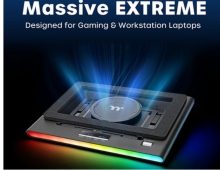
  • Thermaltake Unveils the Massive EXTREME with Cross-flow Fan

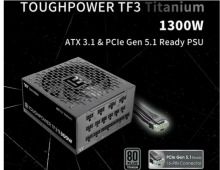
  • Thermaltake Releases the Toughpower TF3 1300W with Support for RTX50 Series GPUs

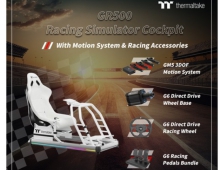
  • Thermaltake Unveils G6 Direct Drive Racing Wheel Bundle and GM5 3DOF Motion System

  • Thermaltake Launches the TT150 LED Bag in Different Sizes and New Colors

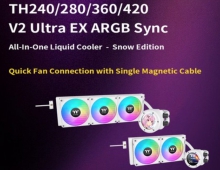
  • Thermaltake New TH V2 Ultra EX ARGB Sync AIO – Snow Edition is Now Available Worldwide

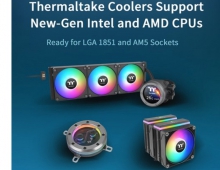
  • Thermaltake Coolers Support New-Gen Intel and AMD CPUs

Latest Reviews

The Best Online Casino Games to Play on a Browser
Enterprise & IT

The Best Online Casino Games to Play on a Browser

be quiet! Light Wings Pro IO fan
Cooling Systems

be quiet! Light Wings Pro IO fan

Why Intelligent Firmware Matters More Than Peak Throughput in NAS Systems
Enterprise & IT

Why Intelligent Firmware Matters More Than Peak Throughput in NAS Systems

Fanxiang MP83 M.2 NVMe SSD Enclosure
Enterprise & IT

Fanxiang MP83 M.2 NVMe SSD Enclosure

Ugreen CM642 USB4.0 Enclosure
PC components

Ugreen CM642 USB4.0 Enclosure

Popular News

MSI’s Latest AMD X870E MAX & EVO Series Motherboards

MSI’s Latest AMD X870E MAX & EVO Series Motherboards

COLORFUL Launches iGame B850M ULTRA Series Micro-ATX Motherboards

COLORFUL Launches iGame B850M ULTRA Series Micro-ATX Motherboards

COLORFUL Launches iGame B850I MINI OC V14 Motherboard

COLORFUL Launches iGame B850I MINI OC V14 Motherboard

COLORFUL Presents Limited Edition Chitu MAG-60 Magnetic Keyboard Inspired by the Year of the Horse

COLORFUL Presents Limited Edition Chitu MAG-60 Magnetic Keyboard Inspired by the Year of the Horse

COLORFUL Launches the iGame X870E VULCAN W OC Motherboard

COLORFUL Launches the iGame X870E VULCAN W OC Motherboard

COLORFUL Presents iGame Z890 ULTRA-S W and iGame Z890M ULTRA Z Motherboards

COLORFUL Presents iGame Z890 ULTRA-S W and iGame Z890M ULTRA Z Motherboards

COLORFUL Expands B850 Motherboard Lineup with New CVN, Battle-Ax, and MEOW Models

COLORFUL Expands B850 Motherboard Lineup with New CVN, Battle-Ax, and MEOW Models

ASRock Adds Support for One Sub-Channel DRAM Module on Intel DDR5 Motherboards

ASRock Adds Support for One Sub-Channel DRAM Module on Intel DDR5 Motherboards

Main menu

  • Home
  • News
  • Reviews
  • Essays
  • About
    • Submit News

    • Contact Us
    • Privacy

    • Promotion
    • Advertise

    • RSS Feed
  • About
  • Privacy
  • Contact Us
  • Promotional Opportunities @ CdrInfo.com
  • Advertise on out site
  • Submit your News to our site
  • RSS Feed