Breaking News

Lexar Introduces JumpDrive A50V and C50V Dashcam USB Drives Lexar ARES RGB 2nd Gen DDR5 Passes AMD EXPO Ultra Low Latency Certification Tests Thypoch Introduces New Sculptor AF Lens Series with 23mm f1.4 Prime for Fujifilm X-Mount ASUS Announces Availability of ProArt GR1X Xiaomi and Leica Present the Xiaomi 18 Pro Series

logo

  • Share Us
    • Facebook
    • Twitter
  • Home
  • Home
  • News
  • Reviews
  • Essays
  • About
    • Submit News

    • Contact Us
    • Privacy

    • Promotion
    • Advertise

    • RSS Feed

Search form

be quiet! Shadow Base 800

Sep 5,2023 0

3. Installation


Review Pages

1. Introduction
2. Retail Package
3. Installation
4. Conclusion


As happens with most be quiet! cases, there is a lot of room to work with and installation should be straight forward. The PSU area is easy to access and easy to insert/install your PSU. Keep in mind that using a modular PSU will help you remove unwanted cables, the less the better. As we mentioned, using the bottom HDD cage will limit the PSU to 260mm, which is plenty even for big wattages. The included PSU bracket has also sound-dampening material around it and of course it is metal. Remember to get all PSU cables installed before mounting the power supply.
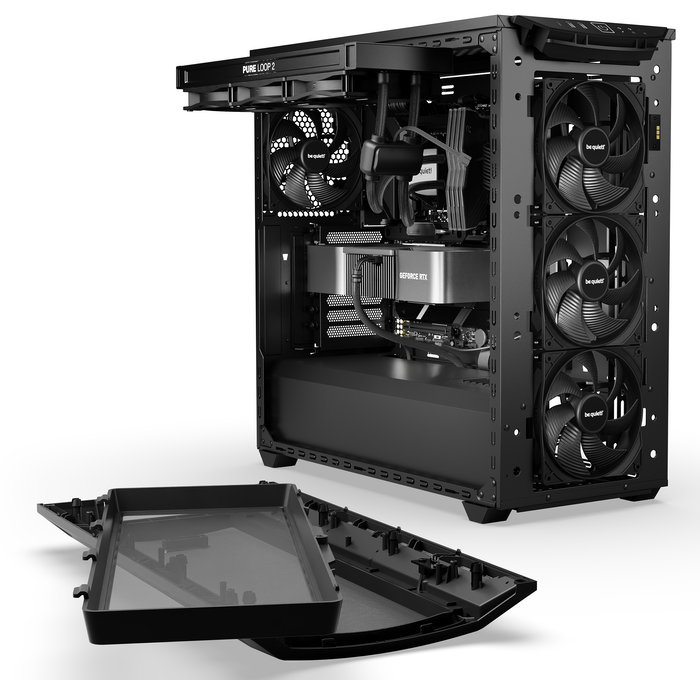
Next, you should install the motherboard and it was a perfect fit to get it hooked at the motherboard's pre-installed sockets, no problems here.

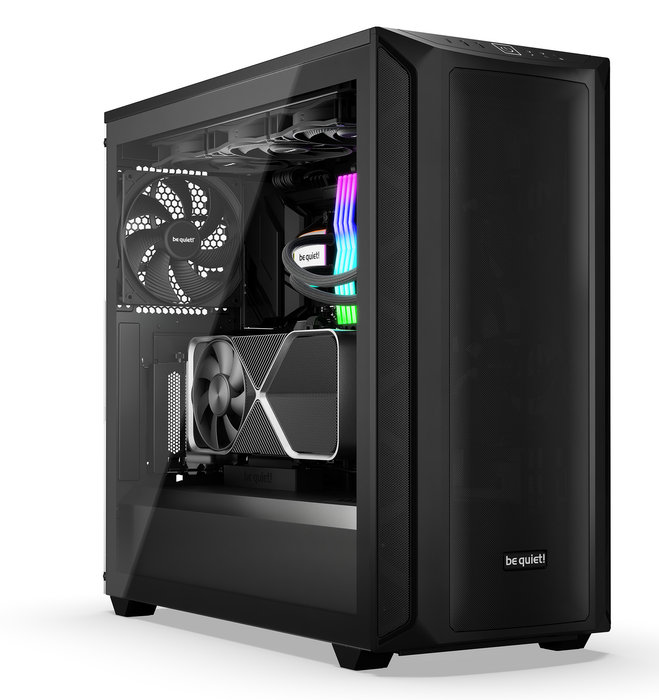
Then you need to remove the center bracket to pass through the 24-pin motherboard cable and other headers for the front panel. After that, you can use 2.5"HDDs if you want either in front or at the back of the panel. The installation of the Nvidia 4090 VGA card was easy since there was a lot of room in this case. We tried to tie up the back cables and with a little effort we closed both the front and back panels and we were set to go. This won't take much longer than 30-40 mins if you set up a brand-new system. Note that 5.25" ODD drives are not supported. It's advised to install all 3x 140mm fans at the front to have perfect airflow. At the top, you can install up to 420mm fan, and of course, be quiet! Pure Loop 2 is a great choice. If you prefer air cooling, there is space up to 180mm heightened CPU coolers that will cover even the most demanding users.

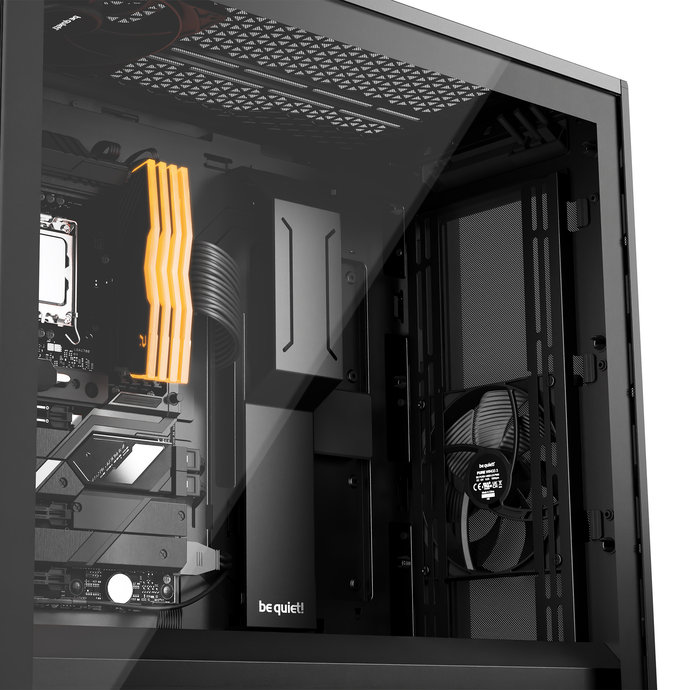
Here are some shots after having completed the system, a lot of space and great cable management. Note that with the Shadow Base 800 model, there is no LED at all in front or side areas.
 

Review Pages

1. Introduction
2. Retail Package
3. Installation
4. Conclusion


Pages

  • « first
  • ‹ previous
  • 1
  • 2
  • 3
  • 4
  • next ›
  • last »

be quiet!

Tags: be quiet!
Previous Post
addlink AddGame A93 4TB NVME SSD
Next Post
EnGenius EWS356-FIT

Related Posts

  • be quiet! Light Wings Pro IO fan

  • be quiet! launches Light Wings Pro IO all in one frame fan series with advanced lighting and cooling options

  • be quiet! Dark Power 14 IO

  • be quiet! Light Mount TKL

  • be quiet! raises the bar with the new Dark Power Pro 14 IO power supply series

  • be quiet! expands its peripheral lineup with Light Mount TKL and Mousepad XL

  • be quiet! Light Loop IO LCD

  • be quiet! introduces Light Loop IO LCD

Latest Reviews

NAS Security Is a Matter of Configuration Best Practices for Protecting Systems and Data
Enterprise & IT

NAS Security Is a Matter of Configuration Best Practices for Protecting Systems and Data

GMK TriggerKey
Gadgets

GMK TriggerKey

The Best Online Casino Games to Play on a Browser
Enterprise & IT

The Best Online Casino Games to Play on a Browser

be quiet! Light Wings Pro IO fan
Cooling Systems

be quiet! Light Wings Pro IO fan

Why Intelligent Firmware Matters More Than Peak Throughput in NAS Systems
Enterprise & IT

Why Intelligent Firmware Matters More Than Peak Throughput in NAS Systems

Popular News

MSI’s Latest AMD X870E MAX & EVO Series Motherboards

MSI’s Latest AMD X870E MAX & EVO Series Motherboards

COLORFUL Launches iGame B850M ULTRA Series Micro-ATX Motherboards

COLORFUL Launches iGame B850M ULTRA Series Micro-ATX Motherboards

COLORFUL Launches iGame B850I MINI OC V14 Motherboard

COLORFUL Launches iGame B850I MINI OC V14 Motherboard

COLORFUL Presents Limited Edition Chitu MAG-60 Magnetic Keyboard Inspired by the Year of the Horse

COLORFUL Presents Limited Edition Chitu MAG-60 Magnetic Keyboard Inspired by the Year of the Horse

COLORFUL Launches the iGame X870E VULCAN W OC Motherboard

COLORFUL Launches the iGame X870E VULCAN W OC Motherboard

COLORFUL Presents iGame Z890 ULTRA-S W and iGame Z890M ULTRA Z Motherboards

COLORFUL Presents iGame Z890 ULTRA-S W and iGame Z890M ULTRA Z Motherboards

COLORFUL Launches iGame X870E ULTRA-S V14 Motherboard

COLORFUL Launches iGame X870E ULTRA-S V14 Motherboard

COLORFUL Expands B850 Motherboard Lineup with New CVN, Battle-Ax, and MEOW Models

COLORFUL Expands B850 Motherboard Lineup with New CVN, Battle-Ax, and MEOW Models

Main menu

  • Home
  • News
  • Reviews
  • Essays
  • About
    • Submit News

    • Contact Us
    • Privacy

    • Promotion
    • Advertise

    • RSS Feed
  • About
  • Privacy
  • Contact Us
  • Promotional Opportunities @ CdrInfo.com
  • Advertise on out site
  • Submit your News to our site
  • RSS Feed