
Breaking News

Kioxia Introduces Direct Liquid Cooling Support for Enterprise SSDs Apple announces new product for 2026 be quiet! launches Light Wings Pro IO all in one frame fan series with advanced lighting and cooling options Elgato Enters Wireless Audio with Wave Go, a Convertible Microphone That Adapts to How Creators Record AMD announces Ryzen AI Halo

logo

  • Share Us
    • Facebook
    • Twitter
  • Home
  • Home
  • News
  • Reviews
  • Essays
  • About
    • Submit News

    • Contact Us
    • Privacy

    • Promotion
    • Advertise

    • RSS Feed

Search form

NexBox A95X Android Media Player review

Sep 5,2016 0

4. Graphical User Interface


Review Pages

1. Meet the NexBox A95X Media Player -- powered by the S905X chip
2. Amlogic S905X features
3. Package, design
4. Graphical User Interface
5. Kodi Center
6. Tests
7. Summary


The player's GUI is different from what we have experienced with other Android players, and it is outlined in the following video.

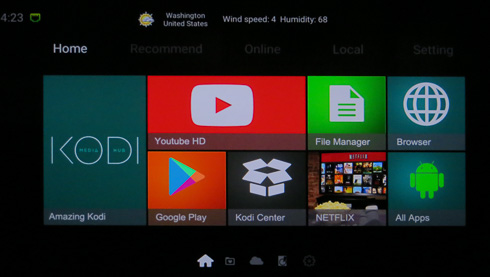
The main screen is well designed and provides easy access to the main areas of the player. The player is highly based on KODI, but you also get YoutubeHD, NetFlix and Google Play apps:
More tabs are linking to pre-installed apps, Such as Skype, Twitter and more. You can also add shortcuts to more apps.
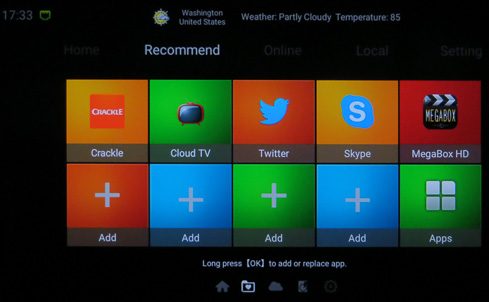
The Online section you see below includes even more apps - Pandora, Plex etc

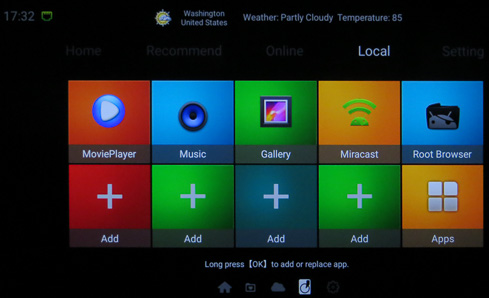
The MoviePlayer, Music, Gallery, Miracast and Root Browser are found at the Local Tab.
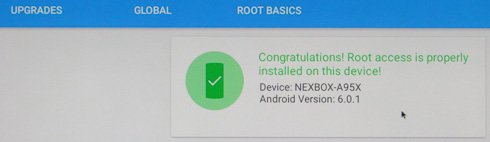
Speaking of root, the device seems to have root access as root checker indicated. However there is no SuperSU user app installed so you'll probably not have full root access to the box.
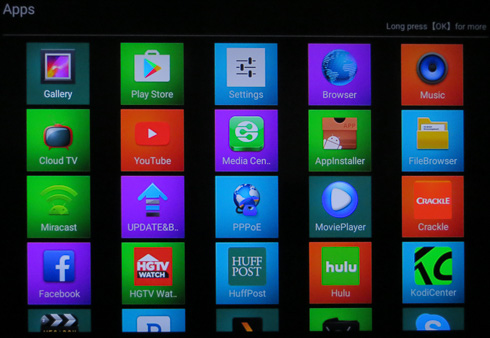
Below are all the installed apps, as found under the Apps tab
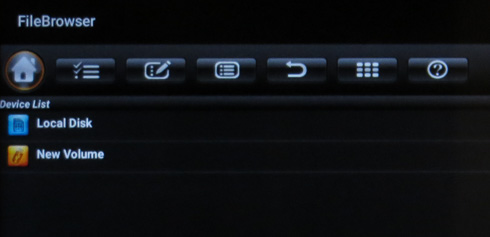
The default FileBrowser is typical and offers limited functions, so you may need to get the ES File Explorer in order to have more control over the network devices.
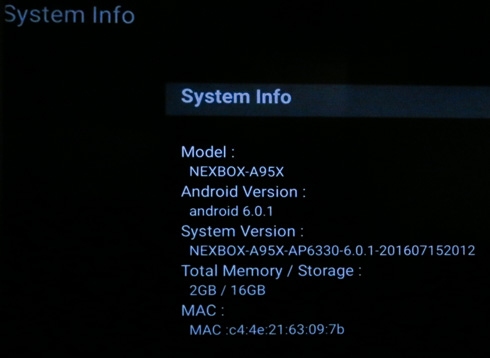
SystemInfo will show a summary of the device specifications and firmware:
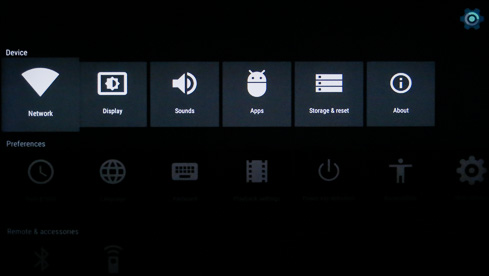
The player's settings section look familiar and almost the same with what we have experienced with other Amlogic S905 devices:
Over the Display->Screen Resolution section, you can set the HDMI resolution:
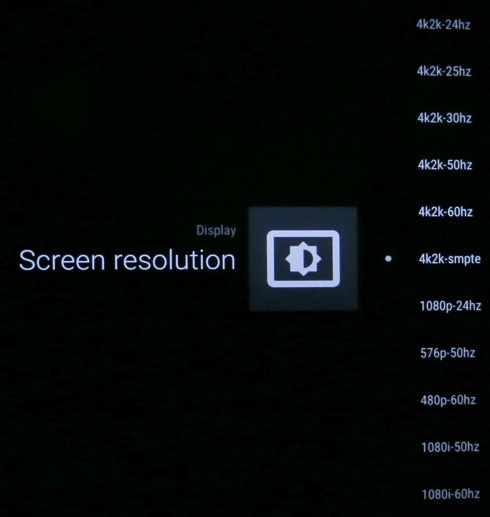
We selected 4K-24HZ , since our A/V receiver won't support 4K @ 60Hz. That gives the GUI a more sluggish performance, so you'd better connect the device at full 4K @ 60Hz:

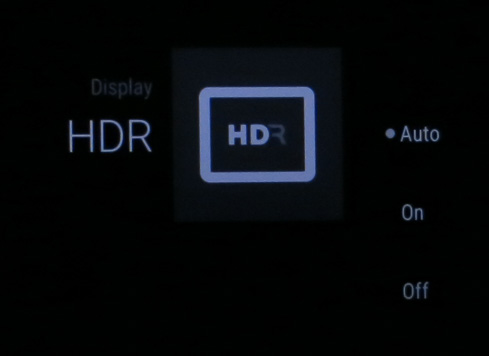
The HDR option (Auto/On/Off) is located under the Display tab:
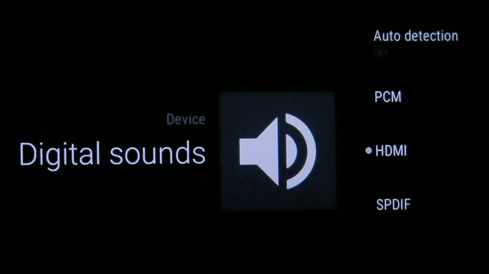
The Digital sound section is where you should choose the HDMI Passthrough function:
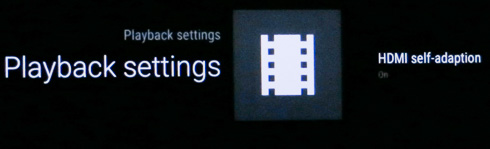
At the Playback settings you can turn the HDMI Self-adaption->On:
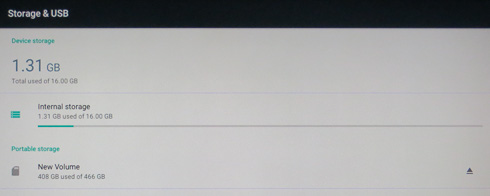
The device comes with 16GB memory, and just 1.31GB were used:
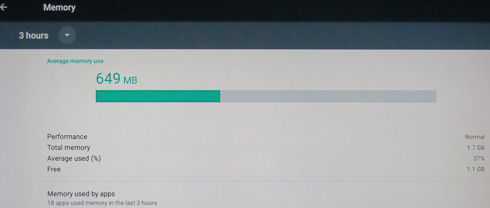
Android 6.0.1 offers great memory management so only 649MB are occupied, at least after the first boot:
More information about the NexBox A95X is provided under Android 6.0.1 tab:


Review Pages

1. Meet the NexBox A95X Media Player -- powered by the S905X chip
2. Amlogic S905X features
3. Package, design
4. Graphical User Interface
5. Kodi Center
6. Tests
7. Summary


Pages

  • « first
  • ‹ previous
  • 1
  • 2
  • 3
  • 4
  • 5
  • 6
  • 7
  • next ›
  • last »

NexBox

Tags: NexBox
Previous Post
Shuttle XPC Slim DS67U Barebone
Next Post
AMD Radeon RX 480 8GB review

Related Posts

Latest Reviews

Fanxiang MP83 M.2 NVMe SSD Enclosure
Enterprise & IT

Fanxiang MP83 M.2 NVMe SSD Enclosure

Ugreen CM642 USB4.0 Enclosure
PC components

Ugreen CM642 USB4.0 Enclosure

be quiet! Dark Power 14 IO
PC components

be quiet! Dark Power 14 IO

SanDisk High Endurance 512GB microSDXC
Cameras

SanDisk High Endurance 512GB microSDXC

Samsung PRO Ultimate 512GB microSDXC
Cameras

Samsung PRO Ultimate 512GB microSDXC

Popular News

MSI’s Latest AMD X870E MAX & EVO Series Motherboards

MSI’s Latest AMD X870E MAX & EVO Series Motherboards

COLORFUL Launches iGame B850M ULTRA Series Micro-ATX Motherboards

COLORFUL Launches iGame B850M ULTRA Series Micro-ATX Motherboards

COLORFUL Presents Limited Edition Chitu MAG-60 Magnetic Keyboard Inspired by the Year of the Horse

COLORFUL Presents Limited Edition Chitu MAG-60 Magnetic Keyboard Inspired by the Year of the Horse

COLORFUL Launches iGame B850I MINI OC V14 Motherboard

COLORFUL Launches iGame B850I MINI OC V14 Motherboard

COLORFUL Presents iGame Z890 ULTRA-S W and iGame Z890M ULTRA Z Motherboards

COLORFUL Presents iGame Z890 ULTRA-S W and iGame Z890M ULTRA Z Motherboards

COLORFUL Launches the iGame X870E VULCAN W OC Motherboard

COLORFUL Launches the iGame X870E VULCAN W OC Motherboard

COLORFUL Expands B850 Motherboard Lineup with New CVN, Battle-Ax, and MEOW Models

COLORFUL Expands B850 Motherboard Lineup with New CVN, Battle-Ax, and MEOW Models

ASRock Adds Support for One Sub-Channel DRAM Module on Intel DDR5 Motherboards

ASRock Adds Support for One Sub-Channel DRAM Module on Intel DDR5 Motherboards

Main menu

  • Home
  • News
  • Reviews
  • Essays
  • About
    • Submit News

    • Contact Us
    • Privacy

    • Promotion
    • Advertise

    • RSS Feed
  • About
  • Privacy
  • Contact Us
  • Promotional Opportunities @ CdrInfo.com
  • Advertise on out site
  • Submit your News to our site
  • RSS Feed
