
Breaking News

ASUS Announces ProArt PA40SU USB4 SSD Enclosure Akasa Introduces 10 Gigabit PCIe Network Card for Desktop, Workstation and Server Upgrades KIOXIA Unveils Value-Oriented QLC-based EG7 Series SSDs for PC OEMs Viltrox Unveils New 35mm and 55mm F1.8 EVO Lenses for Sony FE and Nikon Z Mounts ASRock Adds Support for One Sub-Channel DRAM Module on Intel DDR5 Motherboards

logo

  • Share Us
    • Facebook
    • Twitter
  • Home
  • Home
  • News
  • Reviews
  • Essays
  • Forum
  • Legacy
  • About
    • Submit News

    • Contact Us
    • Privacy

    • Promotion
    • Advertise

    • RSS Feed
    • Site Map

Search form

ACRyan PlayOnHD Mini review

Jul 26,2010 0

3. Powering up the player


Review Pages

1. Features
2. A closer look
3. Powering up the player
4. Network
5. Watching movies
6. Final thoughts


After having connected the power cable and and the corresponding cables to our TV ( HDMI or composite) it's time to power up the player. You can power on the player using the front power button and later turn it off using the remote control. The first step is to configure the player. The menu language and the wired lan setup are the first two steps.
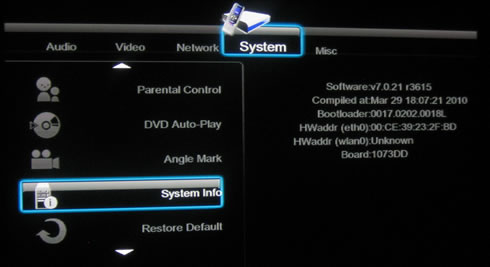
The player came with r3615 firmware revision installed.
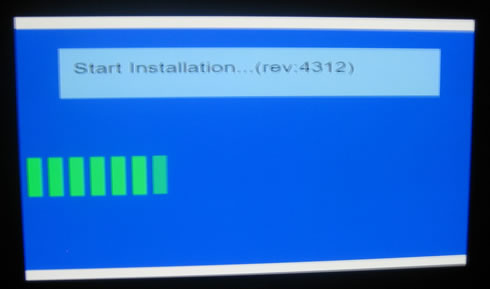
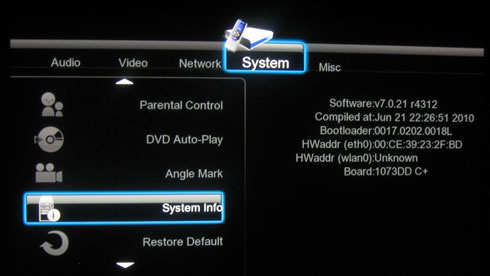
Soon we upgrade it to v4312
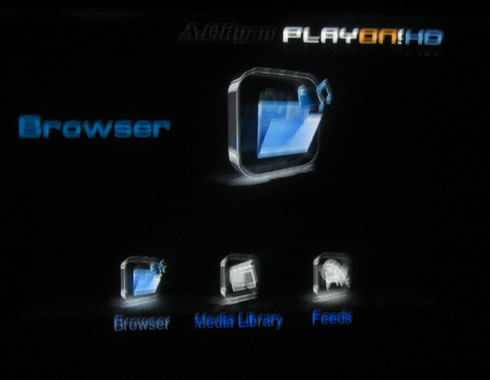
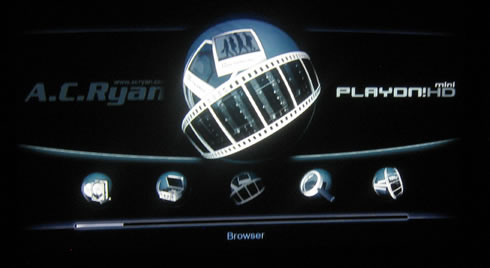
The new firmware provides an updated GUI, at least for the home page. There are many features to explore here such as the media file browser, the media library, internet feeds, p2p share and internet radio:
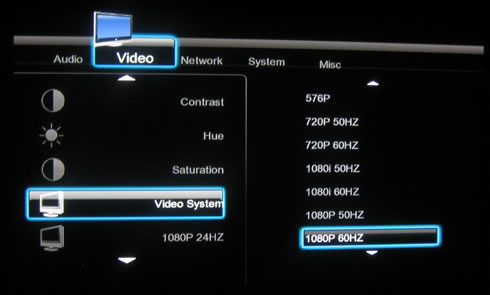
The setup menu always offer interesting information about the player's features. Here we have exactly the same layout and features as we have already saw in our PlayOnHD! review. Let's try to setup our TV system. We select the '1080p 60Hz" option and adjust the screen size:
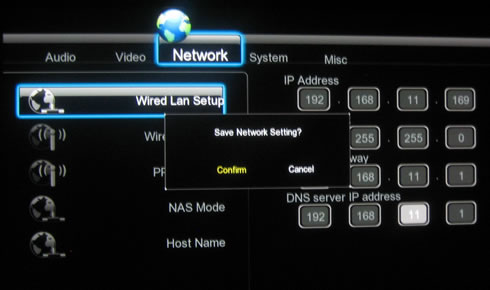
The network features are also important for our tests. We can either set them automatically or manually, we selected the later for accessing our local network.
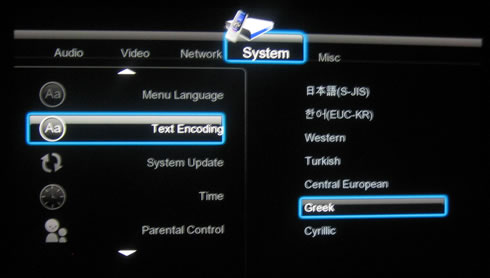
The 'System' menu allows you to set the menu language and also the default language for the subtitles (or left to auto). AC Ryan offers two types of firmware; one for Asian and another one for the European market, in order to cover all the available languages. More info can be found here.
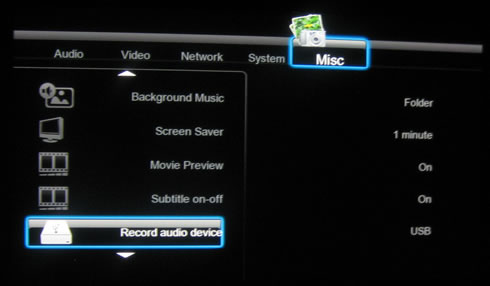
At the 'Misc' menus we will find several interesting options to play with:
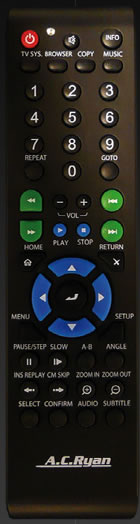
The remote control is exactly the same as the one bundled with the already tested PlayOnHD! player. While the center design (four way buttons) is nice, there are other buttons which are very small to work with, such as the play/stop buttons. It's reception seems to be good, although you have to align the control to the front of the player in order to get an immediate response.


Review Pages

1. Features
2. A closer look
3. Powering up the player
4. Network
5. Watching movies
6. Final thoughts


Pages

  • « first
  • ‹ previous
  • 1
  • 2
  • 3
  • 4
  • 5
  • 6
  • next ›
  • last »

ACRyan

Tags: ACRyan
Previous Post
Patriot Memory Inferno 100GB SSD review
Next Post
OCZ Agility2 60GB SSD review

Related Posts

  • ACRyan Veolo review

Latest Reviews

In the Age of AI Phishing, the Best User Experience Might Be the One That Feels Safest
Enterprise & IT

In the Age of AI Phishing, the Best User Experience Might Be the One That Feels Safest

SoundPeats C30
Consumer Electronics

SoundPeats C30

Why Streaming Live Casino Games Demands Smarter Tech
Enterprise & IT

Why Streaming Live Casino Games Demands Smarter Tech

Kioxia Exceria Plus G3 512GB microSD
Cameras

Kioxia Exceria Plus G3 512GB microSD

SoundPeats Cove Pro
Consumer Electronics

SoundPeats Cove Pro

Popular News

TEAMGROUP Launches EXPERT P34F Find My External SSD

TEAMGROUP Launches EXPERT P34F Find My External SSD

Samsung announces Galaxy Tab S11 and Galaxy S25 FE series

Samsung announces Galaxy Tab S11 and Galaxy S25 FE series

Viltrox Showcases Upcoming Lens Lineup and New TTL Flash at IBC 2025

Viltrox Showcases Upcoming Lens Lineup and New TTL Flash at IBC 2025

CORSAIR announces Vanguard Pro 96 and Vanguard 96 Gaming Keyboards

CORSAIR announces Vanguard Pro 96 and Vanguard 96 Gaming Keyboards

Panasonic Introduces the First Ultra-Telephoto Zoom Lens in the LUMIX S Series

Panasonic Introduces the First Ultra-Telephoto Zoom Lens in the LUMIX S Series

MSI Launches FORGE GK600 TKL WIRELESS Special Edition Compact Mechanical Keyboard

MSI Launches FORGE GK600 TKL WIRELESS Special Edition Compact Mechanical Keyboard

MSI Launches DATAMAG 40Gbps Magnetic Portable SSD

MSI Launches DATAMAG 40Gbps Magnetic Portable SSD

Viltrox Joins the L-Mount Alliance, Expanding Creative Possibilities

Viltrox Joins the L-Mount Alliance, Expanding Creative Possibilities

Main menu

  • Home
  • News
  • Reviews
  • Essays
  • Forum
  • Legacy
  • About
    • Submit News

    • Contact Us
    • Privacy

    • Promotion
    • Advertise

    • RSS Feed
    • Site Map
  • About
  • Privacy
  • Contact Us
  • Promotional Opportunities @ CdrInfo.com
  • Advertise on out site
  • Submit your News to our site
  • RSS Feed