
ASUS A8R32-MVP Deluxe
2. A Closer Look
Review Pages
2. A Closer Look
3. Test System - Configuration
4. 3DMark2005
5. 3DMark2003
6. Codecreatures
7. Aquamark - 3DMark01
8. Half Life 2
9. Quake 4
10. F.E.A.R.
11. Need For Speed - Most Wanted
12. Performance Test v5.0
13. PCMark04 - 05
14. Overclocking
15. Bios - Page 1
16. Bios - Page 2
17. Software CD
18. PC Probe II
19. Conclusion
The A8R32-MVP Deluxe, as with most of the latest ASUS Deluxe motherboards, is manufactured on a black Printed Circuit Board (PCB). The interface connections are laid out so as to make them easily accessible and the colour coding helps in identifying them.


 |
| The 939 socket for the AMD64 CPU... |
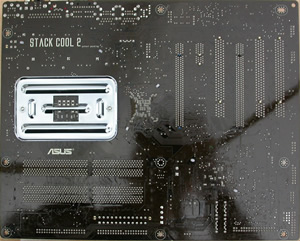
The STACK COOL 2 logo located on the underside of the board, indicates that the A8R32-MVP Deluxe has a fan-less, zero-noise cooling solution, providing effective heat transfer away from critical components.

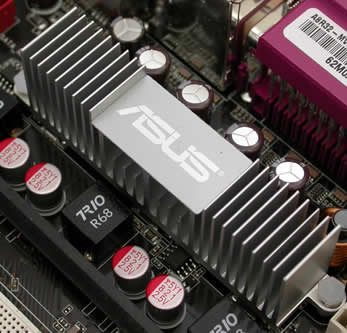
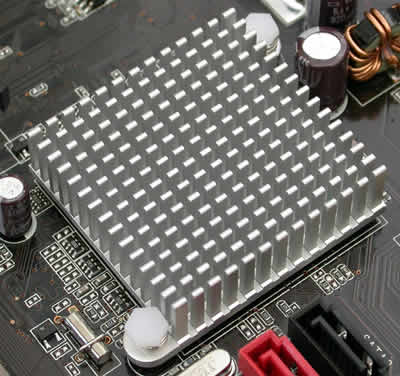
The A8R32-MVP Deluxe, is equipped with three PCI slots, and two PCI Express x16 slots, used mainly for ATI graphics cards. The two PCI Express x16 slots are colour coded. In CrossFire mode, the user should always remember that the CrossFire-ready (Master) graphics card must be installed in the blue PCI-E slot.

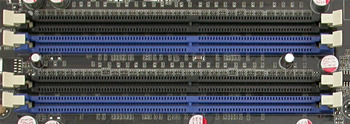
The memory module slots, are also colour coded. Just install two memory modules of the same memory size in the same coloured slots, to enable Dual Channel's symmetry mode support, or use two memory modules of different memory sizes for asymmetric mode.
The Floppy disk drive connector is located on the edge of the board...
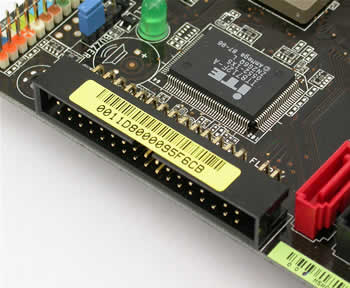
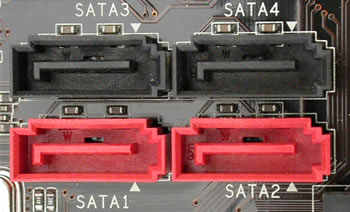
Below are the four SATA connectors, used when installing HDDs or CD/DVD drives...
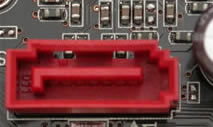
This connector is for a Serial ATA signal cable. It supports a Serial ATA HDD drive that you can combine with an external Serial ATA 3 Gb/s device to configure a RAID 0 or RAID 1 set through the onboard Silicon Image SATA RAID controller.
There are additional USB and Firewire IEEE 1394 connections on the motherboard:
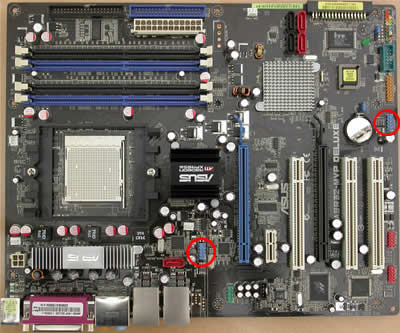

There are also some extra connections for the serial or GAME/MIDI ports.

The ATX power and the IDE connectors:

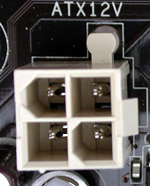
The four fan power connections:
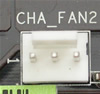 |
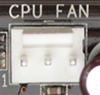 |
 |
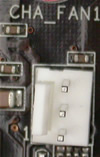 |
The audio connector and the ALC882 chipset:

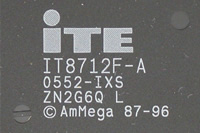
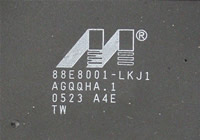
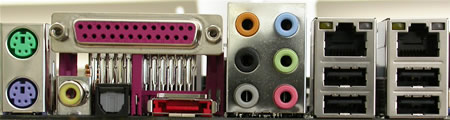
Rear panel connectors:
- PS/2 mouse port (green)
- PS/2 keyboard port (purple)
- Parallel port
- Coaxial S/PDIF Out port
- Optical S/PDIF Out port
- External SATA port
- Side Speaker Out port (black)
- Center / Subwoofer port (gray)
- Line In port (light blue)
- Line Out port (lime)
- Rear Speaker Out port (orange)
- Microphone port (pink)
- 2x LAN (RJ-45) ports
- 4x USB 2.0 ports
- The package


The retail package for the A8R32-MVP Deluxe includes a long list of accessories:
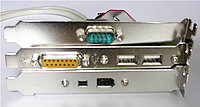
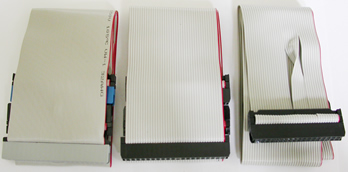
| Accessories | User's manual 5 x Serial ATA cables 2 x 2-port Serial ATA power cables 1 x 1-port Serial ATA power cable 2-port IEEE1394 module 1 x 2-port USB2.0 / Game module COM port module 1 x UltraDMA 133/100/66 cable IDE cable FDD cable I/O shield InterVideo Media Launcher |
| Support CD | Drivers ASUS PC Probe II ASUS Update Anti-virus software (OEM version) |



For this review, we populated the ASUS A8R32-MVP Deluxe motherboard with one ASUS EAX1600XT SILENT graphics card and compared it with the MSI K8N Diamond, which is an NVIDIA nForce4 SLI based board.
Review Pages
2. A Closer Look
3. Test System - Configuration
4. 3DMark2005
5. 3DMark2003
6. Codecreatures
7. Aquamark - 3DMark01
8. Half Life 2
9. Quake 4
10. F.E.A.R.
11. Need For Speed - Most Wanted
12. Performance Test v5.0
13. PCMark04 - 05
14. Overclocking
15. Bios - Page 1
16. Bios - Page 2
17. Software CD
18. PC Probe II
19. Conclusion





