be quiet! Dark Power 14 IO
3. IO Center
IO Center: Feature Breakdown
PSU-specific controls. Through IO Center (available as a Windows desktop app or a browser-based "IO Center | Web" version), owners can:
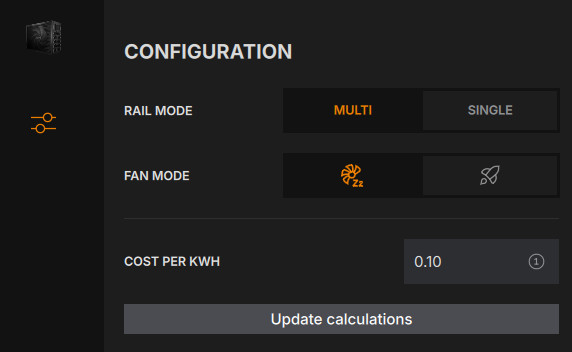
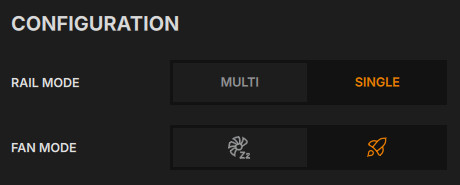
- Toggle between Multi-Rail and Single-Rail 12V operation on the fly — useful for overclockers who want the flexibility of six independent 12V rails for everyday use but a single massive rail when chasing extreme loads
- Switch the fan between a Performance (always-on) mode and a Semi-Passive mode where the fan stays off entirely under light loads — be quiet! and outlets covering the launch state the fan stays off up to roughly 50% load in Semi-Passive mode, which matches what we saw both in our own testing and in the independent Cybenetics data
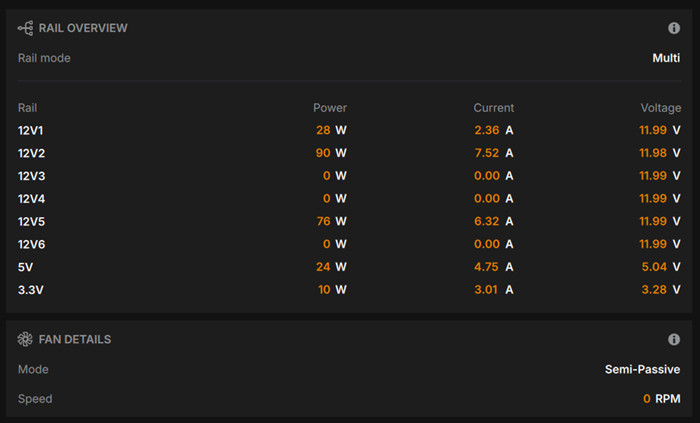
- View real-time efficiency, input power, per-rail current/voltage, and fan speed
- Track a running and lifetime power cost estimate, calculated from actual measured draw since first software launch and since the current session started, plus a projected monthly cost (desktop app only — this specific feature isn't available in IO Center Web)
- View the unit's article number and serial number without opening the case or the PC
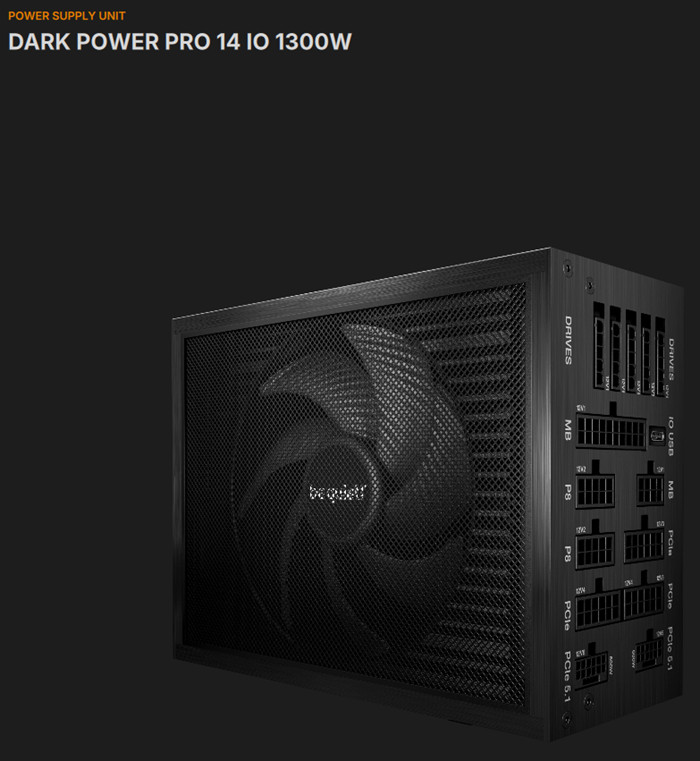
It's a platform, not a single-product app. IO Center isn't unique to this PSU — it's be quiet!'s unified control hub across an expanding hardware ecosystem that already includes AIO coolers (Silent Loop 2/3), fans (Light Wings), the Dark Mount and Light Mount keyboards, the Dark Perk mouse, and displays like the Light Loop IO LCD. That matters for two reasons: first, if you already own other recent be quiet! peripherals, they'll show up in the same dashboard as your PSU; second, the software is under active, fairly rapid development as be quiet! adds device support, which is generally good news but does mean UI details can shift between versions,
Home-screen Hardware Monitor. Separate from the PSU-specific rail/fan panel, IO Center's home screen includes a customizable Hardware Monitor widget that shows live CPU and GPU temperature, clock speed, load, and voltage, RAM usage, and — when other be quiet! IO devices are connected — their own telemetry (fan/pump speeds on coolers, mouse battery level, etc.) all in one glanceable panel. This widget works even without a Dark Power Pro 14 IO installed, so it's a system monitor in its own right, not just a PSU add-on.
Cross-device profiles. IO Center supports creating, exporting, and importing full settings profiles, with the ability to auto-load a specific profile when a chosen application launches (e.g., a quieter fan/lighting profile for everyday use, switching automatically to a performance profile when you launch a game or render job). This profile system is a platform-wide feature across IO Center devices; how granularly it extends to saved PSU rail/fan configurations specifically wasn't something we could confirm in our limited hands-on time, but it's worth checking for in the shipping release if scene-based switching matters to your workflow.
Platform requirements and troubleshooting. IO Center Web runs on Windows, macOS, or Linux through any Chromium-based browser (Chrome, Edge, or Opera recommended) with no account or persistent background app required — though be quiet! notes Linux needs a one-time terminal authorization for WebHID access, and a handful of features (including the cost calculator, and some real-time lighting controls on other IO devices) are desktop-app exclusives. If a device isn't detected, the standard troubleshooting path is: reconnect the cable, try a different USB port (some higher-draw IO devices specifically need a USB 3 port), and check for a pending firmware update — IO Center will prompt for available firmware updates on startup for any connected device.
Hands-On: IO Center in Practice
The IO Center when detects the Dark Power Pro 14 IO 1300W, wiil display its picture and under settings you can set various aspects of the product:
Semi-Passive vs. Performance fan mode. The Semi-Passive mode kept the Silent Wings 4 135mm fan at a flat 0 RPM — genuinely silent, exactly as advertised at low loads. Flipping to Performance mode at the same load spun the fan up to a steady ~333–336 RPM, confirming that Performance mode keeps the fan spinning continuously regardless of thermal need, while Semi-Passive really does wait until the PSU needs the airflow.
Multi-Rail vs. Single-Rail mode. The rail overview makes the difference concrete. In Multi mode, output was spread unevenly across individual 12V rails (e.g., 12V2 carrying ~90W while 12V3, 12V4, and 12V6 sat idle at 0W, depending on which connectors were populated). Switching to Single mode collapsed all of that into one consolidated 12V rail carrying the full load — confirming the toggle is a real hardware/firmware reconfiguration and not just a display filter.
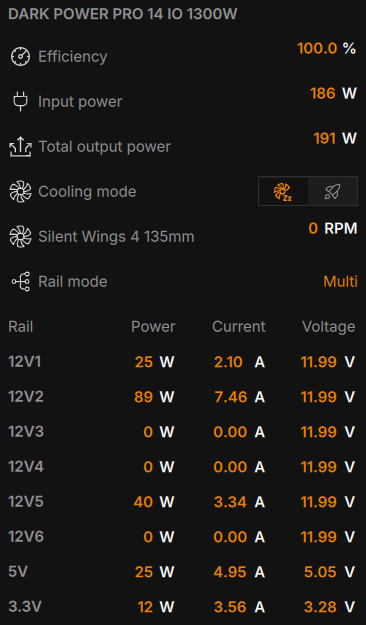
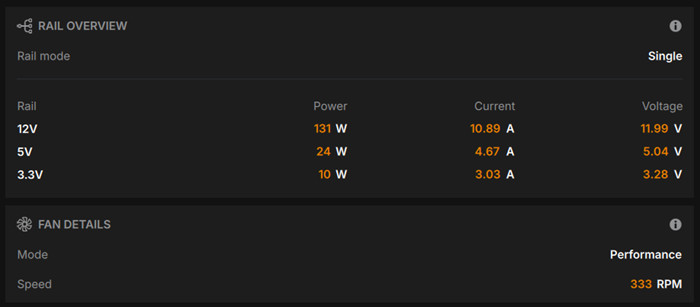
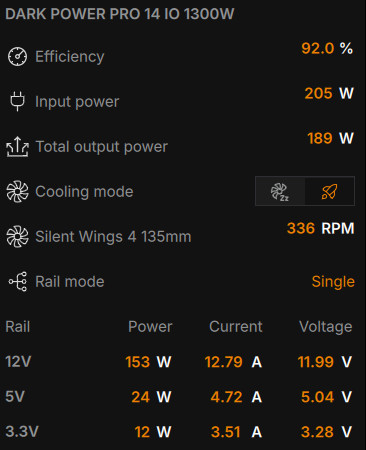
Efficiency readout caveat. The software reports at each second the power consumption and the power supply efficiency and the total power draw.
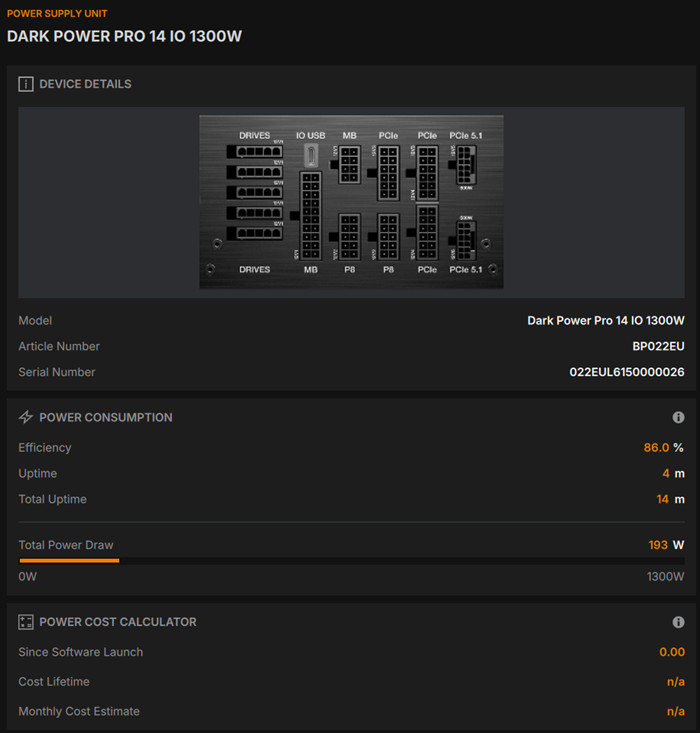
Power cost calculator. You can get some indication of the total power cost of your runs, depending the time and the local electricity price.
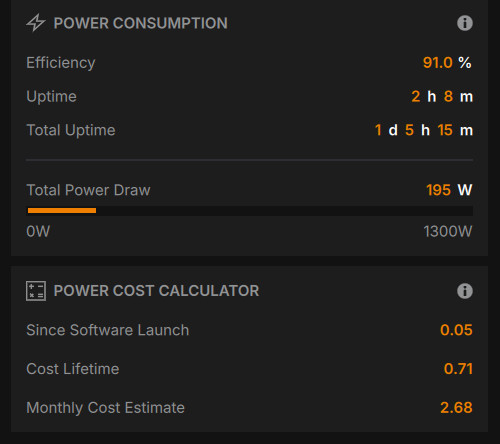
Overall, the software layer does what be quiet! claims: rail mode and fan mode are both genuine, immediately-effective toggles, not cosmetic settings, and the dashboard is responsive and easy to read even mid-load.