Intel P35 Motherboard Roundup
3. Asus P5K Premium WiFi - The Package
Review Pages
2. Asus P5K Premium WiFi - Overview
3. Asus P5K Premium WiFi - The Package
4. Asus P5K Premium WiFi - BIOS and Installation
5. Asus P5K3 Deluxe WiFi - Overview
6. Asus P5K3 Deluxe WiFi - The Package
7. Asus P5K3 Deluxe WiFi - BIOS and Installation
8. Gigabyte P35-DQ6 - Overview
9. Gigabyte P35-DQ6 - The Package
10. Gigabyte P35-DQ6 - BIOS and Installation
11. Test Configuration
12. Everest Ultimate Edition 2006 - SiSoft Sandra
13. PCMARK - 3DMARK
14. Science Mark - PovRay - Nero Digital
15. CINEBENCH -SuperPI
16. Overclocking
17. Conclusion
- The Package
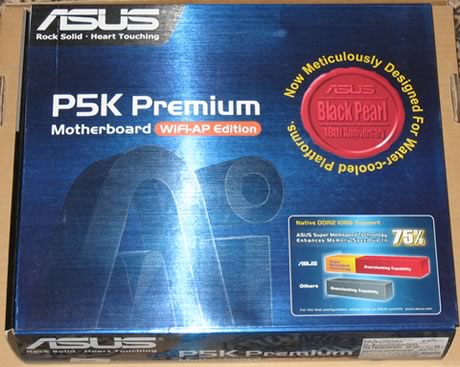
Asus P5K Premium WiFi costs around €180, as found at several online stores. Asus already ships the P5K Deluxe, but the P5K Premium has several important changes "...Asus changed all the power mosfets around the socket, added some capacitors around the PCB and added a mosfet on the DDR2 channel. In the P5K deluxe, there's only 1 mosfet for 4 channels with some problems of stability. With Premium, there are 2 mosfet. Asus declared that with this solution, the new premium can work stably with ram over 1400 MHz!!!..."
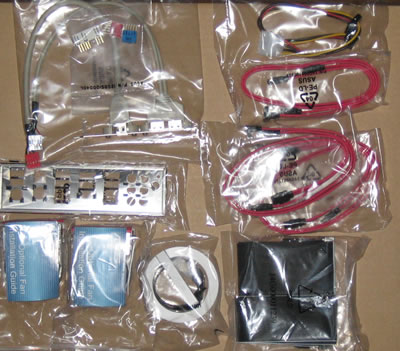
All included cables are shown below:
Manuals and included CDs:
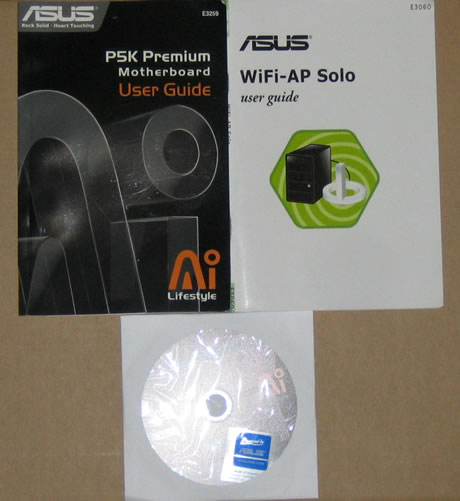
Below is a list of what's included at the retail package
- UltraDMA 133/100/66 cable
- FDD cable
- 4 x Serial ATA cables
- 1 x 2-port Serial ATA power cable
- I/O Shield
- User's manual
- ASUS WiFi-AP Solo manual
- 3 in 1 Q-connector
- 1 x 2-port USB2.0 / 1-port IEEE1394 module
- ASUS WiFi-AP Solo omni-directional antenna
The board itself is densely packed but well laid out and all components can be identified easily:
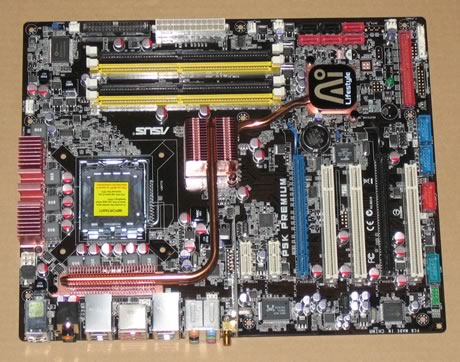
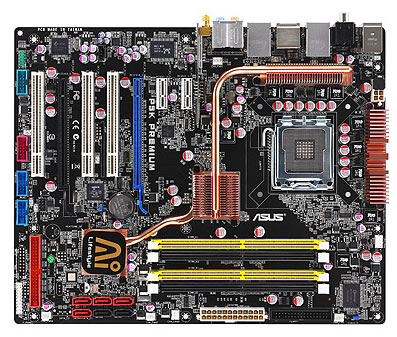
Let's zoom in on the CPU area.
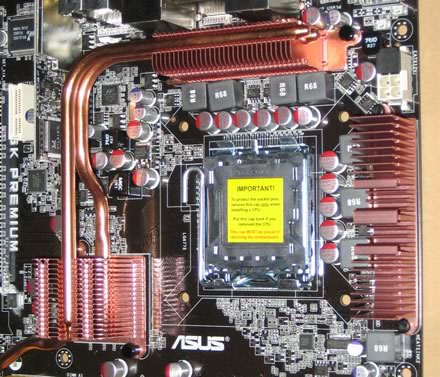
We can clearly see the copper heatpipes that connect both the north and south-bridge chips to the large copper heatsinks. This should work exceptionally well. This design distributes the heat output evenly and also means the heat can be extracted from a central location. As Asus comments "...The Heat Pipe design effectively directs the heat generated by the chipsets to the heatsink near the back IO ports, where it can be carried away by existing airflow from CPU fan or bundled optional fan...".
All nearby components are low profile so there shouldn't be any problem with height if large 3rd party cooling solutions are used. However, after installing Intel's stock fan, the space between the passive heatpipe solution and the CPU coolers is limited. We also tried AC Freezer 7 CPU cooler, which had to be rotated in order to fit. Before purchasing another cooler, check the compatibility list!
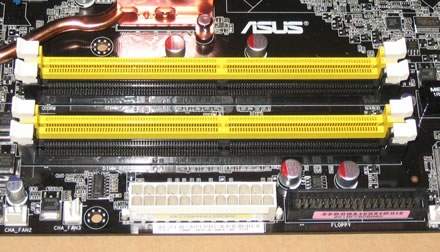
The passive heatsinks do their job and keep the northbridge cool, but it's advisable not to touch them, since the temperatures get rather high. The motherboard has four banks for memory modules:
Moving to the southbridge area on the board, we can see the passive heatsink and the 6x SATA 2 connectors, not too crowded and easily accessible

The motherboard supports CrossFire Technology. There are 2x PCI-E x16 slots, in case you use both channels, the blue channel works at x16 mode, while black @ x4. There is enough space between the two PCI-E slots, so no problem here for extra big VGA cards:
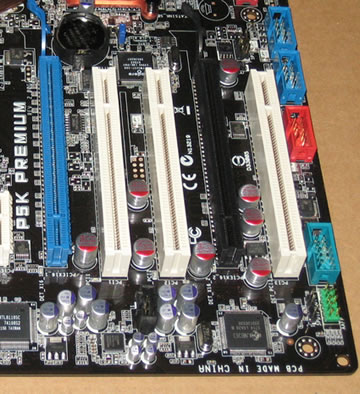
There are several extra connections for USB, Front Panel Audio, COM2 and Firewire on the back. Asus has include all modules in the retail package. The back I/O panel has the usual connections:
- 1 x PS/2 Keyboard
- 1 x S/PDIF Out (Coaxial + Optical)
- 2 x External SATA
- 1 x IEEE1394a
- 2 x RJ45 port
- 6 x USB 2.0/1.1
- 1 x WiFi-AP Solo antenna jack
- 8-channel Audio I/O
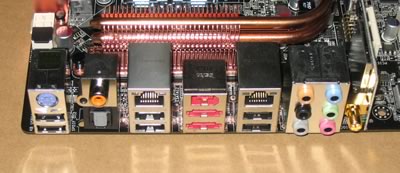
As with the P5K Deluxe, the P5K Premium doesn't include any PS2 Mouse connection... Finally our motherboard was revision 2.00G:

Review Pages
2. Asus P5K Premium WiFi - Overview
3. Asus P5K Premium WiFi - The Package
4. Asus P5K Premium WiFi - BIOS and Installation
5. Asus P5K3 Deluxe WiFi - Overview
6. Asus P5K3 Deluxe WiFi - The Package
7. Asus P5K3 Deluxe WiFi - BIOS and Installation
8. Gigabyte P35-DQ6 - Overview
9. Gigabyte P35-DQ6 - The Package
10. Gigabyte P35-DQ6 - BIOS and Installation
11. Test Configuration
12. Everest Ultimate Edition 2006 - SiSoft Sandra
13. PCMARK - 3DMARK
14. Science Mark - PovRay - Nero Digital
15. CINEBENCH -SuperPI
16. Overclocking
17. Conclusion