Breaking News

Western Digital Accelerates Storage Innovation for AI Era Leica LUX Case for the iPhone 17 Pro/Pro Max ASUS Announces ROG Strix Aiolos Viltrox Launches AF 16mm F1.8 L for Full Frame Casio to Release G-SHOCK with Minimalist Metal Design and Even Better Fit

logo

  • Share Us
    • Facebook
    • Twitter
  • Home
  • Home
  • News
  • Reviews
  • Essays
  • Forum
  • Legacy
  • About
    • Submit News

    • Contact Us
    • Privacy

    • Promotion
    • Advertise

    • RSS Feed
    • Site Map

Search form

LG L246WH-BN

Jun 19,2008 0

3. Installation, Power up


Review Pages

1. Introduction, features
2. Package
3. Installation, Power up
4. Final words


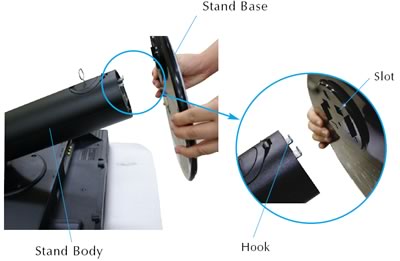
Before using your newly bought LCD monitor you will have to properly mount the included stand. There are two hooks that should be positioned inside the stand slots and then you need to turn the bottom stand to the right in order to secure it.
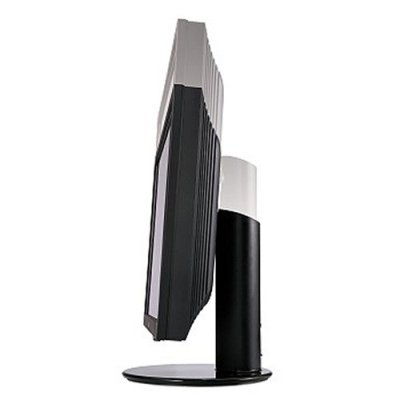
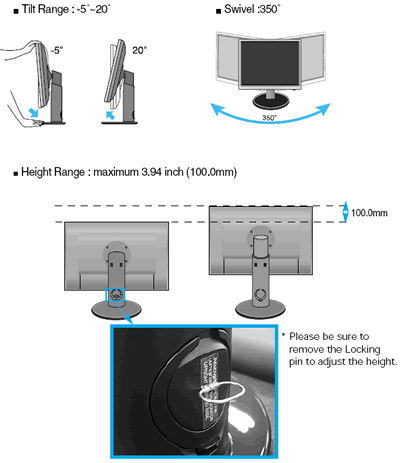
The monitor' s stand allows the screen to be tilted from -5o~20o degrees, swivel at 350 degrees or increase its height by 100mm.
We looked over the manual in order to find any information about the number of broken/stuck pixels covered by the warranty - with no luck.

In the included CD you can find a user's guide and several sRGB profiles ready to use. We used the Picture | CSM to sRGB setting.
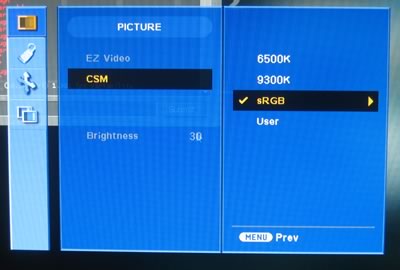
The brightness of the default settings was very high so you should probably reduce it down to 60-70 for more comfortable viewing. In order to watch HD video without vertical stretch of the image, set Screen | ARC to 1:1 instead of Full.

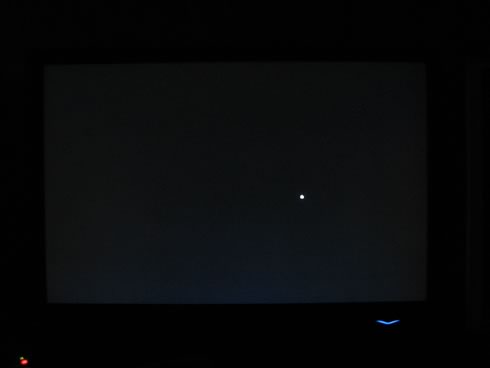
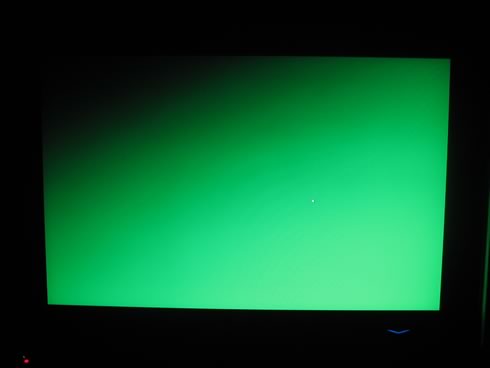
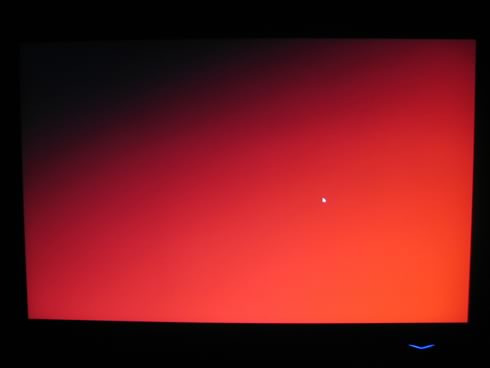
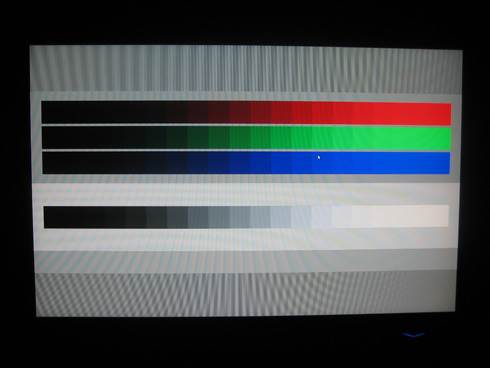
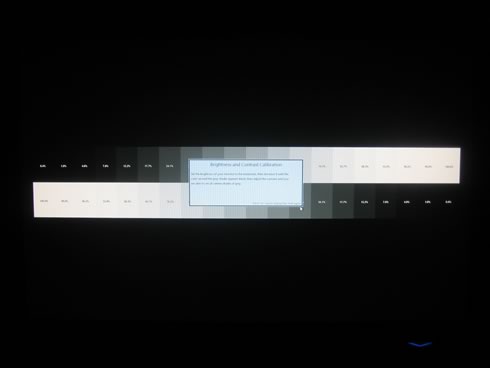
Passing to the performance... the LG L246WH-BN really impressed us both with its brightness and the vibrant colors. The viewing angles were very good. Using Everest Ultimate Edition we did not find any broken/stuck pixel and in general the overall performance at the various tests were satisfactory. We did notice a small leakage at the bottom of the screen, but that's rather common. The transition points of green/red/white to black, unveiled the weaknesses of TN panels, since the graduate level is not perfect. But as you know, "...what you pay is what you get.."
 

Review Pages

1. Introduction, features
2. Package
3. Installation, Power up
4. Final words


Pages

  • « first
  • ‹ previous
  • 1
  • 2
  • 3
  • 4
  • next ›
  • last »

LG Electronics

Tags: LG Electronics
Previous Post
Asus Xonar DX
Next Post
Crucial BallistiX Tracer PC2-6400

Related Posts

  • LG Electronics Unveils New LG MAGNIT Micro LED Display at ISE 2026

  • LG Electronics Expands Its Lifestyle TV Lineup With the New Art-Inspired Gallery TV

  • LG releases QNED MINI LED TVs, setting a new standard for LCD picture quality

  • LG Electronics announces 31.5-inch 4K organic EL display 32EP950-B

  • LG rolls out 2021 TV lineup with OLED TVs and Mini-LED TVs

  • LG Electronics' 'Wing' Smartphone Said to Have a Swivelling Display

  • LG Velvet Smartphone Officially Launched in South Korea

  • LG Launches 2020 Sound Bars

Latest Reviews

Akaso Brave 8 Lite
Cameras

Akaso Brave 8 Lite

Soundpeats Air 5
Consumer Electronics

Soundpeats Air 5

XbotGo Chamaleon
Consumer Electronics

XbotGo Chamaleon

be quiet! Dark Perk Mice
Gaming

be quiet! Dark Perk Mice

Acemagic W1
PC components

Acemagic W1

Popular News

COLORFUL Introduces CVN B850I GAMING FROZEN Motherboard

COLORFUL Introduces CVN B850I GAMING FROZEN Motherboard

COLORFUL Presents CVN X870 ARK FROZEN Motherboard for AMD Ryzen 9000 CPUs

COLORFUL Presents CVN X870 ARK FROZEN Motherboard for AMD Ryzen 9000 CPUs

TEAMGROUP Launches EXPERT P34F Find My External SSD

TEAMGROUP Launches EXPERT P34F Find My External SSD

ASRock AM5 Motherboards Now Fully Support AMD Ryzen 9 9950X3D & 9900X3D Processors

ASRock AM5 Motherboards Now Fully Support AMD Ryzen 9 9950X3D & 9900X3D Processors

Samsung announces Galaxy Tab S11 and Galaxy S25 FE series

Samsung announces Galaxy Tab S11 and Galaxy S25 FE series

Viltrox Showcases Upcoming Lens Lineup and New TTL Flash at IBC 2025

Viltrox Showcases Upcoming Lens Lineup and New TTL Flash at IBC 2025

CORSAIR announces Vanguard Pro 96 and Vanguard 96 Gaming Keyboards

CORSAIR announces Vanguard Pro 96 and Vanguard 96 Gaming Keyboards

Panasonic Introduces the First Ultra-Telephoto Zoom Lens in the LUMIX S Series

Panasonic Introduces the First Ultra-Telephoto Zoom Lens in the LUMIX S Series

Main menu

  • Home
  • News
  • Reviews
  • Essays
  • Forum
  • Legacy
  • About
    • Submit News

    • Contact Us
    • Privacy

    • Promotion
    • Advertise

    • RSS Feed
    • Site Map
  • About
  • Privacy
  • Contact Us
  • Promotional Opportunities @ CdrInfo.com
  • Advertise on out site
  • Submit your News to our site
  • RSS Feed