
Breaking News

ASUS Republic of Gamers Announces New Strix OLED monitors PlayStation Plus Game Catalog for March 2026 Intel Announces New Intel Core Ultra 200S Plus Series Desktop Processors Sharkoon announces OfficePal KB70W Akasa Unveils Pascal MX Mini-ITX Fanless Case

logo

  • Share Us
    • Facebook
    • Twitter
  • Home
  • Home
  • News
  • Reviews
  • Essays
  • Forum
  • Legacy
  • About
    • Submit News

    • Contact Us
    • Privacy

    • Promotion
    • Advertise

    • RSS Feed
    • Site Map

Search form

NexBox A95X Android Media Player review

Sep 5,2016 0

4. Graphical User Interface


Review Pages

1. Meet the NexBox A95X Media Player -- powered by the S905X chip
2. Amlogic S905X features
3. Package, design
4. Graphical User Interface
5. Kodi Center
6. Tests
7. Summary


The player's GUI is different from what we have experienced with other Android players, and it is outlined in the following video.

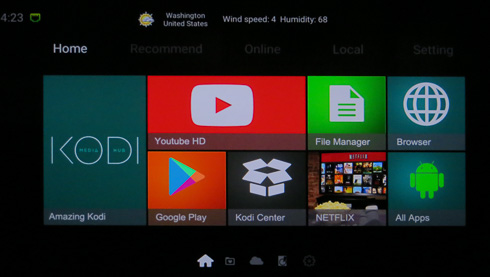
The main screen is well designed and provides easy access to the main areas of the player. The player is highly based on KODI, but you also get YoutubeHD, NetFlix and Google Play apps:
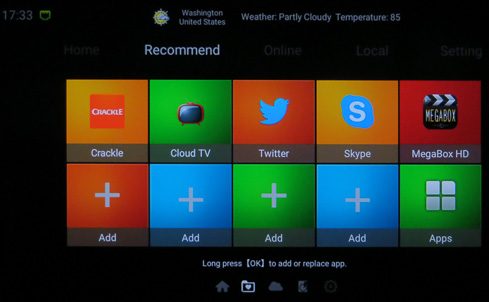
More tabs are linking to pre-installed apps, Such as Skype, Twitter and more. You can also add shortcuts to more apps.
The Online section you see below includes even more apps - Pandora, Plex etc

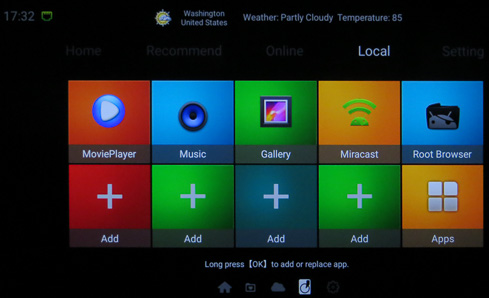
The MoviePlayer, Music, Gallery, Miracast and Root Browser are found at the Local Tab.
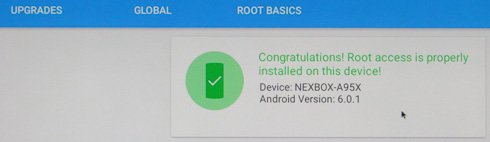
Speaking of root, the device seems to have root access as root checker indicated. However there is no SuperSU user app installed so you'll probably not have full root access to the box.
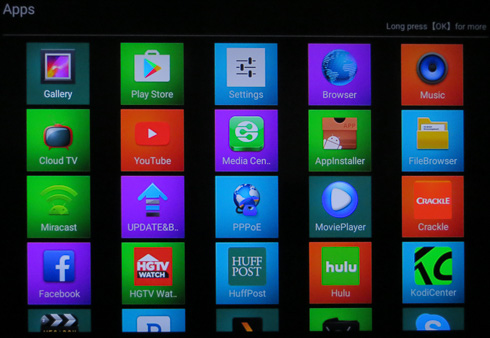
Below are all the installed apps, as found under the Apps tab
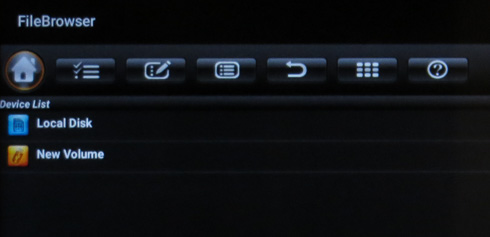
The default FileBrowser is typical and offers limited functions, so you may need to get the ES File Explorer in order to have more control over the network devices.
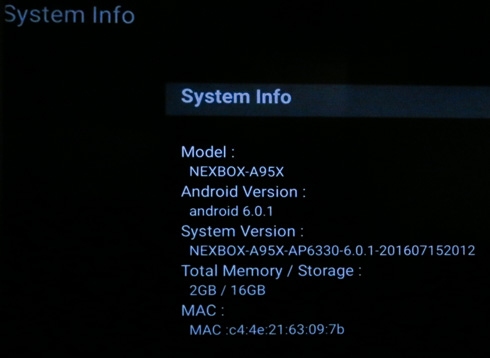
SystemInfo will show a summary of the device specifications and firmware:
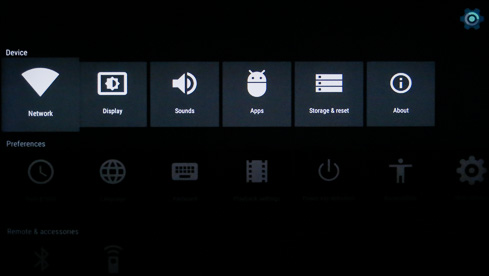
The player's settings section look familiar and almost the same with what we have experienced with other Amlogic S905 devices:
Over the Display->Screen Resolution section, you can set the HDMI resolution:
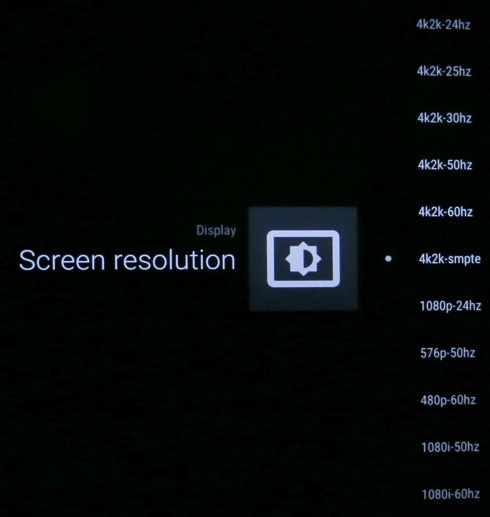
We selected 4K-24HZ , since our A/V receiver won't support 4K @ 60Hz. That gives the GUI a more sluggish performance, so you'd better connect the device at full 4K @ 60Hz:

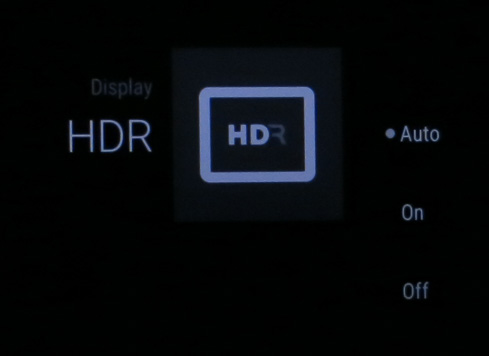
The HDR option (Auto/On/Off) is located under the Display tab:
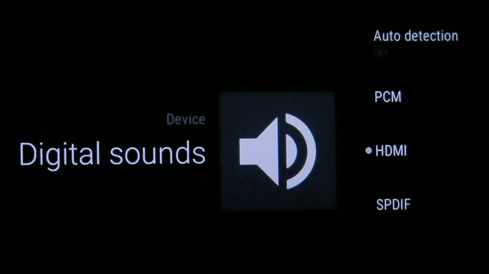
The Digital sound section is where you should choose the HDMI Passthrough function:
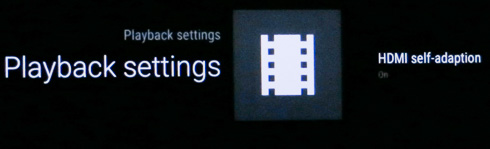
At the Playback settings you can turn the HDMI Self-adaption->On:
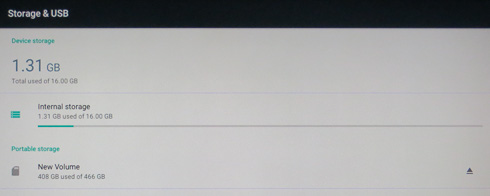
The device comes with 16GB memory, and just 1.31GB were used:
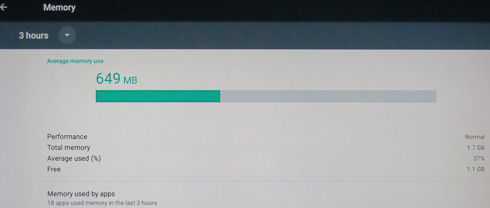
Android 6.0.1 offers great memory management so only 649MB are occupied, at least after the first boot:
More information about the NexBox A95X is provided under Android 6.0.1 tab:


Review Pages

1. Meet the NexBox A95X Media Player -- powered by the S905X chip
2. Amlogic S905X features
3. Package, design
4. Graphical User Interface
5. Kodi Center
6. Tests
7. Summary


Pages

  • « first
  • ‹ previous
  • 1
  • 2
  • 3
  • 4
  • 5
  • 6
  • 7
  • next ›
  • last »

NexBox

Tags: NexBox
Previous Post
Shuttle XPC Slim DS67U Barebone
Next Post
AMD Radeon RX 480 8GB review

Related Posts

Latest Reviews

Why Streaming Live Casino Games Demands Smarter Tech
Enterprise & IT

Why Streaming Live Casino Games Demands Smarter Tech

Kioxia Exceria Plus G3 512GB microSD
Cameras

Kioxia Exceria Plus G3 512GB microSD

SoundPeats Cove Pro
Consumer Electronics

SoundPeats Cove Pro

Asustor AS5404T 4-Bay NAS System
Enterprise & IT

Asustor AS5404T 4-Bay NAS System

be quiet! Pure Power 13M 1200W
PC components

be quiet! Pure Power 13M 1200W

Popular News

COLORFUL Presents CVN X870 ARK FROZEN Motherboard for AMD Ryzen 9000 CPUs

COLORFUL Presents CVN X870 ARK FROZEN Motherboard for AMD Ryzen 9000 CPUs

TEAMGROUP Launches EXPERT P34F Find My External SSD

TEAMGROUP Launches EXPERT P34F Find My External SSD

Samsung announces Galaxy Tab S11 and Galaxy S25 FE series

Samsung announces Galaxy Tab S11 and Galaxy S25 FE series

Viltrox Showcases Upcoming Lens Lineup and New TTL Flash at IBC 2025

Viltrox Showcases Upcoming Lens Lineup and New TTL Flash at IBC 2025

CORSAIR announces Vanguard Pro 96 and Vanguard 96 Gaming Keyboards

CORSAIR announces Vanguard Pro 96 and Vanguard 96 Gaming Keyboards

Panasonic Introduces the First Ultra-Telephoto Zoom Lens in the LUMIX S Series

Panasonic Introduces the First Ultra-Telephoto Zoom Lens in the LUMIX S Series

MSI Launches DATAMAG 40Gbps Magnetic Portable SSD

MSI Launches DATAMAG 40Gbps Magnetic Portable SSD

MSI Launches FORGE GK600 TKL WIRELESS Special Edition Compact Mechanical Keyboard

MSI Launches FORGE GK600 TKL WIRELESS Special Edition Compact Mechanical Keyboard

Main menu

  • Home
  • News
  • Reviews
  • Essays
  • Forum
  • Legacy
  • About
    • Submit News

    • Contact Us
    • Privacy

    • Promotion
    • Advertise

    • RSS Feed
    • Site Map
  • About
  • Privacy
  • Contact Us
  • Promotional Opportunities @ CdrInfo.com
  • Advertise on out site
  • Submit your News to our site
  • RSS Feed
