Breaking News

Samsung Introduces Galaxy Tab S12 Series PlayStation Plus Monthly Games for October 2026 Logitech announces Zone Vibe Pro Headset Razer Expands Sanrio Collection With Pompompurin Eared Headset And Kuromi Earbuds TerraMaster Launches Storage Upgrade Season with Up to 30% Off During Prime Big Deal Days

logo

  • Share Us
    • Facebook
    • Twitter
  • Home
  • Home
  • News
  • Reviews
  • Essays
  • About
    • Submit News

    • Contact Us
    • Privacy

    • Promotion
    • Advertise

    • RSS Feed

Search form

Thermaltake Massive 23 LX Notebook cooler

Oct 12,2010 0

3. Tests


Review Pages

1. Features
2. A closer look
3. Tests


Let's now play with the cooler a little bit. We need to find out how efficient a cooling product can be with our laptop operating under normal conditions. Out laptop is a Sony Vaio SR-19VA with a 7200rpm HDD as well as an Intel P8400 processor on board.. For our tests we used the Everest Ultime Edition software combined with the Kombuster GPU stretch utility. We logged the laptop's internal temperatures while it is operating and placed on the Thermaltake Massive 23 LX cooler:

We should mention here that our 13.3" laptop could not be placed in the right position on the cooler. The Vaio's feet did not match with the coolers rubber strips. As a result, the air circulation below the notebook's bottom surface was not the appropriate and the cooler's fan possibly lost some efficiency. However, the Thermaltake Massive 23 LX cooler is supposed to support 13.3" laptops so let's move on with the results.

Below you see the internal temperatures of the various components of the laptop with the cooler installed and also not installed. Depending on the component we look at, the Thermaltake Massive 23 LX will keep your laptop cooler by just 2.3~2.5 degrees Celsius. The cooler could be more efficient if the fan was spinning at higher RPM:


The Thermaltake Massive 23 LX did not perform as well as we would love to see. The cooler's poor efficiency could be attributed to the size (13.3") of the laptop that we used for this test. As we previously mentioned, out laptop could not be properly positioned ont the available pads, possibly affecting the cooling efficiency of the fan. We assume that 15.6" of larger laptops would benefit more by this product. Besides cooling efficiency issues, the Massive 23 LX operates silently.

We would also like to see a longer USB cable that could allow you to plug it into your notebook's USB ports easier, especially if your notebook does not have its USB ports at the left side panel.

The Thermaltake Massive 23 LX is properly priced at just $20. It offers a comfortable typing angle, a stylish design, silent operation. and also some cooling efficiency, which is highly dependant on your notebook's size.


Review Pages

1. Features
2. A closer look
3. Tests


Pages

  • « first
  • ‹ previous
  • 1
  • 2
  • 3

Thermaltake

Tags: Thermaltake
Previous Post
Xtreamer Pro Media Player Review
Next Post
Thermaltake Element V Case review

Related Posts

  • Thermaltake Launches AW360/420 AIO Liquid Cooler and WAir CPU Cooler for Workstations

  • Begin the Racing Journey with the Thermaltake GR300 Racing Simulator Cockpit

  • Thermaltake Unveils the Massive EXTREME with Cross-flow Fan

  • Thermaltake Releases the Toughpower TF3 1300W with Support for RTX50 Series GPUs

  • Thermaltake Unveils G6 Direct Drive Racing Wheel Bundle and GM5 3DOF Motion System

  • Thermaltake Launches the TT150 LED Bag in Different Sizes and New Colors

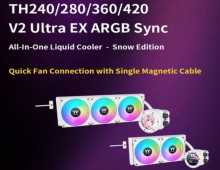
  • Thermaltake New TH V2 Ultra EX ARGB Sync AIO – Snow Edition is Now Available Worldwide

  • Thermaltake Coolers Support New-Gen Intel and AMD CPUs

Latest Reviews

Fanxiang MP83 M.2 NVMe SSD Enclosure
Enterprise & IT

Fanxiang MP83 M.2 NVMe SSD Enclosure

Ugreen CM642 USB4.0 Enclosure
PC components

Ugreen CM642 USB4.0 Enclosure

be quiet! Dark Power 14 IO
PC components

be quiet! Dark Power 14 IO

SanDisk High Endurance 512GB microSDXC
Cameras

SanDisk High Endurance 512GB microSDXC

Samsung PRO Ultimate 512GB microSDXC
Cameras

Samsung PRO Ultimate 512GB microSDXC

Popular News

MSI’s Latest AMD X870E MAX & EVO Series Motherboards

MSI’s Latest AMD X870E MAX & EVO Series Motherboards

COLORFUL Launches iGame B850M ULTRA Series Micro-ATX Motherboards

COLORFUL Launches iGame B850M ULTRA Series Micro-ATX Motherboards

COLORFUL Presents Limited Edition Chitu MAG-60 Magnetic Keyboard Inspired by the Year of the Horse

COLORFUL Presents Limited Edition Chitu MAG-60 Magnetic Keyboard Inspired by the Year of the Horse

COLORFUL Launches iGame B850I MINI OC V14 Motherboard

COLORFUL Launches iGame B850I MINI OC V14 Motherboard

COLORFUL Presents iGame Z890 ULTRA-S W and iGame Z890M ULTRA Z Motherboards

COLORFUL Presents iGame Z890 ULTRA-S W and iGame Z890M ULTRA Z Motherboards

COLORFUL Expands B850 Motherboard Lineup with New CVN, Battle-Ax, and MEOW Models

COLORFUL Expands B850 Motherboard Lineup with New CVN, Battle-Ax, and MEOW Models

ASRock Adds Support for One Sub-Channel DRAM Module on Intel DDR5 Motherboards

ASRock Adds Support for One Sub-Channel DRAM Module on Intel DDR5 Motherboards

Exceed the Infinite with New ASRock X870E Taichi White Motherboard

Exceed the Infinite with New ASRock X870E Taichi White Motherboard

Main menu

  • Home
  • News
  • Reviews
  • Essays
  • About
    • Submit News

    • Contact Us
    • Privacy

    • Promotion
    • Advertise

    • RSS Feed
  • About
  • Privacy
  • Contact Us
  • Promotional Opportunities @ CdrInfo.com
  • Advertise on out site
  • Submit your News to our site
  • RSS Feed