Breaking News

Geometric Future Unveils 2026/2027 Lineup at Computex: MODEL 9 Flagship, MODEL 7 Prototypes, New PSUs and AIO​ Amiiba Launches at COMPUTEX 2026 with Ferrofluid-Inspired Hardware LIAN LI Reveals Expansive 2026 Portfolio Focused on Airflow, Modularity, and Showcase Design ASUS Now Bundles ROG Equalizer Cable with Thor III, Strix Platinum PSUs GIGABYTE Introduces D5 Single Boost Technology, Redefining What One DIMM Can Do

logo

  • Share Us
    • Facebook
    • Twitter
  • Home
  • Home
  • News
  • Reviews
  • Essays
  • Forum
  • Legacy
  • About
    • Submit News

    • Contact Us
    • Privacy

    • Promotion
    • Advertise

    • RSS Feed
    • Site Map

Search form

Thermaltake Silent 1156

Nov 3,2009 0

2. The package, installation


Review Pages

1. Features, specifications
2. The package, installation
3. How we test
4. Measurements
5. Summary


The Thermaltake Silent 1156 comes in medium sized retail box. Several logos on front side of the package indicate the product's main features and abilities. The Silent 1156 retails for ~$30 making it affordable for most users.
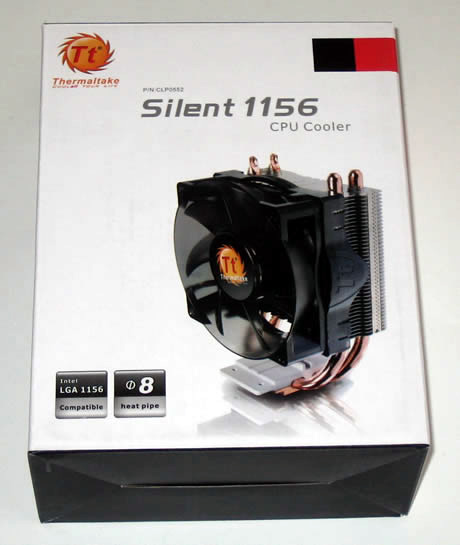
As we previously mentioned, this product supports the LGA 1156 socket. Users can also install this product at a LGA 1366 socket without any problems but according to Thermaltake, the performance wouldn't be as good as with an LGA 1156 system, since the LGA 1366 has a higher thermal design power (130W Vs. 95W).

Opening the box unveils a carefully packaged product, with the cooler carefully placed into a carton box. There aren't many goodies inside, apart from the printed manual, mounting screws and a mounting mechanism.

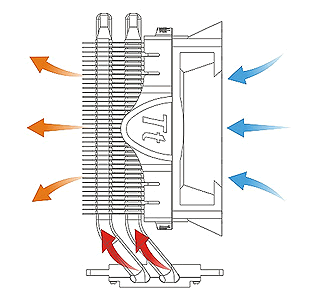
The 90mm fan blows cool air to through the aluminum fins and the heat coming through the full copper heatpipes is transferred away, as you can see in the scheme below:
 

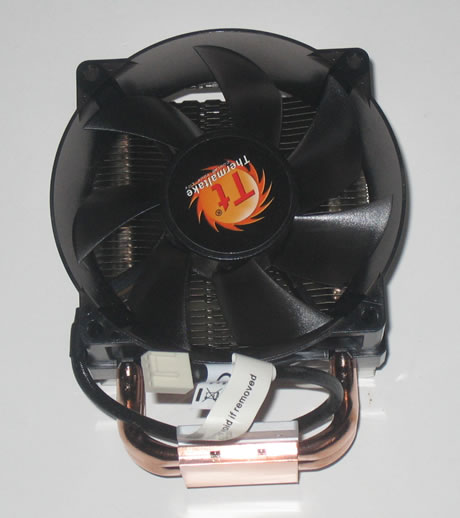
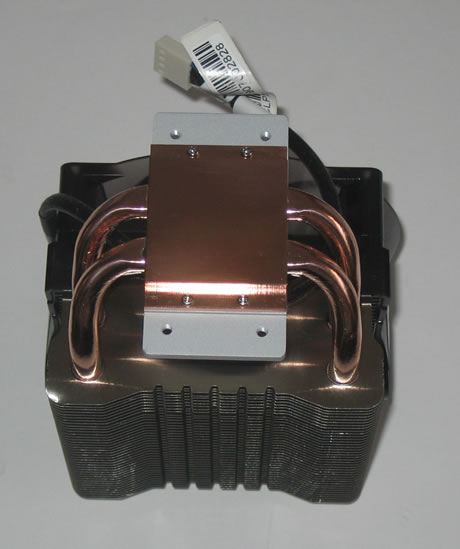
The base is made out of copper and the two 8mm heatpipes goes up to the aluminum fins. This is a common design which works well in most cases:
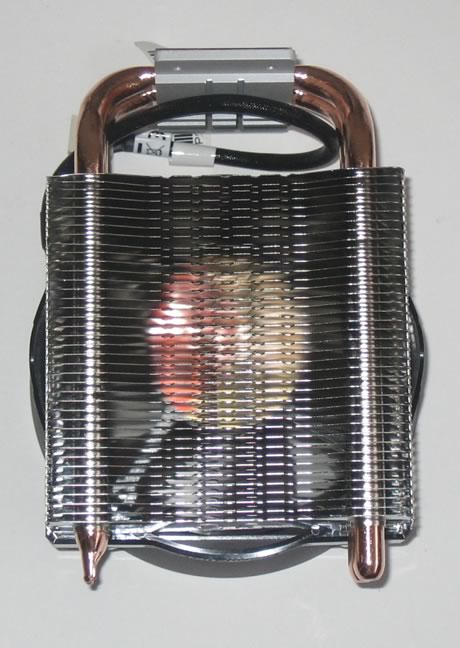
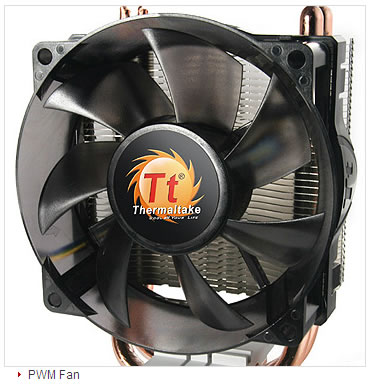
The 90mm fan has a circled design and extends beyond the cooler's sides, but not in a way that could be a problem when installing it.
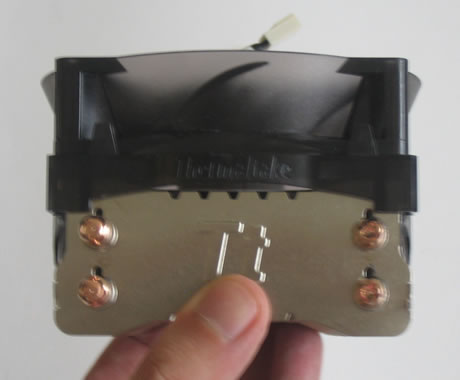
The cooler can be easily installed without requiring you to remove the motherboard from the PC case first. Thermaltake uses Intel's stock mounting clips. For installation, simply select the appropriate mounting clip and secure the cooler using included screws. The whole structure looks and feels quite secure:

The next step is the apply some force and secure the cooler on the main board:
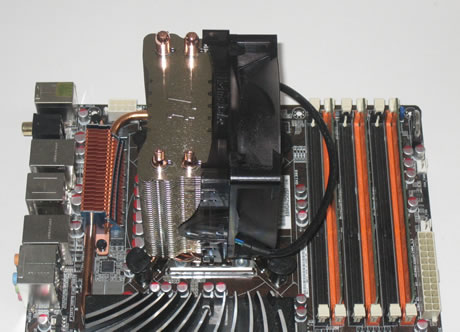
As we can see the cooler is compact enough to fit inside even small PC cases:


Review Pages

1. Features, specifications
2. The package, installation
3. How we test
4. Measurements
5. Summary


Pages

  • « first
  • ‹ previous
  • 1
  • 2
  • 3
  • 4
  • 5
  • next ›
  • last »

Thermaltake

Tags: Thermaltake
Previous Post
Sony DVDRW DRX-S70U-W
Next Post
Glacialtech Igloo 5610 Plus Silent

Related Posts

  • Thermaltake Launches AW360/420 AIO Liquid Cooler and WAir CPU Cooler for Workstations

  • Begin the Racing Journey with the Thermaltake GR300 Racing Simulator Cockpit

  • Thermaltake Unveils the Massive EXTREME with Cross-flow Fan

  • Thermaltake Releases the Toughpower TF3 1300W with Support for RTX50 Series GPUs

  • Thermaltake Unveils G6 Direct Drive Racing Wheel Bundle and GM5 3DOF Motion System

  • Thermaltake Launches the TT150 LED Bag in Different Sizes and New Colors

  • Thermaltake New TH V2 Ultra EX ARGB Sync AIO – Snow Edition is Now Available Worldwide

  • Thermaltake Coolers Support New-Gen Intel and AMD CPUs

Latest Reviews

Swit NP-FZ100 Battery
Cameras

Swit NP-FZ100 Battery

The Technology Stack Behind Modern Digital Gaming Platforms
Consumer Electronics

The Technology Stack Behind Modern Digital Gaming Platforms

be quiet! Dark Rock Pro 6
Cooling Systems

be quiet! Dark Rock Pro 6

How Online Casinos Use Encryption, Verification, and Risk Controls to Build User Trust
Enterprise & IT

How Online Casinos Use Encryption, Verification, and Risk Controls to Build User Trust

Why Low-Latency Infrastructure Matters More Than Raw Specs
Enterprise & IT

Why Low-Latency Infrastructure Matters More Than Raw Specs

Popular News

TEAMGROUP Launches EXPERT P34F Find My External SSD

TEAMGROUP Launches EXPERT P34F Find My External SSD

CORSAIR announces Vanguard Pro 96 and Vanguard 96 Gaming Keyboards

CORSAIR announces Vanguard Pro 96 and Vanguard 96 Gaming Keyboards

MSI Launches FORGE GK600 TKL WIRELESS Special Edition Compact Mechanical Keyboard

MSI Launches FORGE GK600 TKL WIRELESS Special Edition Compact Mechanical Keyboard

Samsung announces Galaxy Tab S11 and Galaxy S25 FE series

Samsung announces Galaxy Tab S11 and Galaxy S25 FE series

Viltrox Showcases Upcoming Lens Lineup and New TTL Flash at IBC 2025

Viltrox Showcases Upcoming Lens Lineup and New TTL Flash at IBC 2025

Panasonic Introduces the First Ultra-Telephoto Zoom Lens in the LUMIX S Series

Panasonic Introduces the First Ultra-Telephoto Zoom Lens in the LUMIX S Series

MSI Launches DATAMAG 40Gbps Magnetic Portable SSD

MSI Launches DATAMAG 40Gbps Magnetic Portable SSD

Viltrox Joins the L-Mount Alliance, Expanding Creative Possibilities

Viltrox Joins the L-Mount Alliance, Expanding Creative Possibilities

Main menu

  • Home
  • News
  • Reviews
  • Essays
  • Forum
  • Legacy
  • About
    • Submit News

    • Contact Us
    • Privacy

    • Promotion
    • Advertise

    • RSS Feed
    • Site Map
  • About
  • Privacy
  • Contact Us
  • Promotional Opportunities @ CdrInfo.com
  • Advertise on out site
  • Submit your News to our site
  • RSS Feed