Breaking News

SCUF Gaming Unveils Omega, Latest Officially Licensed Pro Controller for PS5 LiberNovo Launches Revolutionary New Ergonomic Chair Lineup Noctua presents NF-A12x25 G2 chromax.black 120mm fans INNO3D AT COMPUTEX 2026 Micron Redefines AI Performance With Sampling of 256GB DDR5 Server Module

logo

  • Share Us
    • Facebook
    • Twitter
  • Home
  • Home
  • News
  • Reviews
  • Essays
  • Forum
  • Legacy
  • About
    • Submit News

    • Contact Us
    • Privacy

    • Promotion
    • Advertise

    • RSS Feed
    • Site Map

Search form

Biostar T-Force P965

Apr 12,2007 0

3. BIOS setup


Review Pages

1. Installation - Specs
2. Package
3. BIOS setup
4. Installation
5. Benchmarks - page 1
6. Benchmarks - page 2
7. Benchmarks - page 3
8. Benchmarks - page 4
9. Benchmarks - page 5
10. Benchmarks - page 6
11. Overclocking
12. Summary


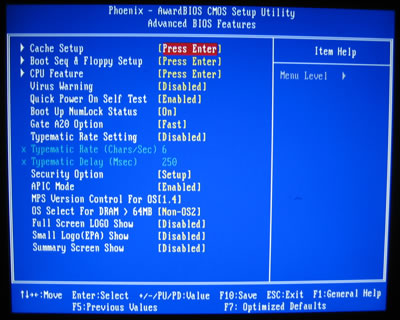
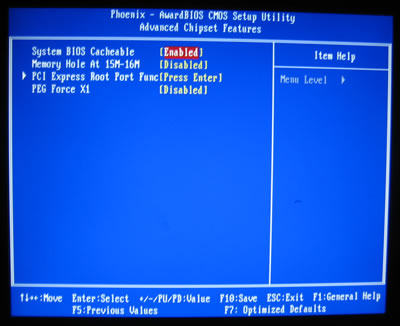
The BIOS is based on the Phoenix implementation:
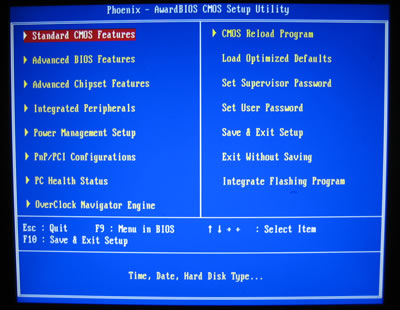
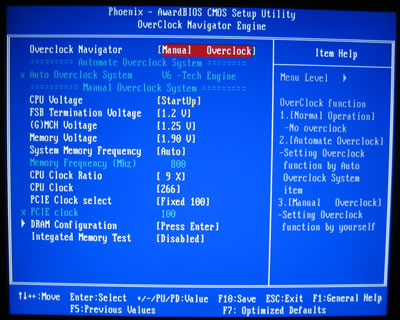
Under the overclocking Navigator Engine tab, we can control all the major functions related to voltages and clock speeds.

There are three pre-defined overclocking settings, (V6 Tech - 10%~15%, V8 Tech - 15%~25%, V12 Tech - 25%~30%), but for our tests we will set all parameters manually.
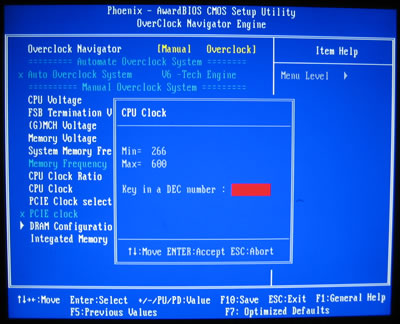
The FSB can be raised as high as 600. We will see later on if this really possible:
The DRAM Frequency only has 4 settings, from Auto to DDR2-800MHz.
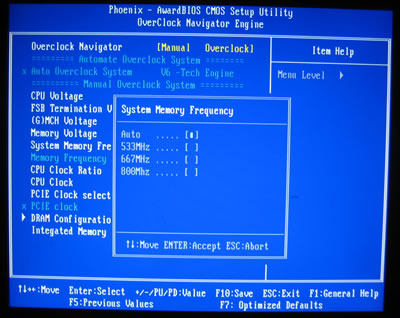
Each setting represents a different FSB:RAM ratio, so be careful what you select:

  • DDR2-533 (1:1)
  • DDR2-667 (4:5)
  • DDR2-800 (2:3)

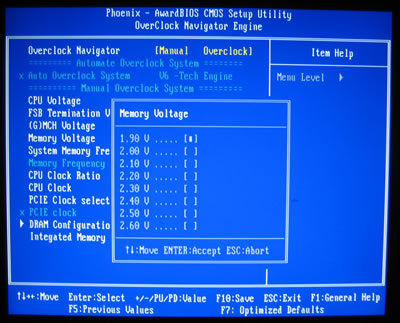
Memory, CPU, FSB, NB, SB and ICH voltages can be set according to the following table.

BIOS Setting Feature:
CPU Clock Multiplier
Not possible to set
CPU bus frequency
266 to 600MHz in 1MHz steps
CPU voltage
1.10000V to 1.80000V in 0.00625V increments
DRAM voltage
1.90V to 2.60V in 0.10V steps
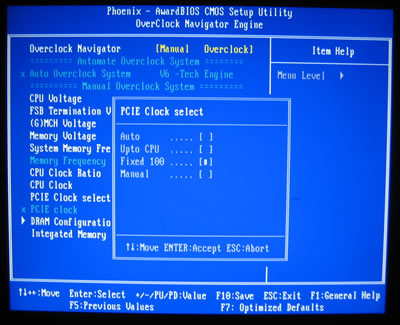
PCI Express frequency
Auto, Fixed 100 MHz
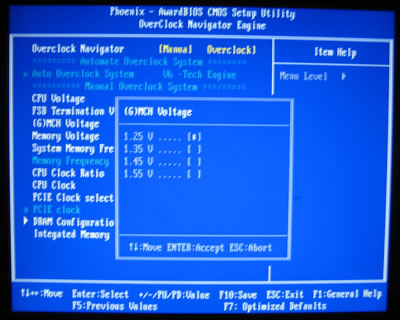
i965 MCH voltage
1.25V to 1.55V in 0.10V steps
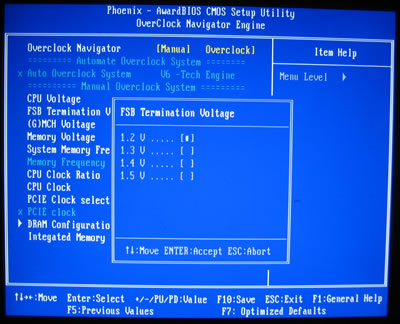
FSB voltage
1.20V to 1.50V in 0.10V steps

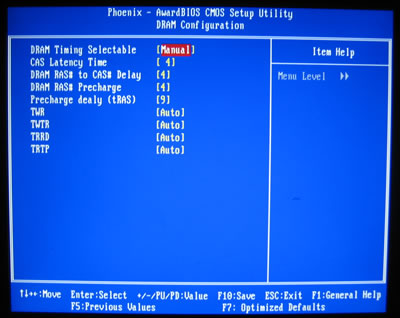
The North Bridge chipset controls the DRAM. By default, all settings are set to Auto. Of course, users can take control and adjust the memory timings as desired:
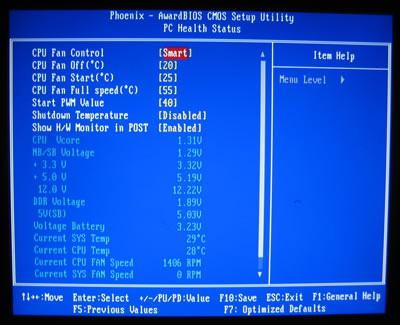
The Hardware monitor is valuable in determining the running temperature, voltages and fan speeds on your system:
 

Review Pages

1. Installation - Specs
2. Package
3. BIOS setup
4. Installation
5. Benchmarks - page 1
6. Benchmarks - page 2
7. Benchmarks - page 3
8. Benchmarks - page 4
9. Benchmarks - page 5
10. Benchmarks - page 6
11. Overclocking
12. Summary


Pages

  • « first
  • ‹ previous
  • 1
  • 2
  • 3
  • 4
  • 5
  • 6
  • 7
  • 8
  • 9
  • …
  • next ›
  • last »

biostar

Tags: biostar
Previous Post
MAYA44 USB External Sound Card
Next Post
OCZ 8GB Mega-Kart

Related Posts

  • BIOSTAR INTRODUCES DDR5 16GB UDIMM 4800MHz/5600MHz MEMORY

  • BIOSTAR Set to Unveil Cutting-Edge Innovations at COMPUTEX TAIPEI 2025

  • BIOSTAR INTRODUCES THE STORMING V DDR4 MEMORY

  • BIOSTAR INTRODUCES THE BRAND-NEW Z890AX-E PRO MOTHERBOARD

  • AsRock, NZXT, Biostar and Gigabyte announces X870 motherboards

  • BIOSTAR ANNOUNCES THE RADEON RX 580 WHITE GRAPHICS CARD

  • BIOSTAR UNVEILS THE RADEON RX 7600 OC GRAPHICS CARD

  • BIOSTAR INTRODUCES HOME EDGE AI PC COMBO RECOMMENDATION

Latest Reviews

How Online Casinos Use Encryption, Verification, and Risk Controls to Build User Trust
Enterprise & IT

How Online Casinos Use Encryption, Verification, and Risk Controls to Build User Trust

Why Low-Latency Infrastructure Matters More Than Raw Specs
Enterprise & IT

Why Low-Latency Infrastructure Matters More Than Raw Specs

In the Age of AI Phishing, the Best User Experience Might Be the One That Feels Safest
Enterprise & IT

In the Age of AI Phishing, the Best User Experience Might Be the One That Feels Safest

SoundPeats C30
Consumer Electronics

SoundPeats C30

Why Streaming Live Casino Games Demands Smarter Tech
Enterprise & IT

Why Streaming Live Casino Games Demands Smarter Tech

Popular News

TEAMGROUP Launches EXPERT P34F Find My External SSD

TEAMGROUP Launches EXPERT P34F Find My External SSD

CORSAIR announces Vanguard Pro 96 and Vanguard 96 Gaming Keyboards

CORSAIR announces Vanguard Pro 96 and Vanguard 96 Gaming Keyboards

Samsung announces Galaxy Tab S11 and Galaxy S25 FE series

Samsung announces Galaxy Tab S11 and Galaxy S25 FE series

Viltrox Showcases Upcoming Lens Lineup and New TTL Flash at IBC 2025

Viltrox Showcases Upcoming Lens Lineup and New TTL Flash at IBC 2025

MSI Launches FORGE GK600 TKL WIRELESS Special Edition Compact Mechanical Keyboard

MSI Launches FORGE GK600 TKL WIRELESS Special Edition Compact Mechanical Keyboard

Panasonic Introduces the First Ultra-Telephoto Zoom Lens in the LUMIX S Series

Panasonic Introduces the First Ultra-Telephoto Zoom Lens in the LUMIX S Series

MSI Launches DATAMAG 40Gbps Magnetic Portable SSD

MSI Launches DATAMAG 40Gbps Magnetic Portable SSD

Viltrox Joins the L-Mount Alliance, Expanding Creative Possibilities

Viltrox Joins the L-Mount Alliance, Expanding Creative Possibilities

Main menu

  • Home
  • News
  • Reviews
  • Essays
  • Forum
  • Legacy
  • About
    • Submit News

    • Contact Us
    • Privacy

    • Promotion
    • Advertise

    • RSS Feed
    • Site Map
  • About
  • Privacy
  • Contact Us
  • Promotional Opportunities @ CdrInfo.com
  • Advertise on out site
  • Submit your News to our site
  • RSS Feed