Breaking News

KIOXIA Unveils EXCERIA PRO G2 SD Memory Card Series Leica announces Noctilux-M 35 f/1.2 ASPH CORSAIR’s GALLEON 100 SD now Shipping Worldwide DJI Launches the RS 5, an All-New Lightweight Commercial Gimbal Sony Evolves Large Display Lineup with the Launch of the BRAVIA Professional Displays BZ-P Series

logo

  • Share Us
    • Facebook
    • Twitter
  • Home
  • Home
  • News
  • Reviews
  • Essays
  • Forum
  • Legacy
  • About
    • Submit News

    • Contact Us
    • Privacy

    • Promotion
    • Advertise

    • RSS Feed
    • Site Map

Search form

Club3D CAC-1587 TypeC to HDMI Adapter

Jan 23,2023 0

2. Tests - Conclusion


Review Pages

1. Introduction
2. Tests - Conclusion


For testing the device, we used a variety of Type C devices like Samsung S22 Ultra, Samsung Tab S8+, SteamDeck and an Dell Latitude 5530 with a Sony XBR-55X900H that supports up to 4K 120Hz with HDMI 3/4 ports and a Samsung 75NU8000 that has HDMI2.0 input. The Sony TV had installed the latest available firmware v6.1874 as the Samsung NU8000 and here is our findings.

- Samsung S22 Ultra / Samsung Tab S8+ (latest firmware Android 13)

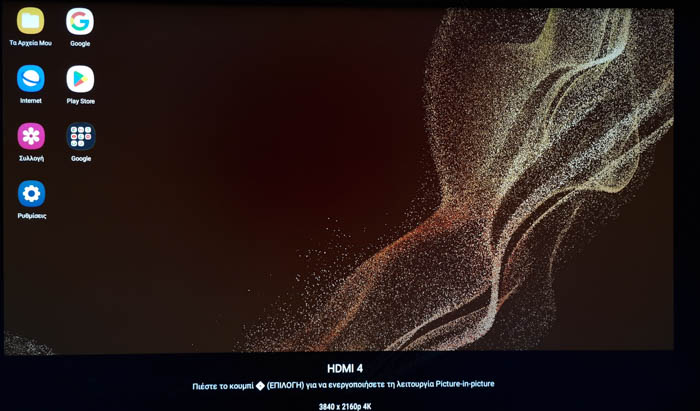
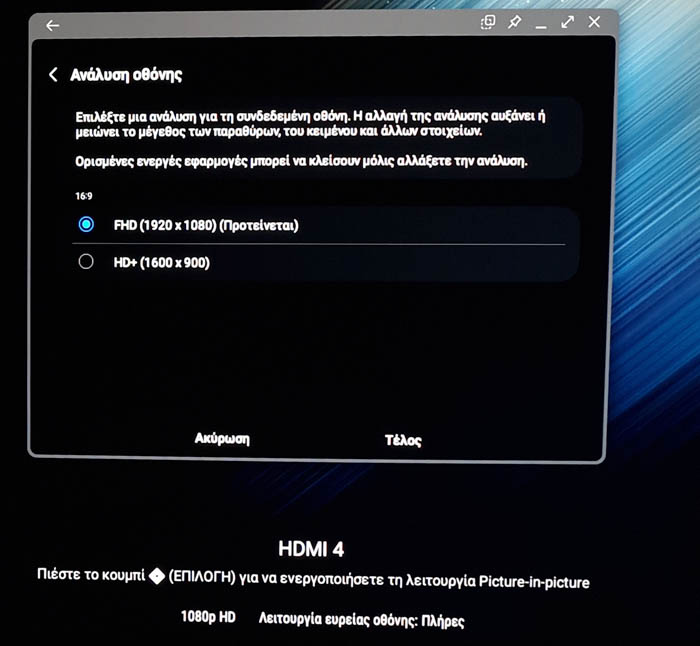
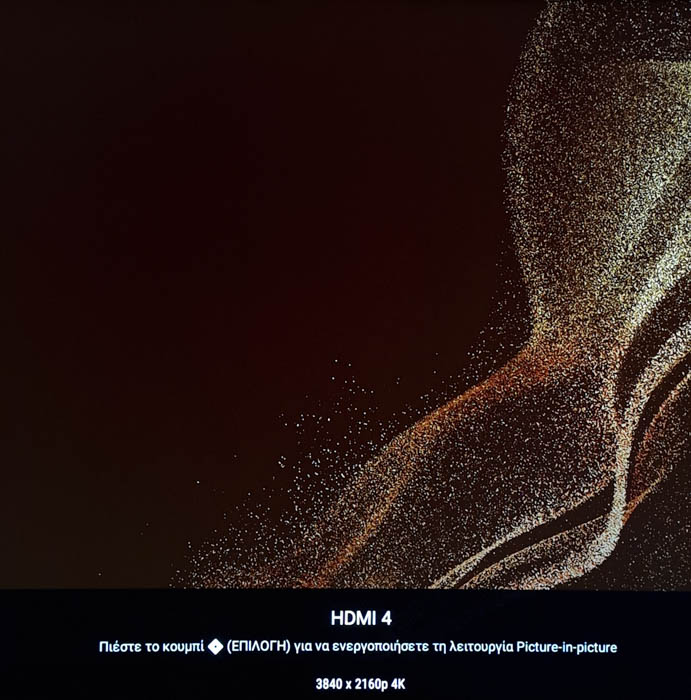
Both devices recognize the TypeC to HDMI adapter and prompted for DeX environment at 1080p. Users can also use normal screen at 4K @ 60Hz. You cannot set output resolution, at least with our setup.
- SteamDeck (Windows 11 with all the latest updates installed)

The device in start worked at 4K @ 60Hz

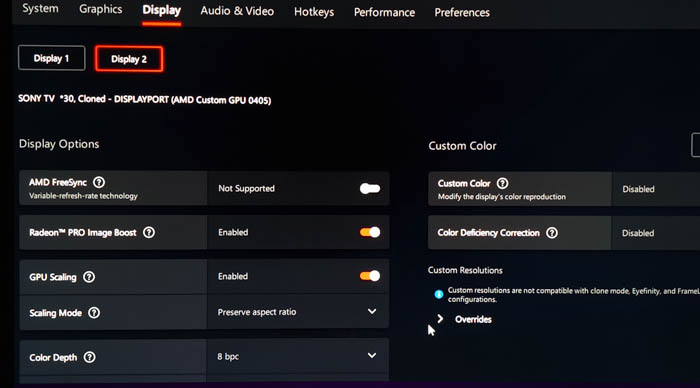
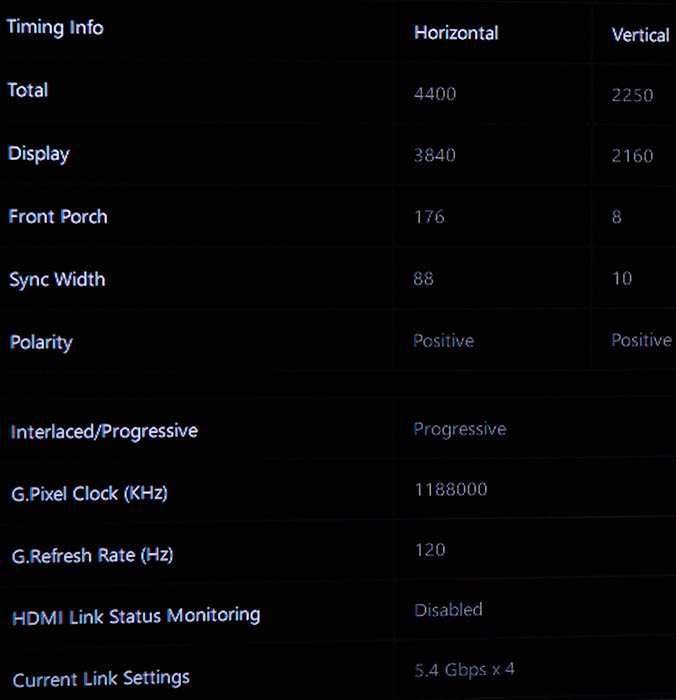
Users need to set HDMI4 at Enhanced mode in order to archive 120Hz and other resolutions available.
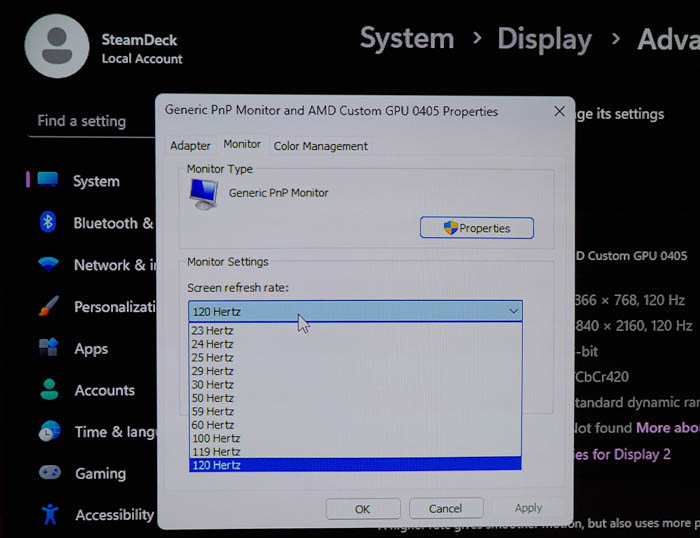
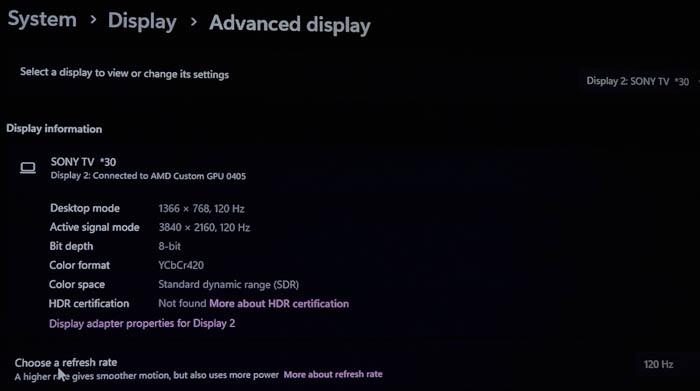
Same situation happened also with Dell Latitude 5530 (Intel Xe Graphics), with HDMI4 port we got 120Hz and perfect fluid motion. Note that with the Samsung NU8000 we got 120Hz up to 2.5K resolutions, due to HDMI2.0 port

- Conclusion

The Club3D CAC-1587 comes to support many TypeC enabled devices that you need to output Video signal and mostly up to HDMI 2.1 protocol. Its a USB Gen2 Type-C to HDMI 4K120Hz 8K60Hz HDR10+ with DSC1.2 Active Cable with 3m length covering most users who wish to get HDMI 8K60Hz or 4K120Hz to ready displays.
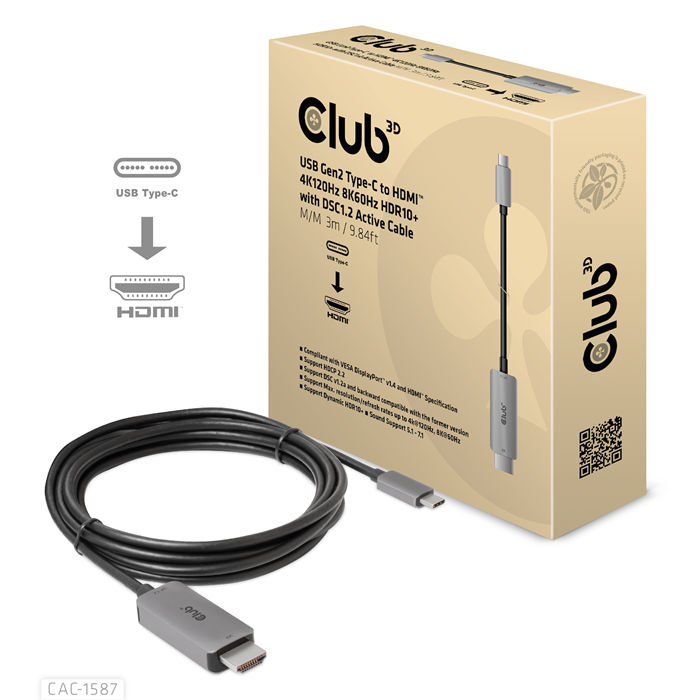
The retail box is simple and contains only the cable, there aren't any printed instructions, since you don't need them after all, just plug the TypeC to your phone/tablet/device and the HDMI male to an HDMI 2.0 or HDMI2.1 enabled device to get the needed output. From our tests, we did got either in HDMI 2.0 or HDMI 2.1 devices up to 4K 120Hz, while we didn't had the chance to test 8K @ 60Hz, but for sure we believe Club3D. We tested with two displays with different operating systems (Sony X900H with Android TV and Samsung NU8000 with Tizen6) and in both we didn't faced any serious issues, just read the manual if you have any problems and remember to correctly setup the HDMI input in order to get those needed high refresh rates.

The retail price of the product comes around ~78 Euro (including VAT) and its priced much higher than other "generic" 8K @60Hz TypeC to HDMI cables at least checking over Amazon.de. Getting a cable from a known manufacturer means that you get quality product and with great support in case you need it. We do like the Club3D CAC-1587 for its performance, and for sure we would like for a longer version since 3.0m may be short if you are a casual bed gamer/user :-)


Review Pages

1. Introduction
2. Tests - Conclusion


Pages

  • « first
  • ‹ previous
  • 1
  • 2

Club3D

Tags: Club3D
Previous Post
Pioneer BDR-X13U-S
Next Post
How is AI Transforming the Logistics Industry

Related Posts

  • Club3D announces new Qi2 products for 2025

  • Club3D announces new products!

  • Club3D released brand new spring brochures

  • Club3D Radeon HD 6950

  • Club3D HD5770

  • Club3D HD3850

  • Club3D X1800XT

  • Club3D Volari V3XT

Latest Reviews

be quiet! Power Zone 2 1200W
PC components

be quiet! Power Zone 2 1200W

The Difference Between American and European Stakes and Why It Changes How People Bet
Enterprise & IT

The Difference Between American and European Stakes and Why It Changes How People Bet

Endorfy Thock V2 Wireless Keyboard
PC components

Endorfy Thock V2 Wireless Keyboard

Noctua NH-D15 G2 Chromax.Black
Cooling Systems

Noctua NH-D15 G2 Chromax.Black

EnGenius ECW520 AP
Enterprise & IT

EnGenius ECW520 AP

Popular News

COLORFUL Introduces CVN B850I GAMING FROZEN Motherboard

COLORFUL Introduces CVN B850I GAMING FROZEN Motherboard

COLORFUL Presents CVN X870 ARK FROZEN Motherboard for AMD Ryzen 9000 CPUs

COLORFUL Presents CVN X870 ARK FROZEN Motherboard for AMD Ryzen 9000 CPUs

TEAMGROUP Launches EXPERT P34F Find My External SSD

TEAMGROUP Launches EXPERT P34F Find My External SSD

ASRock AM5 Motherboards Now Fully Support AMD Ryzen 9 9950X3D & 9900X3D Processors

ASRock AM5 Motherboards Now Fully Support AMD Ryzen 9 9950X3D & 9900X3D Processors

Samsung announces Galaxy Tab S11 and Galaxy S25 FE series

Samsung announces Galaxy Tab S11 and Galaxy S25 FE series

Viltrox Showcases Upcoming Lens Lineup and New TTL Flash at IBC 2025

Viltrox Showcases Upcoming Lens Lineup and New TTL Flash at IBC 2025

CORSAIR announces Vanguard Pro 96 and Vanguard 96 Gaming Keyboards

CORSAIR announces Vanguard Pro 96 and Vanguard 96 Gaming Keyboards

Panasonic Introduces the First Ultra-Telephoto Zoom Lens in the LUMIX S Series

Panasonic Introduces the First Ultra-Telephoto Zoom Lens in the LUMIX S Series

Main menu

  • Home
  • News
  • Reviews
  • Essays
  • Forum
  • Legacy
  • About
    • Submit News

    • Contact Us
    • Privacy

    • Promotion
    • Advertise

    • RSS Feed
    • Site Map
  • About
  • Privacy
  • Contact Us
  • Promotional Opportunities @ CdrInfo.com
  • Advertise on out site
  • Submit your News to our site
  • RSS Feed