Breaking News

LIAN LI Announces Edge Platinum V2, Edge Gold V2, and GPU Cable Thermal Monitoring via Edge Hub ADV Razer Unveils the Huntsman V3 Pro Mini 8KHz ASRock DeskSlim Series Delivers RTX PRO Blackwell Performance in a Compact 5L Workstation Samsung Introduces Galaxy Tab S12 Series PlayStation Plus Monthly Games for October 2026

logo

  • Share Us
    • Facebook
    • Twitter
  • Home
  • Home
  • News
  • Reviews
  • Essays
  • About
    • Submit News

    • Contact Us
    • Privacy

    • Promotion
    • Advertise

    • RSS Feed

Search form

EachLink X3 Mini Smart Box

Apr 7,2020 4

2. Powering on the player, GUI


Review Pages

1. Features and specifications
2. Powering on the player, GUI
3. Audio, Video and streaming tests
4. Conclusion


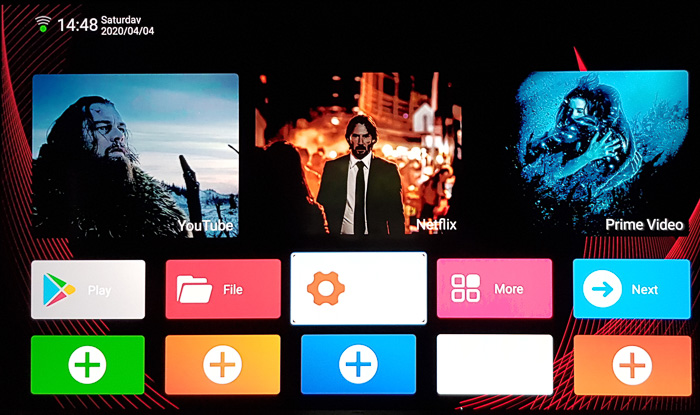
The Android 9.0 box will take some time to power up before the simple GUI shows up, as you see below. The interface is rather snappy, and the main screen

includes the pre-installed apps: Youtube ( a mod of original youtube), Netflix (only in 480p due to licencing restrictions) and Amazon Prime Video. There is also Play Store pre-installed as well as a collection of other apps you can play around. The interface offers some customization options, such as adding some more apps on the main screen by using the "plus" boxes:
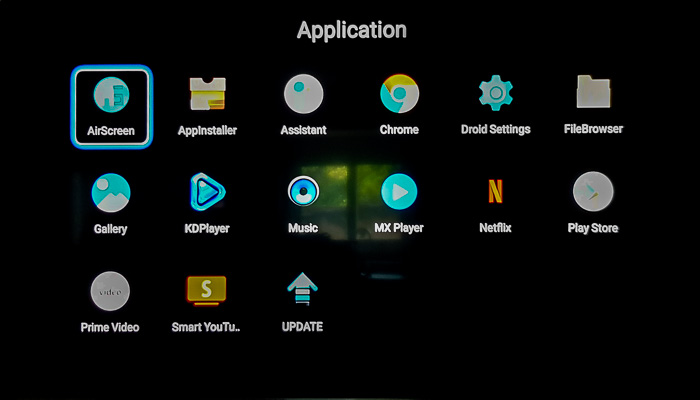
Below you see the applications than come pre-installed.
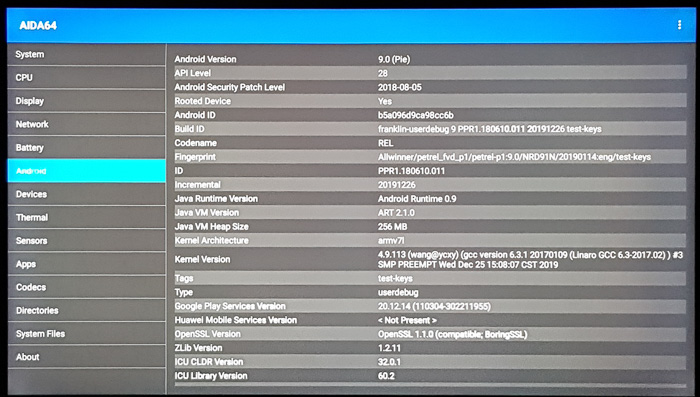
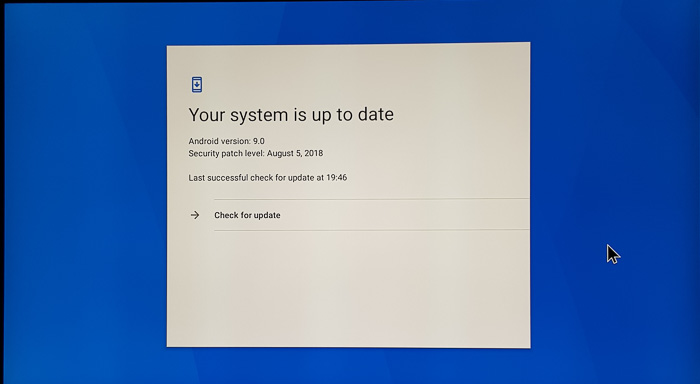
The settings app provides some information bout the player. As you see below, the Android 9.0 OS is installed although the Android security patch is outdated (2018).

Using the firmware update function we checked for a new firmware, with no luck:.
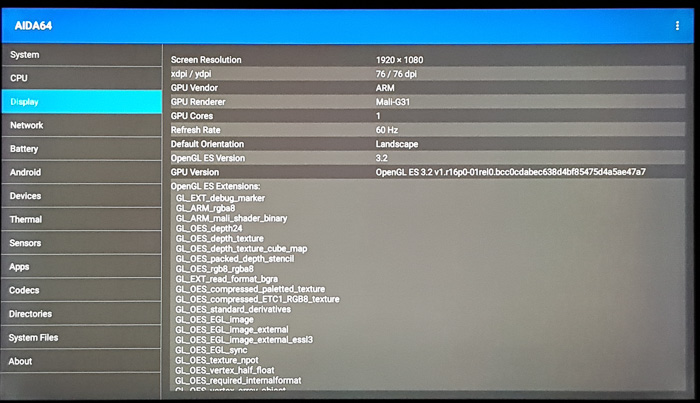
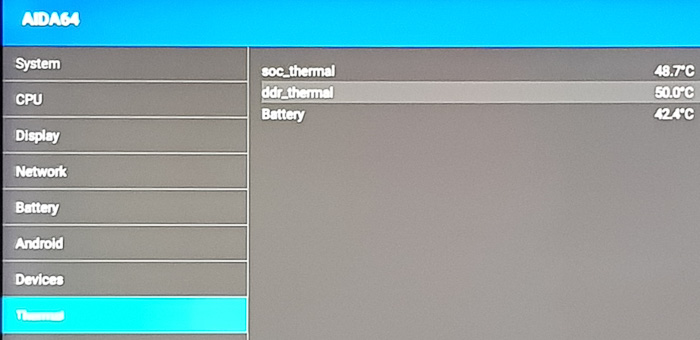
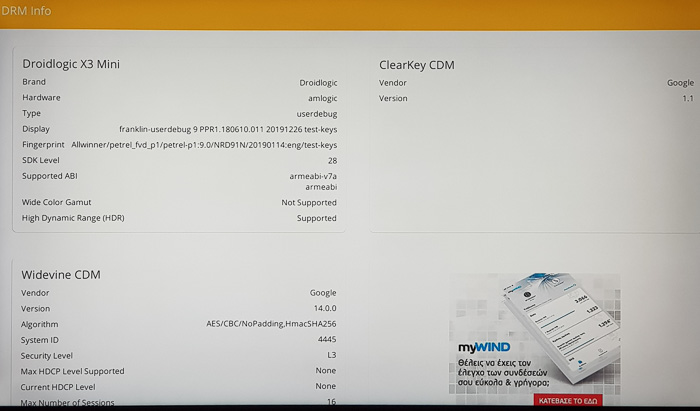
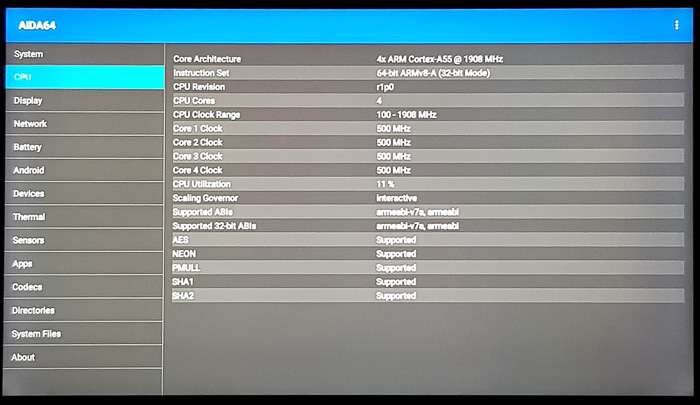
The box hasn't got any Root application installed and there isn't any third party firmware/mod. Below you see some information as it is provided by he AIDA64 and CPU-Z utilities:



Review Pages

1. Features and specifications
2. Powering on the player, GUI
3. Audio, Video and streaming tests
4. Conclusion


Pages

  • « first
  • ‹ previous
  • 1
  • 2
  • 3
  • 4
  • next ›
  • last »

Tags:
Previous Post
Crucial X8 1TB External SSD review
Next Post
Samsung 970 PRO 512GB SSD review

Related Posts

4 Comments

  • Default User Picture
    Andrew (not verified) Apr 7, 2020

    How can I install the official kodi program instead of the kd player because it doesn't allow me to install the kodi. In kdplayer, dolby atmos can only be played in 2.0. How do I fix this? Thanks

    • Log in or register to post comments
  • Default User Picture
    mak Apr 7, 2020

    Dear friend, you have to Side load it, meaning download the KODI apk from official KODI website (arm7 versio), then transfer in a USB and install it via the included software that the player has.

    • Log in or register to post comments
  • Default User Picture
    Andrew (not verified) Apr 7, 2020

    Dear friend!

    I installed kodi from kodi.tv. Unfortunately, dolby Atmos still only plays in 2.0 and does not play dts hd at all, only in plain dts. Did the dolby atmos work in real 5.1 or 7.1 during testing? Thanks for your help!

    • Log in or register to post comments
  • Default User Picture
    mak Apr 7, 2020

    dear friend, from our tests Dolby atmos only plays in 2.0 channels, not 5.1 or 7.1...please read https://www.cdrinfo.com/d7/content/eachlink-x3-mini-smart-box?page=2

    • Log in or register to post comments

Leave a Reply

Latest Reviews

Fanxiang MP83 M.2 NVMe SSD Enclosure
Enterprise & IT

Fanxiang MP83 M.2 NVMe SSD Enclosure

Ugreen CM642 USB4.0 Enclosure
PC components

Ugreen CM642 USB4.0 Enclosure

be quiet! Dark Power 14 IO
PC components

be quiet! Dark Power 14 IO

SanDisk High Endurance 512GB microSDXC
Cameras

SanDisk High Endurance 512GB microSDXC

Samsung PRO Ultimate 512GB microSDXC
Cameras

Samsung PRO Ultimate 512GB microSDXC

Popular News

MSI’s Latest AMD X870E MAX & EVO Series Motherboards

MSI’s Latest AMD X870E MAX & EVO Series Motherboards

COLORFUL Launches iGame B850M ULTRA Series Micro-ATX Motherboards

COLORFUL Launches iGame B850M ULTRA Series Micro-ATX Motherboards

COLORFUL Presents Limited Edition Chitu MAG-60 Magnetic Keyboard Inspired by the Year of the Horse

COLORFUL Presents Limited Edition Chitu MAG-60 Magnetic Keyboard Inspired by the Year of the Horse

COLORFUL Launches iGame B850I MINI OC V14 Motherboard

COLORFUL Launches iGame B850I MINI OC V14 Motherboard

COLORFUL Presents iGame Z890 ULTRA-S W and iGame Z890M ULTRA Z Motherboards

COLORFUL Presents iGame Z890 ULTRA-S W and iGame Z890M ULTRA Z Motherboards

COLORFUL Expands B850 Motherboard Lineup with New CVN, Battle-Ax, and MEOW Models

COLORFUL Expands B850 Motherboard Lineup with New CVN, Battle-Ax, and MEOW Models

ASRock Adds Support for One Sub-Channel DRAM Module on Intel DDR5 Motherboards

ASRock Adds Support for One Sub-Channel DRAM Module on Intel DDR5 Motherboards

COLORFUL Launches the iGame X870E VULCAN W OC Motherboard

COLORFUL Launches the iGame X870E VULCAN W OC Motherboard

Main menu

  • Home
  • News
  • Reviews
  • Essays
  • About
    • Submit News

    • Contact Us
    • Privacy

    • Promotion
    • Advertise

    • RSS Feed
  • About
  • Privacy
  • Contact Us
  • Promotional Opportunities @ CdrInfo.com
  • Advertise on out site
  • Submit your News to our site
  • RSS Feed