Breaking News

Samsung Introduces Galaxy Tab S12 Series PlayStation Plus Monthly Games for October 2026 Logitech announces Zone Vibe Pro Headset Razer Expands Sanrio Collection With Pompompurin Eared Headset And Kuromi Earbuds TerraMaster Launches Storage Upgrade Season with Up to 30% Off During Prime Big Deal Days

logo

  • Share Us
    • Facebook
    • Twitter
  • Home
  • Home
  • News
  • Reviews
  • Essays
  • About
    • Submit News

    • Contact Us
    • Privacy

    • Promotion
    • Advertise

    • RSS Feed

Search form

GlobalSat BTA-806, BTA-830 and BTH-820

Feb 6,2006 0

4. BTH-820 Installation


Review Pages

1. The BTA-806
2. BTA-806 Installation
3. The BTH-820
4. BTH-820 Installation
5. The BTA-830
6. Performance
7. Conclusion


- BTH-820 Installation with host PC

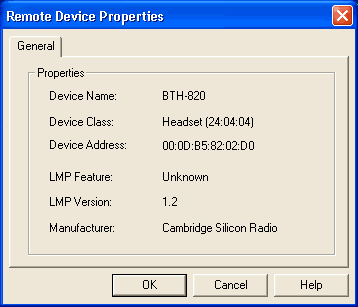
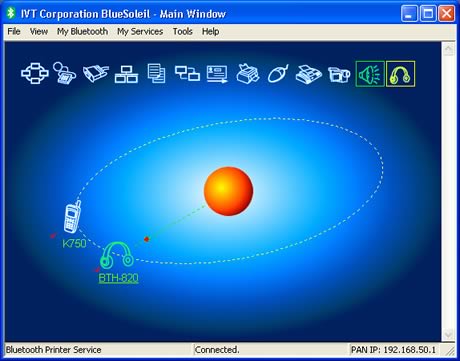
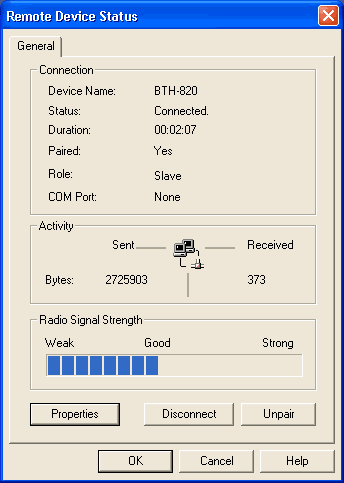
Using the BTH-820 with a desktop PC is very easy. In our case, we used the Globalsat BTA-806 BT Dongle. Using the BT wizard, we found the headset and "paired" it using the passkey.
 

- BTH-820 Installation with PDA

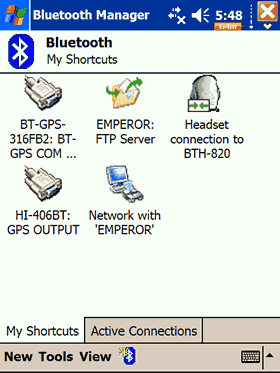
For our purposes, we used a Dell Axim x50V loaded with Win2003SE. We used the Bluetooth connection wizard, with the Hands-free/Headset setup and paired the device:
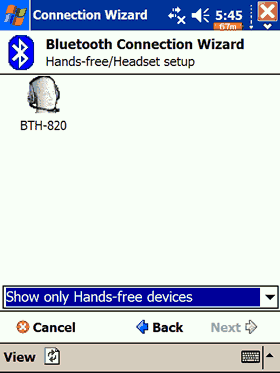
After pairing the BTH-820, we could only hear a contact beep, which indicated that something was wrong... Immediately we searched around the net for workaround solutions. The problem seemed to be that the installed Broadcom Bluetooth driver didn't support the Bluetooth Audio Services.
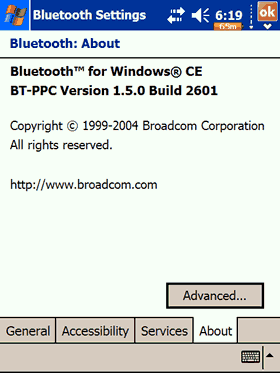
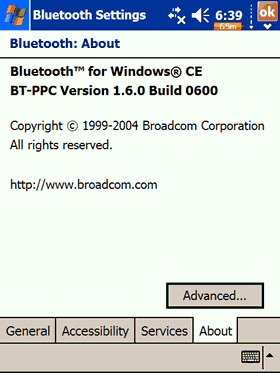
After looking at several forums, the first solution was to download Broadcom, the Bluetooth Stack Patch which had the Stereo Headphone profile from PDAGold. The installation process is easy, just move the .cab file to your PDA and double click on it. While this might solve our issues, we decided to install the 1.6 Broadcom stack. The installation is a bit tricky, we advice user to visit the AximSite and read the detailed tutorial. After we completed the upgrade procedure, we had a newer BT driver pack.
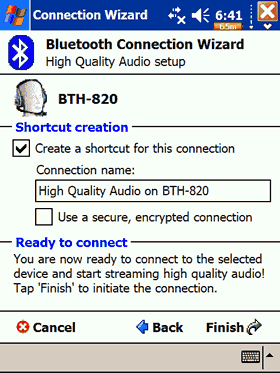
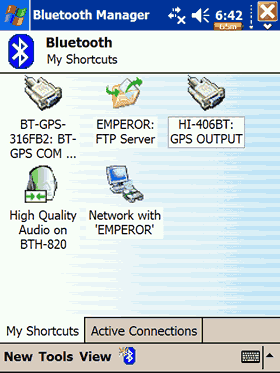
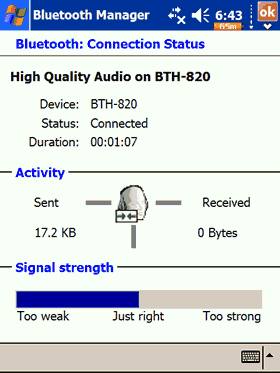
Using the BT wizard, a new profile had been created called "High Quality Audio Setup". In a few simple steps, we "paired" the BTH-820 device successfully:
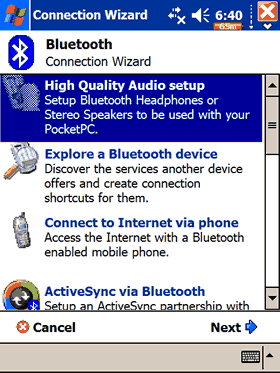
The profile is also supposed, to provide control over the used media player. For our tests, we used TCMP v0.71d player for both Video and Audio playback. When playing only Audio files, the BTH-820 headset was working just fine, however when we tried to playback Video files, no sound was audible. We assumed the BT High Quality Audio Profile might work only with Audio and not Video files. Another issue we had was that the play/pause/next BTH-820 buttons didn't seem to work with the TCMP player. We searched around but couldn't find any solution, although it wasn't that great an issue for us.

- BTH-820 Installation with mobile phone

Firstly, set the BTH-820 into pairing mode (keep the power pressed for 6 seconds). After using the BT wizard on your cell phone, you will find the BTH-820 and can then pair it.


Review Pages

1. The BTA-806
2. BTA-806 Installation
3. The BTH-820
4. BTH-820 Installation
5. The BTA-830
6. Performance
7. Conclusion

 

Pages

  • « first
  • ‹ previous
  • 1
  • 2
  • 3
  • 4
  • 5
  • 6
  • 7
  • next ›
  • last »

GlobalSat

Tags: GlobalSat
Previous Post
Intel Celeron D 341, 346
Next Post
NEC ND-4550A

Related Posts

  • Globalsat BT-368

  • Globalsat TR-101

  • Globalsat BT-328 Review

  • Globalsat BT-359b

  • Globalsat BT-359: The Next Generation Bluetooth GPS Receiver

  • Globalsat GH-601

  • Ricoh and GlobalSat Embed GPS Data into Digital Images

  • Turn Your iPod Into a Wireless Music Center

Latest Reviews

Fanxiang MP83 M.2 NVMe SSD Enclosure
Enterprise & IT

Fanxiang MP83 M.2 NVMe SSD Enclosure

Ugreen CM642 USB4.0 Enclosure
PC components

Ugreen CM642 USB4.0 Enclosure

be quiet! Dark Power 14 IO
PC components

be quiet! Dark Power 14 IO

SanDisk High Endurance 512GB microSDXC
Cameras

SanDisk High Endurance 512GB microSDXC

Samsung PRO Ultimate 512GB microSDXC
Cameras

Samsung PRO Ultimate 512GB microSDXC

Popular News

MSI’s Latest AMD X870E MAX & EVO Series Motherboards

MSI’s Latest AMD X870E MAX & EVO Series Motherboards

COLORFUL Launches iGame B850M ULTRA Series Micro-ATX Motherboards

COLORFUL Launches iGame B850M ULTRA Series Micro-ATX Motherboards

COLORFUL Presents Limited Edition Chitu MAG-60 Magnetic Keyboard Inspired by the Year of the Horse

COLORFUL Presents Limited Edition Chitu MAG-60 Magnetic Keyboard Inspired by the Year of the Horse

COLORFUL Launches iGame B850I MINI OC V14 Motherboard

COLORFUL Launches iGame B850I MINI OC V14 Motherboard

COLORFUL Presents iGame Z890 ULTRA-S W and iGame Z890M ULTRA Z Motherboards

COLORFUL Presents iGame Z890 ULTRA-S W and iGame Z890M ULTRA Z Motherboards

COLORFUL Expands B850 Motherboard Lineup with New CVN, Battle-Ax, and MEOW Models

COLORFUL Expands B850 Motherboard Lineup with New CVN, Battle-Ax, and MEOW Models

ASRock Adds Support for One Sub-Channel DRAM Module on Intel DDR5 Motherboards

ASRock Adds Support for One Sub-Channel DRAM Module on Intel DDR5 Motherboards

Exceed the Infinite with New ASRock X870E Taichi White Motherboard

Exceed the Infinite with New ASRock X870E Taichi White Motherboard

Main menu

  • Home
  • News
  • Reviews
  • Essays
  • About
    • Submit News

    • Contact Us
    • Privacy

    • Promotion
    • Advertise

    • RSS Feed
  • About
  • Privacy
  • Contact Us
  • Promotional Opportunities @ CdrInfo.com
  • Advertise on out site
  • Submit your News to our site
  • RSS Feed