Breaking News

ASUS Announces T1 GeForce RTX 5070 and RTX 5060 Ti Graphics Cards COLORFUL Launches iGame B850M ULTRA Series Micro-ATX Motherboards Sony Unveils 1000X THE COLLEXION Samsung Launches Next-Gen Odyssey, ViewFinity and The Movingstyle Essential Monitors LG Electronics Introduces World’s First Native 1000Hz Full HD Gaming Monitor

logo

  • Share Us
    • Facebook
    • Twitter
  • Home
  • Home
  • News
  • Reviews
  • Essays
  • Forum
  • Legacy
  • About
    • Submit News

    • Contact Us
    • Privacy

    • Promotion
    • Advertise

    • RSS Feed
    • Site Map

Search form

Inno3D ION

Dec 22,2009 0

4. BIOS settings


Review Pages

1. Features, retail package
2. The mainboard
3. Getting started
4. BIOS settings
5. Tests - CPU, Memory, WiFi
6. Tests - Graphics
7. Tests - Video playback
8. Conclusion


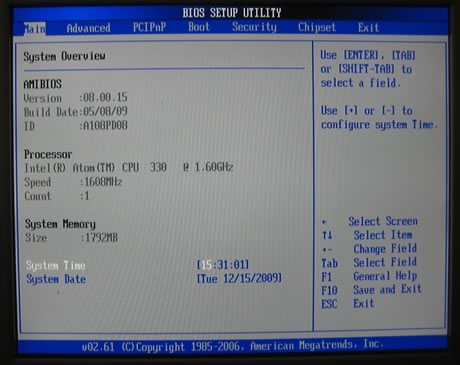
After powering up the system we entered the BIOS settings. The environment looks like what we have seen in Asus motherboards, but actually the BIOS is based on the 'AMIBIOS,' built 8.00.15 , 05/08/09.

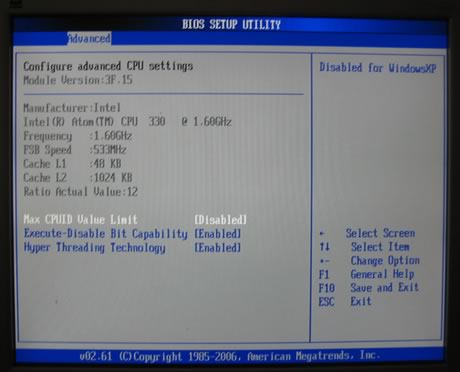
As you can see the motherboard is using an Intel Atom 330 @ 1.60GHz with 533MHz FSB:
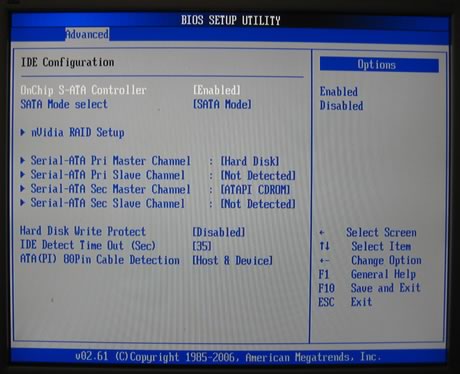
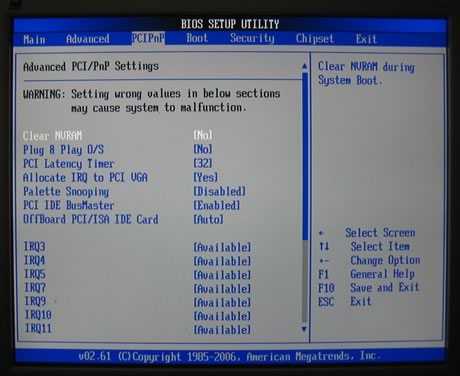
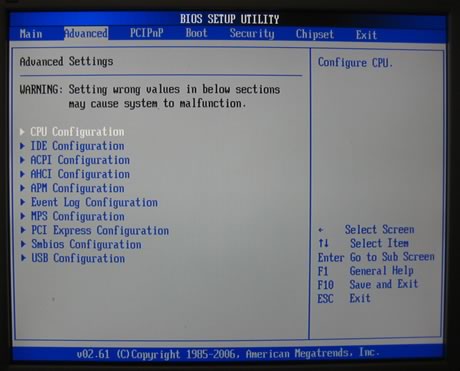
Many configuration options are available under the 'Advanced' tab:
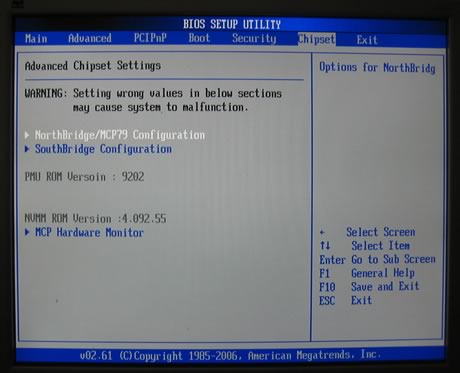
The 'Chipset' tab provides more details about the temperature of the CPU ands also offer some options to tweak our system:
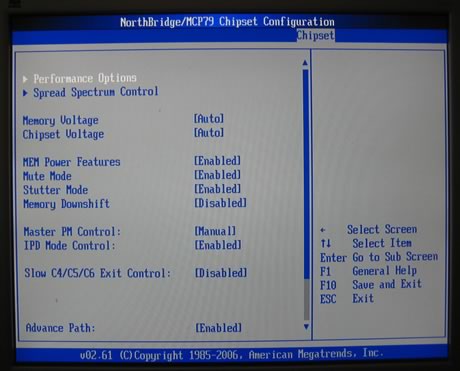
Below you can see the NorthBridge/MCP79 chipset configuration options:
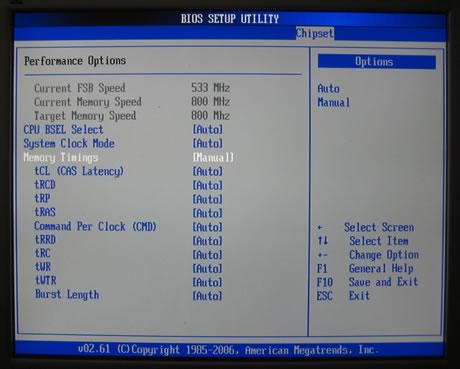
Here are the 'Performance Options' where you can adjust the system clock, memory timings etc.:
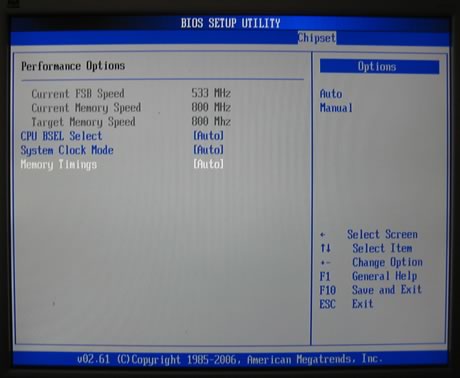
The System clock mode can be either synced or un-synced, a feature that gives us even more options for overclocking:
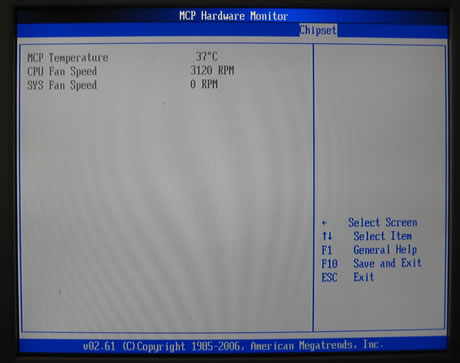
The hardware monitor is useful for checking if our system's operation condition:
- Windows installation

For our tests we used the Windows 7 Ultimate x64 Edition OS. The installation process finished without any problems and after a while we were able to boot into Windows and start tweaking our system. The first thing you must do is to visit www.nvidia.com, download the latest drivers for your ION platform (Graphic drivers, chipset, HDMI Audio) and install them. It would also be a good idea to get the latest Flash 10.1 software, which will allow full HD Flash video playback with GPU acceleration, a 'must' for your ION system. Downloading the Wifi drivers is not needed since Windows 7 will recognize the WiFi without any problems. In case you still need to get more tweaking at the Wifi part you may visit this or this web pages. While this may take a while to finish, it just worth the extra time.


Visit Ebuyer.com to Buy The Inno3D ION iChiLL Motherboard


Review Pages

1. Features, retail package
2. The mainboard
3. Getting started
4. BIOS settings
5. Tests - CPU, Memory, WiFi
6. Tests - Graphics
7. Tests - Video playback
8. Conclusion


Pages

  • « first
  • ‹ previous
  • 1
  • 2
  • 3
  • 4
  • 5
  • 6
  • 7
  • 8
  • next ›
  • last »

Inno3D

Tags: Inno3D
Previous Post
Hercules DJ Control MP3 e2
Next Post
Thermaltake Wing RS301 PC case

Related Posts

  • INNO3D AT COMPUTEX 2026

  • INNO3D DELIVERS HIGH PERFORMANCE FOR LESS WITH THE NEW GEFORCE RTX 5050

  • INNO3D GEFORCE RTX 50 SERIES IS HERE!

  • INNO3D AT COMPUTEX TAIPEI 2024 SUMMARY

  • Nvidia partners releasing RTX4080 and RTX4090 cars

  • INNO3D GEFORCE GTX 1630 TWIN X2 OC + COMPACT

  • Nvidia releases RTX3090TI

  • INNO3D GEFORCE RTX 3080 NOW WITH 12GB!

Latest Reviews

The Technology Stack Behind Modern Digital Gaming Platforms
Consumer Electronics

The Technology Stack Behind Modern Digital Gaming Platforms

be quiet! Dark Rock Pro 6
Cooling Systems

be quiet! Dark Rock Pro 6

How Online Casinos Use Encryption, Verification, and Risk Controls to Build User Trust
Enterprise & IT

How Online Casinos Use Encryption, Verification, and Risk Controls to Build User Trust

Why Low-Latency Infrastructure Matters More Than Raw Specs
Enterprise & IT

Why Low-Latency Infrastructure Matters More Than Raw Specs

In the Age of AI Phishing, the Best User Experience Might Be the One That Feels Safest
Enterprise & IT

In the Age of AI Phishing, the Best User Experience Might Be the One That Feels Safest

Popular News

TEAMGROUP Launches EXPERT P34F Find My External SSD

TEAMGROUP Launches EXPERT P34F Find My External SSD

CORSAIR announces Vanguard Pro 96 and Vanguard 96 Gaming Keyboards

CORSAIR announces Vanguard Pro 96 and Vanguard 96 Gaming Keyboards

Samsung announces Galaxy Tab S11 and Galaxy S25 FE series

Samsung announces Galaxy Tab S11 and Galaxy S25 FE series

Viltrox Showcases Upcoming Lens Lineup and New TTL Flash at IBC 2025

Viltrox Showcases Upcoming Lens Lineup and New TTL Flash at IBC 2025

MSI Launches FORGE GK600 TKL WIRELESS Special Edition Compact Mechanical Keyboard

MSI Launches FORGE GK600 TKL WIRELESS Special Edition Compact Mechanical Keyboard

Panasonic Introduces the First Ultra-Telephoto Zoom Lens in the LUMIX S Series

Panasonic Introduces the First Ultra-Telephoto Zoom Lens in the LUMIX S Series

MSI Launches DATAMAG 40Gbps Magnetic Portable SSD

MSI Launches DATAMAG 40Gbps Magnetic Portable SSD

Viltrox Joins the L-Mount Alliance, Expanding Creative Possibilities

Viltrox Joins the L-Mount Alliance, Expanding Creative Possibilities

Main menu

  • Home
  • News
  • Reviews
  • Essays
  • Forum
  • Legacy
  • About
    • Submit News

    • Contact Us
    • Privacy

    • Promotion
    • Advertise

    • RSS Feed
    • Site Map
  • About
  • Privacy
  • Contact Us
  • Promotional Opportunities @ CdrInfo.com
  • Advertise on out site
  • Submit your News to our site
  • RSS Feed