
LiteOn LTR-40125W CD-RW
5. Mt. Rainier tests
Review Pages
LiteOn LTR-40125S P-CAV Recorder - Page 5
Mt. Rainier support
With the new firmware update, the drive also supports Mt. Rainier format. For these tests, we used WriteCDRW! PRO by Software Architects and Ahead InCD. After installing latest InCD v3.28, the following screen comes up when inserting a blank HS-RW media:

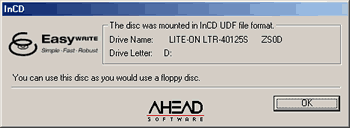
After formatting the disc which takes less than 2 minutes, InCD prompts us that the disc is ready for use:
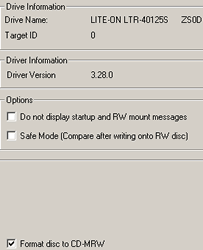
Lets check the drive's properties. Mount Rainier option is there:
If we leave the disc inside the drive for around 15minutes the disc background format will be completed:
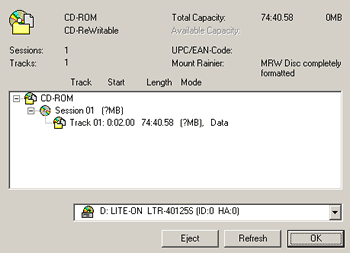
If we make an early eject, then our disc will be partially formatted :

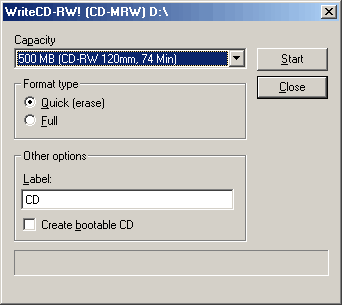
In order to test the Mt Rainier capabilities of the drive with WriteCDRW! software, we had to uninstall the InCD first. After we installed the WriteCDRW! PRO v3.0.4 and rebooted, we were ready to proceed to the HS-RW format. The following window came up:
Recording Tests
For testing the Mt. Rainier performance of the drive we performed two tests.
First Test
After the format process, we immediately start the recording process (drag & drop). When the drive finishes, we start the reading process back to the HD. At this mode, the drive writes, reads the quality of the written data and background formats the disc at the same time. The recording performance of each drive is displayed in the below table:
|
Drive
|
Average Writing Speed (X)
|
Average Reading Speed (X)
|
|
TEAC CD-W540E
(v1.0b firmware) |
3.45
|
3.77
|
|
Mitsumi CR-480ATE
(v1.0E firmware) |
2.38
|
5.40
|
|
Yamaha CRW3200E
(v1.0d firmware) |
2.55
|
-
|
|
LiteOn LTR-40125S
(vZS0D) |
8.40
(InCD) |
8.60
(InCD) |
|
LiteOn LTR-40125S
(vZS0D) |
1.3
(WriteCDRW!) |
19.8
(WriteCDRW!) |
The InCD results seems to be strangely high. We believe that the results we had with the WriteCDRW! software are more reasonable and the InCD v3.28 possibly supports a different formatting process in order to give these results. LiteOn LTR-40125S was a slow writer but a very fast reader under Mt Rainier format.
Second Test
At the second test, we left the drive alone to complete the background formatting and afterwards, we repeated the above tests. The recording/reading performance in this case is higher for all the drives, since now only record & read are performed. The disc has been scanned for bad sectors during the format process:
|
Drive
|
Average Writing Speed (X)
|
Average Reading Speed (X)
|
|
TEAC CD-W540E
(v1.0b firmware) |
2.65
|
7.03
|
|
Mitsumi CR-480ATE
(v1.0E firmware) |
3.34
|
8.76
|
|
Yamaha CRW3200E
(v1.0d firmware) |
3.89
|
18.32
|
|
LiteOn LTR-40125S
(vZS0D) |
8.40
(InCD) |
19.44
(InCD) |
|
LiteOn LTR-40125S
(vZS0D) |
5.5
(WriteCDRW!) |
19.8
(WriteCDRW!) |
In the InCD test, the LiteOn LTR-40125S has the same speed as before. The reading speed has been increased dramatically up to 19.44X which is the fastest compared to other drives. The WriteCDRW! showed a lower performance than InCD but the drive is still faster than the competition. The disc was checked and all files were readable. In the reading part, LiteOn LTR-40125S is the fastest among the other drives.
Review Pages










