Breaking News

Razer Unveils All-New Wolverine V4 Line ASUS Republic of Gamers Ships ROG Rapture GT-BN98 Router GMK Unveils TriggerKey, a New Mechanical Key System for Greater Precision and Comfort Akasa Unveils Euler MX2, Fanless Mini-ITX Case for Unattended Commercial and Industrial Computing Air Power G10 PC Case Now Available at Newegg with Three Tilting Front Fans

logo

  • Share Us
    • Facebook
    • Twitter
  • Home
  • Home
  • News
  • Reviews
  • Essays
  • About
    • Submit News

    • Contact Us
    • Privacy

    • Promotion
    • Advertise

    • RSS Feed

Search form

Ricoh EncryptEase

Jul 5,2006 0

2. Securing Data


Review Pages

1. Introduction
2. Securing Data
3. Summary


- The package

Users can buy Ricoh's EncryptEase media in packs of 5 at the retail price of €34 (+ shipping). For our tests, we only had two samples of media. On the back of the media, there are some warnings:

  • This product contains writing software, there is no need to use other writing or burning software
  • Protect your password. The data once encrypted cannot be retrieved without using the original password.
  • There are some drives which are not compatible with this product. Refer to this for more information
  • A driver will be installed once when using this product for the first time. Please ensure that you are logged in as the Admin to install the driver. This installation is required once for each computer.
  • Before using EncryptEase make sure that the date and time of your computer are set correctly. If the date/time are not set correctly, you may not be able to use EncryptEase.
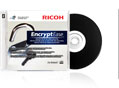
When you insert an EncryptEase disc, the software starts automatically. If you have disabled auto-start, you need to double click the Autorun.exe file on the disc.

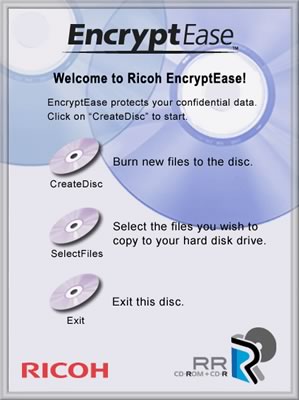
Once the driver is installed, Windows needs to be restarted.

After windows restarts, you will be prompted to insert a master password that protects all data on the specific EncryptEase disc:

We are now ready to add the files we want to protect, using the build-in wizard:
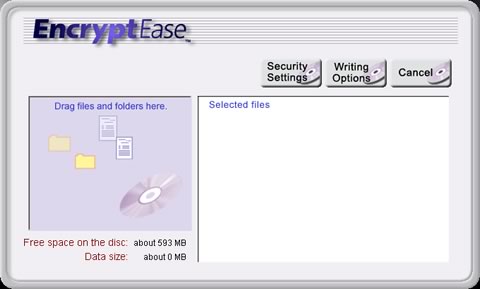
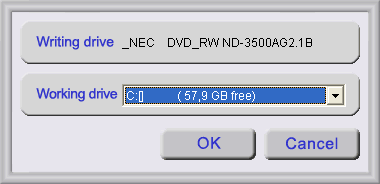
The writing options don't provide anything special:
You can drag&drop selected files, monitor the amount of available space on the disc or the size of the data compilation:
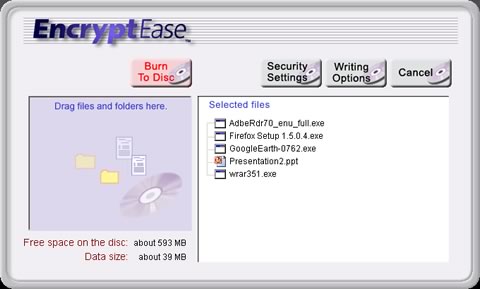
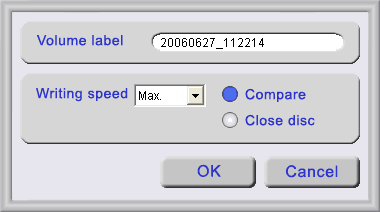
Pressing "BurnToDisc", we are given more choices, such as changing the Volume Label and use the "Compare" and "Close Disc" functions. Note that in the writing speed drop down menu, nothing else was selectable other than "Max" speed.
After pressing OK, the procedure starts and depending on your selected data compilation, can take several minutes to end:

After the writing procedure has ended, we are now able to view the contents of our disc.

By selecting either all or some files, we can extract them to our HDD/Flash Memory, provided that we know the right password:
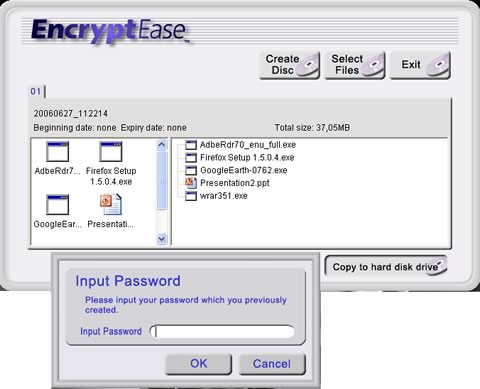
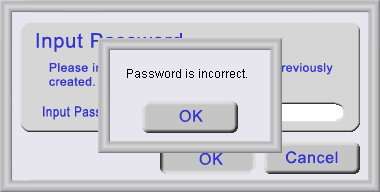
If the password we provide is wrong, we are warned by a popup message:
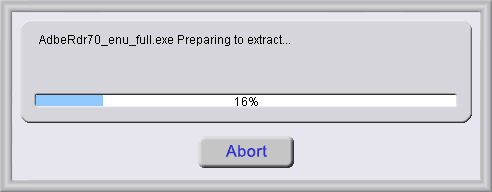
After inserting the correct password, we are allowed to extract our data to HDD:

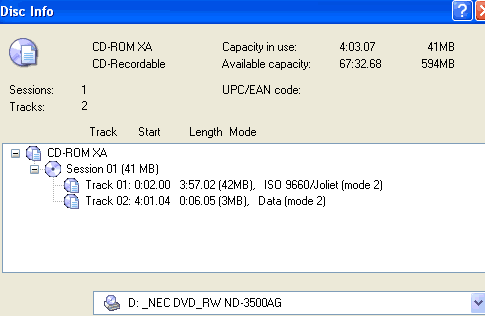
Let's now see several advanced details about our disc. Using Nero, we are able to see that there is only one session with two tracks.
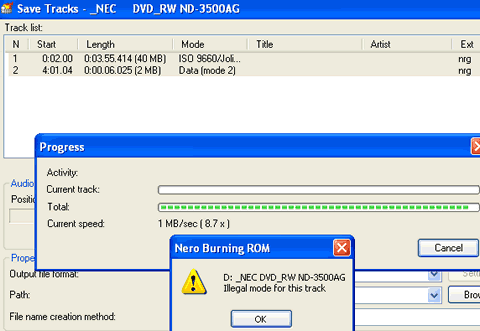
Using the built-in Save Tracks function, we were unable to extract the tracks since the drive had problems with it:
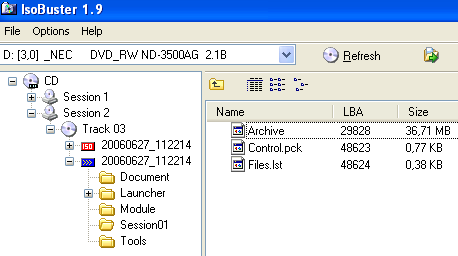
Using ISOBuster, we are able to get a more detailed view of the disc contents. We can see that there is a second session (Session 2) which contains a "Session01" folder that includes three files.
The Files.lst file contains text which can be viewed with the built-in sector viewer:
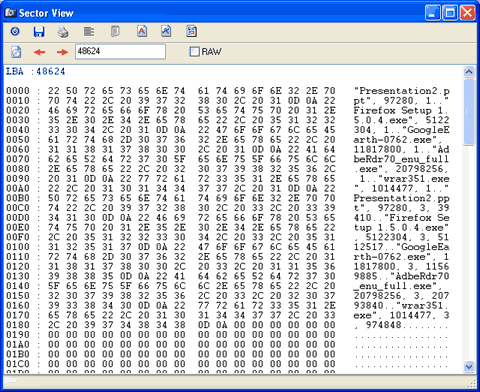
The Archive and Control.pck files are also viewable but it is not possible to determine how the files are packed or encrypted. Probably "advanced users" could attempt to reverse engineer and play around with this information to determine the type of encryption used and possibly crack the protection scheme. However, this kind of fiddling around is beyond the capabilities of even the most advanced users.


Review Pages

1. Introduction
2. Securing Data
3. Summary


Pages

  • « first
  • ‹ previous
  • 1
  • 2
  • 3
  • next ›
  • last »

Ricoh

Tags: Ricoh
Previous Post
Corsair PC2-5400
Next Post
FOXCONN WinFast NF4SK8AA

Related Posts

  • RICOH announces GR IV 30th Anniversary Edition Kit

  • Ricoh announces GR IV Monochrome

  • RICOH announces GR IV Monochrome and GR IV HDF High-end Compact Digital Cameras

  • RICOH announces GR IV and GF-2 external flash

  • Ricoh 360 Theta A1 camera officially announced

  • RICOH announces development of GR IV

  • Ricoh establishes new industrial computer company in Japan

  • PENTAX 17 is simply a fixed-focal length compact film camera

Latest Reviews

Fanxiang MP83 M.2 NVMe SSD Enclosure
Enterprise & IT

Fanxiang MP83 M.2 NVMe SSD Enclosure

Ugreen CM642 USB4.0 Enclosure
PC components

Ugreen CM642 USB4.0 Enclosure

be quiet! Dark Power 14 IO
PC components

be quiet! Dark Power 14 IO

SanDisk High Endurance 512GB microSDXC
Cameras

SanDisk High Endurance 512GB microSDXC

Samsung PRO Ultimate 512GB microSDXC
Cameras

Samsung PRO Ultimate 512GB microSDXC

Popular News

MSI’s Latest AMD X870E MAX & EVO Series Motherboards

MSI’s Latest AMD X870E MAX & EVO Series Motherboards

COLORFUL Launches iGame B850M ULTRA Series Micro-ATX Motherboards

COLORFUL Launches iGame B850M ULTRA Series Micro-ATX Motherboards

COLORFUL Presents Limited Edition Chitu MAG-60 Magnetic Keyboard Inspired by the Year of the Horse

COLORFUL Presents Limited Edition Chitu MAG-60 Magnetic Keyboard Inspired by the Year of the Horse

COLORFUL Launches iGame B850I MINI OC V14 Motherboard

COLORFUL Launches iGame B850I MINI OC V14 Motherboard

COLORFUL Presents iGame Z890 ULTRA-S W and iGame Z890M ULTRA Z Motherboards

COLORFUL Presents iGame Z890 ULTRA-S W and iGame Z890M ULTRA Z Motherboards

COLORFUL Launches the iGame X870E VULCAN W OC Motherboard

COLORFUL Launches the iGame X870E VULCAN W OC Motherboard

COLORFUL Expands B850 Motherboard Lineup with New CVN, Battle-Ax, and MEOW Models

COLORFUL Expands B850 Motherboard Lineup with New CVN, Battle-Ax, and MEOW Models

ASRock Adds Support for One Sub-Channel DRAM Module on Intel DDR5 Motherboards

ASRock Adds Support for One Sub-Channel DRAM Module on Intel DDR5 Motherboards

Main menu

  • Home
  • News
  • Reviews
  • Essays
  • About
    • Submit News

    • Contact Us
    • Privacy

    • Promotion
    • Advertise

    • RSS Feed
  • About
  • Privacy
  • Contact Us
  • Promotional Opportunities @ CdrInfo.com
  • Advertise on out site
  • Submit your News to our site
  • RSS Feed