SoundPeats C30
2. Retail Package
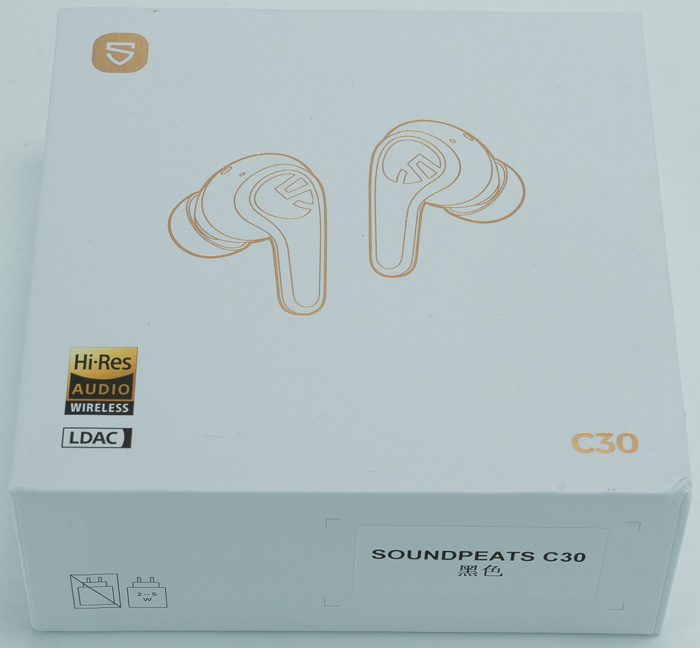
The retail package is well design with white background and all the needed logos at the front:
After unpacking you will find inside:
- 1x Headphones
- 1x Type-C charging cable
- 1x User manual
- 1x APP card (QR code for downloading PeatsAudio app)
- 1x Cartoon stickers (for personalization)
- 3x ear tip sizes
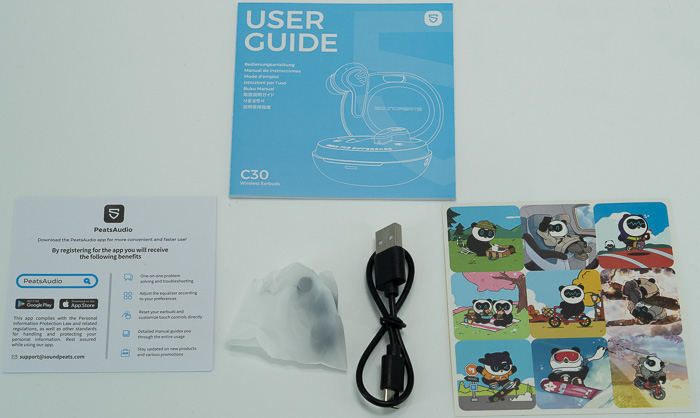
There is no carrying case included, which may annoy some users.
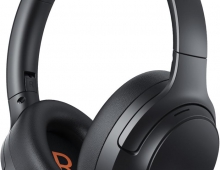
Looking at the device, we will find a typical headphones over the ears design. The headband has a matte finish, and it’s made out of plastic with internal metal reinforcement. The matte plastic construction feels durable for daily use but there are no metal reinforcements visible in high-stress areas. The ear cups have a plastic housing with matte finish (resists fingerprints effectively). The padding has memory foam material with protein leather covering on ear cups and headband. There are no loose or fragile moving parts, the product feels solid with no creaking during normal wear and the included telescopic adjustment mechanism operates smoothly with secure click positions.
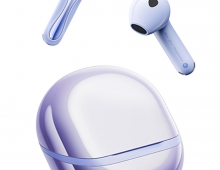
The C30 adopts SoundPeats' 'Flow Pebble' design language — a smooth, rounded earbud body with a flat touch surface that sits flush against the concha. The earbuds are notably lightweight, and the in-ear portion is angled to direct the driver toward the ear canal without creating pressure points during extended wear. The fit is secure and stable across a wide range of ear sizes, including smaller ear canals, and holds up through gym sessions and running without requiring wing tips. Three silicone tip sizes are included; correct tip selection is critical — a poor seal degrades both bass response and ANC effectiveness substantially.
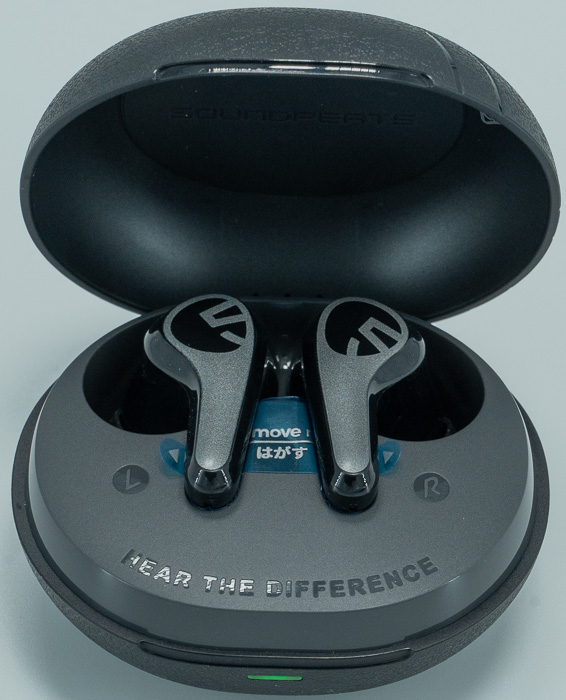
The charging case is the design's most obvious weak point — and it is worth being direct about this. The plastic is thin and hollow-feeling, the surface is smooth to the point of being slippery, the lid requires two-handed opening, and the earbud magnets are insufficiently strong for confident single-handed extraction. Opening the case too quickly can send an earbud onto the floor. The lid strength, while initially annoying, does prevent accidental openings inside a bag. The case is compact and pocketable, and the earbuds themselves feel substantially more premium than the case that carries them — a contrast that is immediately apparent when handling both.
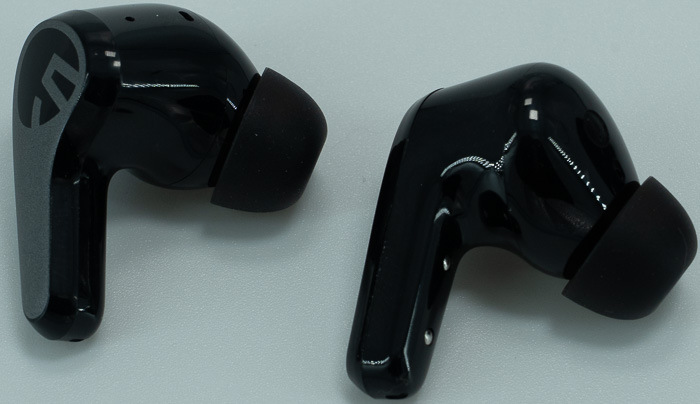
The touch control surface is well-positioned and reliable when dry. Wet hands reduce touch sensitivity noticeably, which is relevant for gym and outdoor use. The factory default gesture layout is logical and covers the most common actions: double-tap for play/pause and calls, left single-tap for previous track, right single-tap for volume up, left long-press to cycle ANC modes, right long-press for next track, and triple-tap on each side for gaming mode and voice assistant respectively. All gestures are fully remappable via the app, including the option to disable all touch controls entirely. There are L and R indicators at the bottom of each earcup.
Factory defaults as documented in the official manual. All gestures are fully remappable in the app.
Earbud |
Gesture |
Default Action |
Left (L) |
Single tap (×1) |
Previous track |
Left (L) |
Long press (1.5s) |
Toggle ANC / Transparency / Off |
Left (L) |
Triple tap (×3) |
Toggle Gaming Mode |
Right (R) |
Single tap (×1) |
Volume up |
Right (R) |
Long press (1.5s) |
Next track |
Right (R) |
Triple tap (×3) |
Voice assistant (Siri / Google Assistant) |
Left or Right |
Double tap (×2) |
Play / Pause / Answer call / End call |
Left or Right |
Long press (1.5s) |
Reject / Hang up call |
Factory Reset
Place both earbuds in the case with the lid open, then long-press the case button for 10 seconds until the indicator flashes white and red twice. To enter pairing mode manually without a full reset: long-press the case button for 3 seconds until the indicator flashes white. Resetting clears all pairing records and custom touch configurations.
Left/Right Sync Issues
If one earbud stops working or the two earbuds lose sync, clean the charging contacts with a microfiber cloth lightly dampened with rubbing alcohol, then place both in the case to reset. Oxidized contacts are the most common cause of one earbud not charging and subsequently losing its pairing state.
Connectivity Stability
The C30 operates on the 2.4 GHz band shared with Wi-Fi. Known interference sources include Wi-Fi routers, microwave ovens, and other active Bluetooth devices in close proximity. The human body is the most significant signal blocker: keeping the source device on the same side as the primary earbud meaningfully improves stability, particularly outdoors or in transit environments. For laptop use on Windows, ensure the correct audio profile is selected and update Bluetooth drivers if instability persists.
Volume Issues
Gradual volume reduction during use is most commonly caused by earwax or debris partially blocking the sound nozzle. Clean with a dry soft tool or a cotton bud very lightly dampened with alcohol. Volume imbalance between left and right earbuds may be caused by the phone's audio balance setting rather than the earbuds themselves — check under Accessibility settings on both iOS and Android before resetting.
Warranty
SoundPeats provides a 12-month warranty. Issues that cannot be resolved remotely are covered by replacement or refund.