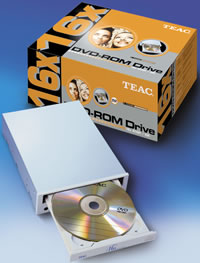
TEAC DV-516E DVD-ROM
1. Installation/Package
Teac DV-516E IDE DVD-ROM - Page 1
- Introduction
 decided to enter the DVD market for PC with a new DVD-ROM proposal, the Teac
DV-516E. The multifunctional drive supports 16X DVD-ROM reading among with 48X
for the CD-ROM/R media. Whether TEAC decided to enter the DVD recording market
as well or not, testing this new product is definitely interesting for all the
candidate buyers and the fans of the optical storage technology.
decided to enter the DVD market for PC with a new DVD-ROM proposal, the Teac
DV-516E. The multifunctional drive supports 16X DVD-ROM reading among with 48X
for the CD-ROM/R media. Whether TEAC decided to enter the DVD recording market
as well or not, testing this new product is definitely interesting for all the
candidate buyers and the fans of the optical storage technology.
- Drive features
Teac DV-516E came with the firmware revision v2.01 installed. The supported reading speed for DVD-ROM is 16X CAV for single layer and 12X CAV for dual layer discs.
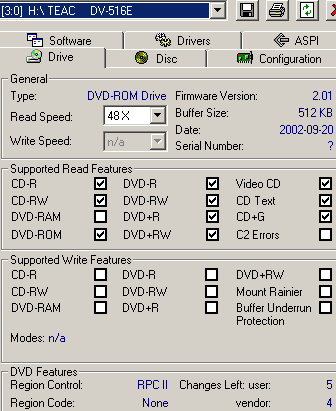
As for the CD-ROM/ CD-R media, the supported reading speed is 48X CAV and 20X for the HS-RW. The The DAE speed is set to 16X and 4-10X for audio playback (CD-DA). The applied cache buffer 512MB and is compliant to the RPCII regulations, allowing user to change the region code of the drive 5 times. The supported disc formats are: DVD (single layer/dual layer), DVD-R (General in case of writing), DVD-RW (Ver 1.0& 1.1), DVD+RW, CD-ROM Mode 1, CD-ROM XA Mode 2, Photo CD, CD-DA, CD-Extra, CD-R.
- The package
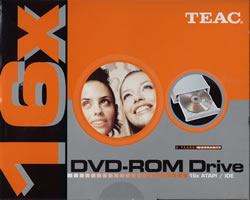 The
retail kit contains the drive itself, the Intervideo WinDVD v.4 DVD playback
software and the necessary IDE cables and leads. In the package you can also
find a CD pen and a multilingual quick installation guide. The Teac DV-516E
retail kit will be available from Teac Europe distributors and dealers, in the
retail price of 59 Euro. Teac offers a 2-year warranty for the drive.
The
retail kit contains the drive itself, the Intervideo WinDVD v.4 DVD playback
software and the necessary IDE cables and leads. In the package you can also
find a CD pen and a multilingual quick installation guide. The Teac DV-516E
retail kit will be available from Teac Europe distributors and dealers, in the
retail price of 59 Euro. Teac offers a 2-year warranty for the drive.
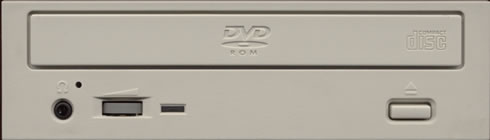
On the disc loading tray there are the "DVD-ROM" and the "Compact Disc " logos. The eject key is placed below the tray on the right side of the front panel, as usually. The busy indicator ( LED) indicates the drive status. Last, the head-phone jack or volume control knob are available, as you can see in the picture below.
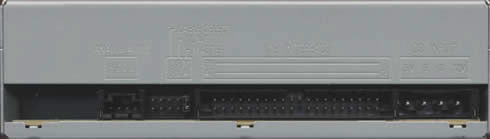
On the black-colored rear panel there are the usual connectors, such as the power connector, the IDE interface, the device configuration jumper, and the analog audio output.
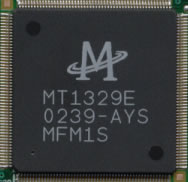
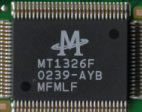
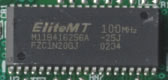
After removing the screws on the bottom we can see the drive's internal design.


- Installation
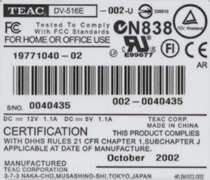
The Toshiba drive was identified as "TEAC DV-516E" under WinXP. The drive was installed to the secondary IDE channel of our test PC as a "Master" and worked in Ultra DMA Mode 2 transfer mode. The October 2002 model came with firmware version v2.01 installed. In the following tests we compare the Teac drive with three already tested 16X DVD-ROM drives, the LiteOn LTD163, the Asus E616 and the Toshiba SD-M1612.