Breaking News

Noctua introduces NT-CP1 Carbice carbon nanotube thermal pad for AM5 CORSAIR Launches the HX1000i SHIFT CRYSTAL Power Supply GIGABYTE Expands Its Local AI Portfolio with the Launch of AI TOP AERO Powered by NVIDIA RTX SPARK Viltrox Announces Exclusive Deals and Shopping Rewards for Black Friday 2026 ASUS Showcases ProArt GR1X, ProArt P16 & P14 Laptops, ProArt OLED Monitors, and AI-Powered Solutions for Creatives at Adobe MAX 2026

logo

  • Share Us
    • Facebook
    • Twitter
  • Home
  • Home
  • News
  • Reviews
  • Essays
  • About
    • Submit News

    • Contact Us
    • Privacy

    • Promotion
    • Advertise

    • RSS Feed

Search form

Thermaltake Max4

Oct 21,2005 0

1. Introduction


Review Pages

1. Introduction
2. Closer Look - Installation
3. Performance
4. Conclusion


Thermaltake (Tt) is well known in the market and end users for their quality Cooling Solutions and extreme PC cases. Although these products would be enough to please any end user, Tt has taken some steps toward other devices, and has established a very strong market for them as well. Today, we will be reviewing a Tt enclosure product, an external case, that serves as an Interface IDE to USB2.0 medium, where both Hard and Optical drives can be installed and put to use right away.

This product comes from the Max4 series, the 5.25 DVD enclosure in specific. Note here, that even though this enclosure is meant for DVD usage (one can install a DVD-ROM, RW device, or even a CD-ROM device, all in the 5.25 scale), the case can also host an internal HDD drive. So, we have an extra function in favor of the end user, who can change and use the enclosure to suit his needs.

Having said that, let us move on to the Specifications and Features of the MAX4 5.25 enclosure.

- Specifications

According to Thermaltake, the Transfer Rate of the MAX4 USB2.0 device is up to 480Mbps.

Model A2296
Case Type 5.25" DVD
& 3.5" drives
Net Weight 1258g
Dimension 270x175x55mm (H*W*D)
Material Aluminum & Plastic
Interface IDE to USB2.0
ATA compatibility ATA/ATAPI6
PCBA Chip Cypress AT2+
Transfer Rate USB2.0: 480Mbps
Operating System Windows SE, ME, 2000, and XP
Mac OS 9.x and up
Accessories USB2.0 External cable
Power Adapter
Metal Foot Stand

- Features

What follows is a complete list of the features supported by the Max4 5.25 enclosure.

- Application for 5.25" DVD Player

- Aluminum spreader fanless design

- Silver body with graceful black adorn

- Metal homocentric polished diagram

- Blue LED indicate data transfer signal

- Cypress AT2+ chip - speed & protect your digital data

- IDE to USB2.0 interface - the most compatibility

- Compact mount easily to stand

- Transfer speed up to 480Mbps

The Max4 5.25 retail package, includes a power adapter and power supply cable, a USB cable and a CD that contains the installation drivers. The manual comes both in digital form as well as in booklet. Note, that the installation cd under WinXP is not needed, as the device is plug'n'play enabled.

The components of the Max4 5.25 enclosure...

Now that we've covered the basics, lets move to the next page and the case itself.


Review Pages

1. Introduction
2. Closer Look - Installation
3. Performance
4. Conclusion


Pages

  • 1
  • 2
  • 3
  • 4
  • next ›
  • last »

Thermaltake

Tags: Thermaltake
Previous Post
Thermaltake Blue Orb II
Next Post
VoIP Essentials

Related Posts

  • Thermaltake Launches AW360/420 AIO Liquid Cooler and WAir CPU Cooler for Workstations

  • Begin the Racing Journey with the Thermaltake GR300 Racing Simulator Cockpit

  • Thermaltake Unveils the Massive EXTREME with Cross-flow Fan

  • Thermaltake Releases the Toughpower TF3 1300W with Support for RTX50 Series GPUs

  • Thermaltake Unveils G6 Direct Drive Racing Wheel Bundle and GM5 3DOF Motion System

  • Thermaltake Launches the TT150 LED Bag in Different Sizes and New Colors

  • Thermaltake New TH V2 Ultra EX ARGB Sync AIO – Snow Edition is Now Available Worldwide

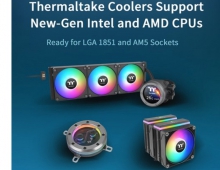
  • Thermaltake Coolers Support New-Gen Intel and AMD CPUs

Latest Reviews

GMK TriggerKey
Gadgets

GMK TriggerKey

The Best Online Casino Games to Play on a Browser
Enterprise & IT

The Best Online Casino Games to Play on a Browser

be quiet! Light Wings Pro IO fan
Cooling Systems

be quiet! Light Wings Pro IO fan

Why Intelligent Firmware Matters More Than Peak Throughput in NAS Systems
Enterprise & IT

Why Intelligent Firmware Matters More Than Peak Throughput in NAS Systems

Fanxiang MP83 M.2 NVMe SSD Enclosure
Enterprise & IT

Fanxiang MP83 M.2 NVMe SSD Enclosure

Popular News

MSI’s Latest AMD X870E MAX & EVO Series Motherboards

MSI’s Latest AMD X870E MAX & EVO Series Motherboards

COLORFUL Launches iGame B850M ULTRA Series Micro-ATX Motherboards

COLORFUL Launches iGame B850M ULTRA Series Micro-ATX Motherboards

COLORFUL Launches iGame B850I MINI OC V14 Motherboard

COLORFUL Launches iGame B850I MINI OC V14 Motherboard

COLORFUL Presents Limited Edition Chitu MAG-60 Magnetic Keyboard Inspired by the Year of the Horse

COLORFUL Presents Limited Edition Chitu MAG-60 Magnetic Keyboard Inspired by the Year of the Horse

COLORFUL Launches the iGame X870E VULCAN W OC Motherboard

COLORFUL Launches the iGame X870E VULCAN W OC Motherboard

COLORFUL Presents iGame Z890 ULTRA-S W and iGame Z890M ULTRA Z Motherboards

COLORFUL Presents iGame Z890 ULTRA-S W and iGame Z890M ULTRA Z Motherboards

COLORFUL Launches iGame X870E ULTRA-S V14 Motherboard

COLORFUL Launches iGame X870E ULTRA-S V14 Motherboard

COLORFUL Expands B850 Motherboard Lineup with New CVN, Battle-Ax, and MEOW Models

COLORFUL Expands B850 Motherboard Lineup with New CVN, Battle-Ax, and MEOW Models

Main menu

  • Home
  • News
  • Reviews
  • Essays
  • About
    • Submit News

    • Contact Us
    • Privacy

    • Promotion
    • Advertise

    • RSS Feed
  • About
  • Privacy
  • Contact Us
  • Promotional Opportunities @ CdrInfo.com
  • Advertise on out site
  • Submit your News to our site
  • RSS Feed