
Breaking News

ASUS Announces XG Core Radeon RX 9060 XT LP 16GB GDDR6 Razer Unveils the Hammerhead V3 Chroma Sony Introduces USB-C Wired Headphones MDR-3R Greenliant heads to electronica 2026 with its full industrial SSD lineup CORSAIR Brings Comfort in Full Bloom with Dark Cherry Blossom TC500 and TC100 RELAXED Gaming Chairs

logo

  • Share Us
    • Facebook
    • Twitter
  • Home
  • Home
  • News
  • Reviews
  • Essays
  • About
    • Submit News

    • Contact Us
    • Privacy

    • Promotion
    • Advertise

    • RSS Feed

Search form

Google Family Link app Will Help You Monitor Your Kid's Android Device

Google Family Link app Will Help You Monitor Your Kid's Android Device

Smartphones Mar 16,2017 0

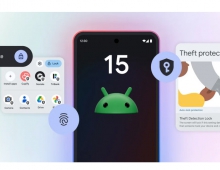
Google has started testing Family Link, an app that lets you create a Google Account for your kid and helps you manage the apps your kid can use, keep an eye on screen time, and sett a bedtime on your kid's device.

Obviously, we all want our kids to explore and be inspired as they embark on their digital adventure, but every family feels differently about what their kids should and shouldn't be able to do on their device.

Here's how the Family Link app works: First, your kid will need a new device that runs Android Nougat (7.0) or higher. Then, download Family Link onto your device and create a Google Account for them through the app. Finally, sign them into their new device, and you can then use Family Link to:

  • Approve or block the apps your kid wants to download from the Google Play Store.
  • See how much time your kid spends on their favorite apps with weekly or monthly activity reports, and set daily screen time limits for their device.
  • Remotely lock your kid's device when it's time to play, study, or sleep.

Starting today, parents across the U.S. can request an invite to the Family Link early access program. After receiving an invite, parents with kids under 13 years old can download and try the Family Link app.

While Family Link can help you set certain ground rules around how your child uses their device, it can't make the apps or services on their phone that were designed for adults kid-safe; it's up to parents to choose what's right for their kid. When you make the decision to give your child their own device, Family Link can serve as a tool that keeps you in the loop as they begin to explore.
Tags: android
Previous Post
Pwn2Own Hackers Found Exploits In Safari, Adobe Reader, macOS And More
Next Post
Thermaltake Introduces Wall-Mountable Core P1 mITX Chassis

Related Posts

  • What’s new in Android 15, plus more updates

  • Connecting all things Android at MWC Barcelona

  • New features for businesses in Android 13

  • Lucky number Android 13: The latest features and updates

  • What’s beta than Android 13?

  • HLDS UD Station DVDRW (Preview)

  • Android Gets a New Keyboard for Typing Braille

  • New Opera for Android Offers More Data Savings, New Blockchain-browsing Features

Latest News

ASUS Announces XG Core Radeon RX 9060 XT LP 16GB GDDR6
GPUs

ASUS Announces XG Core Radeon RX 9060 XT LP 16GB GDDR6

Razer Unveils the Hammerhead V3 Chroma
Consumer Electronics

Razer Unveils the Hammerhead V3 Chroma

Sony Introduces USB-C Wired Headphones MDR-3R
Consumer Electronics

Sony Introduces USB-C Wired Headphones MDR-3R

Greenliant heads to electronica 2026 with its full industrial SSD lineup
Enterprise & IT

Greenliant heads to electronica 2026 with its full industrial SSD lineup

CORSAIR Brings Comfort in Full Bloom with Dark Cherry Blossom TC500 and TC100 RELAXED Gaming Chairs
Cameras

CORSAIR Brings Comfort in Full Bloom with Dark Cherry Blossom TC500 and TC100 RELAXED Gaming Chairs

Popular Reviews

Endorfy Thock V2 Wireless Keyboard

Endorfy Thock V2 Wireless Keyboard

SoundPeats Cove Pro

SoundPeats Cove Pro

The Quiet Technology Behind the Spin

The Quiet Technology Behind the Spin

Akaso Brave 8 Lite

Akaso Brave 8 Lite

SoundPeats C30

SoundPeats C30

Kioxia Exceria Plus G3 512GB microSD

Kioxia Exceria Plus G3 512GB microSD

be quiet! Dark Perk Mice

be quiet! Dark Perk Mice

XbotGo Chamaleon

XbotGo Chamaleon

Main menu

  • Home
  • News
  • Reviews
  • Essays
  • About
    • Submit News

    • Contact Us
    • Privacy

    • Promotion
    • Advertise

    • RSS Feed
  • About
  • Privacy
  • Contact Us
  • Promotional Opportunities @ CdrInfo.com
  • Advertise on out site
  • Submit your News to our site
  • RSS Feed