Corsair Introduces the K83 Wireless Entertainment Keyboard
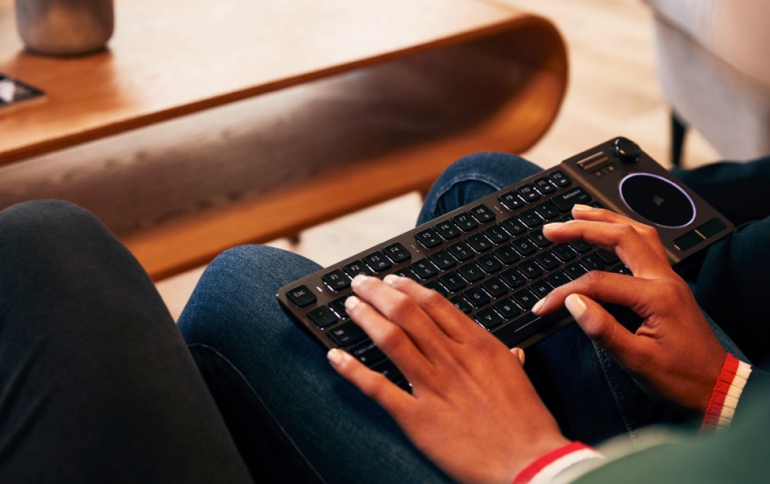
Corsair is launching the new CORSAIR K83 Wireless Entertainment Keyboard, bringing control to living room PCs and home entertainment setups.
Alongside its stylish anodized aluminum frame and white LED backlit custom Corsair ultra-low profile keyswitches, the K83 boasts a key layout that puts all the entertainment essentials within easy reach, whether you’re searching for the next episode, controlling playback, or exploring the latest game.
The keyboard includes a wealth of ways to browse content or even play games casually from the couch. An analogue joystick makes easy work of menus and content browsing and plays games like a gamepad when combined with the familiar WASD keys. A multi-touch touchpad and dedicated right/left click buttons make mouse cursor movement and clicks easy, with separate left and right click buttons also found on the keyboard’s shoulders.
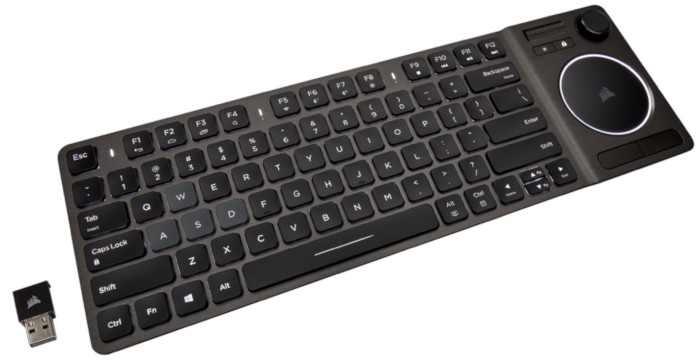
Corsair’s proprietary wireless technology connects to USB-compatible devices for easy setup and 1ms 2.4GHz wireless speed, using 128-bit AES wireless encryption to protect your personal data. The addition of low-latency Bluetooth wireless offers further flexibility to quickly connect to even more devices without a USB port. A USB-rechargeable battery powers the K83 Wireless, providing up to 40 hours of continuous use.
Finally, the K83 Wireless takes advantage of Corsair iCUE software for customization through a single interface. Users can recalibrate and fine-tune the joystick, create macros and remap keys, adjust the LED backlighting, and configure Windows touchpad gestures.
The CORSAIR K83 Wireless Entertainment Keyboard is available now for $100 backed by a two-year warranty.
Specifications
| Feature | Description |
| Wireless Connectivity | Ultra-fast 1ms 2.4GHz or Bluetooth® 4.2 |
| Wired Connectivity | USB 2.0 or USB 3.0 Type-A |
| Key Switches | Custom CORSAIR Gaming Scissor |
| Touchpad | Precision with up to Four-Finger Gestures |
| Backlighting | Single Zone White LED Backlighting |
| Wireless Encryption | 128-bit AES |
| Battery Type | Built-in Lithium-Polymer Ion, Rechargeable |
| Battery Charging | Charges via USB Micro-B to Computer or Device |
| Battery Life | Up to 40 Hours of Continuous Use |
| Media keys | Hotkeys, Volume Scroller (Vol Up/Down, Mute) |
| USB Report Rate | 20-Key Rollover with Anti-Ghosting |
| Key Matrix | Pony Ma |
| Software | CORSAIR iCUE, Version 3.13 and Later |
| Dimensions | 381(L) x 125(W) x 28(H) mm 15(L) x 4.93(W) x 1.11(H) in. |
| Weight | .48 kg 1.06 lbs. |
| Accessories | USB Wireless Receiver (Required for 2.4GHz Wireless Connectivity) USB Charging / Data Cable (1.82 m / 6 ft, Flat, Tangle-free Rubber) |