Visual Studio 2019 for PC and Mac Available for Download
Microsoft has made Visual Studio 2019 generally available for download.
Visual Studio 2019 improves on Visual Studio 2017 in a few areas. It helps you get into your code more quickly by making it simpler to clone a Git repo or to open an existing project or folder. It also introduces improvements to the template selection screen to make it easier to start a new project.
Visual Studio 2019 also comes with a revamped search experience. The search bar on the IDE is now accessible with a quick Ctrl+Q shortcut, and once you access the search bar you will now get search results for shortcuts, commands, settings, and more. The search bar also now works around your silly spelling mistakes, so you will now get the right search results even if there’s a typo on your query.
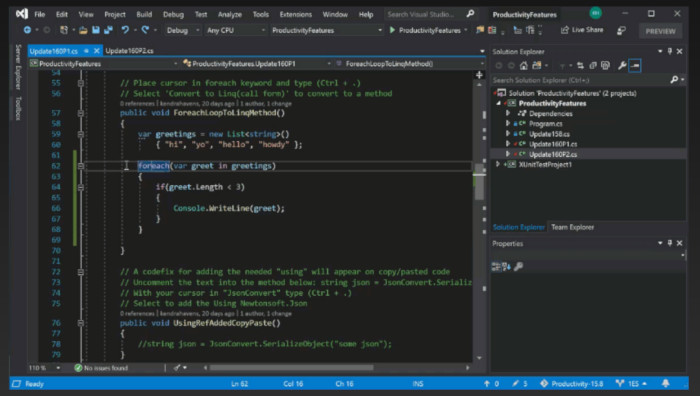
The new platform also improves code navigation and adds many refactorings, and includes a document health indicator and one-click code clean-up to apply multiple refactoring rules.
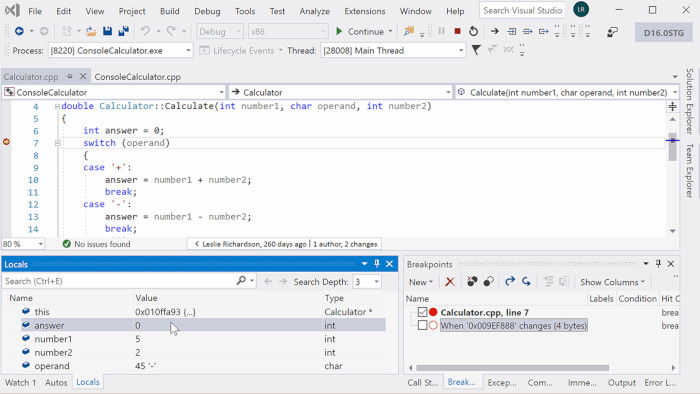
There are also improvements to the debugging experience, including data breakpoints for .NET Core apps that help you break only on value changes you’re looking for. It also includes get AI-assisted code completion with Visual Studio IntelliCode.
The debugging experience of the IDE is being improved with faster stepping performance, and new searching abilities for the Autos, Locals, and Watch debug windows.
These capabilities work with both your existing project and new projects – from cross-platform C++ applications, to .NET mobile apps for Android and iOS written using Xamarin, to cloud-native applications using Azure services.
Microsoft is also releasing today Visual Studio 2019 for Mac and Visual Studio Live Share.
Visual Studio 2019 for Mac focuses mostly on the same things as Visual Studio 2019 for Windows. It introduces a new start experience that helps you get started quicker, and work with your existing/new projects much faster than before.
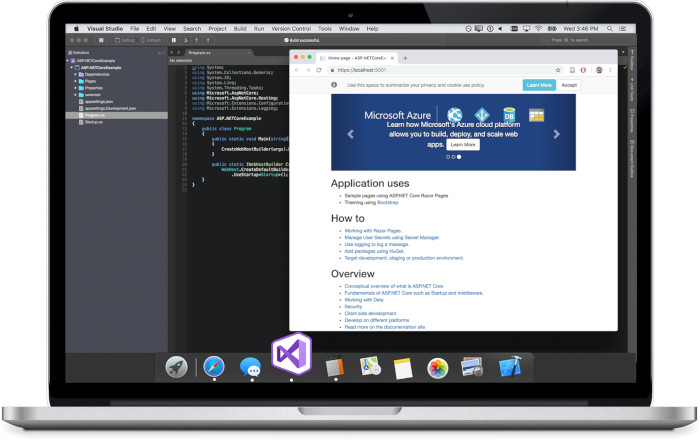
Visual Studio 2019 for Mac also brings a new C# editor that brings the best of Visual Studio to the Mac. Microsoft says the new editor has been built on the same shared core with Visual Studio on Windows, so the coding experience will be identical, but it will continue to have an interface that matches the native macOS design. Microsoft says the new C# editor allows for smoother editing and navigation, as well as powerful code-completion with IntelliSense, smarter suggestions, support for bi-directional text, multi-caret editing, word wrapping, and more.
The new C# editor is launching as a preview and you will need to enable it manually from the IDE’s settings. Microsoft says it’s working to bring it to more languages as well, starting with XAML.
The latest version of Visual Studio for Mac also allows for multiple instances, which has been one of the much-requested features, according to Microsoft.
Visual Studio 2019 also brings over the Unity debugger from Visual Studio on Windows to the Mac, offering a better debugging experience for developers while allowing Microsoft to apply fixes across both Visual Studio on Windows and Visual Studio on Mac at the same time.
Microsoft says Visual Studio 2019 for Mac packs a whole bunch of performance improvements, too — with faster performances across the new C# code editor, Git support, Xamarin, and .NET Core debugging.
Microsoft has also partnered with Pluralsight and LinkedIn Learning to bring new training content. Pluralsight has a new, free, Visual Studio 2019 course (available until April 22, 2019). On LinkedIn Learning you’ll find a new course (free until May 2nd) covering the highlights in Visual Studio 2019.