Breaking News

Xiaomi and Leica Camera AG Present the Xiaomi 17 Series Sandisk and SK hynix Begin Global Standardization of Next-Generation Memory Solution, High Bandwidth Flash (HBF) Samsung Brings Satellite Communication Support to Galaxy Smartphones Across the Globe vivo Announces MWC 2026 Attendance and sets to Showcase New Flagship X300 Ultra Razer Elevates Everyday Carry with the Laptop Sleeve 16” with Wireless Charging

logo

  • Share Us
    • Facebook
    • Twitter
  • Home
  • Home
  • News
  • Reviews
  • Essays
  • Forum
  • Legacy
  • About
    • Submit News

    • Contact Us
    • Privacy

    • Promotion
    • Advertise

    • RSS Feed
    • Site Map

Search form

Chrome Browser To mark HTTP Connections As Insecure

Chrome Browser To mark HTTP Connections As Insecure

Enterprise & IT Sep 8,2016 0

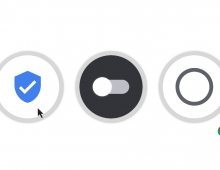
The lack of https web encryption will start triggering warnings in Chrome browser, Google said. The plan will go into effect in January with the release of Chrome 56 and will roll out in stages. Chrome 56 will display a "not secure" indicator before HTTP URLs in the browser's address bar, but only for those web pages that contain password or credit card form fields.

In later Chrome releases, the HTTP warnings will be further expanded. First, HTTP pages will be labeled as "not secure" when accessed in the browser's privacy-oriented Incognito mode. Eventually, Chrome will show the warning for all HTTP pages and will switch the security indicator to the red triangle now used for broken HTTPS connections.
Tags: Chrome browser
Previous Post
New Sony Flagship 4K and HD Action Cams Support Image Stabilization
Next Post
Uber Lets You Choose The Music When You Take A Ride

Related Posts

  • Google Adds More Intuitive Privacy and Security Controls in Chrome

  • Google is Temporarily Rolling Back SameSite Cookie Changes

  • Google to Resume Chrome and Chrome OS Release Updates

  • Google Pauses Chrome Updates; Firebase App Tools Under Investigation

  • Chrome 81 Adds Near Field Communications, Augmented Reality

  • Latest Google Chrome Browser Can Block Cross-site Tracking

  • Google Suspends Paid Chrome Extensions; Short-Term Payday Lending Apps Still Available on Google Play

  • Chrome Now Offers Better Password Protections

Latest News

Xiaomi and Leica Camera AG Present the Xiaomi 17 Series
Smartphones

Xiaomi and Leica Camera AG Present the Xiaomi 17 Series

Sandisk and SK hynix Begin Global Standardization of Next-Generation Memory Solution, High Bandwidth Flash (HBF)
Enterprise & IT

Sandisk and SK hynix Begin Global Standardization of Next-Generation Memory Solution, High Bandwidth Flash (HBF)

Samsung Brings Satellite Communication Support to Galaxy Smartphones Across the Globe
Smartphones

Samsung Brings Satellite Communication Support to Galaxy Smartphones Across the Globe

vivo Announces MWC 2026 Attendance and sets to Showcase New Flagship X300 Ultra
Smartphones

vivo Announces MWC 2026 Attendance and sets to Showcase New Flagship X300 Ultra

Razer Elevates Everyday Carry with the Laptop Sleeve 16” with Wireless Charging
Enterprise & IT

Razer Elevates Everyday Carry with the Laptop Sleeve 16” with Wireless Charging

Popular Reviews

be quiet! Dark Mount Keyboard

be quiet! Dark Mount Keyboard

Terramaster F8-SSD

Terramaster F8-SSD

be quiet! Light Mount Keyboard

be quiet! Light Mount Keyboard

Soundpeats Pop Clip

Soundpeats Pop Clip

Akaso 360 Action camera

Akaso 360 Action camera

Dragon Touch Digital Calendar

Dragon Touch Digital Calendar

be quiet! Pure Loop 3 280mm

be quiet! Pure Loop 3 280mm

Noctua NF-A12x25 G2 fans

Noctua NF-A12x25 G2 fans

Main menu

  • Home
  • News
  • Reviews
  • Essays
  • Forum
  • Legacy
  • About
    • Submit News

    • Contact Us
    • Privacy

    • Promotion
    • Advertise

    • RSS Feed
    • Site Map
  • About
  • Privacy
  • Contact Us
  • Promotional Opportunities @ CdrInfo.com
  • Advertise on out site
  • Submit your News to our site
  • RSS Feed