Breaking News

Western Digital Accelerates Storage Innovation for AI Era Leica LUX Case for the iPhone 17 Pro/Pro Max ASUS Announces ROG Strix Aiolos Viltrox Launches AF 16mm F1.8 L for Full Frame Casio to Release G-SHOCK with Minimalist Metal Design and Even Better Fit

logo

  • Share Us
    • Facebook
    • Twitter
  • Home
  • Home
  • News
  • Reviews
  • Essays
  • Forum
  • Legacy
  • About
    • Submit News

    • Contact Us
    • Privacy

    • Promotion
    • Advertise

    • RSS Feed
    • Site Map

Search form

Kiss DP-1504

Jun 14,2004 0

5. Built in HD


Review Pages

1. Introduction
2. Unpacking - Control Menu
3. DivX - Xvid
4. Reading Tests
5. Built in HD
6. Error Correction Tests
7. Conclusion


Kiss DP-1504 DVD Player - page 4

Built in HD

The main difference between the DP-1500 and the DP-1504 is the existnce of the Hard Disk. In our case the capasity of the HD was 40GB. The Hard Disk is manufactured from Toshiba and its specifications are:

- 2.5-inch 40 GB Capacity
- 2 ms Track to Track seek
- 1 Platter
- 12 ms Average Seek Time
- 8 MByte Data Buffer Capacity
- ATA-2/3/4/5/6 supported
- UDMA 100 supported
- 9.5 mm Height
- 69.85 mm Width
- 100.0 mm Depth
- 94 g Weight
- 300,000 hours MTBF
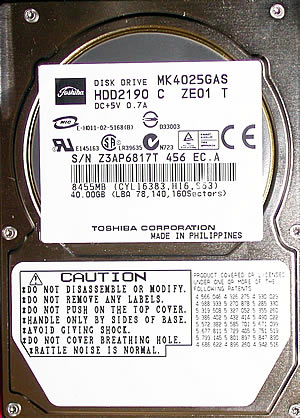
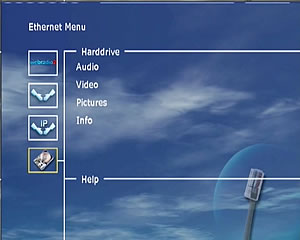
You can copy files from a media inserted or use the ethernet connection to put in files from a PC. Those can be either Audio files as well as Video or Pictures. The copy procedure is very simple. In addition with the same way you can delete the files you don't want any more.
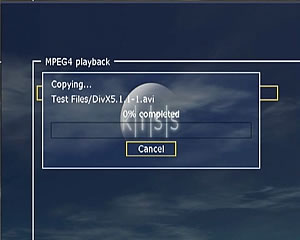
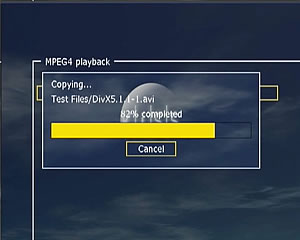
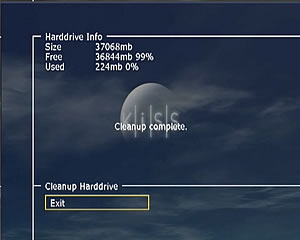
There is also the ability for the user to totaly erase the contents of the HD, format, from the Hard Disk's info menu. Below you can watch the cleanup procedure.
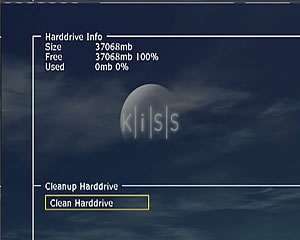
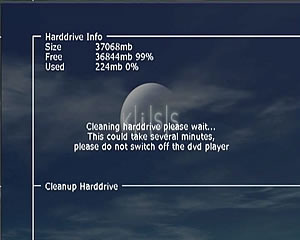
As soon as the format is finish you see the above screen.

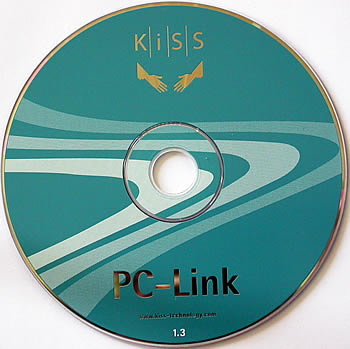
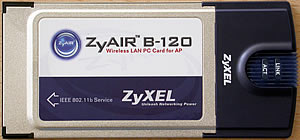
In order to copy files on the HD of the DP-1504, you must install the PC-Link software, from the CD, which included in the retail package. In that case you can use both ethernet and wirless connections. In the last case you also need the card below and the Access Point( not included in retail package). The connection can be straight from DP-1504 to a PC with a cross cable or the wirless card or by using a router.
 

Review Pages

1. Introduction
2. Unpacking - Control Menu
3. DivX - Xvid
4. Reading Tests
5. Built in HD
6. Error Correction Tests
7. Conclusion


Pages

  • « first
  • ‹ previous
  • 1
  • 2
  • 3
  • 4
  • 5
  • 6
  • 7
  • next ›
  • last »

Tags:
Previous Post
Plasmon UDO30I external SCSI Drive
Next Post
Pioneer DVR-S706-J

Related Posts

Latest Reviews

Akaso Brave 8 Lite
Cameras

Akaso Brave 8 Lite

Soundpeats Air 5
Consumer Electronics

Soundpeats Air 5

XbotGo Chamaleon
Consumer Electronics

XbotGo Chamaleon

be quiet! Dark Perk Mice
Gaming

be quiet! Dark Perk Mice

Acemagic W1
PC components

Acemagic W1

Popular News

COLORFUL Introduces CVN B850I GAMING FROZEN Motherboard

COLORFUL Introduces CVN B850I GAMING FROZEN Motherboard

COLORFUL Presents CVN X870 ARK FROZEN Motherboard for AMD Ryzen 9000 CPUs

COLORFUL Presents CVN X870 ARK FROZEN Motherboard for AMD Ryzen 9000 CPUs

TEAMGROUP Launches EXPERT P34F Find My External SSD

TEAMGROUP Launches EXPERT P34F Find My External SSD

ASRock AM5 Motherboards Now Fully Support AMD Ryzen 9 9950X3D & 9900X3D Processors

ASRock AM5 Motherboards Now Fully Support AMD Ryzen 9 9950X3D & 9900X3D Processors

Samsung announces Galaxy Tab S11 and Galaxy S25 FE series

Samsung announces Galaxy Tab S11 and Galaxy S25 FE series

Viltrox Showcases Upcoming Lens Lineup and New TTL Flash at IBC 2025

Viltrox Showcases Upcoming Lens Lineup and New TTL Flash at IBC 2025

CORSAIR announces Vanguard Pro 96 and Vanguard 96 Gaming Keyboards

CORSAIR announces Vanguard Pro 96 and Vanguard 96 Gaming Keyboards

Panasonic Introduces the First Ultra-Telephoto Zoom Lens in the LUMIX S Series

Panasonic Introduces the First Ultra-Telephoto Zoom Lens in the LUMIX S Series

Main menu

  • Home
  • News
  • Reviews
  • Essays
  • Forum
  • Legacy
  • About
    • Submit News

    • Contact Us
    • Privacy

    • Promotion
    • Advertise

    • RSS Feed
    • Site Map
  • About
  • Privacy
  • Contact Us
  • Promotional Opportunities @ CdrInfo.com
  • Advertise on out site
  • Submit your News to our site
  • RSS Feed