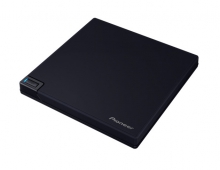
Pioneer BDR-X13U-S
2. Drive Information
Review Pages
2. Drive Information
3. Used Software
4. Explain Test Method
5. CD Reading Tests
6. CD Defect Disc Tests
7. DVD Reading Tests
8. DVD Defect Disc Tests
9. Blu-Ray Reading Tests
10. CD Writing Tests
11. DVD-R Writing Tests
12. DVD+R Writing Tests
13. Blu-Ray Writing Tests
14. PureRead 4+ - Page 1
15. PureRead 4+ - Page 2
16. Conclusion
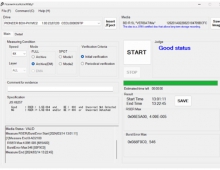
After powering up the system, we can finally see what this drive supports or not, by using well known optical storage software, that more or less reporting the exactly same specifications:
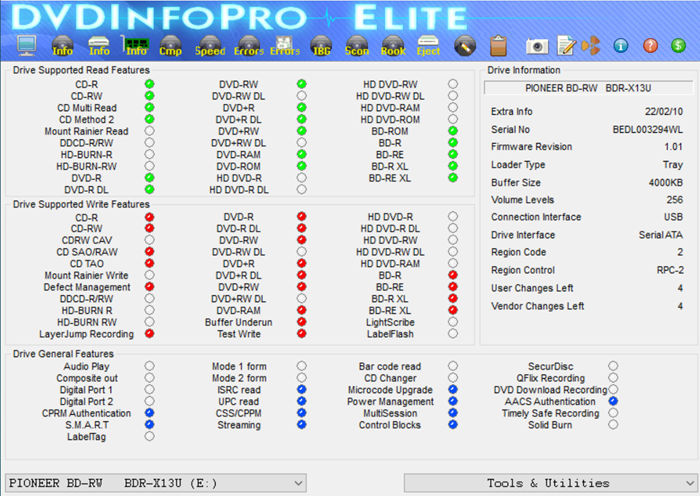

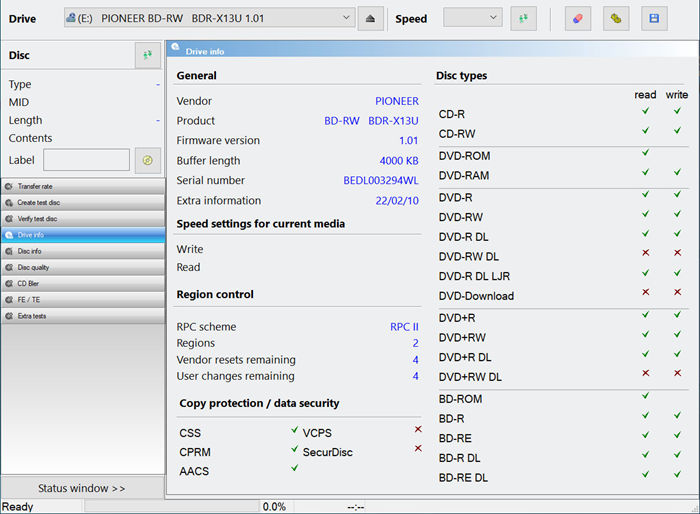
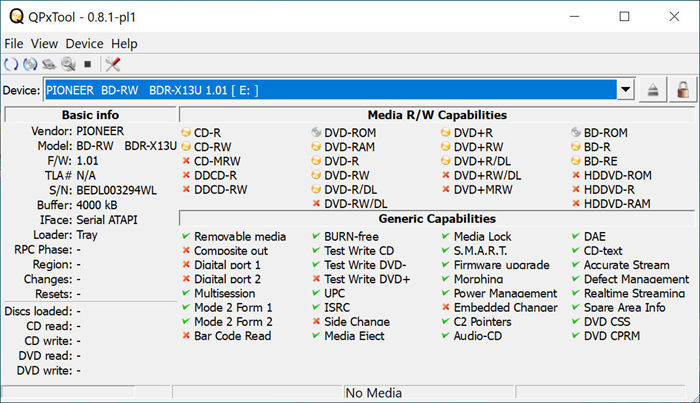
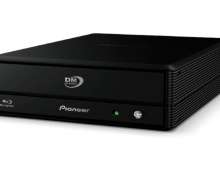
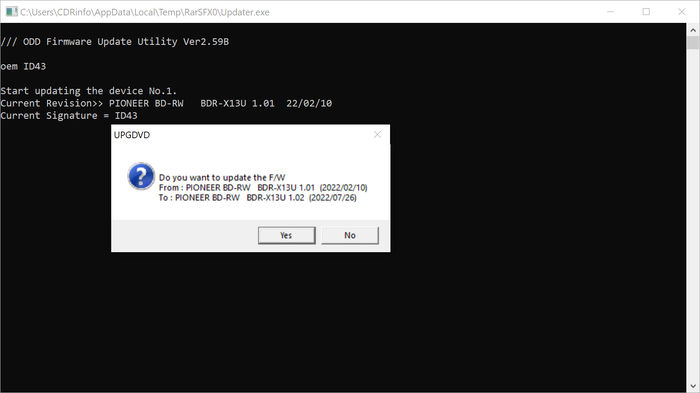
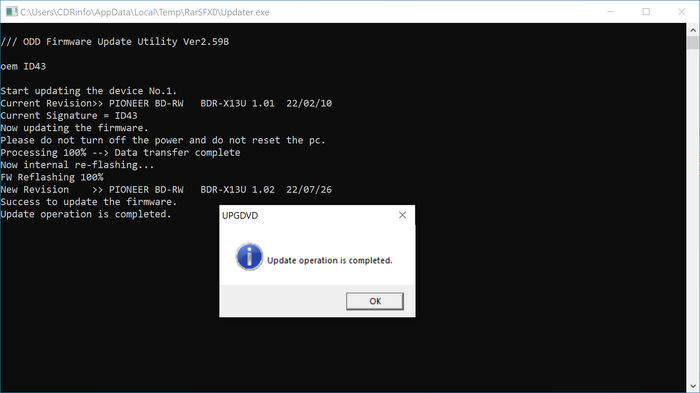
The drive came with 1.01 firmware revision and its identified as BDR-X13U and has build-in 4MB of buffer included. After we finished our tests, Pioneer released a newer firmware update to 1.02, which was used to perform additional tests for reading again various discs since the change log mentioned "improved reading performance". The firmware update process is rather simple, you download from Pioneer Japan a firmware update file and the drive will automatically be updated, note that you cannot revert back to previous firmware version if you wish to update.
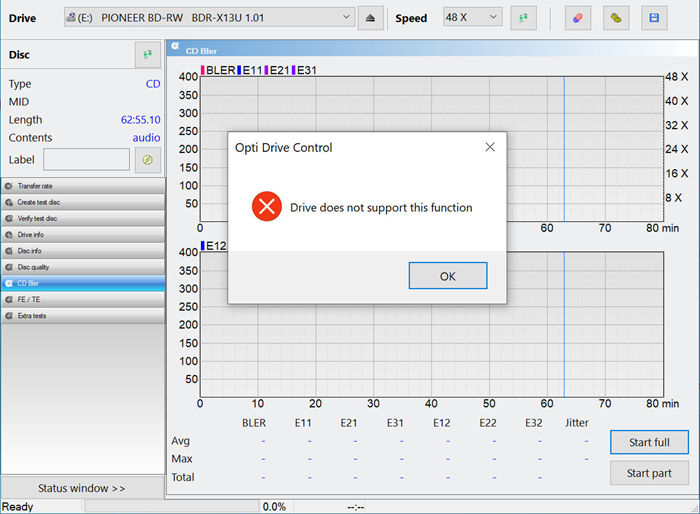
The drive with OptiDriveControl and other benchmarking software can report back "C1/C2, PIE/PIF" measurements, while doesn't support CD Bler, FE/TE and Blu-Ray disc measurements. The drive also "fails" when scanning Dual Layer discs with DVD Format (no idea if its a software bug or drive limitation).

The BDR-S13U-X can read almost all optical storage discs like:
- Blu-Ray Format: Ultra HD Blu-ray(BD-ROM DL, BD-ROM TL), BD-ROM、BD-ROM DL, BD-R, BD-R DL, BD-R TL, BD-R QL, BD-RE, BD-RE DL, BD-RE TL, BD-R LTH, M-DISC(BD)SL, M-DISC(BD)DL, M-DISC(BD)TL
- DVD Format: DVD-ROM, DVD-ROM DL, DVD-Video, DVD-R, DVD-R DL, DVD-RW, DVD+R, DVD+R DL, DVD+RW, DVD-RAM, M-DISC(DVD)
- CD Format: CD-ROM, CD-ROM XA, Photo CD, Video CD, CD-DA, CD-Extra, CD-Text, CD-R, CD-RW
while the maximum read speeds are
- BD: BD-ROM 12x, BD-ROM DL 8x, BD-ROM TL 4x, BD-R 12x, BD-R DL 8x, BD-R TL/QL 6x, BD-R(LTH) 8x, BD-RE 10x, BD-RE DL 6x, BD-RE TL 4x, M-DISC(BD) SL 12x, M-DISC(BD) DL 8x, M-DISC(BD) TL 6x
- DVD: DVD-ROM 16x, DVD-ROM DL 12x, DVD-R 16x, DVD-R DL 12x, DVD-RW 12x, DVD+R 16x, DVD+R DL 12x, DVD+RW 12x, DVD-RAM 5x, M-DISC(DVD) 16x
- CD-ROM 48x, CD-R 48x, CD-RW 40x
and the maximum writing speeds are
- BD Format: BD-R 16x, BD-R DL 14x, BD-R TL 8x, BD-R QL 6x, BD-R (LTH) 8x, BD-RE 2x, BD-RE DL 2x, BD-RE TL 2x, M-DISC(BD) SL 6x, M-DISC(BD) DL 8x, M-DISC(BD) TL 6x
- DVD Format: DVD-R 16x, DVD-R DL 8x, DVD-RW 6x, DVD+R 16x, DVD+R DL 8x, DVD+RW 8x, DVD-RAM 5x, M-DISC(DVD) 6x
- CD Format: CD-R 48x, CD-RW 24x
For detailed information on Ultra HD Blu-ray playback, refer to this page The Intel Software Guard Extensions (Intel SGX) feature is a requirement for the CPU and motherboard firmware to play DRM (digital rights management) protected content on Ultra HD Blu-ray movie discs on a Windows® platform. Note Intel SGX has been removed from Intel 11th generation and newer CPUs, and support for SGX may be removed on new versions of Intel drivers or utility programs such as Intel SGX and Intel Management Engine drivers and firmware in the future. Such changes could cause these platforms to lose support for Ultra HD Blu-ray movie disc playback.
Review Pages
2. Drive Information
3. Used Software
4. Explain Test Method
5. CD Reading Tests
6. CD Defect Disc Tests
7. DVD Reading Tests
8. DVD Defect Disc Tests
9. Blu-Ray Reading Tests
10. CD Writing Tests
11. DVD-R Writing Tests
12. DVD+R Writing Tests
13. Blu-Ray Writing Tests
14. PureRead 4+ - Page 1
15. PureRead 4+ - Page 2
16. Conclusion