Breaking News

LIAN LI Announces Edge Platinum V2, Edge Gold V2, and GPU Cable Thermal Monitoring via Edge Hub ADV Razer Unveils the Huntsman V3 Pro Mini 8KHz ASRock DeskSlim Series Delivers RTX PRO Blackwell Performance in a Compact 5L Workstation Samsung Introduces Galaxy Tab S12 Series PlayStation Plus Monthly Games for October 2026

logo

  • Share Us
    • Facebook
    • Twitter
  • Home
  • Home
  • News
  • Reviews
  • Essays
  • About
    • Submit News

    • Contact Us
    • Privacy

    • Promotion
    • Advertise

    • RSS Feed

Search form

Pioneer DVR-108

Aug 12,2004 0

21. BookType Setting


Review Pages

1. Retail Package - Installation
2. Transfer Rate Reading Tests
3. CD Error Correction Tests
4. DVD Error Correction Tests
5. Protected Disc Tests
6. DAE Tests
7. Protected AudioCDs
8. CD Recording Tests
9. Writing Quality Tests - 3T Jitter Tests
10. Writing Quality Tests - C1 / C2 Error Measurements
11. DVD Recording Tests
12. KProbe/PlexTools Scans - Page 1
13. KProbe/PlexTools Scans - Page 2
14. KProbe/PlexTools Scans - Page 3
15. KProbe/PlexTools Scans - Page 4
16. KProbe/PlexTools Scans - Page 5
17. KProbe/PlexTools Scans - Page 6
18. KProbe/PlexTools Scans - Page 7
19. DVD+R DL - Page 1
20. DVD+R DL - Page 2
21. BookType Setting
22. Conclusion

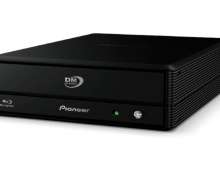
 

Pioneer DVR-108 DL Recorder - Page 21

BookType Setting

The Pioneer DVR-108 doesn't support BookType Setting for DVD+R/+RW formats. With DVD+R DL discs, Booktype is automatically set to DVD-ROM.

As Pioneer explains "...It is known that not all existing DVD-ROM drives and set-top DVD Video players will be able to if at all reliably play DVD+R DL discs. This could especially be the situation with DVD players manufactured over 12 months ago. The only way to know if a player is compatible with DVD+R DL media is to simply try it. In particular check if the player can reliably switch to the second layer and continue playing. It must be remembered that standards for Dual Layer did not exist when most earlier players were designed and manufactured so there was no way a manufacturer could have taken this into account.

With the new DVR-108 and DVR-A08XL writers the Pioneer engineers did what they could to maximize compatibility by instigating the following initiative.

Media Support - Book-type issue on +R DL media

+R DL media is tentatively-assigned the book-type field "1110h" which results in very low playback compatibility when the disc is placed into a legacy DVD player or legacy DVD-ROM drive. For "maximum compatibility" with legacy DVD players and DVD-ROM drives the book-type field should be set as "0000h" (DVD-ROM) when the
disc is finalized/closed.

The DVR-108/DVR-A08XL's firmware will "automatically" set the default book-type field to "0000h" (DVD-ROM), thus eliminating the need for a separate "bit-setting utility" and further increasing the playback compatibility of +R DL discs when used with legacy DVD players and DVD-ROM drives
..."


Review Pages

1. Retail Package - Installation
2. Transfer Rate Reading Tests
3. CD Error Correction Tests
4. DVD Error Correction Tests
5. Protected Disc Tests
6. DAE Tests
7. Protected AudioCDs
8. CD Recording Tests
9. Writing Quality Tests - 3T Jitter Tests
10. Writing Quality Tests - C1 / C2 Error Measurements
11. DVD Recording Tests
12. KProbe/PlexTools Scans - Page 1
13. KProbe/PlexTools Scans - Page 2
14. KProbe/PlexTools Scans - Page 3
15. KProbe/PlexTools Scans - Page 4
16. KProbe/PlexTools Scans - Page 5
17. KProbe/PlexTools Scans - Page 6
18. KProbe/PlexTools Scans - Page 7
19. DVD+R DL - Page 1
20. DVD+R DL - Page 2
21. BookType Setting
22. Conclusion
 

Pages

  • « first
  • ‹ previous
  • …
  • 14
  • 15
  • 16
  • 17
  • 18
  • 19
  • 20
  • 21
  • 22
  • next ›
  • last »

Pioneer

Tags: Pioneer
Previous Post
Interview with BTC's Business Development Manager, Mr Kevin Wu
Next Post
Interview with Bo Lustrup, Marketing Manager of Kiss Technology

Related Posts

  • Pioneer announces microSD for dashcam

  • Pioneer Japan announces BDR-WX01DM for US market

  • Pioneer Japan announces new optical storage drives for JIS X6257 archive format

  • Pioneer Japan updates its CD-DVD Software utility

  • Pioneer Japan announces new BDR-X13J-X external BD Writer and BDR-WX01DM for archiving

  • Pioneer Japan releases new firmware updates for external Blu-Ray Recorders

  • Pioneer BDR-XD08UMB-S External Blu-Ray Recorder

  • Pioneer Japan updates firmware for their X13 lineup (30-01-2023)

Latest Reviews

Fanxiang MP83 M.2 NVMe SSD Enclosure
Enterprise & IT

Fanxiang MP83 M.2 NVMe SSD Enclosure

Ugreen CM642 USB4.0 Enclosure
PC components

Ugreen CM642 USB4.0 Enclosure

be quiet! Dark Power 14 IO
PC components

be quiet! Dark Power 14 IO

SanDisk High Endurance 512GB microSDXC
Cameras

SanDisk High Endurance 512GB microSDXC

Samsung PRO Ultimate 512GB microSDXC
Cameras

Samsung PRO Ultimate 512GB microSDXC

Popular News

MSI’s Latest AMD X870E MAX & EVO Series Motherboards

MSI’s Latest AMD X870E MAX & EVO Series Motherboards

COLORFUL Launches iGame B850M ULTRA Series Micro-ATX Motherboards

COLORFUL Launches iGame B850M ULTRA Series Micro-ATX Motherboards

COLORFUL Presents Limited Edition Chitu MAG-60 Magnetic Keyboard Inspired by the Year of the Horse

COLORFUL Presents Limited Edition Chitu MAG-60 Magnetic Keyboard Inspired by the Year of the Horse

COLORFUL Launches iGame B850I MINI OC V14 Motherboard

COLORFUL Launches iGame B850I MINI OC V14 Motherboard

COLORFUL Presents iGame Z890 ULTRA-S W and iGame Z890M ULTRA Z Motherboards

COLORFUL Presents iGame Z890 ULTRA-S W and iGame Z890M ULTRA Z Motherboards

COLORFUL Expands B850 Motherboard Lineup with New CVN, Battle-Ax, and MEOW Models

COLORFUL Expands B850 Motherboard Lineup with New CVN, Battle-Ax, and MEOW Models

ASRock Adds Support for One Sub-Channel DRAM Module on Intel DDR5 Motherboards

ASRock Adds Support for One Sub-Channel DRAM Module on Intel DDR5 Motherboards

COLORFUL Launches the iGame X870E VULCAN W OC Motherboard

COLORFUL Launches the iGame X870E VULCAN W OC Motherboard

Main menu

  • Home
  • News
  • Reviews
  • Essays
  • About
    • Submit News

    • Contact Us
    • Privacy

    • Promotion
    • Advertise

    • RSS Feed
  • About
  • Privacy
  • Contact Us
  • Promotional Opportunities @ CdrInfo.com
  • Advertise on out site
  • Submit your News to our site
  • RSS Feed