Breaking News

Viltrox Launches AF 16mm F1.8 L for Full Frame Casio to Release G-SHOCK with Minimalist Metal Design and Even Better Fit Logitech G325 LIGHTSPEED Delivers Comfort, Style, and Game-Ready Audio Samsung Launches Glasses-Free 3D Digital Signage Globally at ISE 2026 Levelplay Launches Combat Liquid HUD and Combat Liquid SE AIO CPU Coolers

logo

  • Share Us
    • Facebook
    • Twitter
  • Home
  • Home
  • News
  • Reviews
  • Essays
  • Forum
  • Legacy
  • About
    • Submit News

    • Contact Us
    • Privacy

    • Promotion
    • Advertise

    • RSS Feed
    • Site Map

Search form

Soundpeats Air 5

Feb 5,2026 0

3. Software


Review Pages

1. Introduction
2. Retail Package
3. Software
4. Conclusion


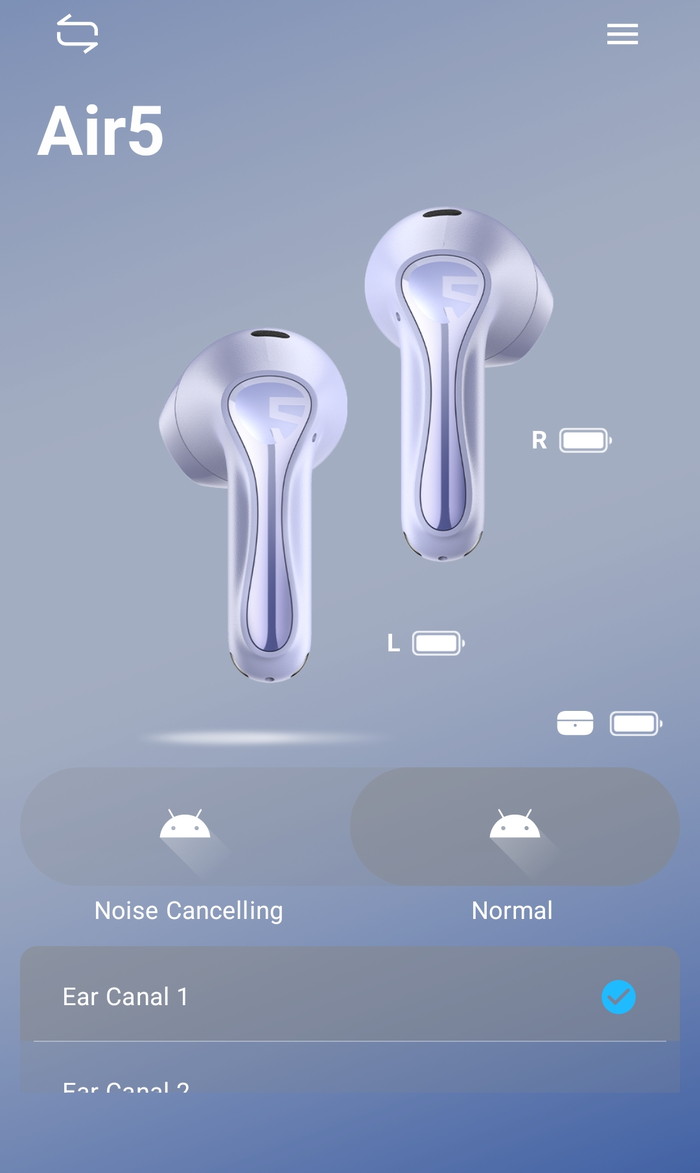
To start working with the product, first, you have to install (highly suggested) the PeatsAudio app from the Android/MAC Store. After the installation process, you have to open the product, open up BT and the product will appear, double press to pair it with your phone, nothing difficult. After the first screen, it's required to perform an online account and set a username/pass to log in. Press "Add Device", the app needs nearby permission to search for the device. The app can be set to find earbuds in case you lose them, it will produce a tone for you to hear and locate them. After you choose the earbud's colors, the product will appear in your app. We noticed that you cannot see the % of battery of each product, perhaps in the future this will also added.

The PeatsAudio app provides extensive control:

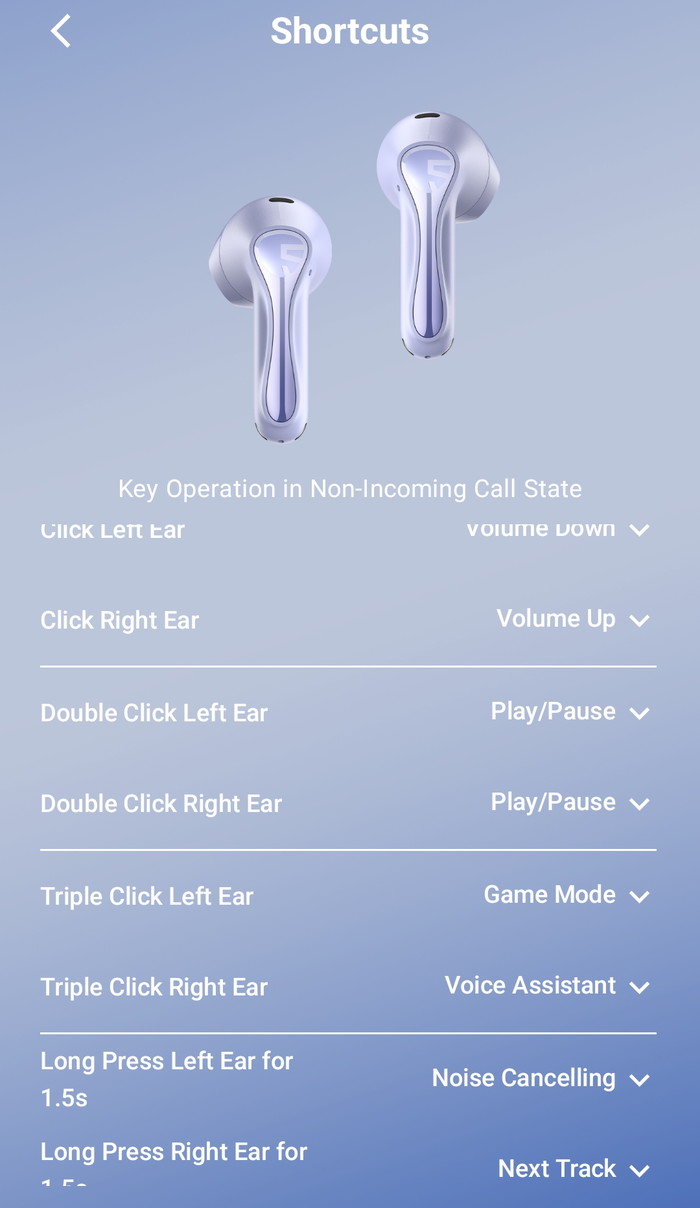
  • Full gesture remapping
  • Multiple EQ presets
  • Custom EQ
  • Adaptive EQ hearing test
  • Firmware updates
  • Gaming (low‑latency) mode

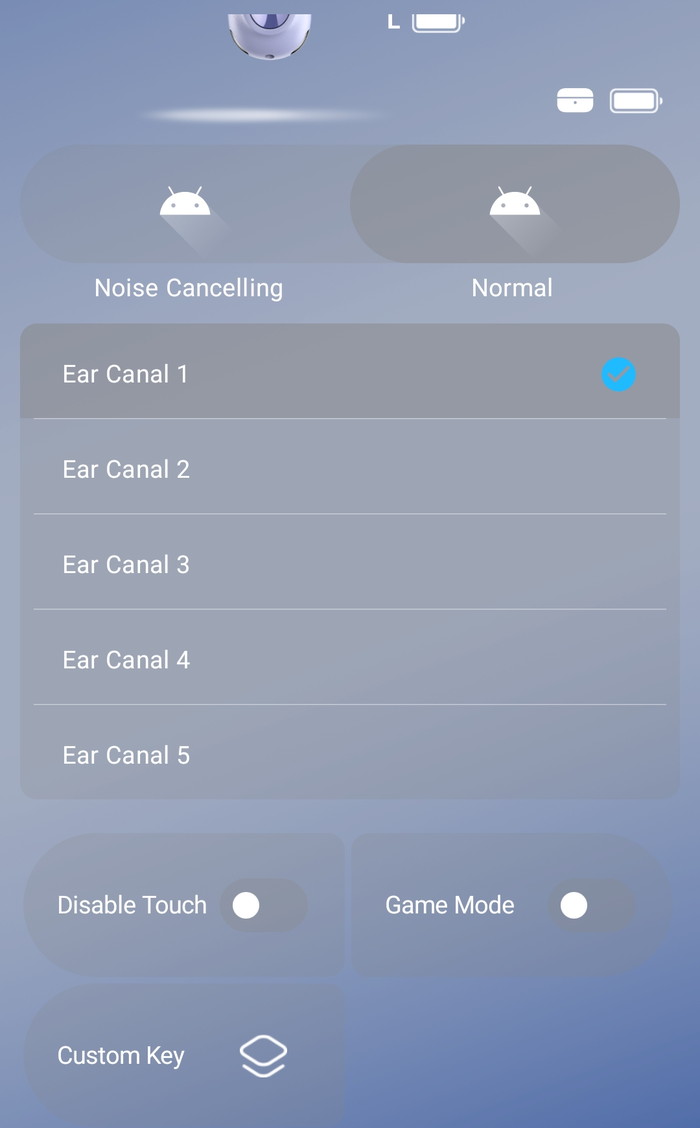
At the button of the app, you can also disable touch control, enable game mode, and other functions.
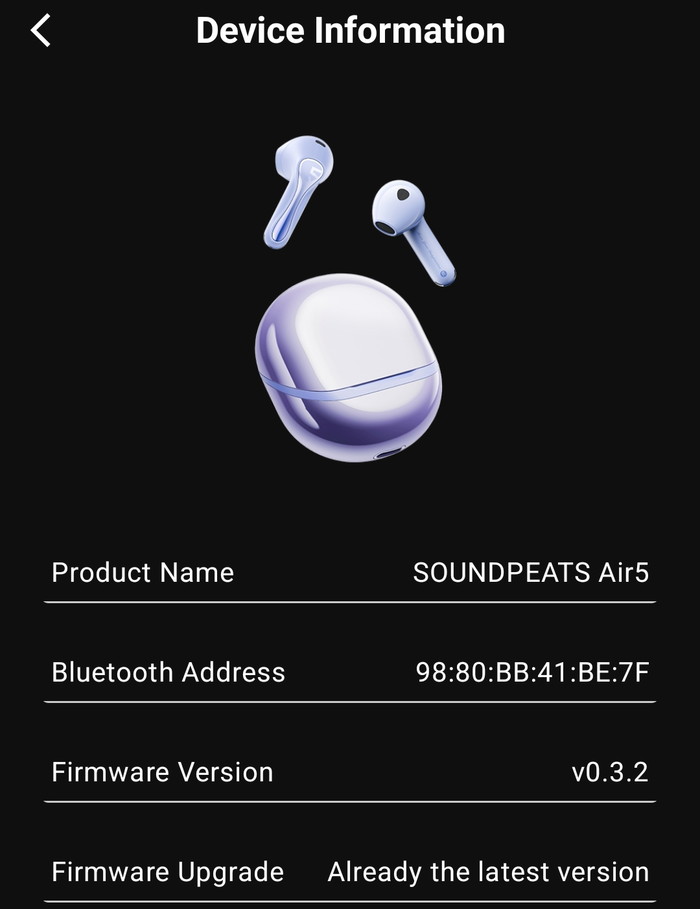
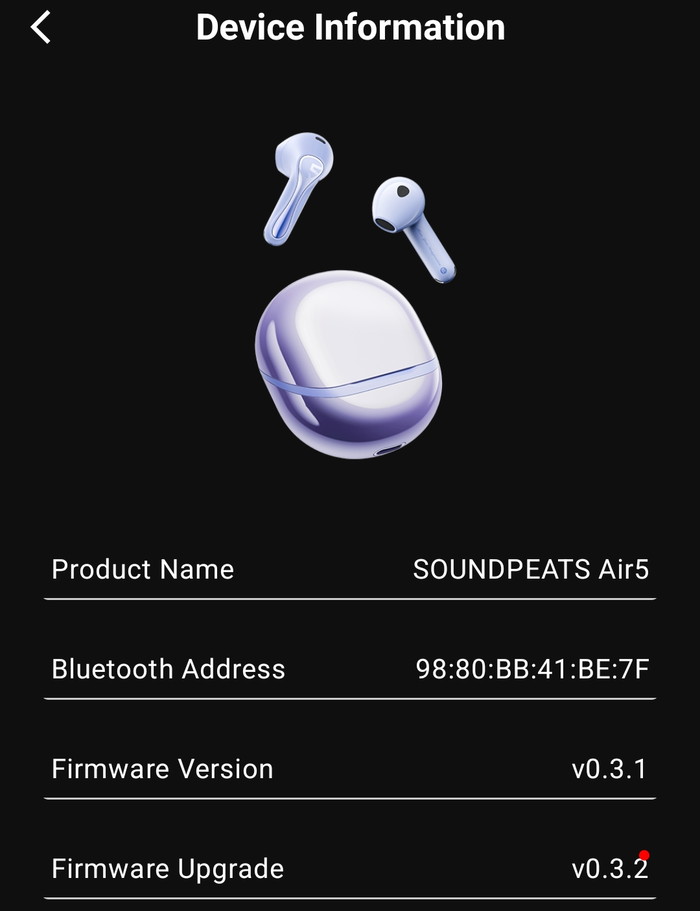
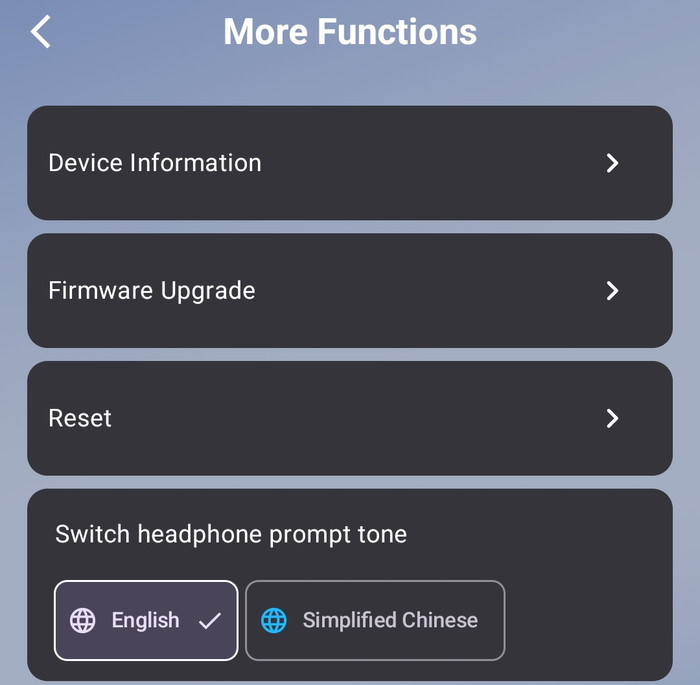
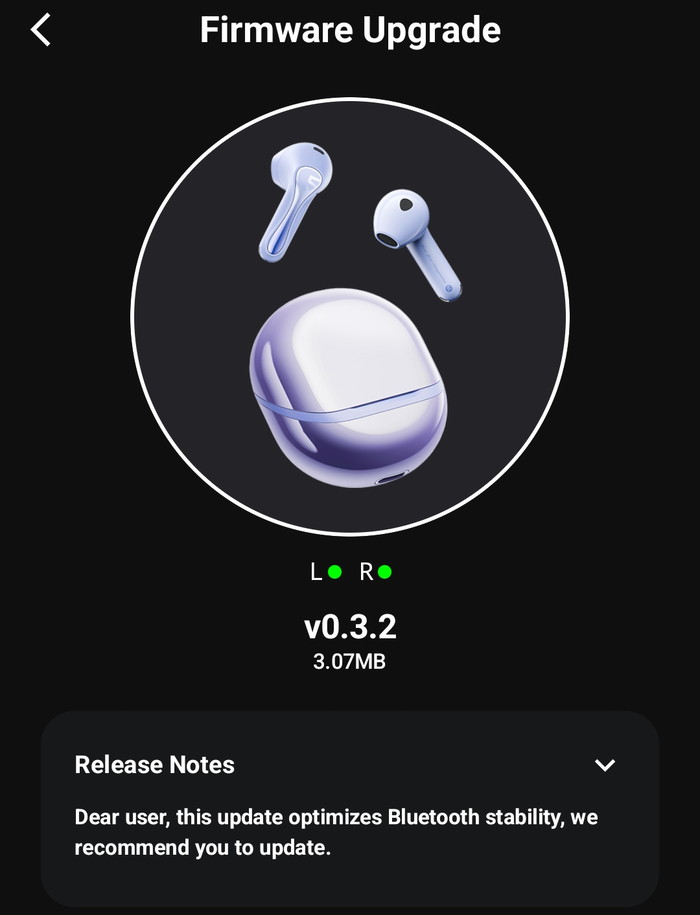
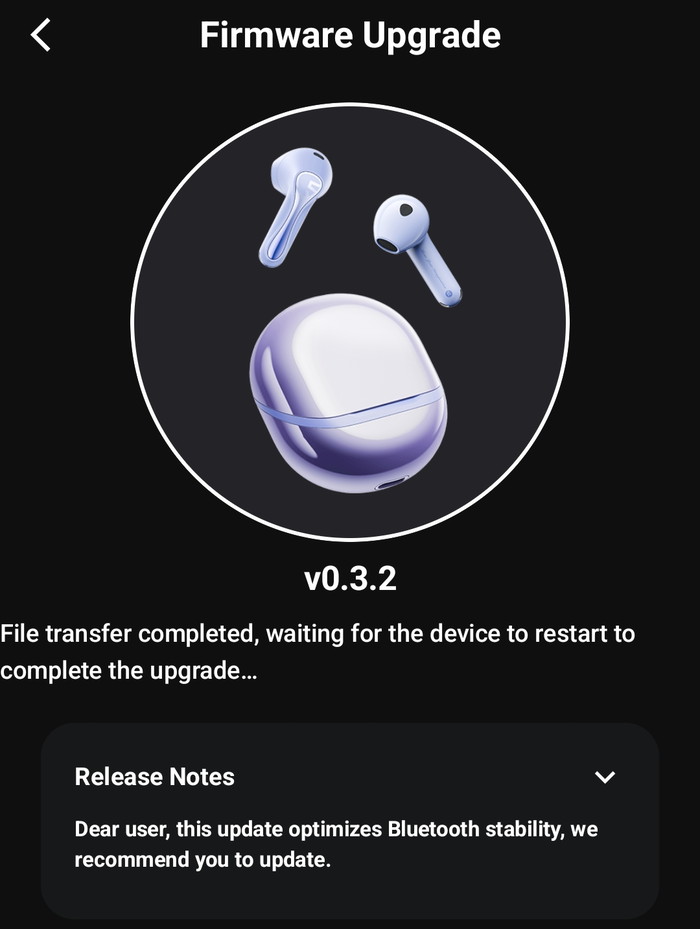
The device information shows the product BT address and the firmware revision, also you can upgrade the firmware from the app, for now, we have the latest version installed.
There are more functions available, like resetting of find earbuds.
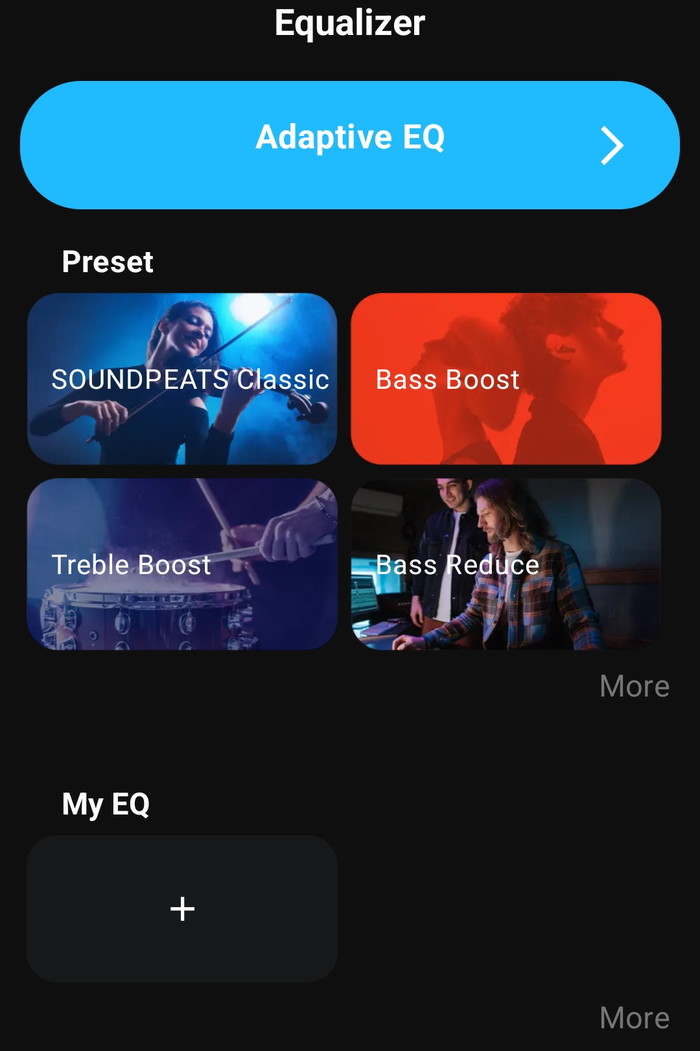
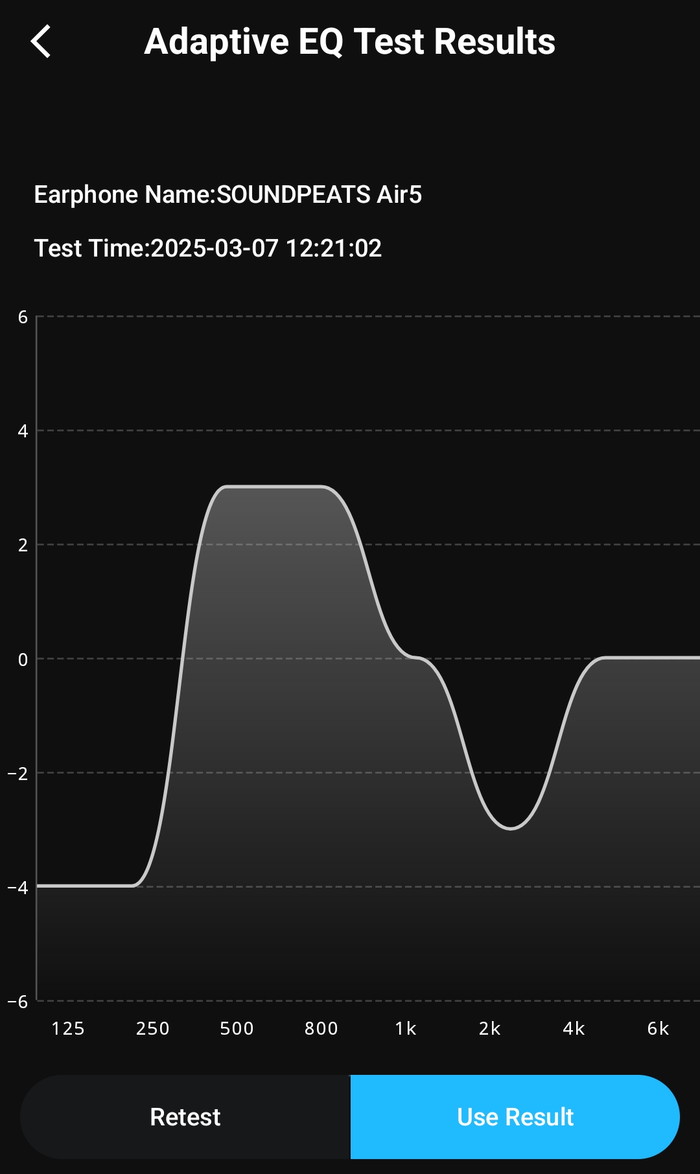
The PeatsAudio app also supports Equalizer, either presets or select your own EQ, or test your hearing with the Adaptive EQ.
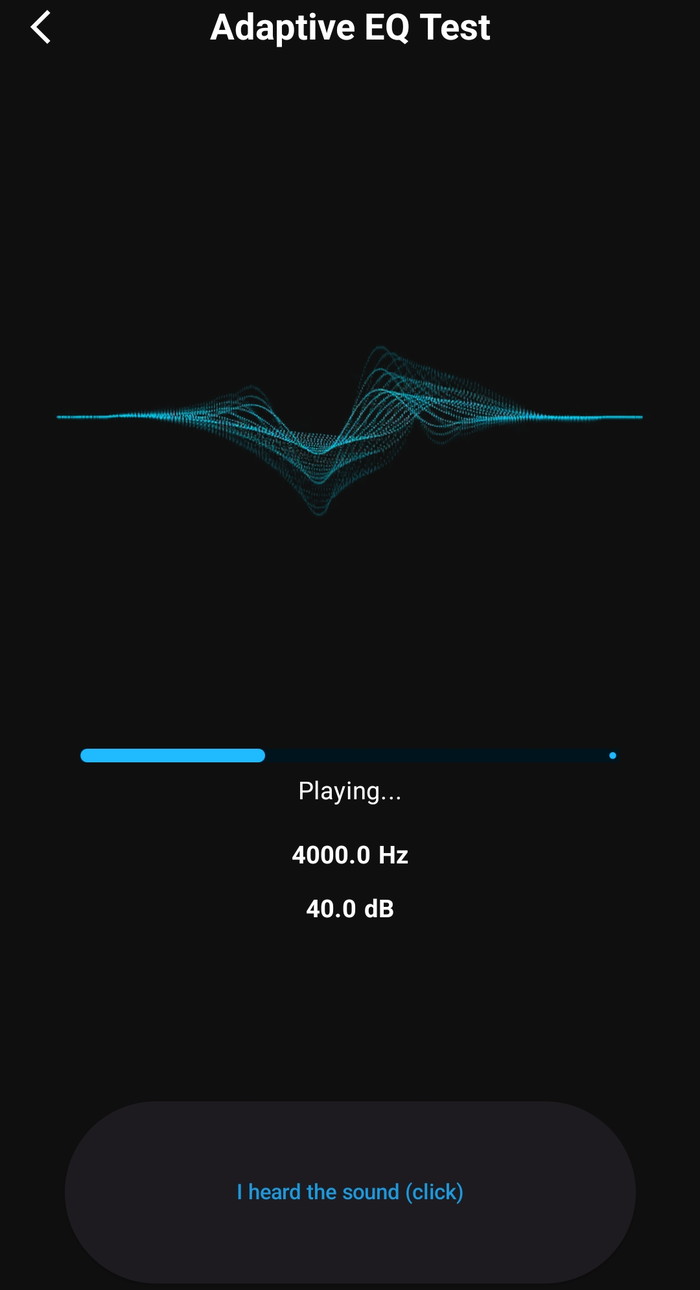
With the Adaptive EQ, the app will play sound that you should click if you hear the sound to complete the test.
At the end, you will find a frequency graph and you can retest or use the test results, or simply you can make your own EQ. Once the EQ menu is accessed or a preset is applied, the sound profile may change permanently until the earbuds are reset.
The product needed firmware update
Users can see the touch key operation or change them according to their needs.
 

Review Pages

1. Introduction
2. Retail Package
3. Software
4. Conclusion


Pages

  • « first
  • ‹ previous
  • 1
  • 2
  • 3
  • 4
  • next ›
  • last »

SoundPeats

Tags: SoundPeats
Previous Post
Next Post
XbotGo Chamaleon

Related Posts

  • SOUNDPEATS Clip1

  • Soundpeats Capsule3 Pro Plus

  • Soundpeats Pop Clip

  • SoundPeats PearlClip Pro

Latest Reviews

Soundpeats Air 5
Consumer Electronics

Soundpeats Air 5

XbotGo Chamaleon
Consumer Electronics

XbotGo Chamaleon

be quiet! Dark Perk Mice
Gaming

be quiet! Dark Perk Mice

Acemagic W1
PC components

Acemagic W1

be quiet! Power Zone 2 1200W
PC components

be quiet! Power Zone 2 1200W

Popular News

COLORFUL Introduces CVN B850I GAMING FROZEN Motherboard

COLORFUL Introduces CVN B850I GAMING FROZEN Motherboard

COLORFUL Presents CVN X870 ARK FROZEN Motherboard for AMD Ryzen 9000 CPUs

COLORFUL Presents CVN X870 ARK FROZEN Motherboard for AMD Ryzen 9000 CPUs

TEAMGROUP Launches EXPERT P34F Find My External SSD

TEAMGROUP Launches EXPERT P34F Find My External SSD

ASRock AM5 Motherboards Now Fully Support AMD Ryzen 9 9950X3D & 9900X3D Processors

ASRock AM5 Motherboards Now Fully Support AMD Ryzen 9 9950X3D & 9900X3D Processors

Samsung announces Galaxy Tab S11 and Galaxy S25 FE series

Samsung announces Galaxy Tab S11 and Galaxy S25 FE series

Viltrox Showcases Upcoming Lens Lineup and New TTL Flash at IBC 2025

Viltrox Showcases Upcoming Lens Lineup and New TTL Flash at IBC 2025

CORSAIR announces Vanguard Pro 96 and Vanguard 96 Gaming Keyboards

CORSAIR announces Vanguard Pro 96 and Vanguard 96 Gaming Keyboards

Panasonic Introduces the First Ultra-Telephoto Zoom Lens in the LUMIX S Series

Panasonic Introduces the First Ultra-Telephoto Zoom Lens in the LUMIX S Series

Main menu

  • Home
  • News
  • Reviews
  • Essays
  • Forum
  • Legacy
  • About
    • Submit News

    • Contact Us
    • Privacy

    • Promotion
    • Advertise

    • RSS Feed
    • Site Map
  • About
  • Privacy
  • Contact Us
  • Promotional Opportunities @ CdrInfo.com
  • Advertise on out site
  • Submit your News to our site
  • RSS Feed