Breaking News

G.SKILL Showcases DDR5-9200 1.1V 16GBx2 High-Speed CU-DIMM Memory Kit Sony Introduces BRAVIA 9 II and BRAVIA 7 II RGB TVs and the BRAVIA Theatre Trio Creative Announces Sound Blaster AE-X Acer Expands Gaming Portfolio With Predator Atlas 8 Handheld Powered by Intel COLORFUL Presents Limited Edition iGame GeForce RTX 5070 Ultra OC 12GB x 007 First Light Edition

logo

  • Share Us
    • Facebook
    • Twitter
  • Home
  • Home
  • News
  • Reviews
  • Essays
  • Forum
  • Legacy
  • About
    • Submit News

    • Contact Us
    • Privacy

    • Promotion
    • Advertise

    • RSS Feed
    • Site Map

Search form

SoundPeats PearlClip Pro

Feb 14,2025 0

3. App


Review Pages

1. Introduction
2. Retail Package
3. App
4. Conclusion


To start working with the product, first, you have to install (highly suggested) the PeatsAudio app from the Android/MAC Store. After the installation process, you have to open the product, open up BT and the SoundPeats PearlClip Pro will appear, double press to pair it with your phone, nothing difficult.

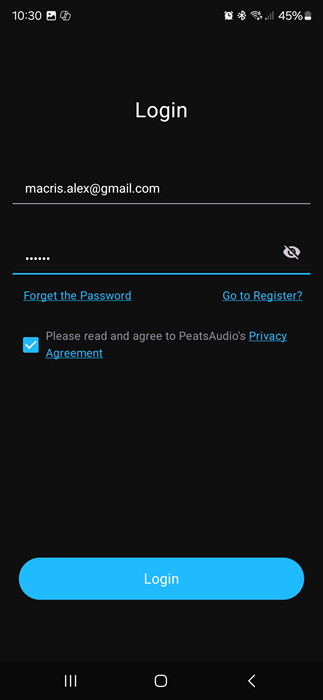
After the first screen, it's required to perform an online account and set a username/pass to log in.
Press "Add Device"

The app needs nearby permission to search for the device.

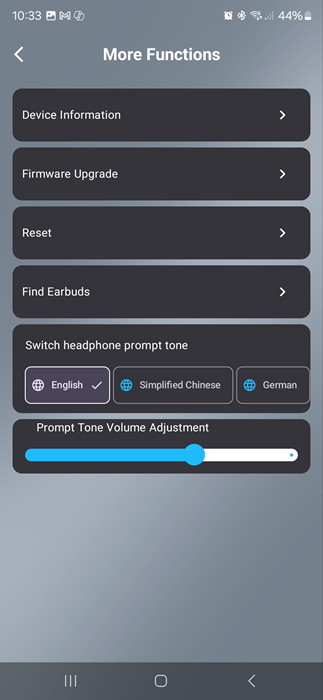
The app can be set to find earbuds in case you lose them, it will produce a tone for you to hear and locate them.
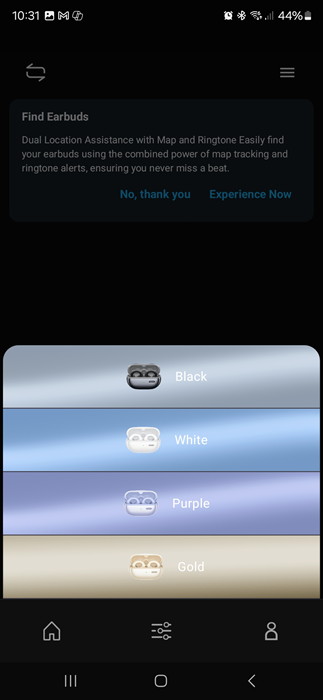
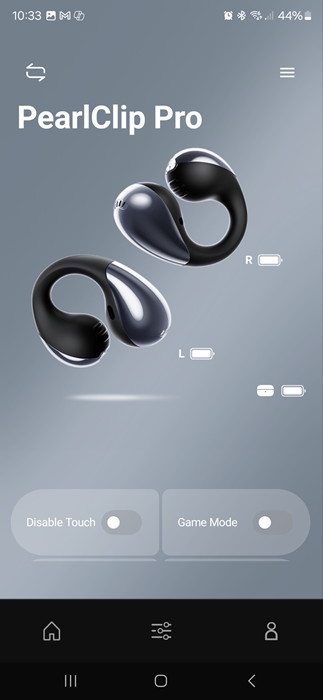
After you choose the earbud's colors, the product will appear in your app. We noticed that you cannot see the % of battery of each product, perhaps in the future this will also added.

The device information shows the product BT address and the firmware revision, also you can upgrade the firmware from the app, for now, we have the latest version installed.

There are more functions available, like resetting of find earbuds.
At the button of the app, you can also disable touch control, enable game mode, and other functions.
The PeatsAudio app also supports Equalizer, either presets or select your own EQ, or test your hearing with the Adaptive EQ.
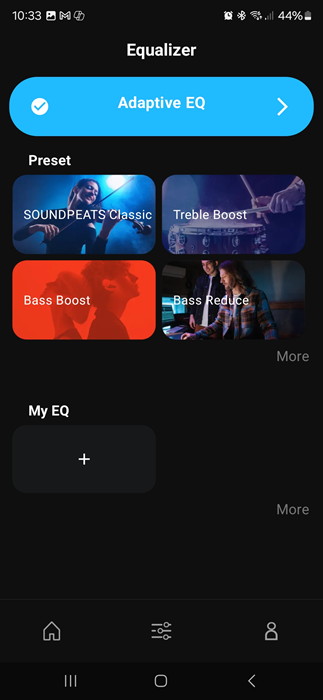
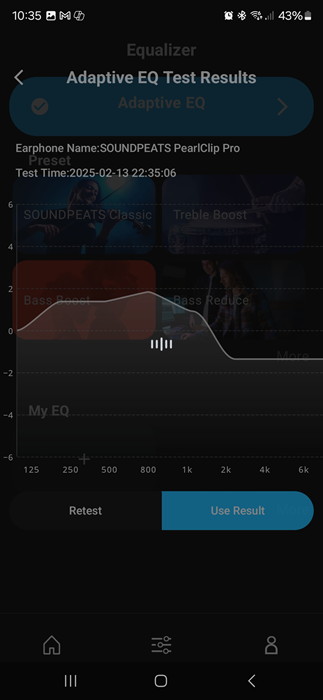
With the Adaptive EQ, the app will play sound that you should click if you hear the sound to complete the test.

At the end, you will find a frequency graph and you can retest or use the test results.
Many other presets are available

or simply you can make your own

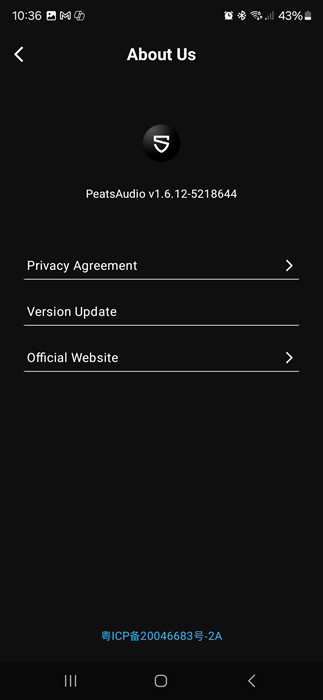
The app was the latest one (v1.6.12)
Users can see the touch key operation or change them according to their needs.

 

Review Pages

1. Introduction
2. Retail Package
3. App
4. Conclusion


Pages

  • « first
  • ‹ previous
  • 1
  • 2
  • 3
  • 4
  • next ›
  • last »

SoundPeats

Tags: SoundPeats
Previous Post
Arctic Liquid Freezer III 240 ARGB
Next Post
be quiet Silent Loop 3 420mm

Related Posts

  • SoundPeats C30

  • SoundPeats Cove Pro

  • Soundpeats Air 5

  • SOUNDPEATS Clip1

  • Soundpeats Capsule3 Pro Plus

  • Soundpeats Pop Clip

Latest Reviews

Swit NP-FZ100 Battery
Cameras

Swit NP-FZ100 Battery

The Technology Stack Behind Modern Digital Gaming Platforms
Consumer Electronics

The Technology Stack Behind Modern Digital Gaming Platforms

be quiet! Dark Rock Pro 6
Cooling Systems

be quiet! Dark Rock Pro 6

How Online Casinos Use Encryption, Verification, and Risk Controls to Build User Trust
Enterprise & IT

How Online Casinos Use Encryption, Verification, and Risk Controls to Build User Trust

Why Low-Latency Infrastructure Matters More Than Raw Specs
Enterprise & IT

Why Low-Latency Infrastructure Matters More Than Raw Specs

Popular News

TEAMGROUP Launches EXPERT P34F Find My External SSD

TEAMGROUP Launches EXPERT P34F Find My External SSD

CORSAIR announces Vanguard Pro 96 and Vanguard 96 Gaming Keyboards

CORSAIR announces Vanguard Pro 96 and Vanguard 96 Gaming Keyboards

MSI Launches FORGE GK600 TKL WIRELESS Special Edition Compact Mechanical Keyboard

MSI Launches FORGE GK600 TKL WIRELESS Special Edition Compact Mechanical Keyboard

Samsung announces Galaxy Tab S11 and Galaxy S25 FE series

Samsung announces Galaxy Tab S11 and Galaxy S25 FE series

Viltrox Showcases Upcoming Lens Lineup and New TTL Flash at IBC 2025

Viltrox Showcases Upcoming Lens Lineup and New TTL Flash at IBC 2025

Panasonic Introduces the First Ultra-Telephoto Zoom Lens in the LUMIX S Series

Panasonic Introduces the First Ultra-Telephoto Zoom Lens in the LUMIX S Series

MSI Launches DATAMAG 40Gbps Magnetic Portable SSD

MSI Launches DATAMAG 40Gbps Magnetic Portable SSD

Viltrox Joins the L-Mount Alliance, Expanding Creative Possibilities

Viltrox Joins the L-Mount Alliance, Expanding Creative Possibilities

Main menu

  • Home
  • News
  • Reviews
  • Essays
  • Forum
  • Legacy
  • About
    • Submit News

    • Contact Us
    • Privacy

    • Promotion
    • Advertise

    • RSS Feed
    • Site Map
  • About
  • Privacy
  • Contact Us
  • Promotional Opportunities @ CdrInfo.com
  • Advertise on out site
  • Submit your News to our site
  • RSS Feed