Breaking News

ASUS Announces T1 GeForce RTX 5070 and RTX 5060 Ti Graphics Cards COLORFUL Launches iGame B850M ULTRA Series Micro-ATX Motherboards Sony Unveils 1000X THE COLLEXION Samsung Launches Next-Gen Odyssey, ViewFinity and The Movingstyle Essential Monitors LG Electronics Introduces World’s First Native 1000Hz Full HD Gaming Monitor

logo

  • Share Us
    • Facebook
    • Twitter
  • Home
  • Home
  • News
  • Reviews
  • Essays
  • Forum
  • Legacy
  • About
    • Submit News

    • Contact Us
    • Privacy

    • Promotion
    • Advertise

    • RSS Feed
    • Site Map

Search form

Thermaltake Soprano

Dec 19,2005 0

2. Features


Review Pages

1. Introduction
2. Features
3. A Closer Look
4. Inside the Soprano
5. Installation
6. Conclusion


The Soprano VB1000BWS is based on the Tsunami case, though the Soprano is a little simpler. The Soprano has many features that make it unique, among them the ability to lock the front door and the side panel.

Let's look all these features, one by one

- Piano Coating Front Door. The front panel door has a piano style finish and is very impressive.
- Audio and Speaker. There are two audio ports at top of the case (microphone and speakers), quite a handy inclusion.
- Rear Exhaust Fan. A 12 cm cooling fan is installed in the rear (exhaust).
- Front Fan. A 12 cm cooling fan is installed in the front of the case.
- Side Panel Fan. A 9 cm cooling fan is installed on the transparent pane.
- USB 2.0. Dual USB 2.0 ports at the top of the case, next to the Audio ports.
- IEEE 1394. The IEEE 1394 firewire slot is also at the top of the case, next to the USB 2.0 ports.

Apart from these basic features, the Soprano also offers:

- A Transparent X side panel, enabling a clear view of the interior. The panel locks.
- Tool Free Installation when installing 5.25" & 3.5" devices, with plastic holdings and a patented sliding rail design reducing installation time to a minimum.
- Thumb-screws are used for convenience when opening the Side Panel.
- EMI Protection spring which applies pressure to the side panel for perfect fit.
- Screwless slots, for easy installation of PCI peripheral cards.
- Front Door, 2 way open, with 3-way key lock.
- Dust Filter, which is behind the second front door.
- Midi tower.
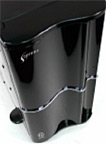
Quite a handful of features, but what about the case itself? Moving on to the next page, we will see a more detailed view of the case exterior and interior environment.


Review Pages

1. Introduction
2. Features
3. A Closer Look
4. Inside the Soprano
5. Installation
6. Conclusion


Pages

  • « first
  • ‹ previous
  • 1
  • 2
  • 3
  • 4
  • 5
  • 6
  • next ›
  • last »

Thermaltake

Tags: Thermaltake
Previous Post
SONY DW-Q30A
Next Post
Plextor PX-750A

Related Posts

  • Thermaltake Launches AW360/420 AIO Liquid Cooler and WAir CPU Cooler for Workstations

  • Begin the Racing Journey with the Thermaltake GR300 Racing Simulator Cockpit

  • Thermaltake Unveils the Massive EXTREME with Cross-flow Fan

  • Thermaltake Releases the Toughpower TF3 1300W with Support for RTX50 Series GPUs

  • Thermaltake Unveils G6 Direct Drive Racing Wheel Bundle and GM5 3DOF Motion System

  • Thermaltake Launches the TT150 LED Bag in Different Sizes and New Colors

  • Thermaltake New TH V2 Ultra EX ARGB Sync AIO – Snow Edition is Now Available Worldwide

  • Thermaltake Coolers Support New-Gen Intel and AMD CPUs

Latest Reviews

The Technology Stack Behind Modern Digital Gaming Platforms
Consumer Electronics

The Technology Stack Behind Modern Digital Gaming Platforms

be quiet! Dark Rock Pro 6
Cooling Systems

be quiet! Dark Rock Pro 6

How Online Casinos Use Encryption, Verification, and Risk Controls to Build User Trust
Enterprise & IT

How Online Casinos Use Encryption, Verification, and Risk Controls to Build User Trust

Why Low-Latency Infrastructure Matters More Than Raw Specs
Enterprise & IT

Why Low-Latency Infrastructure Matters More Than Raw Specs

In the Age of AI Phishing, the Best User Experience Might Be the One That Feels Safest
Enterprise & IT

In the Age of AI Phishing, the Best User Experience Might Be the One That Feels Safest

Popular News

TEAMGROUP Launches EXPERT P34F Find My External SSD

TEAMGROUP Launches EXPERT P34F Find My External SSD

CORSAIR announces Vanguard Pro 96 and Vanguard 96 Gaming Keyboards

CORSAIR announces Vanguard Pro 96 and Vanguard 96 Gaming Keyboards

Samsung announces Galaxy Tab S11 and Galaxy S25 FE series

Samsung announces Galaxy Tab S11 and Galaxy S25 FE series

Viltrox Showcases Upcoming Lens Lineup and New TTL Flash at IBC 2025

Viltrox Showcases Upcoming Lens Lineup and New TTL Flash at IBC 2025

MSI Launches FORGE GK600 TKL WIRELESS Special Edition Compact Mechanical Keyboard

MSI Launches FORGE GK600 TKL WIRELESS Special Edition Compact Mechanical Keyboard

Panasonic Introduces the First Ultra-Telephoto Zoom Lens in the LUMIX S Series

Panasonic Introduces the First Ultra-Telephoto Zoom Lens in the LUMIX S Series

MSI Launches DATAMAG 40Gbps Magnetic Portable SSD

MSI Launches DATAMAG 40Gbps Magnetic Portable SSD

Viltrox Joins the L-Mount Alliance, Expanding Creative Possibilities

Viltrox Joins the L-Mount Alliance, Expanding Creative Possibilities

Main menu

  • Home
  • News
  • Reviews
  • Essays
  • Forum
  • Legacy
  • About
    • Submit News

    • Contact Us
    • Privacy

    • Promotion
    • Advertise

    • RSS Feed
    • Site Map
  • About
  • Privacy
  • Contact Us
  • Promotional Opportunities @ CdrInfo.com
  • Advertise on out site
  • Submit your News to our site
  • RSS Feed