
XbotGo Chamaleon
4. Tests
Field Deployment: Soccer 11v11
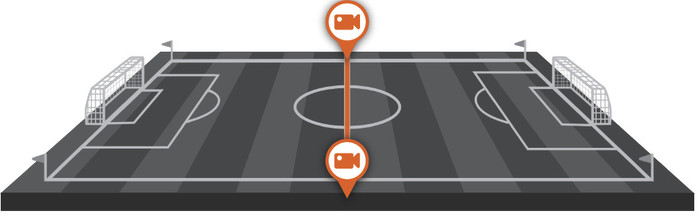
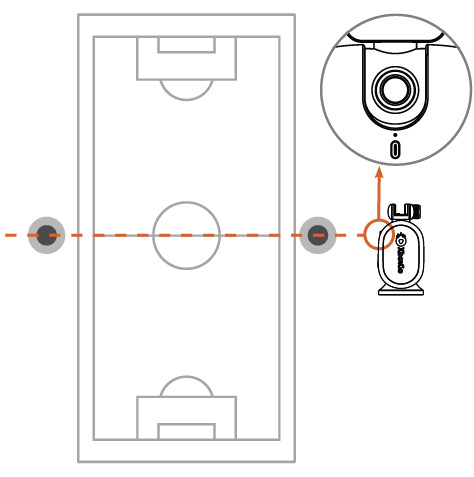
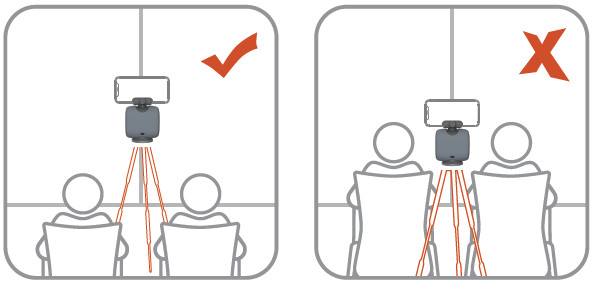
We will now examine how this device performs during a standard 11v11 soccer match. The first and most important step is determining the optimal placement for your XbotGo Chameleon. It is recommended to position the unit near the center line and then adjust the height and distance until the tracking lens can view the entire field without blind spots. Real match-day obstacles, such as spectators and sideline congestion, can obstruct the view; therefore, raising the tripod and ensuring a clear line of sight is a vital part of the setup routine. We suggest using a tall tripod (approximately 4m / 13ft class) to avoid these obstacles.
It is also a good idea to use a dedicated or spare phone for recording so you do not have to sacrifice your primary device during games; ensure the device has sufficient storage for long sessions. There is an option to use a second phone in "Monitor Mode" for scoreboard management and quick manual corrections if the tracking drifts. For a stable link, place both phones on the same hotspot or Wi-Fi network and remain within a 25m range.
To reduce the risk of the smartphone overheating during sunny tournaments, using a shade or umbrella is advised. If you require clean audio and wish to avoid motor or handling noise, use an external wireless microphone. Additionally, keep a spare CR2032 battery on hand for the remote if you rely on it for marking and controls. Before the game, we advise you to update the firmware and app at home, test your livestream destinations, and verify all sport modes and settings before kickoff.
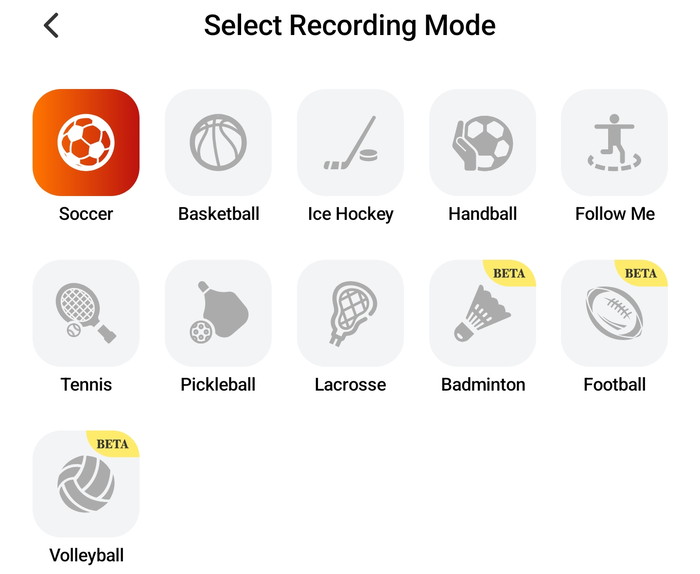
Once connected, you select a sport mode and enter the recording interface.
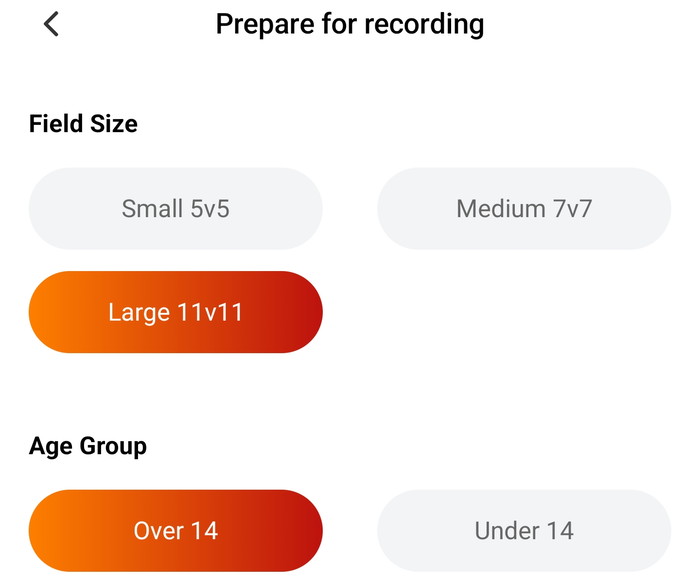
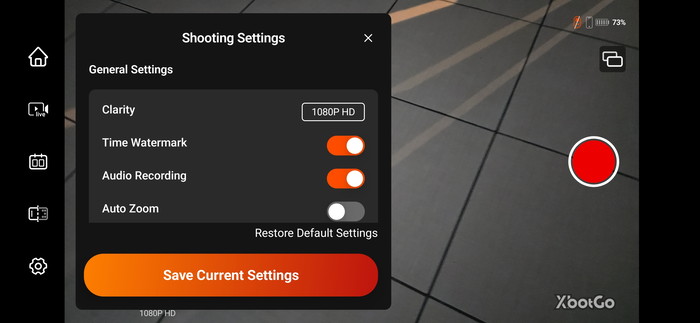
This is also where the ‘performance vs. quality’ tradeoffs occur: the app exposes multiple resolution and frame-rate options up to 4K/60, but be warned that you need a modern smartphone or you may encounter dropped frames when AI processing is combined with higher resolutions. Tracking behavior can be fine-tuned through several key settings: Auto Tracking (enabled by default), Auto Zoom (disabled by default), a configurable pan-angle limit (60°–150°) to prevent excessive rotation, and a tracking speed slider (ranging from 200–1000, with a default of 1000). For 11v11 soccer, leaving the speed at the default setting and focusing on pan limits and optimal placement typically yields better results than constant manual tuning.
For filming matches using a tall tripod, a two-phone workflow is highly recommended. In this configuration, one phone acts as the primary recording device while a second phone runs 'Monitor Mode' for live viewing and remote operation. This mode allows you to start and stop recordings, manually adjust the camera angle using a directional controller (to 'nudge' the tracking if it drifts), and use the 'Marking' feature during the match to create time markers, which significantly accelerates the post-game editing process.
Once the game concludes, the workflow remains within the application environment. Recorded videos are stored in the 'Files' section, where you can manage uploads, downloads, sharing, and initiate editing tasks. The app’s marker-based editing is particularly efficient: it automatically exports highlight clips based on your in-game markers, with a default duration of 10 seconds prior to the mark and 3 seconds after. Note that a minimum of 2GB of local free storage is required for editing tasks, and AI-generated highlights are currently limited to basketball. Finally, the included Bluetooth remote extends sideline control: it pairs directly through the app, maintains a functional range of approximately 10 meters, and supports remote start/stop and marking—an essential feature when the primary phone is mounted on a high-reach tripod.
The Chameleon’s soccer tracking logic is play-centric: it aims to keep the active 'hot zone' framed through predictive tracking and intelligent reframing. We tested the device during 11v11 soccer matches on a full-sized pitch using a Samsung Galaxy S24 Ultra (utilizing the primary rear camera for recording). The unit was positioned at the centerline with an elevated tripod height whenever possible, and testing was conducted across both daylight and floodlit sessions. If filming in direct sunlight or high temperatures, consider using a shade or umbrella accessory to mitigate the risk of smartphone overheating during extended recording sessions.
Note that our finding may differ from yours or newer firmware updates change behavior of the product.
Daylight Findings
The tracking performance is most convincing during structured build-up and sustained pressure phases, where play develops predictably. However, the system is more fragile during corners and set pieces, where frequent occlusion occurs as the ball is hidden and player bodies overlap. Additionally, sideline clutter—such as warm-ups, spare balls, or adjacent activity—can distract the vision-based trackers; optimal placement and maintaining clean sightlines are essential to mitigate this.
-
Best-Case Scenario: During organized build-ups and sustained offensive pressure, the panning motion appears natural, and the resulting coverage is highly usable for coaching reviews.
-
Edge Cases: During fast counterattacks or long switches, brief lag or 'catch-up' latency can occur. Play on the far side of the pitch is the most likely to be misframed if the camera is mounted at a low angle.
-
Crowded Set Pieces: Brief tracking confusion is possible when players cluster together and the ball is obscured; in these instances, manual 'Monitor Mode' corrections are highly effective if a second device is available."
Low Light / Floodlights
- •Tracking consistency can degrade as contrast drops and noise/motion blur increase at full-pitch distances.
•Recorded detail is phone-limited: low-light footage may soften as smartphones raise ISO, reduce shutter speed, or apply stronger noise reduction. - Floodlights can create extreme highlights and deep shadows; exposure shifts during panning can further complicate tracking and viewing.
- Low light primarily reduces usable detail at long distance (phone-limited) and increases the chance of tracking hesitation during fast motion.
- You can expect acceptable results in late-afternoon conditions with modern phones, but night footage is more likely to soften and audio can become less clear.










