
AMD Replaces Catalyst With New Radeon Software Hub Crimson
AMD is replacing the Catalyst Control Center, Radeon’s software hub since the old ATI days, with the Radeon Software Crimson - a software ready to go toe-to-toe with Nvidia’s GeForce Experience. AMD says Radeon Settings opens in just 0.6 seconds versus Catalyst’s 8 seconds on an E-350 APU-based Windows 10 system. Crimson, which will be ready until sometime before the holidays, is actually the upcoming version of the "Radeon Software" platform.
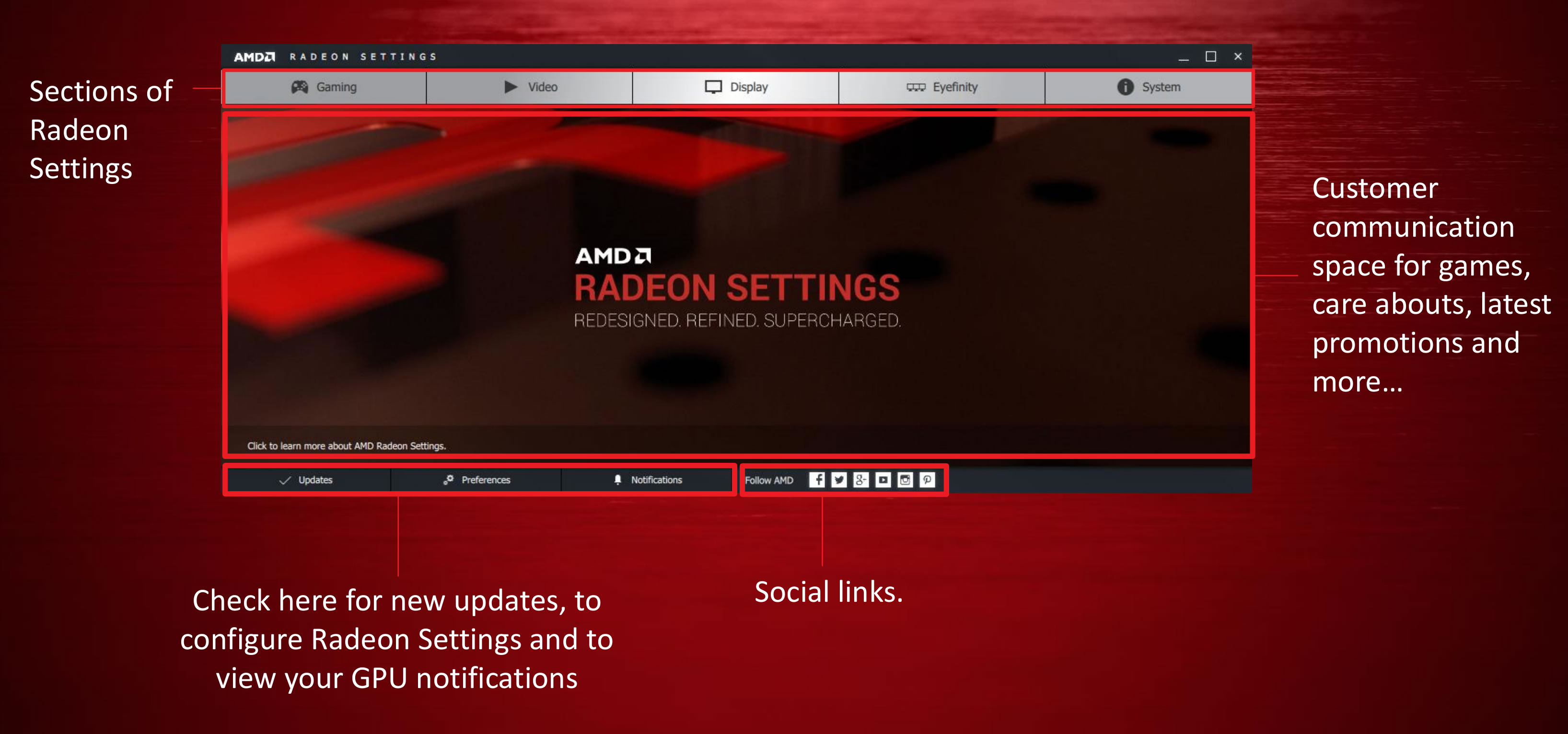
It offers settings across Gaming, video, display, Eyefinity, and system info, along with information about preferences, notifications from AMD, and updates. The software will also display promotional ads for new games and AMD hardware though AMD also hopes to embed Twitch streams of big events in there as well.
The Gaming tab includes an interface that displays all the games installed on your PC, as well as an option for global settings. AMD’s optional, Raptr-powered Gaming Evolved app automatically optimizes your graphics options based on your hardware configuration at an in-game level. Radeon Software Crimson also forces the changes at a deeper hardware level.

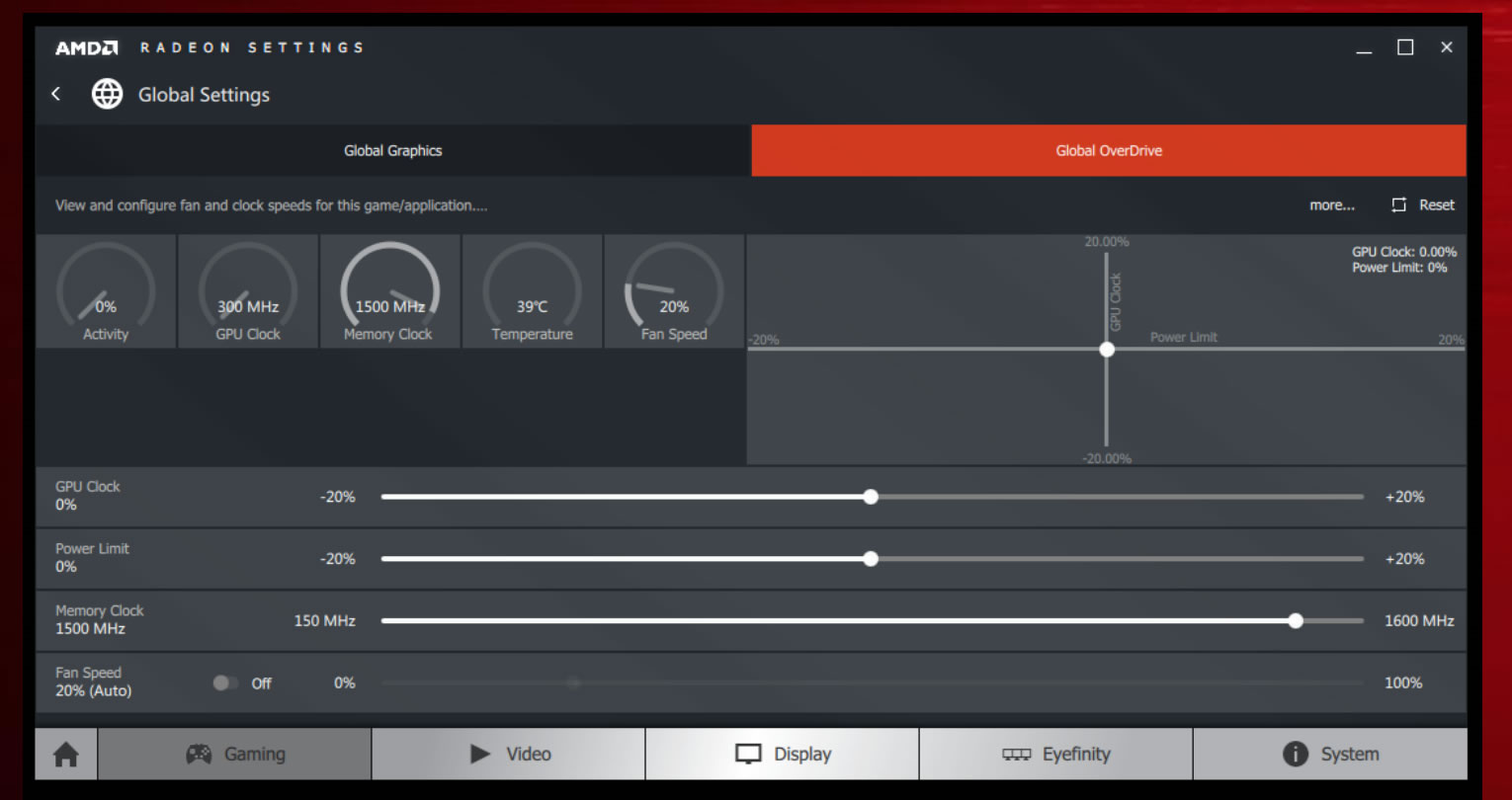
The Global Settings option of the Gaming tab includes the Graphics options you can enable for every game you play and AMD’s OverDrive overclocking tools.
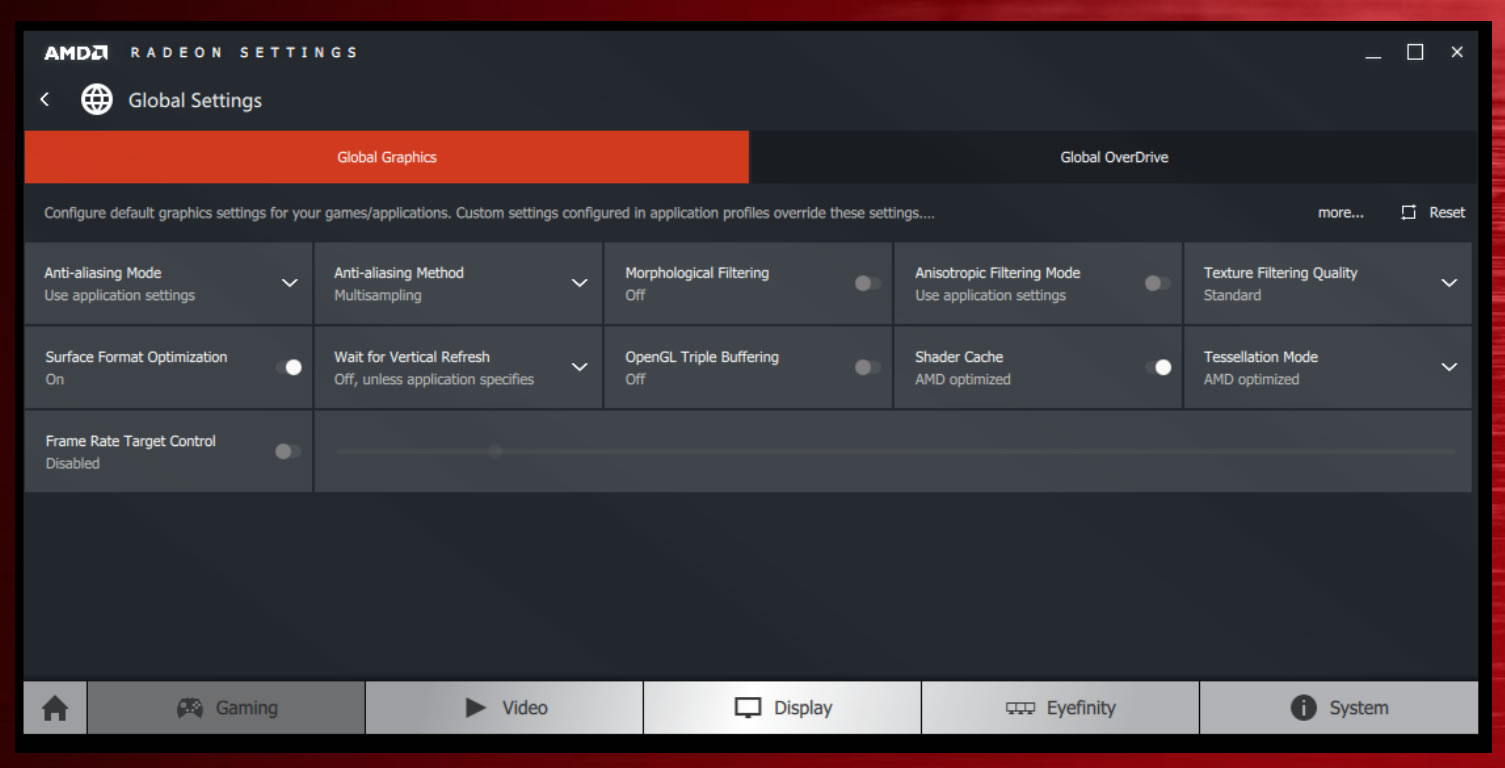
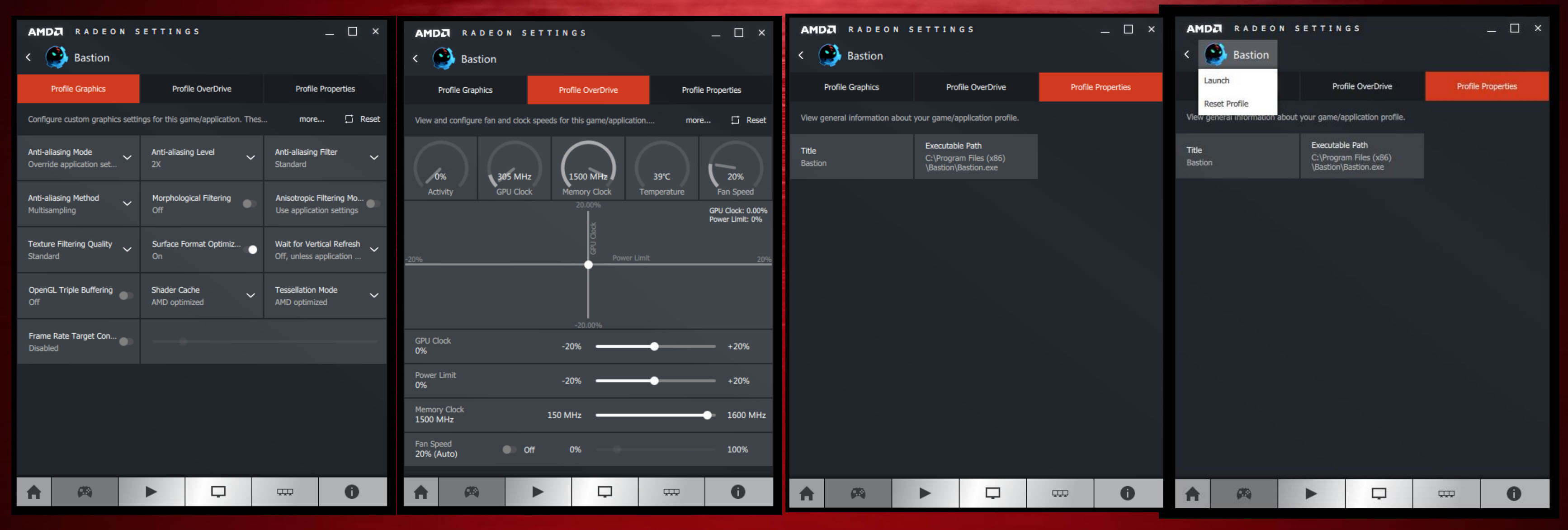
Radeon Settings also lets you create individual graphics profiles for your apply OverDrive settings for individual games. If your graphics card needs a little extra oomph to hit 60 frames per second on a particularly title, you can now configure the game’s profile to kick in overclocking on that title alone, rather than universally.
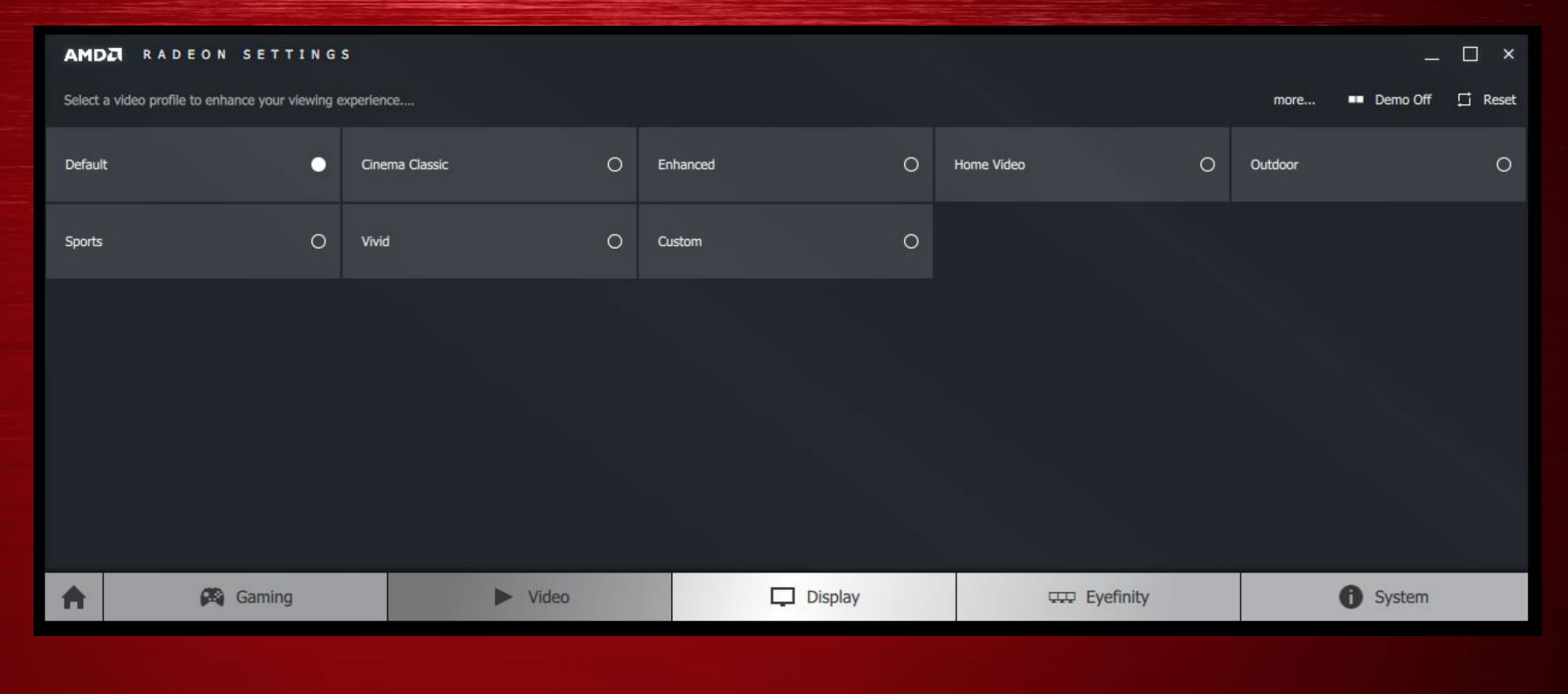
Moving on, the Video tab offers tools for video playback.
There are video profiles optimized for specific situations, such as sports, home videos, and the outdoors. You can also create Custom video profiles.

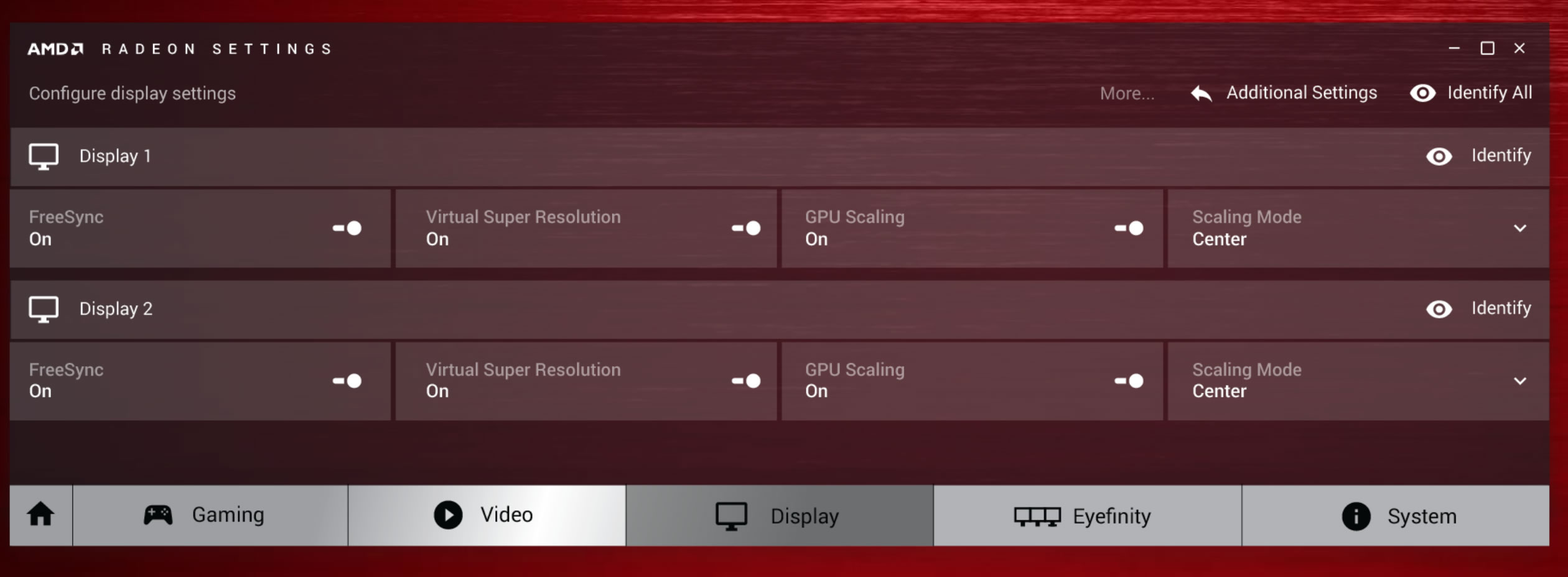
The Display tab includes each monitor in your setup, with some options for each.
Eyefinity has its own dedicated tab. The most notable feature here is a new Quick Setup option, which, with a single click, automatically configures your multi-monitor setup.

The System tab displays all the information about your PC - memory bandwidth, bus settings, and BIOS date.
Last but npot least, the Updates tab lets you know if your Radeon Software Crimson driver’s up to date, or if a new one’s available.

Crimson won’t be available until sometime later in the fourth quarter, and when it does land, it’ll be restricted to Windows.
Meanwhile, along with announcing the new name for their drivers, AMD has also clarified their driver release plans over the next year. AMD is aiming to find a balance on WHQL driver releases and expects multiple WHQL releases per year, likely averaging a release every couple of months. Meanwhile in between those releases AMD will publish beta driver updates as they do now on an as-needed basis.






