Breaking News

SAMA Introduces the S32 WOOD, a Compact M-ATX Case Bundled with an 80 PLUS Gold PSU Thypoch Completes Simera-C Cine Prime Lineup with New 100mm T1.9 Lens CORSAIR Launches the RM1200e Power Supply with Built-in PinProtect GPU Overcurrent Protection and Platinum-certified Efficiency CORSAIR Changes the Game with PureVector, a Science-Based Personalized Aiming Technology, Launching Exclusively in the SABRE v3 PRO PureVector Mouse Series AMD FSR Upscaling 4.1 Boosts Frames and Image Quality on More Devices

logo

  • Share Us
    • Facebook
    • Twitter
  • Home
  • Home
  • News
  • Reviews
  • Essays
  • About
    • Submit News

    • Contact Us
    • Privacy

    • Promotion
    • Advertise

    • RSS Feed

Search form

Terramaster F4-210 NAS Server

Nov 20,2020 0

2. The Package/Overview


Review Pages

1. Introduction
2. The Package/Overview
3. Install/Power up
4. TOS System
5. Apps/Performance
6. Conclusion


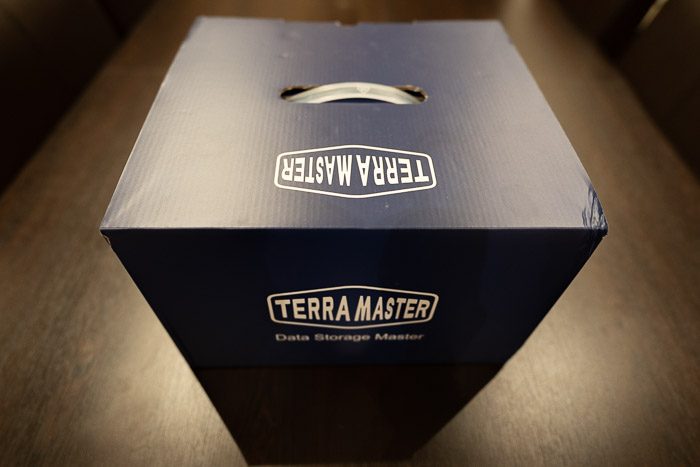
The Terramaster F4-210 comes in a large box with a minimal design and the needed specs printed at a side sticker. The version we tested was the 2GB DDR4 and the product costs around $260/Euro as found over Amazon.com / Newegg / Amazon.de. There is also a 1GB DDR4 version with ~200 Euro/$ if you are looking for something more affordable. The box is big and rather heavy:
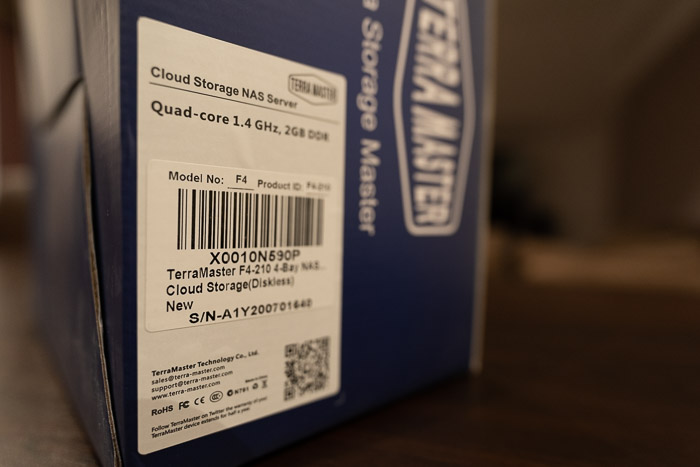
At the side users will find product information and part number:
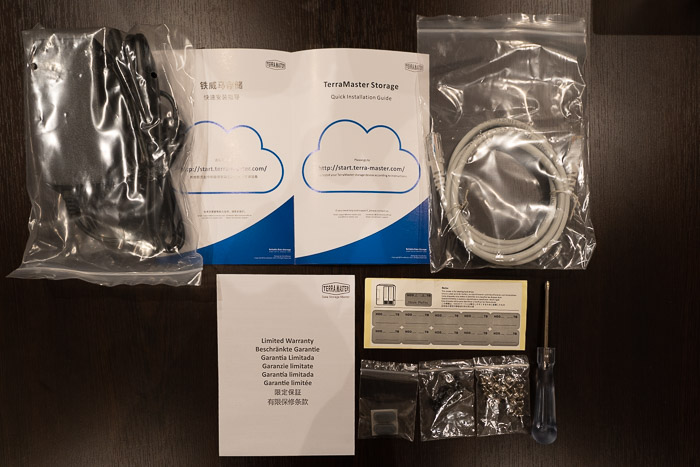
The chassis is well protected and placed next to another cardboard box that includes the rest of the accessories. Opening the box, we will find the package contents:
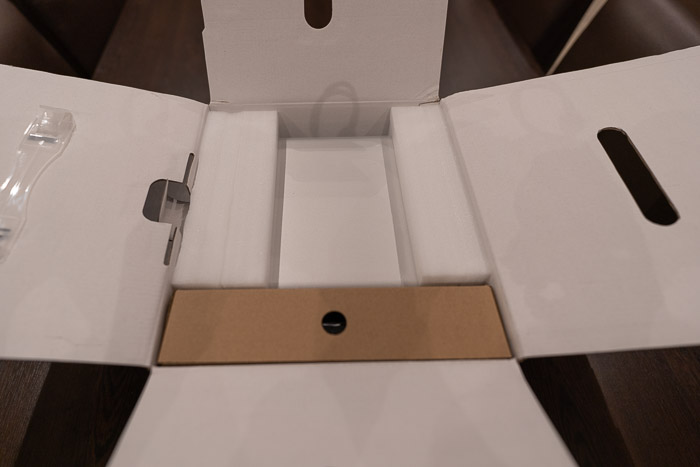
Unpacking the contents, users will find

  1. The TNAS Device x1
  2. The power adapter x1
  3. The power cord x1
  4. The lan cable x1
  5. The quick guide x1
  6. The limited warranty notice x1
  7. Several screws x2
  8. Screwdriver x1

The power adapter comes with 12.0V- 6A 72Watt output specifications

In order to get the NAS server running of course you need either 3.5" or 2.5" HDD/SSD drives. Terramaster lists several drives certified to work, users should visit this page to get more information. In short, Terramaster lists Seagate, Samsung, Sandisk and WD Red SSD drives, while for normal HDD, suggests Seagate Barracuda Pro, Exos, Skyhawk, Ironwolf/Ironwolf Pro and WD Red/Red Pro, Purple, Gold, Surveillance and Toshiba NAS N300 series. Of course other HDD may work, but make sure the used drive is build for NAS use, else your data may be in danger.

The product has big dimensions (227 x 225x 136 mm) and weights around 2.50kg without any drives installed. The material used is alounium and gives a good overal asthetics and feel to the product.

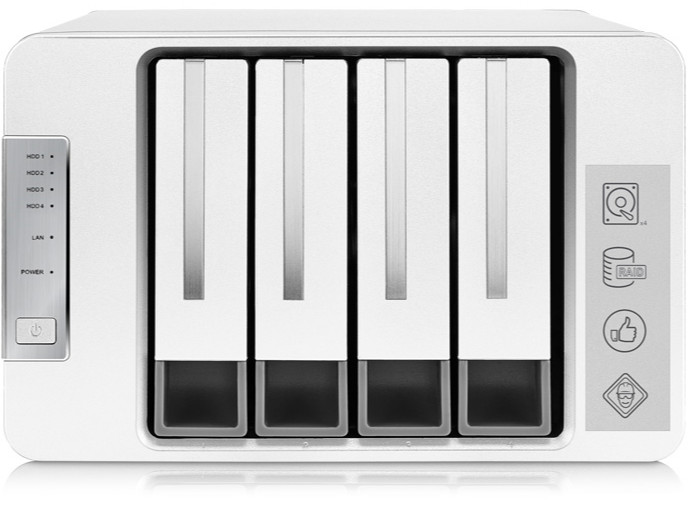
At the fron users will find four (4) slots for inserting HDDs. At the left area there is the power button and several leds indicating how many drives have been installed and the operation of the system.
At the back, we will find two 80 mm x 80 mm x25mm fans, among with two (2) USB3.0 ports, 1Gbit LAN port and the power jack.

The device doesnt have either Wifi or BT installed by default. While its not clear, you can add Wifi module at the device that only should be based upon RTL8812AU chipset, else your USB wifi module wont get recognized by the device.


Review Pages

1. Introduction
2. The Package/Overview
3. Install/Power up
4. TOS System
5. Apps/Performance
6. Conclusion


Pages

  • « first
  • ‹ previous
  • 1
  • 2
  • 3
  • 4
  • 5
  • 6
  • next ›
  • last »

TerraMaster

Tags: TerraMaster
Previous Post
8 Best Tips to Improve MacBook Performance
Next Post
How Smartphones are Changing Industries

Related Posts

  • TerraMaster TerraSync Update

  • TerraMaster Launches Storage Upgrade Season with Up to 30% Off During Prime Big Deal Days

  • TerraMaster Launches 725 Series Xeon Rackmount NAS

  • TerraMaster Rolls Out Official Storage Upgrade Program

  • TerraMaster Offers up to 25% Off on Selected NAS & DAS

  • TerraMaster F4-425 Pro features the world’s first AI-native TOS 7 NAS system

  • TerraMaster Prime Day 2026 Sale Offers Up to 25% Off

  • TerraMaster announces D1 SSD Rugged Enclosure

Latest Reviews

be quiet! Light Wings Pro IO fan
Cooling Systems

be quiet! Light Wings Pro IO fan

Why Intelligent Firmware Matters More Than Peak Throughput in NAS Systems
Enterprise & IT

Why Intelligent Firmware Matters More Than Peak Throughput in NAS Systems

Fanxiang MP83 M.2 NVMe SSD Enclosure
Enterprise & IT

Fanxiang MP83 M.2 NVMe SSD Enclosure

Ugreen CM642 USB4.0 Enclosure
PC components

Ugreen CM642 USB4.0 Enclosure

be quiet! Dark Power 14 IO
PC components

be quiet! Dark Power 14 IO

Popular News

MSI’s Latest AMD X870E MAX & EVO Series Motherboards

MSI’s Latest AMD X870E MAX & EVO Series Motherboards

COLORFUL Launches iGame B850M ULTRA Series Micro-ATX Motherboards

COLORFUL Launches iGame B850M ULTRA Series Micro-ATX Motherboards

COLORFUL Presents Limited Edition Chitu MAG-60 Magnetic Keyboard Inspired by the Year of the Horse

COLORFUL Presents Limited Edition Chitu MAG-60 Magnetic Keyboard Inspired by the Year of the Horse

COLORFUL Launches iGame B850I MINI OC V14 Motherboard

COLORFUL Launches iGame B850I MINI OC V14 Motherboard

COLORFUL Launches the iGame X870E VULCAN W OC Motherboard

COLORFUL Launches the iGame X870E VULCAN W OC Motherboard

COLORFUL Presents iGame Z890 ULTRA-S W and iGame Z890M ULTRA Z Motherboards

COLORFUL Presents iGame Z890 ULTRA-S W and iGame Z890M ULTRA Z Motherboards

COLORFUL Expands B850 Motherboard Lineup with New CVN, Battle-Ax, and MEOW Models

COLORFUL Expands B850 Motherboard Lineup with New CVN, Battle-Ax, and MEOW Models

ASRock Adds Support for One Sub-Channel DRAM Module on Intel DDR5 Motherboards

ASRock Adds Support for One Sub-Channel DRAM Module on Intel DDR5 Motherboards

Main menu

  • Home
  • News
  • Reviews
  • Essays
  • About
    • Submit News

    • Contact Us
    • Privacy

    • Promotion
    • Advertise

    • RSS Feed
  • About
  • Privacy
  • Contact Us
  • Promotional Opportunities @ CdrInfo.com
  • Advertise on out site
  • Submit your News to our site
  • RSS Feed