Breaking News

Akasa Announces Fermi CM5 Fanless Case for Raspberry Pi Compute Module 5 LG Electronics Advances the LG Sound Suite Experience With New DTS DJI Delivers First Drone Dock with Automated, 25-Second Battery Swaps ASUS Announces ExpertBook A7 (AMD) Kioxia Introduces Direct Liquid Cooling Support for Enterprise SSDs

logo

  • Share Us
    • Facebook
    • Twitter
  • Home
  • Home
  • News
  • Reviews
  • Essays
  • About
    • Submit News

    • Contact Us
    • Privacy

    • Promotion
    • Advertise

    • RSS Feed

Search form

Mountain Makalu Max

Aug 4,2023 0

3. The Software


Review Pages

1. Introduction
2. Retail Package
3. The Software
4. Conclusion


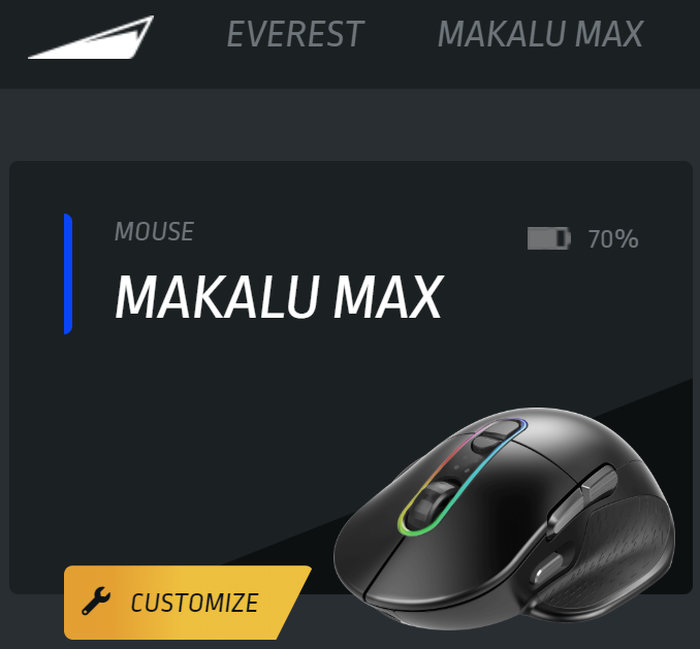
To use the Makalu Max you need to install the Everest BaseCamp software that is only available under Windows-no MAC love, yet.
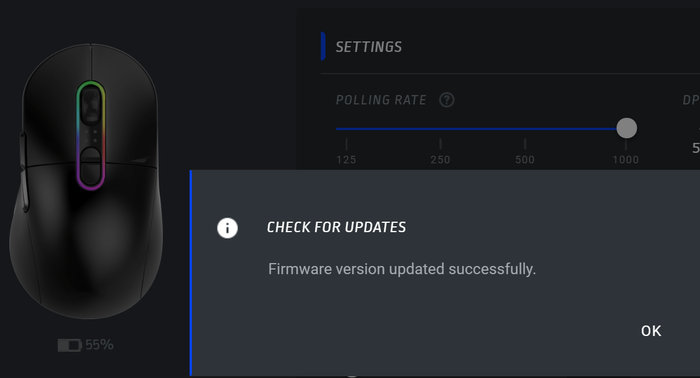
Our sample came with v12.17 firmware, while a new firmware update v13.26 was available. You can perform the firmware update, even in wireless mode.

After a few minutes, the firmware update ended successfully.
The BaseCamp software is the hub for all MOUNTAIN products. That means you can set various settings/profiles that can be synced at all installed MOUNTAIN products, that is very clever. You can set up to 5 different profiles with different settings.
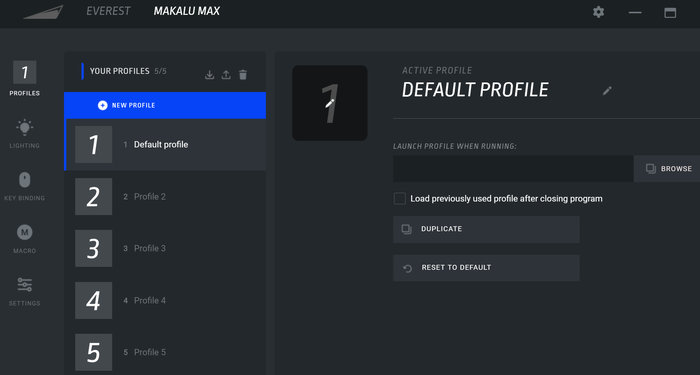
There are several lighting effects included which of course you can customize. The LED at the mouse is nice and doesn't bother you during gaming sessions. You can turn it off for a better battery and you cannot increase/decrease its brightness.

There are 8 buttons on board you can use and set according to your liking.
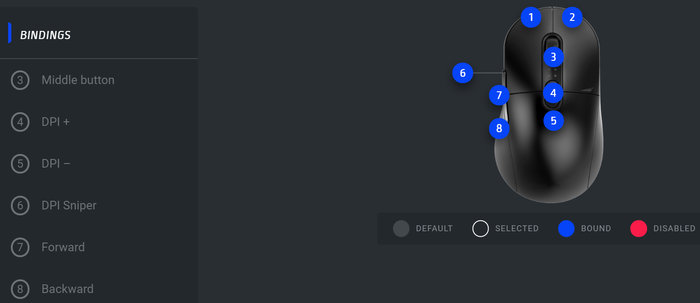
For example on the left side, the "DPI Sniper" button you can change to whatever you want.

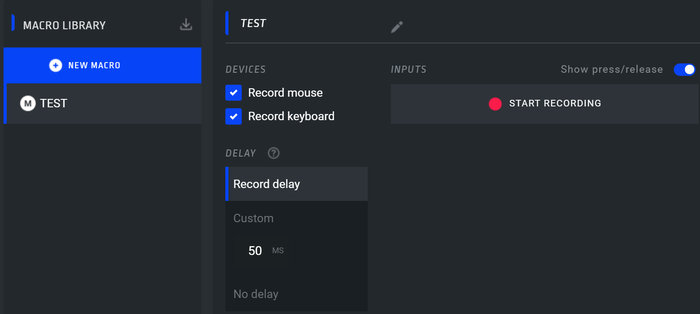
Macros are also present in case you need them
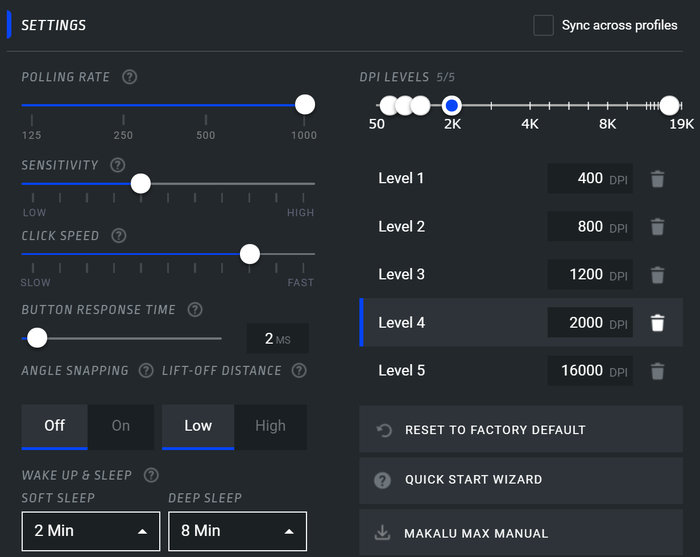
At the settings tab, you can perform firmware updates, check the battery level of the mouse and of course change the various settings of the mouse, like DPI levels and wake-up/sleep timers.
The latest build of the Base Camp software is v1.5.0.
 

Review Pages

1. Introduction
2. Retail Package
3. The Software
4. Conclusion


Pages

  • « first
  • ‹ previous
  • 1
  • 2
  • 3
  • 4
  • next ›
  • last »

MOUNTAIN

Tags: MOUNTAIN
Previous Post
7 Best Printers for Mac
Next Post
Crucial X10Pro 2TB Portable SSD

Related Posts

  • MOUNTAIN launches pudding-style Snow Keycaps

  • MOUNTAIN launches ultra-soft Plateau palm rest

  • MOUNTAIN launches highly customizable Makalu Max mouse

  • MOUNTAIN Everest Max - Makalu 67

  • Listan Group acquires MOUNTAIN

  • Mountain DisplayPad and MacroPad Keypads

  • A November to Remember - Get Black Friday deals!

  • MOUNTAIN launches DisplayPad and MacroPad Streaming and Content Creation Controllers

Latest Reviews

Fanxiang MP83 M.2 NVMe SSD Enclosure
Enterprise & IT

Fanxiang MP83 M.2 NVMe SSD Enclosure

Ugreen CM642 USB4.0 Enclosure
PC components

Ugreen CM642 USB4.0 Enclosure

be quiet! Dark Power 14 IO
PC components

be quiet! Dark Power 14 IO

SanDisk High Endurance 512GB microSDXC
Cameras

SanDisk High Endurance 512GB microSDXC

Samsung PRO Ultimate 512GB microSDXC
Cameras

Samsung PRO Ultimate 512GB microSDXC

Popular News

MSI’s Latest AMD X870E MAX & EVO Series Motherboards

MSI’s Latest AMD X870E MAX & EVO Series Motherboards

COLORFUL Launches iGame B850M ULTRA Series Micro-ATX Motherboards

COLORFUL Launches iGame B850M ULTRA Series Micro-ATX Motherboards

COLORFUL Presents Limited Edition Chitu MAG-60 Magnetic Keyboard Inspired by the Year of the Horse

COLORFUL Presents Limited Edition Chitu MAG-60 Magnetic Keyboard Inspired by the Year of the Horse

COLORFUL Launches iGame B850I MINI OC V14 Motherboard

COLORFUL Launches iGame B850I MINI OC V14 Motherboard

COLORFUL Presents iGame Z890 ULTRA-S W and iGame Z890M ULTRA Z Motherboards

COLORFUL Presents iGame Z890 ULTRA-S W and iGame Z890M ULTRA Z Motherboards

COLORFUL Launches the iGame X870E VULCAN W OC Motherboard

COLORFUL Launches the iGame X870E VULCAN W OC Motherboard

COLORFUL Expands B850 Motherboard Lineup with New CVN, Battle-Ax, and MEOW Models

COLORFUL Expands B850 Motherboard Lineup with New CVN, Battle-Ax, and MEOW Models

ASRock Adds Support for One Sub-Channel DRAM Module on Intel DDR5 Motherboards

ASRock Adds Support for One Sub-Channel DRAM Module on Intel DDR5 Motherboards

Main menu

  • Home
  • News
  • Reviews
  • Essays
  • About
    • Submit News

    • Contact Us
    • Privacy

    • Promotion
    • Advertise

    • RSS Feed
  • About
  • Privacy
  • Contact Us
  • Promotional Opportunities @ CdrInfo.com
  • Advertise on out site
  • Submit your News to our site
  • RSS Feed