Breaking News

Hollyland Launches Pyro 7 Ultra, an All-in-One Wireless Monitoring System for Professional Film Production ADATA Powers AI Servers, Edge Systems and Intelligent Applications with Enterprise Memory and Storage Acer Expands Gaming Handheld Portfolio with Predator Atlas 7 Sony Expands its ULT POWER SOUND series Lineup with 3 New Bass-Powered Speakers Sonos Introduces Sonos 27, the Next Generation of Its Audio Operating System

logo

  • Share Us
    • Facebook
    • Twitter
  • Home
  • Home
  • News
  • Reviews
  • Essays
  • About
    • Submit News

    • Contact Us
    • Privacy

    • Promotion
    • Advertise

    • RSS Feed

Search form

Noctua NH-L9i review

Feb 25,2013 0

2. A closer look


Review Pages

1. Features
2. A closer look
3. Measurements
4. Final thoughts


The Noctua NH-L9i retails online for about $48.00 , which is too much for a cpu cooler designed to replace the Intel's stock solutions bundled with its LGA1150, LGA1155 and LGA1156 CPUs.

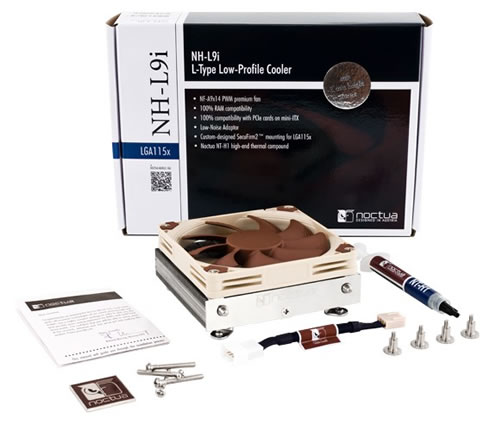
Below you see the retail package of the cooler, which looks familiar to all those who already own any of the company's cooling system:
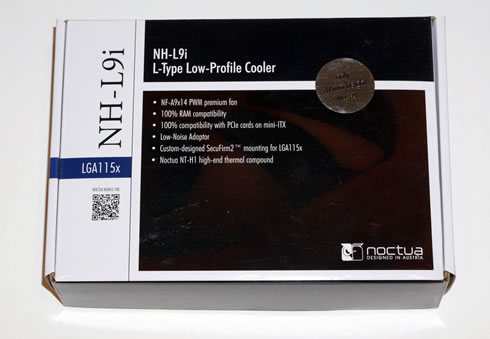
Bundled with the cooler we get the following:

  • 1x NH-L9i cpu cooler
  • 1x NF-A9x14 PWM premium fan
  • 1x Low-Noise Adaptor (L.N.A.)
  • 1x NT-H1 high-grade thermal compound
  • 1x SecuFirm2™ Mounting Kit
  • 1x Screws for 92x92x25mm fans
  • 1x Noctua Metal Case-Badge

Internally, Noctua carefully packs up the components so they are held in place and easy to identify.
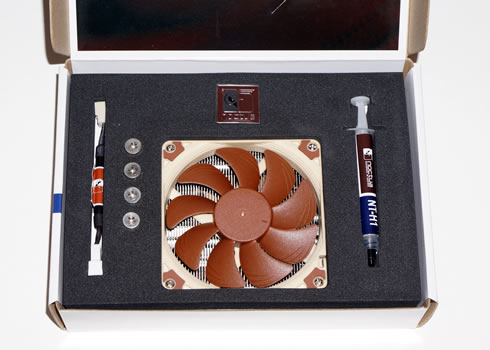
 

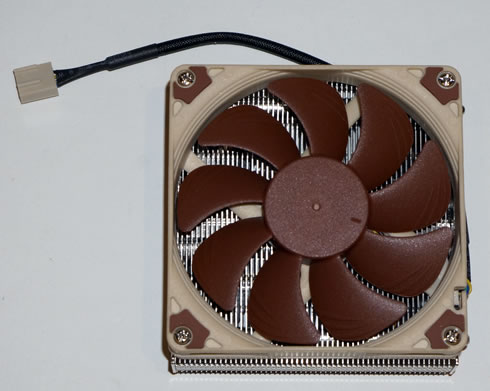
The Noctua NH-L9i comes with a 92mm fan preinstalled. Overall, the height of both the fan and the cooler body comes to 37mm tall, making it ideal for HTPC users. Still, in case your motherboard has any capacitors onboard, make sure to check Noctua's website for compatibility, although almost any currently sold motherboard is supported. The systems' weigh is also very low, down to 420gr.

Noctua rate the fan for 2500RPM (max) with airflow of 57.5m3/h and noise level of 23.6dBA. The fan uses Noctua's SSO2 bearing design and is rated for 150,000MTBF:
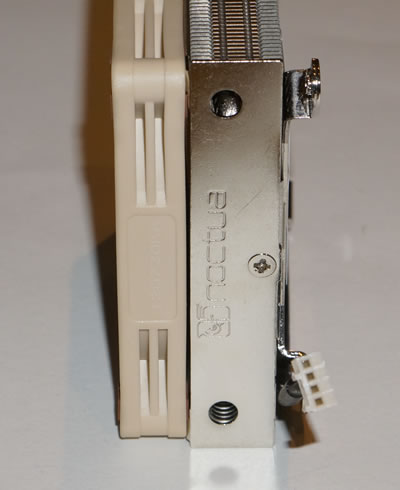
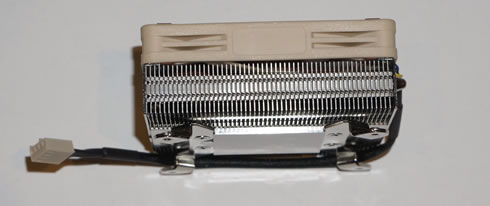
Looking at the heatsink from the side you'll see 55 small aluminum fins packed together with very small spacing. The joints between the aluminum fins are soldered for both a more secure connection and to improve the transfer of the thermal load between the base and fin array.

Attached to the base we have mounting brackets and between them and the fan is a block of aluminium fins.

Finally, the CPU block is a smooth nickel plated copper block. 
Installing the cpu cooler is easy but still, you' d better have a look to the cooler's manual and follow the provided steps. Depending on your motherboard, you may be able to install the cooler without the board to be out on the bench.

The next step is to apply the NT-H1 thermal compound and hold the cooler in position against the CPU. Then put the back plate in place and start all four of the SecuFirm2 screws.

Once seated, plug the 4 pin power connector onto the CPU fan header on the motherboard.


Review Pages

1. Features
2. A closer look
3. Measurements
4. Final thoughts


Pages

  • « first
  • ‹ previous
  • 1
  • 2
  • 3
  • 4
  • next ›
  • last »

Noctua

Tags: Noctua
Previous Post
Noctua NF-A14 ULN, NF-A14 FLX and NF-A15 PWM Fan Review
Next Post
Kingston UltimateX 100X 32GB SDHC review

Related Posts

  • Noctua and Prusa Research release PETG filaments in signature Noctua colours

  • Noctua NL-LC1-36

  • Noctua introduces NL-LC1 all-in-one liquid coolers

  • Noctua at Computex 2026

  • Carbice and Noctua announce strategic partnership for DIY PC cooling applications

  • Noctua presents NF-A12x25 G2 chromax.black 120mm fans

  • Noctua and Asetek Announce Flagship AIO Liquid Coolers

  • Antec and Noctua introduce Antec Flux Pro Noctua Edition PC case

Latest Reviews

be quiet! Dark Power 14 IO
PC components

be quiet! Dark Power 14 IO

SanDisk High Endurance 512GB microSDXC
Cameras

SanDisk High Endurance 512GB microSDXC

Samsung PRO Ultimate 512GB microSDXC
Cameras

Samsung PRO Ultimate 512GB microSDXC

be quiet! Light Mount TKL
Consumer Electronics

be quiet! Light Mount TKL

be quiet! Light Loop IO LCD
Cooling Systems

be quiet! Light Loop IO LCD

Popular News

CORSAIR announces Vanguard Pro 96 and Vanguard 96 Gaming Keyboards

CORSAIR announces Vanguard Pro 96 and Vanguard 96 Gaming Keyboards

MSI Launches FORGE GK600 TKL WIRELESS Special Edition Compact Mechanical Keyboard

MSI Launches FORGE GK600 TKL WIRELESS Special Edition Compact Mechanical Keyboard

TEAMGROUP Launches EXPERT P34F Find My External SSD

TEAMGROUP Launches EXPERT P34F Find My External SSD

Samsung announces Galaxy Tab S11 and Galaxy S25 FE series

Samsung announces Galaxy Tab S11 and Galaxy S25 FE series

Viltrox Showcases Upcoming Lens Lineup and New TTL Flash at IBC 2025

Viltrox Showcases Upcoming Lens Lineup and New TTL Flash at IBC 2025

Panasonic Introduces the First Ultra-Telephoto Zoom Lens in the LUMIX S Series

Panasonic Introduces the First Ultra-Telephoto Zoom Lens in the LUMIX S Series

MSI Launches DATAMAG 40Gbps Magnetic Portable SSD

MSI Launches DATAMAG 40Gbps Magnetic Portable SSD

MSI’s Latest AMD X870E MAX & EVO Series Motherboards

MSI’s Latest AMD X870E MAX & EVO Series Motherboards

Main menu

  • Home
  • News
  • Reviews
  • Essays
  • About
    • Submit News

    • Contact Us
    • Privacy

    • Promotion
    • Advertise

    • RSS Feed
  • About
  • Privacy
  • Contact Us
  • Promotional Opportunities @ CdrInfo.com
  • Advertise on out site
  • Submit your News to our site
  • RSS Feed