Breaking News

LG Display launches 24.5-inch 720Hz Gaming OLED Panel Razer Unveils the Mako Desktop Gaming Speakers TerraMaster Launches 725 Series Xeon Rackmount NAS Viltrox Brings Its Full-Frame Air Series to L-Mount with Four Compact Prime Lenses CORSAIR Deploys the WARTHOG Airflow Mid-Tower PC Case

logo

  • Share Us
    • Facebook
    • Twitter
  • Home
  • Home
  • News
  • Reviews
  • Essays
  • About
    • Submit News

    • Contact Us
    • Privacy

    • Promotion
    • Advertise

    • RSS Feed

Search form

Samsung Launches One UI Android 10 Beta Program For Galaxy S10 Devices

Samsung Launches One UI Android 10 Beta Program For Galaxy S10 Devices

Smartphones Oct 14,2019 0

Samsung has released Android 10 in beta for Galaxy S10 devices, featuring a revamped version of the One UI software.

You can join the Beta Program and enjoy the new One UI with Android 10 features before its official release. Participation in One UI Beta Program requires a Samsung account. The program is available only for certain devices, OS, and countries (Galaxy S10e/S10/S10+/S10 5G and other devices with Android 10 OS).

One UI features are further enhanced to make the experience "more natural, seamless and efficient," according to Samsung.

Key features of One UI and Android 10 for users to test on the Galaxy S10 include:

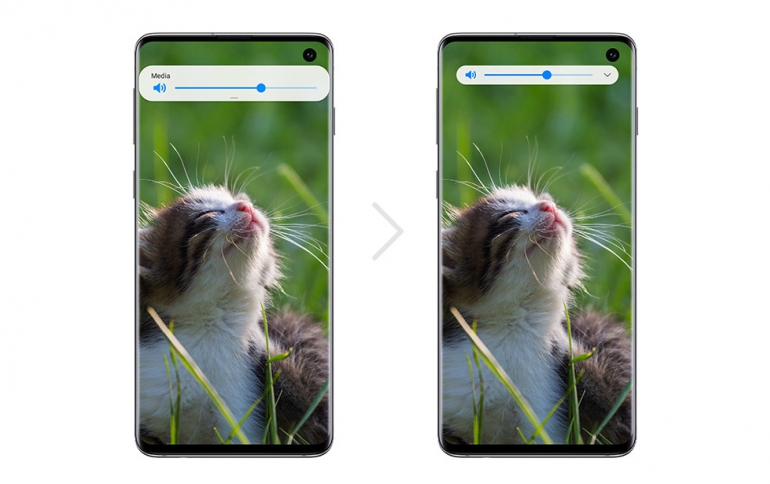
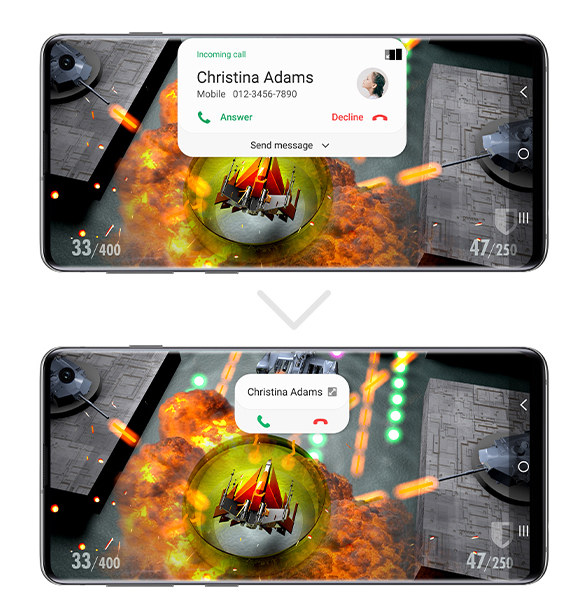
  • A clean interface allows users to enjoy minimized pop-ups, embedded loading indicators and simplified button arrangements. The new One UI features a streamlined design where notifications take up less space, so you kept up-to-date while being able to focus on the task at hand.
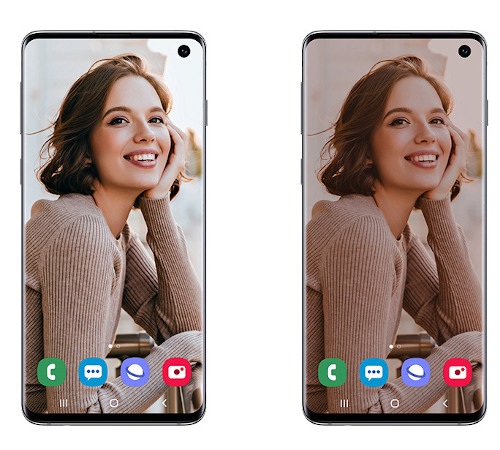
  • An enhanced Dark Mode helps you at night by intelligently adjusting the brightness of images, texts and colors on the display while reducing battery consumption.
  • Smart Lock screen automatically adjusts the color and format of the clock and notifications to ensure you can always see the text and icons clearly.
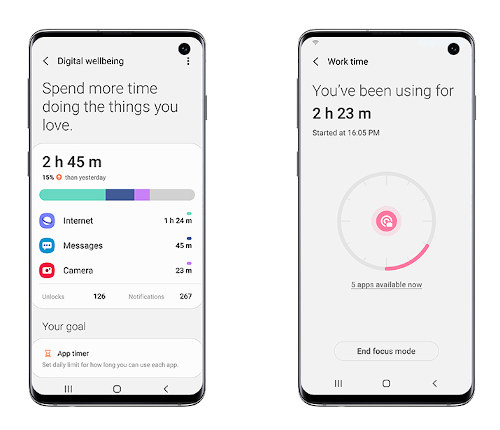
  • The expanded One UI provides a wide range of tools to help you manage your digital wellness. Focus Mode lets you pause apps temporarily for times when you need to minimize distractions and get in the zone. You can track usage, manage screen time or enable focus mode to minimize distractions.
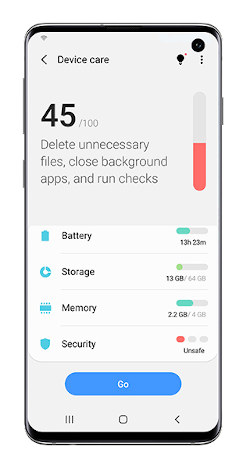
  • Maintaining the performance of your smartphone is easier with the Device Care menu, which gives you quicker access to the essential functions. Some individual features are also enhanced to give you more control, such as keeping or deleting duplicate photos.
Tags: Galaxy S10Android 10
Previous Post
Porsche Extends Electric Sports Car Model Range With the Taycan 4S
Next Post
NVIDIA to Bring Ray Tracing Upgrade to More Older Games

Related Posts

  • Motorola razr Gets Android 10 Update

  • Software Update brings New Features to Samsung Galaxy S10 and Galaxy Note10 Smartphones

  • Android 10 Coming to Sony Xperia 1 and Xperia 5 Smartphones

  • Galaxy Note10 Features Come to the Galaxy S10

  • Samsung Released Software Fix For Galaxy Fingerprint Recognition Problem

  • Samsung to Correct Galaxy S10 Fingerprint Problem

  • Software Update Brings Galaxy Note10 Features to the Galaxy S10

  • Android Q is Now Android 10

Latest News

LG Display launches 24.5-inch 720Hz Gaming OLED Panel
Gaming

LG Display launches 24.5-inch 720Hz Gaming OLED Panel

Razer Unveils the Mako Desktop Gaming Speakers
Consumer Electronics

Razer Unveils the Mako Desktop Gaming Speakers

TerraMaster Launches 725 Series Xeon Rackmount NAS
Enterprise & IT

TerraMaster Launches 725 Series Xeon Rackmount NAS

Viltrox Brings Its Full-Frame Air Series to L-Mount with Four Compact Prime Lenses
Cameras

Viltrox Brings Its Full-Frame Air Series to L-Mount with Four Compact Prime Lenses

CORSAIR Deploys the WARTHOG Airflow Mid-Tower PC Case
Cooling Systems

CORSAIR Deploys the WARTHOG Airflow Mid-Tower PC Case

Popular Reviews

Endorfy Thock V2 Wireless Keyboard

Endorfy Thock V2 Wireless Keyboard

The Quiet Technology Behind the Spin

The Quiet Technology Behind the Spin

SoundPeats Cove Pro

SoundPeats Cove Pro

Akaso Brave 8 Lite

Akaso Brave 8 Lite

Kioxia Exceria Plus G3 512GB microSD

Kioxia Exceria Plus G3 512GB microSD

SoundPeats C30

SoundPeats C30

be quiet! Dark Perk Mice

be quiet! Dark Perk Mice

XbotGo Chamaleon

XbotGo Chamaleon

Main menu

  • Home
  • News
  • Reviews
  • Essays
  • About
    • Submit News

    • Contact Us
    • Privacy

    • Promotion
    • Advertise

    • RSS Feed
  • About
  • Privacy
  • Contact Us
  • Promotional Opportunities @ CdrInfo.com
  • Advertise on out site
  • Submit your News to our site
  • RSS Feed