Breaking News

ARCTIC Introduces the BioniX P12/P14 A-RGB Series be quiet! expands its peripheral lineup with Light Mount TKL and Mousepad XL GIGABYTE Announces the Availability of AORUS GeForce RTX 50 INFINITY Series Graphics Cards LG Electronics Launches LG xboom Blast Party Speaker Intel Gamer Days 2026 Kicking Off with AAA Gaming Bundle - Partnerships

logo

  • Share Us
    • Facebook
    • Twitter
  • Home
  • Home
  • News
  • Reviews
  • Essays
  • About
    • Submit News

    • Contact Us
    • Privacy

    • Promotion
    • Advertise

    • RSS Feed

Search form

Arctic Liquid Freezer III 280 ARGB

May 8,2024 0

3. Installation


Review Pages

1. Introduction
2. Retail Package
3. Installation
4. Tests
5. Conclusion


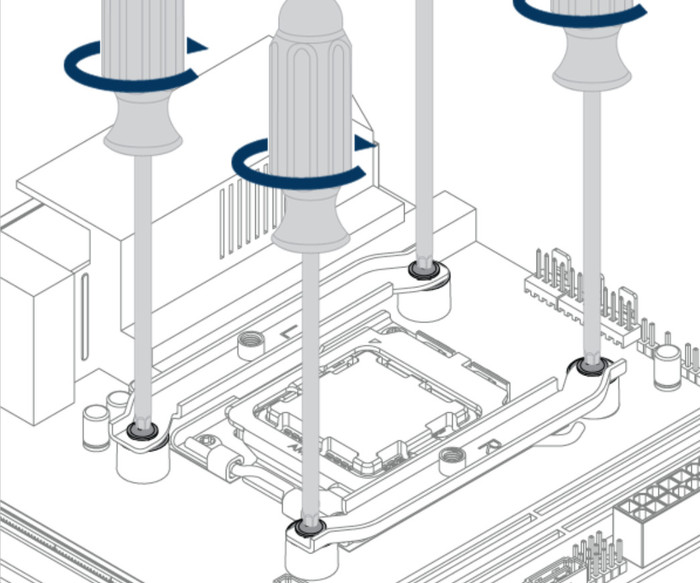
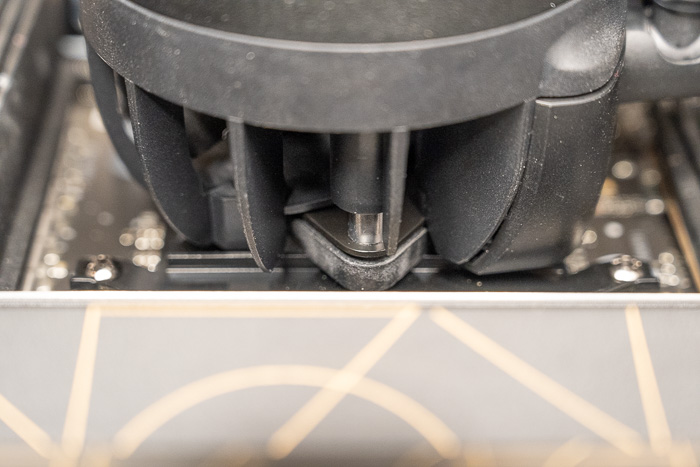
Installing the CPU cooler requires several steps and mostly we advise you to read the Arctic online guide for installing the product either for Intel or AMD platforms. We mainly tested this product with the AM5 platform, so we can comment on the procedure and the installation method. You need to remove the existing stock brackets and use spacers and screws to secure the mounting mechanism as follows. Note that with the Intel platform, you need to use the included mounting bracket, according to Arctic offers much better performance, compared with the stock Intel, this of course adds more steps for Intel users.
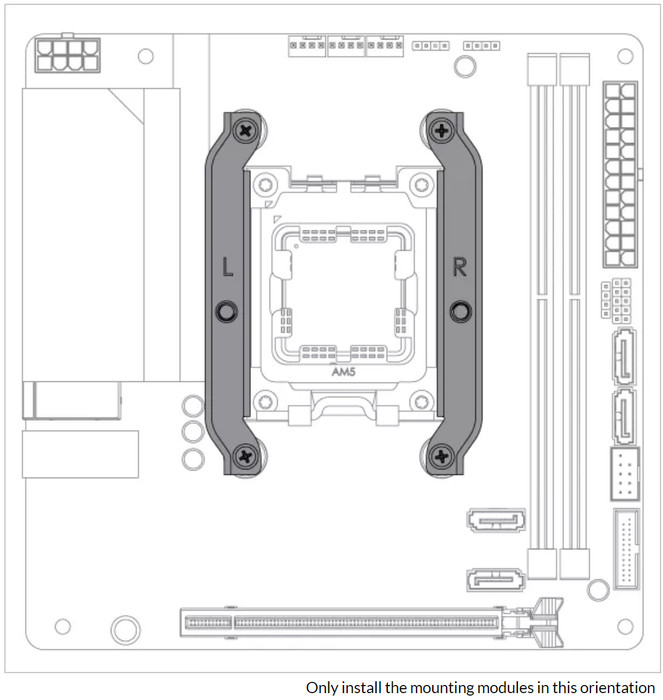
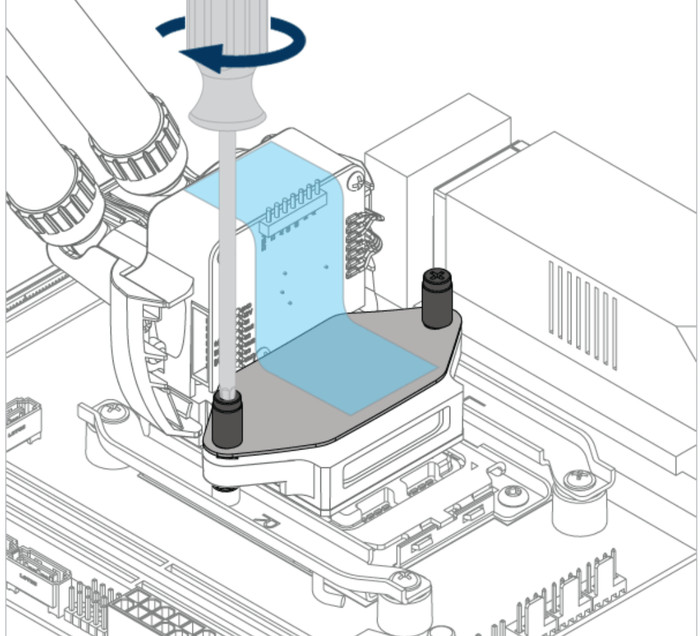
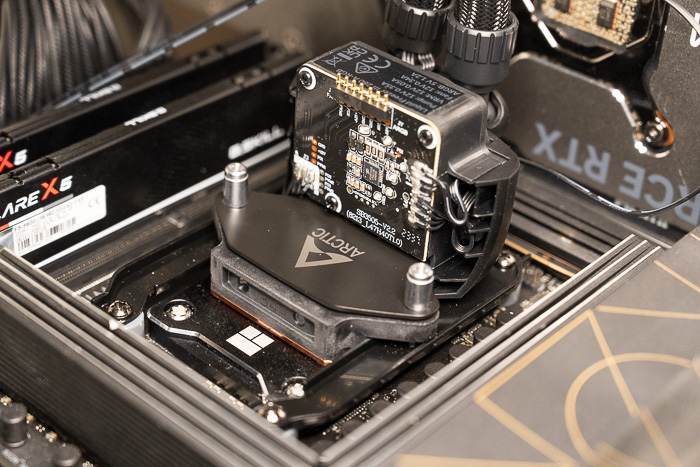
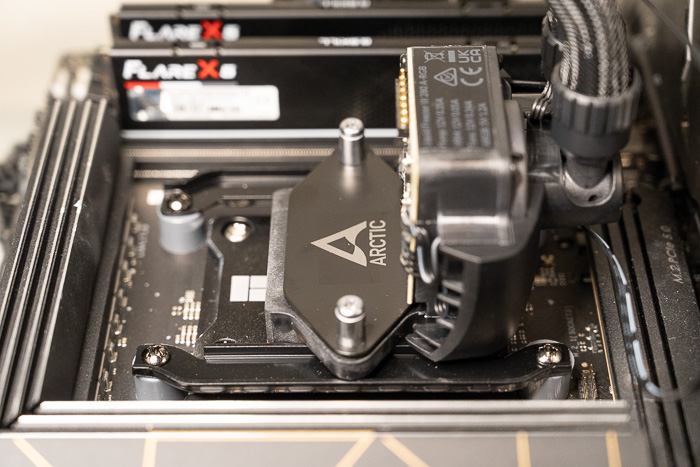
Something that users have mentioned, and we also found out is that "...you shouldn't fully tighten the two brackets, just so that they still have a little play. Then fit the pump head and tighten it. When the pump head is mounted, tighten the 4 screws of the bracket. This makes the work much easier. If you tighten the brackets directly, it may be that you will only be able to fit the pump head screws with the greatest of effort..."

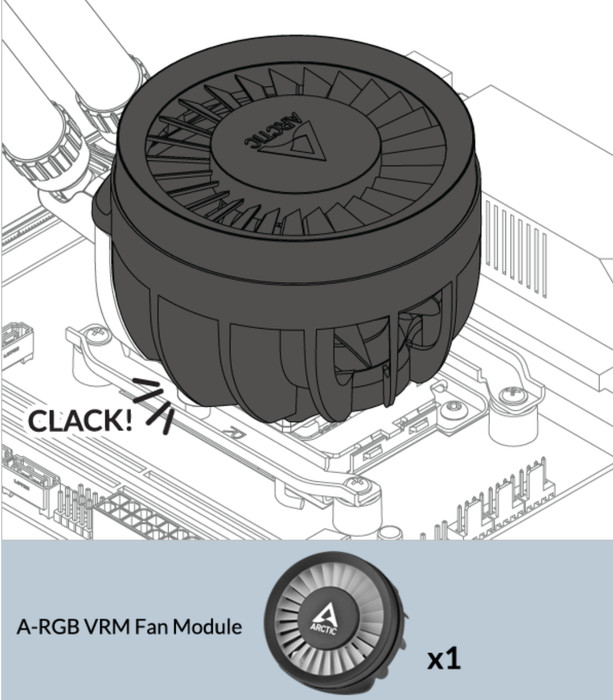
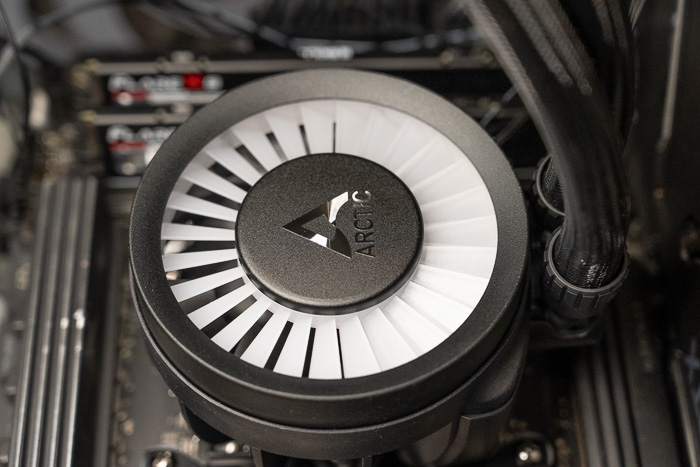
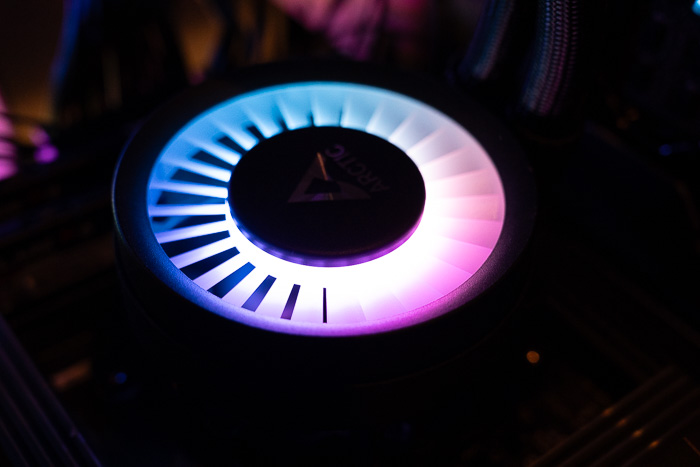
For those unsure about using the 3-connector header, the first two labeled CPU and PUMP go to their corresponding headers on the motherboard (check your motherboard manual for the locations). The third, labeled VRM, is the fan that sits on top of the cooling block designed to blow air down at the VRM coils. The VRM jumper simply connects to any spare fan header (again, check the mobo manual for the location of spare fan headers). Don't forget to configure BIOS to PWM fan mode for the pump, fan, and VRM. While one cable allows, individual control of the components (3 Signals), the other will make control everything with a single PWM-signal.
 

Review Pages

1. Introduction
2. Retail Package
3. Installation
4. Tests
5. Conclusion


Pages

  • « first
  • ‹ previous
  • 1
  • 2
  • 3
  • 4
  • 5
  • next ›
  • last »

Arctic

Tags: Arctic
Previous Post
G.skill Trident Z5 Neo RGB DDR5-6000 64GB CL30
Next Post
Deepcool PN850M PSU

Related Posts

  • ARCTIC Introduces the BioniX P12/P14 A-RGB Series

  • Arctic MX-7

  • ARCTIC announces Fan Controller

  • ARCTIC Showcases New Products at COMPUTEX 2026

  • Arctic announces Freezer 36-S

  • Arctic announces Senza AI 370 Under Desk PC for AI Applications

  • Powerful Cooling with the Freezer 4U-OneX

  • Endorfy Thock V2 Wireless Keyboard

Latest Reviews

be quiet! Light Loop IO LCD
Cooling Systems

be quiet! Light Loop IO LCD

KIOXIA Exceria Pro G2 NVME 2TB
PC components

KIOXIA Exceria Pro G2 NVME 2TB

Online Casino Games That Offer Something Different
Consumer Electronics

Online Casino Games That Offer Something Different

SOUNDPEATS Air6 HS
Consumer Electronics

SOUNDPEATS Air6 HS

Arctic MX-7
Cooling Systems

Arctic MX-7

Popular News

CORSAIR announces Vanguard Pro 96 and Vanguard 96 Gaming Keyboards

CORSAIR announces Vanguard Pro 96 and Vanguard 96 Gaming Keyboards

MSI Launches FORGE GK600 TKL WIRELESS Special Edition Compact Mechanical Keyboard

MSI Launches FORGE GK600 TKL WIRELESS Special Edition Compact Mechanical Keyboard

TEAMGROUP Launches EXPERT P34F Find My External SSD

TEAMGROUP Launches EXPERT P34F Find My External SSD

Samsung announces Galaxy Tab S11 and Galaxy S25 FE series

Samsung announces Galaxy Tab S11 and Galaxy S25 FE series

Viltrox Showcases Upcoming Lens Lineup and New TTL Flash at IBC 2025

Viltrox Showcases Upcoming Lens Lineup and New TTL Flash at IBC 2025

Panasonic Introduces the First Ultra-Telephoto Zoom Lens in the LUMIX S Series

Panasonic Introduces the First Ultra-Telephoto Zoom Lens in the LUMIX S Series

MSI Launches DATAMAG 40Gbps Magnetic Portable SSD

MSI Launches DATAMAG 40Gbps Magnetic Portable SSD

Viltrox Joins the L-Mount Alliance, Expanding Creative Possibilities

Viltrox Joins the L-Mount Alliance, Expanding Creative Possibilities

Main menu

  • Home
  • News
  • Reviews
  • Essays
  • About
    • Submit News

    • Contact Us
    • Privacy

    • Promotion
    • Advertise

    • RSS Feed
  • About
  • Privacy
  • Contact Us
  • Promotional Opportunities @ CdrInfo.com
  • Advertise on out site
  • Submit your News to our site
  • RSS Feed