Breaking News

ADATA Launches URBAN TAPSAFE External SSD Sony Expands Gaming Gear Range with INZONE H6 Air and INZONE M10S II Transcend Launches RDE3 microSD Express Card Reader for Next-Generation High-Speed Performance PlayStation Plus Game Catalog for April 2026 Samsung Sets a New Standard of Color with Micro RGB TV Lineup

logo

  • Share Us
    • Facebook
    • Twitter
  • Home
  • Home
  • News
  • Reviews
  • Essays
  • Forum
  • Legacy
  • About
    • Submit News

    • Contact Us
    • Privacy

    • Promotion
    • Advertise

    • RSS Feed
    • Site Map

Search form

ASUS A8N-SLI Premium

Aug 3,2005 0

17. Bundled Software


Review Pages

1. Introduction
2. The mainboard - Packaging
3. NVidia's Scalable Link Interface
4. Test System - Configuration
5. 3DMark05
6. 3DMark03
7. Codecreatures
8. Aquamark/3DMark 2001
9. Half Life 2
10. Doom 3
11. FarCry
12. Thief 3
13. Colin McRae 2005
14. Ground Control II
15. Performance Test v5.0
16. BIOS
17. Bundled Software
18. AIBooster - Overclocking
19. Conclusion


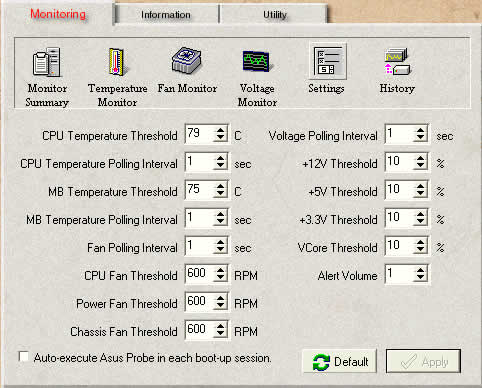
In the retail package, ASUS included a software CD with several useful programs that you can use to monitor or overclock your system.
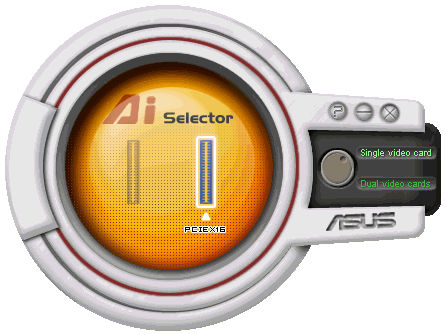
This is the AI Selector software, used to change from Single VGA mode to Dual VGA mode (SLI). Unfortunately, after each change, a system restart is required. So, since you need to restart the system in any case, why not change the settings through the BIOS? ASUS thought that novice users that don't want to mess around with the BIOS can now change the SLI mode more easily.
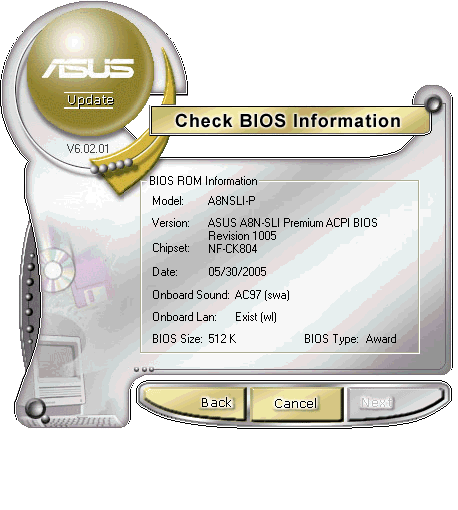
ASUS update is a utility that helps you check your BIOS version, search the internet for an updated version and update the BIOS if required. The whole procedure is done from within Windows XP, with no need to create any boot disk or use any special updater. However, if you do know how to update the BIOS under "pure DOS", then is strongly advised for you to do so.
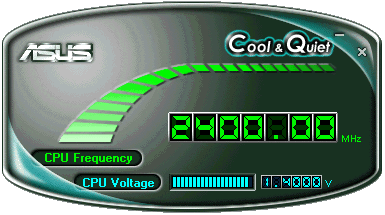
Cool&Quiet will monitor your CPU frequency and CPU voltage.
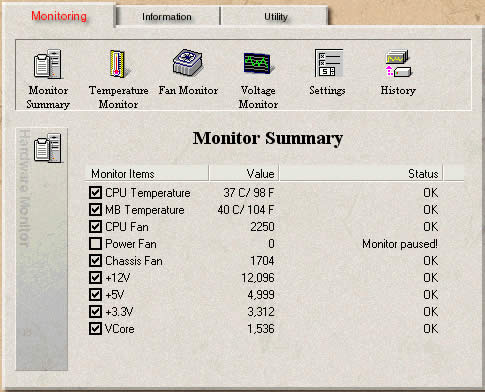
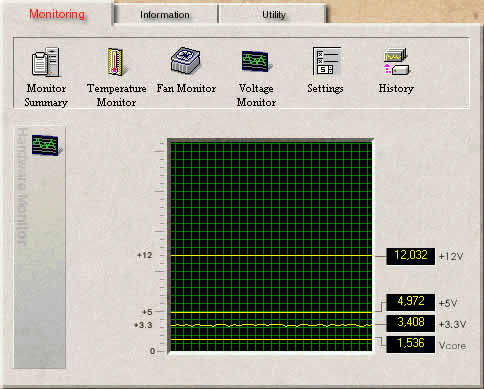
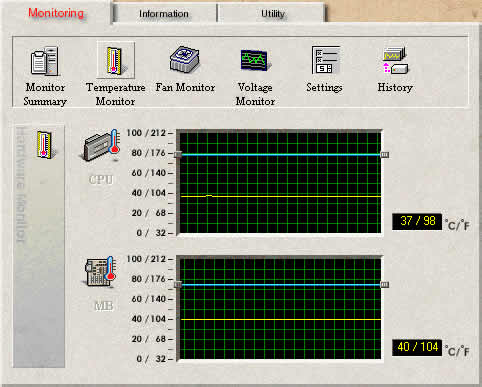
ASUS Probe is a monitoring utility. You might notice that the Power Fan speed monitor indicates 0 RPM. In the Deluxe version, the Power Fan monitor was replaced by the chipset Fan monitor (nForce4). However, since there is no fan on the nForce4 chip, the indicator shows 0RPM.

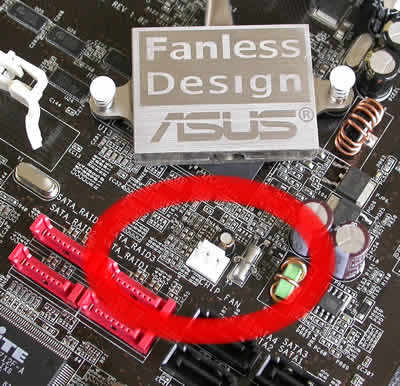
If you do have a PSU that uses a 3-pin connector for fan monitoring, you should not connect it to the power fan connectors, but to the chipset fan connector. ASUS mixed things up a little in this case.
 

Review Pages

1. Introduction
2. The mainboard - Packaging
3. NVidia's Scalable Link Interface
4. Test System - Configuration
5. 3DMark05
6. 3DMark03
7. Codecreatures
8. Aquamark/3DMark 2001
9. Half Life 2
10. Doom 3
11. FarCry
12. Thief 3
13. Colin McRae 2005
14. Ground Control II
15. Performance Test v5.0
16. BIOS
17. Bundled Software
18. AIBooster - Overclocking
19. Conclusion


Pages

  • « first
  • ‹ previous
  • …
  • 11
  • 12
  • 13
  • 14
  • 15
  • 16
  • 17
  • 18
  • 19
  • next ›
  • last »

ASUS

Tags: ASUS
Previous Post
Vantec NexStar 3
Next Post
Memorex M-Flyer & TravelDrive

Related Posts

  • ASUS Announces ProArt Router PRT-BE5000 and ProArt Switch PQG-U1080

  • ASUS Announces Intel Core Ultra 200S Plus Series Support on W880, Z890, Q870, B860 and H810 Motherboards

  • ASUS Unveils Complete Portfolio Support for Intel Core 200S Series

  • ASUS Announces 2026 TUF Gaming Laptop Lineup

  • ASUS Announces New-Gen NUC 16 Pro Mini PC

  • ASUS Unveils ExpertBook B3 G2

  • Announcing ASUS ExpertBook B5 G2

  • ASUS Unveils Mac-Friendly Features on ProArt Displays to Enhance Workflows

Latest Reviews

In the Age of AI Phishing, the Best User Experience Might Be the One That Feels Safest
Enterprise & IT

In the Age of AI Phishing, the Best User Experience Might Be the One That Feels Safest

SoundPeats C30
Consumer Electronics

SoundPeats C30

Why Streaming Live Casino Games Demands Smarter Tech
Enterprise & IT

Why Streaming Live Casino Games Demands Smarter Tech

Kioxia Exceria Plus G3 512GB microSD
Cameras

Kioxia Exceria Plus G3 512GB microSD

SoundPeats Cove Pro
Consumer Electronics

SoundPeats Cove Pro

Popular News

TEAMGROUP Launches EXPERT P34F Find My External SSD

TEAMGROUP Launches EXPERT P34F Find My External SSD

Samsung announces Galaxy Tab S11 and Galaxy S25 FE series

Samsung announces Galaxy Tab S11 and Galaxy S25 FE series

Viltrox Showcases Upcoming Lens Lineup and New TTL Flash at IBC 2025

Viltrox Showcases Upcoming Lens Lineup and New TTL Flash at IBC 2025

CORSAIR announces Vanguard Pro 96 and Vanguard 96 Gaming Keyboards

CORSAIR announces Vanguard Pro 96 and Vanguard 96 Gaming Keyboards

Panasonic Introduces the First Ultra-Telephoto Zoom Lens in the LUMIX S Series

Panasonic Introduces the First Ultra-Telephoto Zoom Lens in the LUMIX S Series

MSI Launches DATAMAG 40Gbps Magnetic Portable SSD

MSI Launches DATAMAG 40Gbps Magnetic Portable SSD

MSI Launches FORGE GK600 TKL WIRELESS Special Edition Compact Mechanical Keyboard

MSI Launches FORGE GK600 TKL WIRELESS Special Edition Compact Mechanical Keyboard

Viltrox Joins the L-Mount Alliance, Expanding Creative Possibilities

Viltrox Joins the L-Mount Alliance, Expanding Creative Possibilities

Main menu

  • Home
  • News
  • Reviews
  • Essays
  • Forum
  • Legacy
  • About
    • Submit News

    • Contact Us
    • Privacy

    • Promotion
    • Advertise

    • RSS Feed
    • Site Map
  • About
  • Privacy
  • Contact Us
  • Promotional Opportunities @ CdrInfo.com
  • Advertise on out site
  • Submit your News to our site
  • RSS Feed